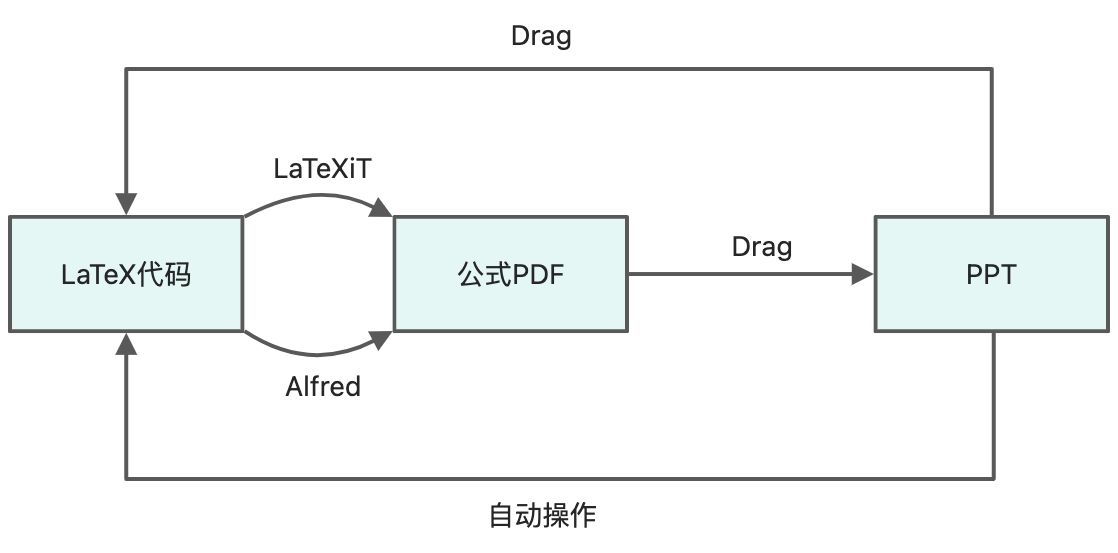
输入公式
手动
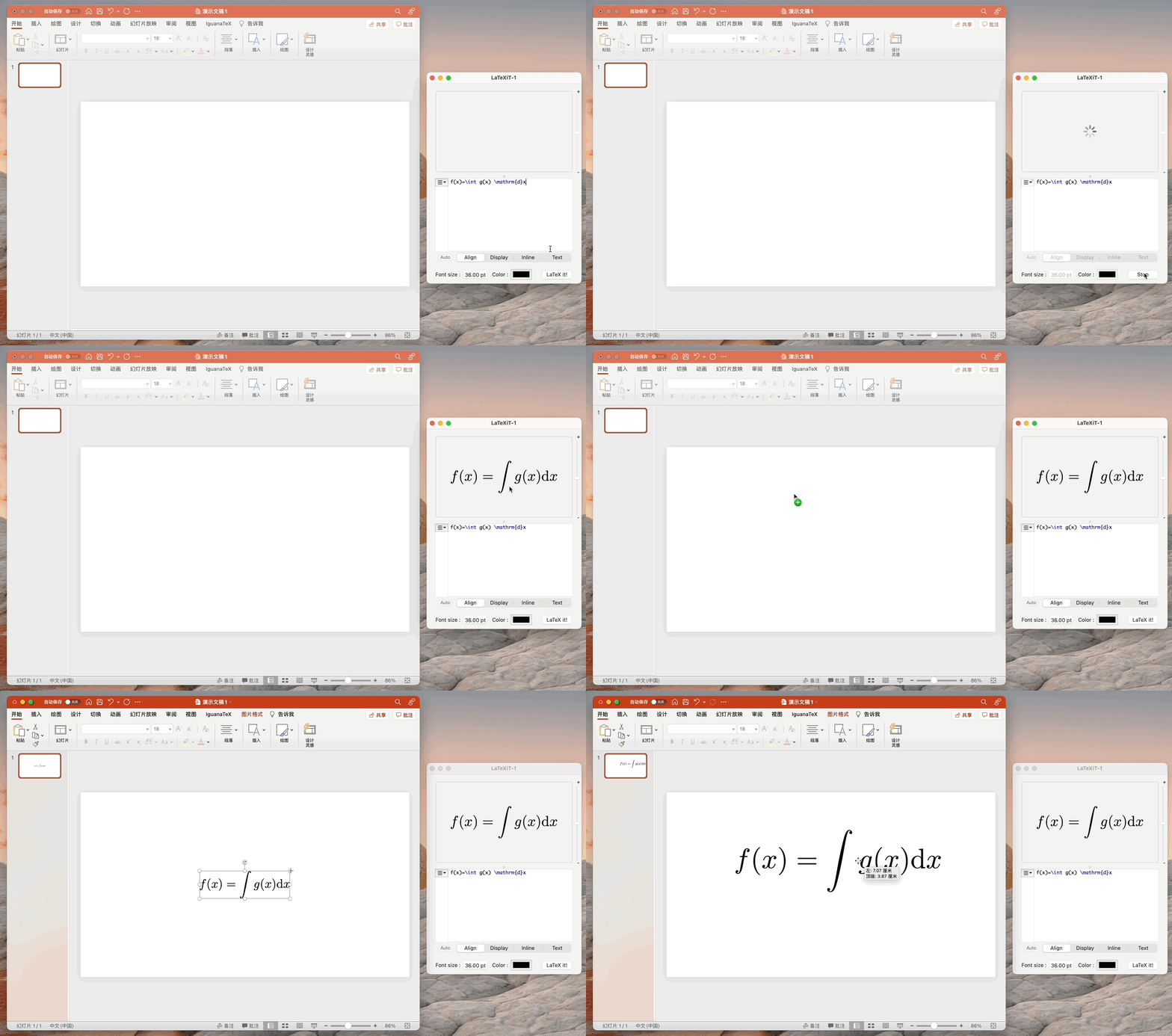
我们可以通过 LaTeXiT 来完成,生成的图片默认的复制格式为PDF,能直接粘贴到PPT中,也可以拖拽过去。
自动
上面的方式每次都需要手动打开 LaTeXiT,不是很方便,所以我们可以使用 Alfred脚本来实现快捷操作。
on alfred_script(q)tell application "LaTeXiT" to activatetell application "System Events"tell application process "LaTeXiT"set frontmost to trueif (count windows) is 0 then keystroke "n" using command downkeystroke qkeystroke "t" using command downkeystroke "c" using command downend tellend tellend alfred_script
主要是通过 Alfred 调用以上 Apple Script 代码,将传入的 LaTeX代码复制到 LaTeXiT 中然后运行并复制。
PDF转LaTeX
手动

直接将PDF拖拽或者复制粘贴到LaTeXiT中即可。
自动
我们打开Mac的「自动操作」,然后添加「运行Apple Script」,把以下代码添加进去即可。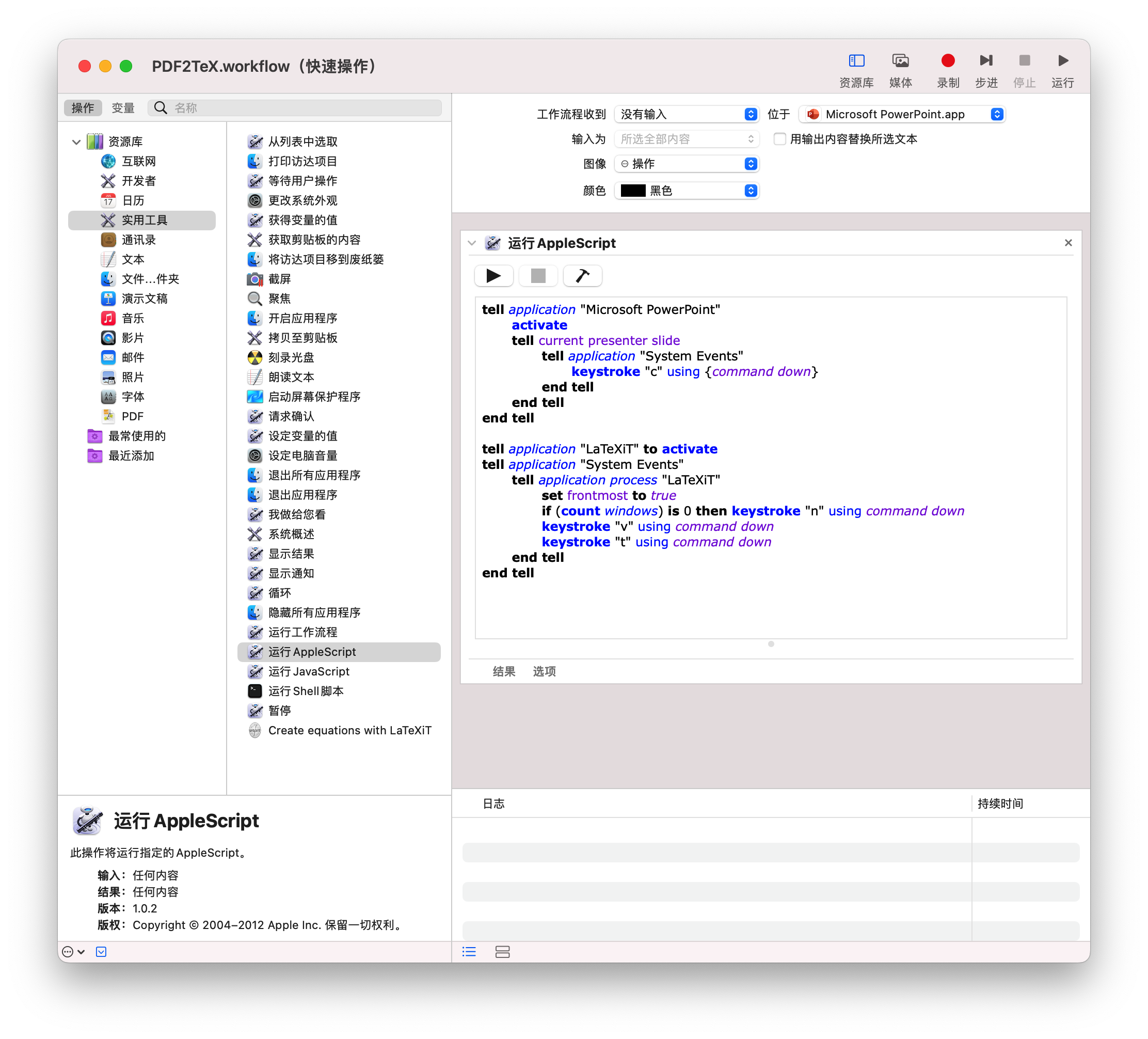
tell application "Microsoft PowerPoint"activatetell current presenter slidetell application "System Events"keystroke "c" using {command down}end tellend tellend telltell application "LaTeXiT" to activatetell application "System Events"tell application process "LaTeXiT"set frontmost to trueif (count windows) is 0 then keystroke "n" using command downkeystroke "v" using command downkeystroke "t" using command downend tellend tell
这个代码第一部分是将PPT中当前选中的PDF复制,第二部分是打开LaTeXiT,然后粘贴并运行。
最后我们为该脚本设置一个快捷键 Control+T,这样,在选中PPT中的公式后,就可以直接通过快捷键打开LaTeXiT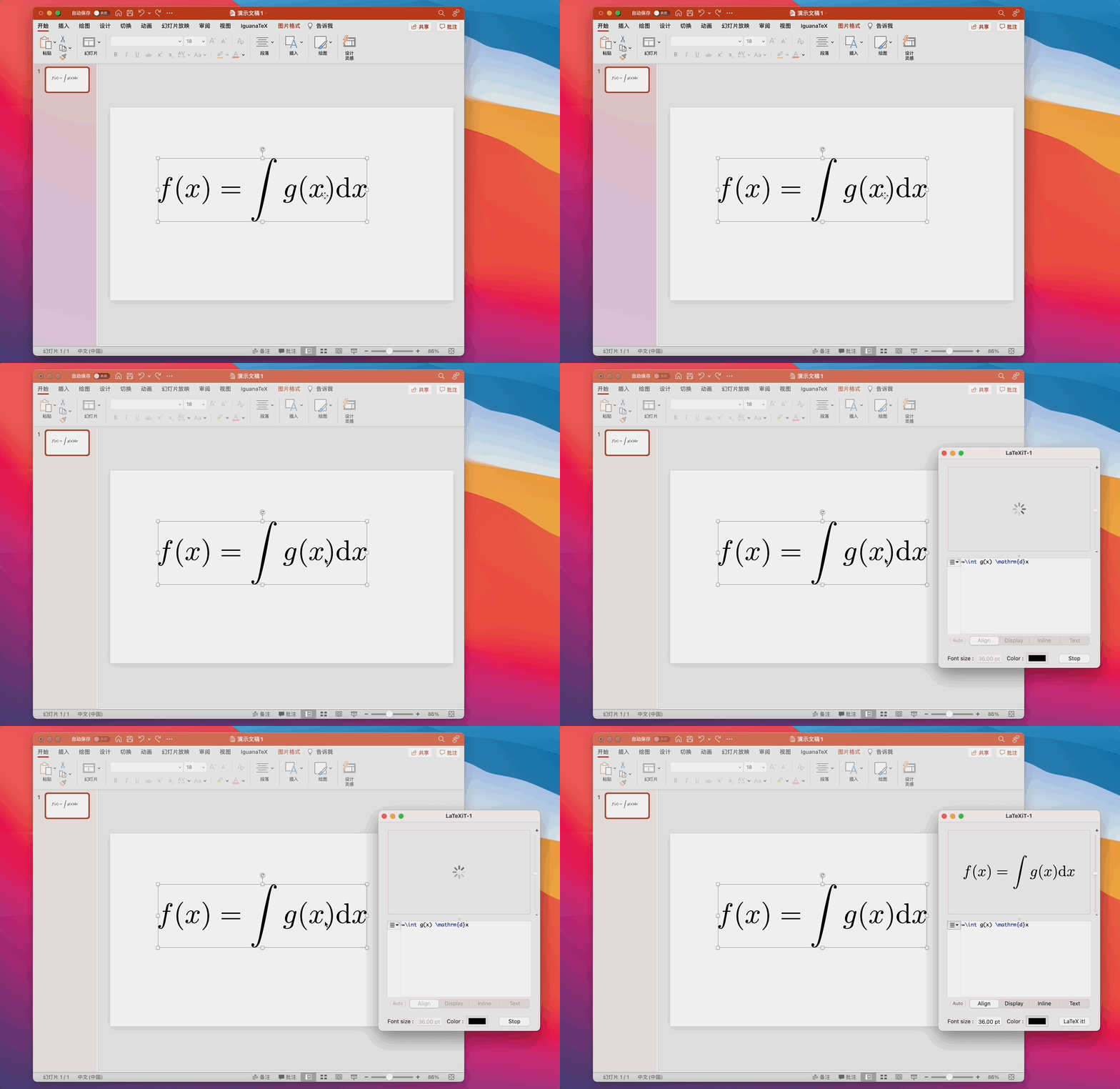

若有收获,就点个赞吧
0 人点赞


