下载地址https://unpkg.com/browse/element-ui@2.15.6/版本自己可以改
如何下载在网站看https://www.jianshu.com/p/6b58bdc9fc6f
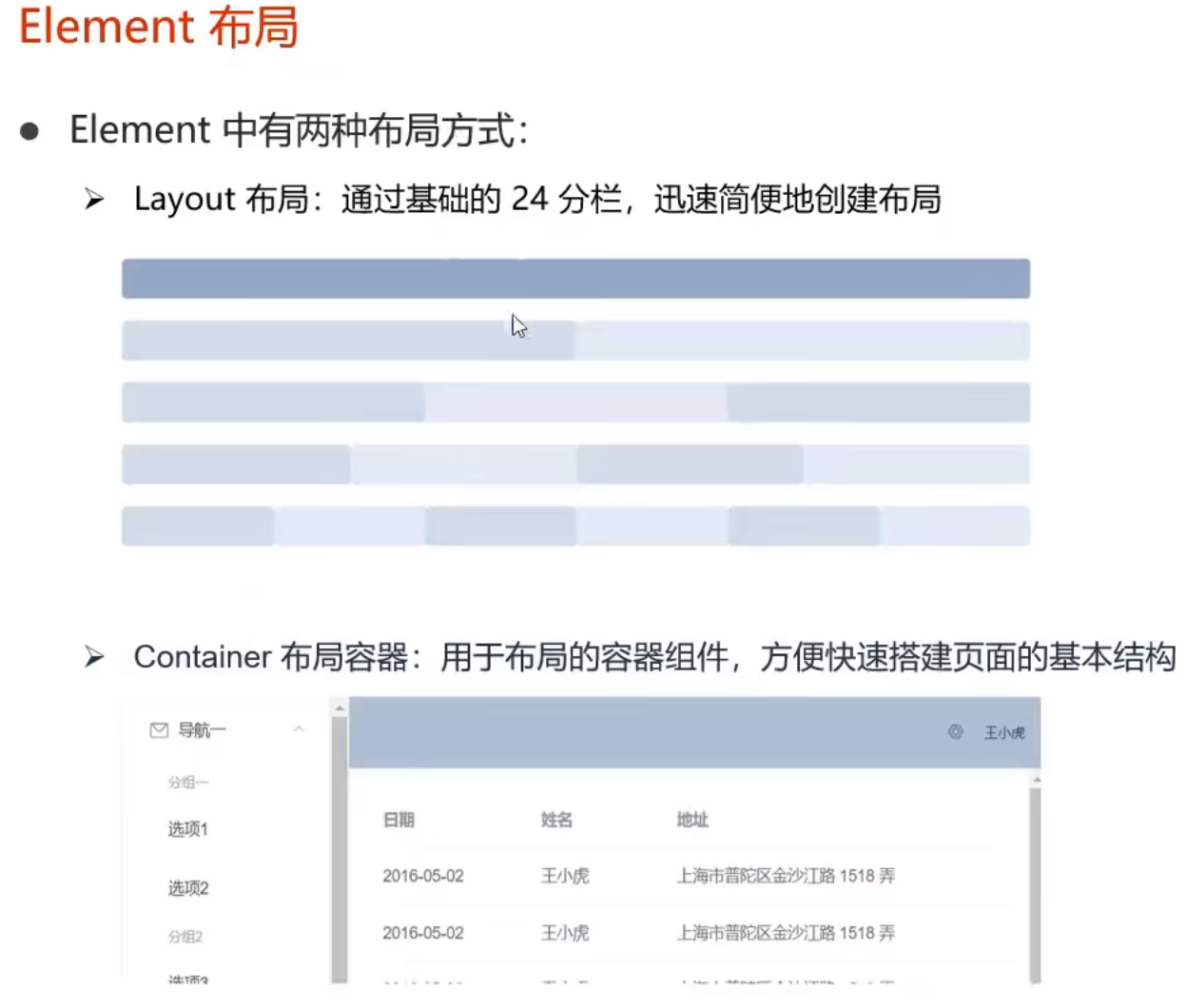
快速入门&布局
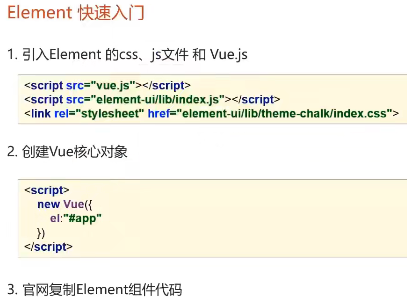
<!DOCTYPE html><html lang="en"><head><meta charset="UTF-8"><title>Title</title><link rel="stylesheet" href="https://unpkg.com/element-ui/lib/theme-chalk/index.css"></head><body><div id="app"><el-row><el-button>默认按钮</el-button><el-button type="primary">主要按钮</el-button><el-button type="success">成功按钮</el-button><el-button type="info">信息按钮</el-button><el-button type="warning">警告按钮</el-button><el-button type="danger">危险按钮</el-button></el-row><el-row><el-button plain>朴素按钮</el-button><el-button type="primary" plain>主要按钮</el-button><el-button type="success" plain>成功按钮</el-button><el-button type="info" plain>信息按钮</el-button><el-button type="warning" plain>警告按钮</el-button><el-button type="danger" plain>危险按钮</el-button></el-row><el-row><el-button round>圆角按钮</el-button><el-button type="primary" round>主要按钮</el-button><el-button type="success" round>成功按钮</el-button><el-button type="info" round>信息按钮</el-button><el-button type="warning" round>警告按钮</el-button><el-button type="danger" round>危险按钮</el-button></el-row><el-row><el-button icon="el-icon-search" circle></el-button><el-button type="primary" icon="el-icon-edit" circle></el-button><el-button type="success" icon="el-icon-check" circle></el-button><el-button type="info" icon="el-icon-message" circle></el-button><el-button type="warning" icon="el-icon-star-off" circle></el-button><el-button type="danger" icon="el-icon-delete" circle></el-button></el-row></div><script src="./js/vue.js"></script><!-- vue 必须先于 elementUI 的 index.js--><script src="https://unpkg.com/element-ui/lib/index.js"></script><script>new Vue({el: "#app",})</script></body></html>
vue 必须先于 elementUI 的 index.js
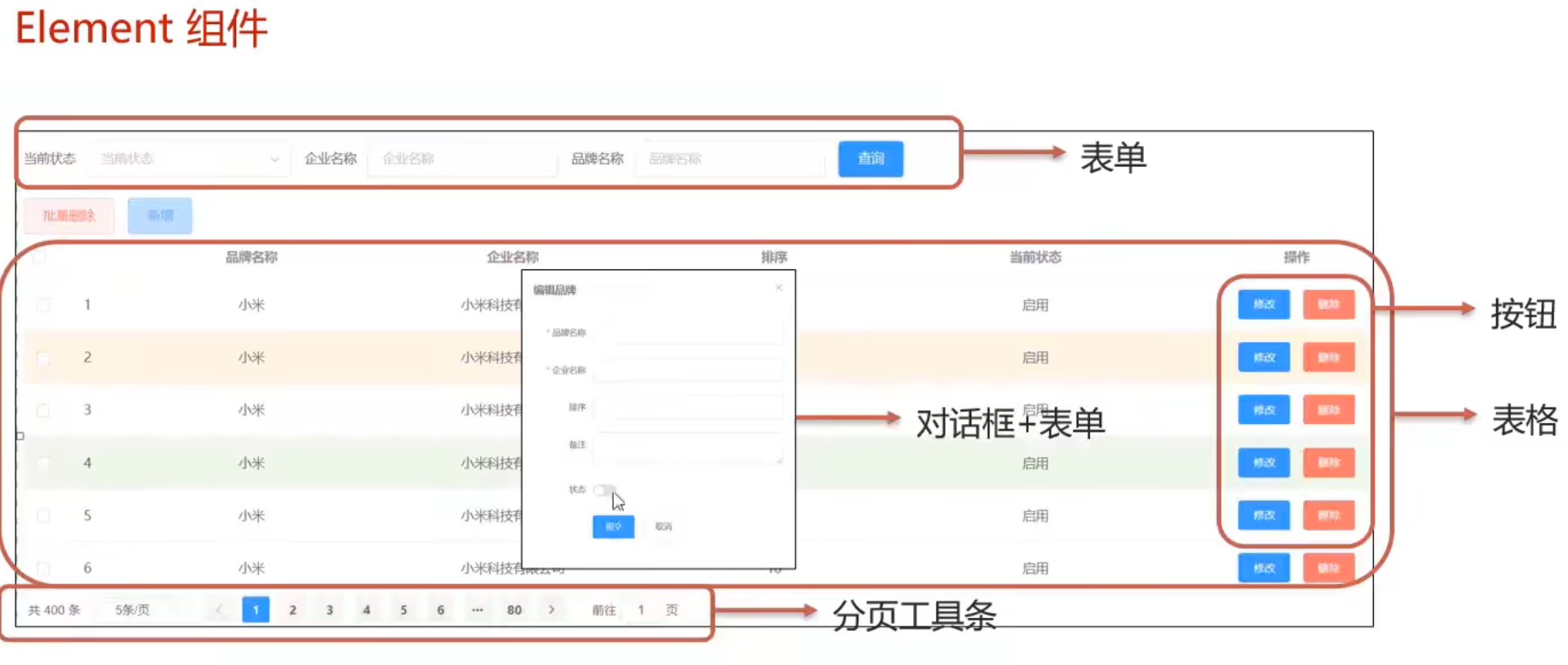
表格

若有收获,就点个赞吧
0 人点赞


