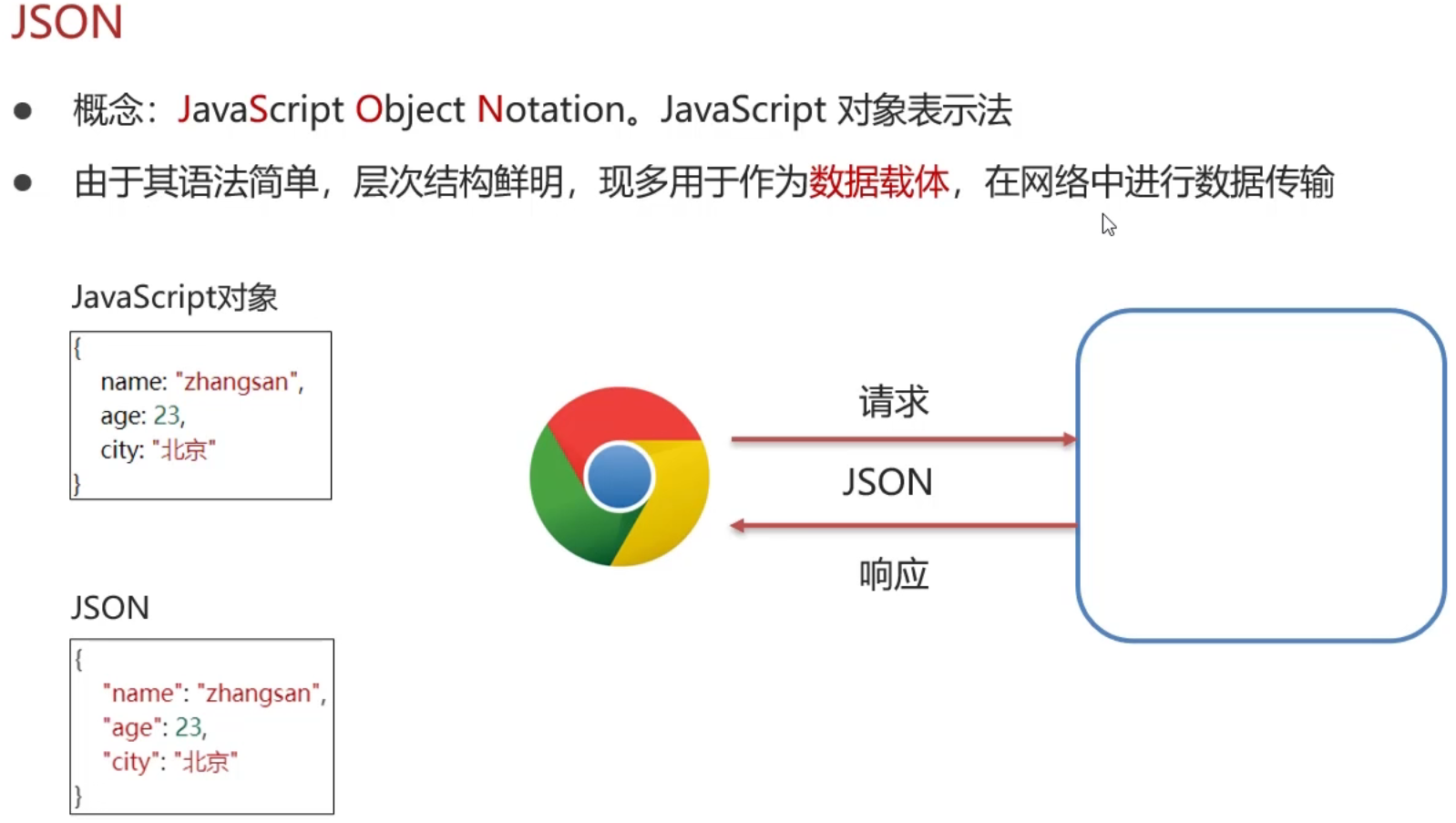
基础语法
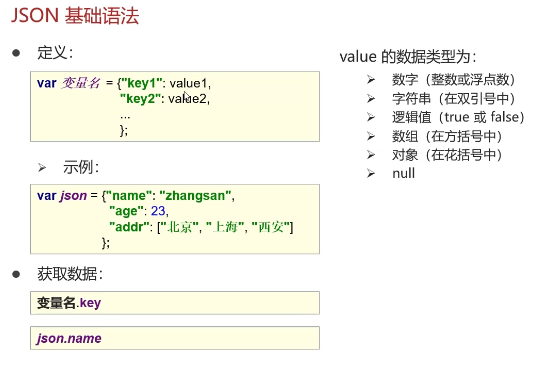
类似map的方式
老样子在YuechanLogin项目中演示,新建一个html文件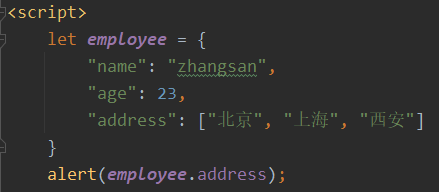
讲道理var/let/const本来就能实现这些。。。
JSON数据和Java对象转换
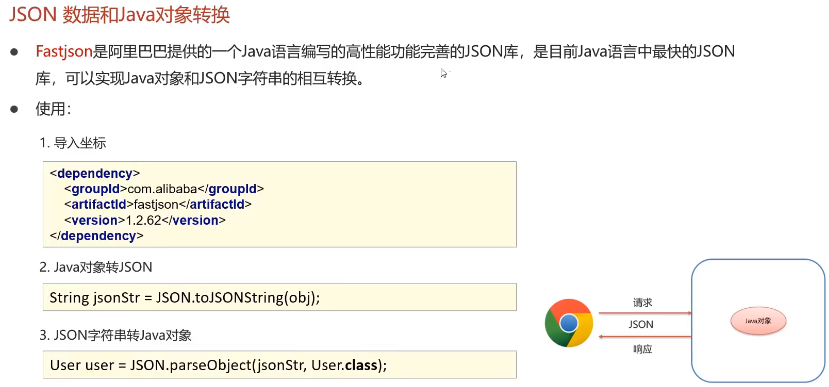
fastjson必不可少
先导入坐标
<!-- 现在导入fastjson--><dependency><groupId>com.alibaba</groupId><artifactId>fastjson</artifactId><version>1.2.62</version></dependency>
还是拿YuechanLogin测试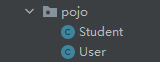 使用Student测试
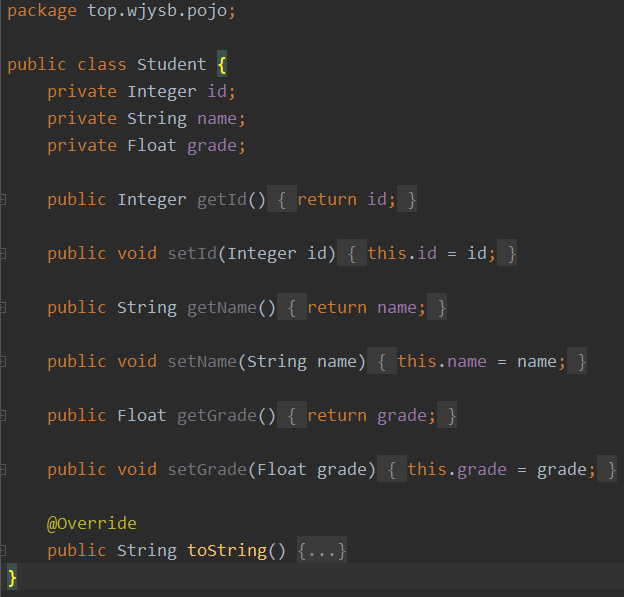
包含Integer String Float三种数据类型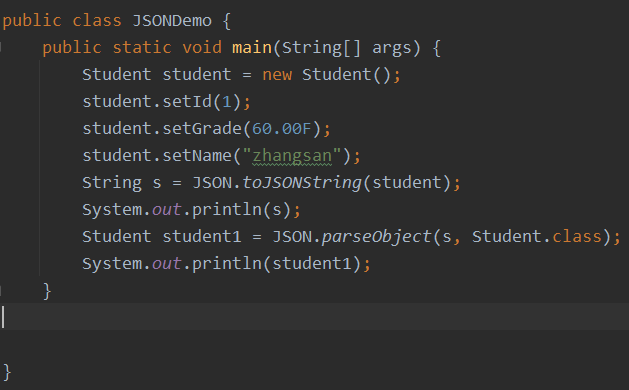
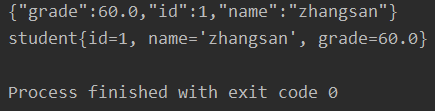
这样就ok
案例
这边使用FinalExample添加功能
记得先把axios发进去
axios:网盘链接
链接:https://pan.baidu.com/s/1pGdGOd1_Q3rstpO-Yb6rZw?pwd=9na9
提取码:9na9
—来自百度网盘超级会员V6的分享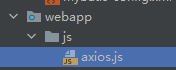
查询
先写servlet
package top.wjysb.web;

import com.alibaba.fastjson.JSON;
import top.wjysb.pojo.Student;
import top.wjysb.service.StudentService;

import javax.servlet.ServletException;
import javax.servlet.annotation.WebServlet;
import javax.servlet.http.HttpServlet;
import javax.servlet.http.HttpServletRequest;
import javax.servlet.http.HttpServletResponse;
import java.io.IOException;
import java.util.List;

@WebServlet("/JSONSelectAllServlet")
public class JSONSelectAllServlet extends HttpServlet {
    private StudentService Service = new StudentService();

    @Override
    protected void doGet(HttpServletRequest req, HttpServletResponse resp) throws ServletException, IOException {

        List<Student> students = Service.SelectAll();
        String Students = JSON.toJSONString(students);

        resp.setContentType("text/json;charset=utf-8");

        resp.getWriter().write(Students);
    }

    @Override
    protected void doPost(HttpServletRequest req, HttpServletResponse resp) throws ServletException, IOException {
        this.doGet(req, resp);
    }
}
此处的resp.setContentType(“text/json;charset=utf-8”);
其中text/json需要注意别写错了,并不是text/html
<!DOCTYPE html>
<html lang="en">
<head>
    <meta charset="UTF-8">
    <title>Student</title>
</head>
<body>
<table id="studentTable" border="1" width="600px">

</table>

<script src="./js/axios.js"></script>
<script>
    window.onload = function () {
        axios({
            method: "get",
            url: "http://localhost/JSONSelectAllServlet",
        }).then(function (resp) {
            let students = resp.data;
            let tableData = "    <tr>\n" +
                "<th>count</th>\n" +
                "<th>学号</th>\n" +
                "<th>名字</th>\n" +
                "<th>成绩</th>\n" +
                "<th>判定</th>\n" +
                "<th>操作</th>\n" +
                "</tr>";
            for (let i = 0; i < students.length; i++) {
                let judge = students[i].grade >= 60 ? "及格" : "不及格";
                tableData += "<tr>\n" +
                    "<th>" + (i + 1) + "</th>\n" +
                    "<th>" + students[i].id + "</th>\n" +
                    "<th>" + students[i].name + "</th>\n" +
                    "<th>" + students[i].grade + "</th>\n" +
                    "<th>" + judge + "</th>\n" +
                    "<th><a href='#'>修改</a> <a href='#'>删除</a></th>\n" +
                    "</tr>"
            }
            document.getElementById("studentTable").innerHTML = tableData;
        })
    }
</script>
</body>
</html>
此处比较关键的是如何在标签里面写东西 innerHtml
新增
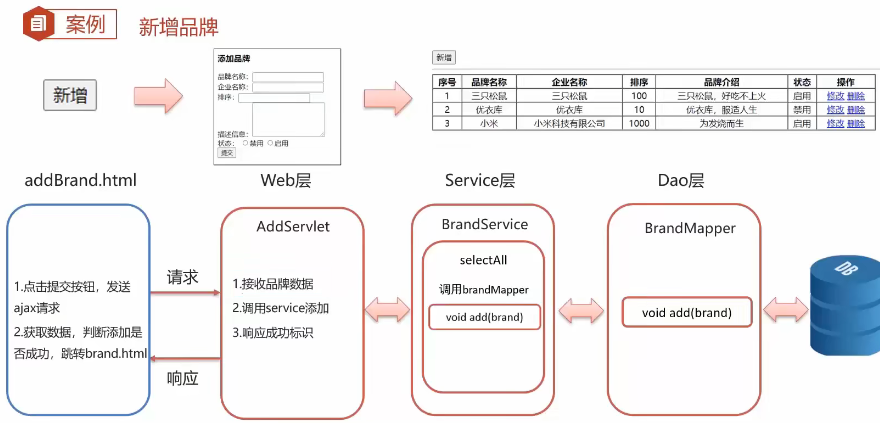
在查询html增加一个跳转按钮

<!DOCTYPE html>
<html lang="en">
<head>
    <meta charset="UTF-8">
    <title>AddStudent</title>
</head>
<body>
<form action="" method="post" id="submitCheck">
    <label for="IDLabel">请输入ID:</label>
    <input name="id" placeholder="输入ID" id="IDLabel"><br>

    <label for="NAMELabel">请输入名字:</label>
    <input name="name" placeholder="输入名字" id="NAMELabel"><br>

    <label for="GRADELabel">请输入成绩:</label>
    <input name="grade" placeholder="输入成绩" id="GRADELabel"><br>

    <input type="button" value="添加学生信息" id="JSONSubmit">
</form>
<input type="button" value="突然不想添加了" id="back">

<script src="./js/axios.js"></script>
<script>
    const IDInput = document.getElementById("IDLabel");

    function checkID() {
        const IDValue = IDInput.value;
        const IDTest = /^\d{1,4}$/
        return IDTest.test(IDValue);
    }

    const NAMEInput = document.getElementById("NAMELabelLabel");

    function checkNAME() {
        const NAMEValue = NAMEInput.value;
        const NAMETest = /^[\u4e00-\u9fa5]{2,3}$/
        return NAMETest.test(NAMEValue);
    }

    const GRADEInput = document.getElementById("GRADELabel");

    function checkGRADE() {
        const GRADEValue = GRADEInput.value;
        const GRADETest = /^[0-9]{0,3}(\.[0-9]{0,2})?$/
        return GRADETest.test(GRADEValue);
    }

    const submitForm = document.getElementById("submitCheck");
    submitForm.onsubmit = function () {
        if (checkID() && checkNAME() && checkGRADE()) {
            return true;
        } else {
            alert("请检查格式!")
            return false;
        }
    }
    document.getElementById("back").onclick = function () {
        document.location = "/Student.html";
    }
    document.getElementById("JSONSubmit").onclick = function () {
        //获取表单数据
        let formData = {
            id: "",
            name: "",
            grade: ""
        }
        formData.id = document.getElementById("IDLabel").value;
        formData.name = document.getElementById("NAMELabel").value;
        formData.grade = document.getElementById("GRADELabel").value;


        axios({
            method: "post",
            url: "http://localhost/JSONAddServlet",
            data: formData
        }).then(function (resp) {
            if (resp.data == "success") {
                location.href = "/Student.html";//成功就会返回到之前的列表中
            }
        })
    }

</script>
</body>
</html>
首先是表单的action不需要了,提交按钮修改为button
此处关键在于创建一个类似map的结构用于data的传递,而且servlet不能再使用getParame
servlet需要重写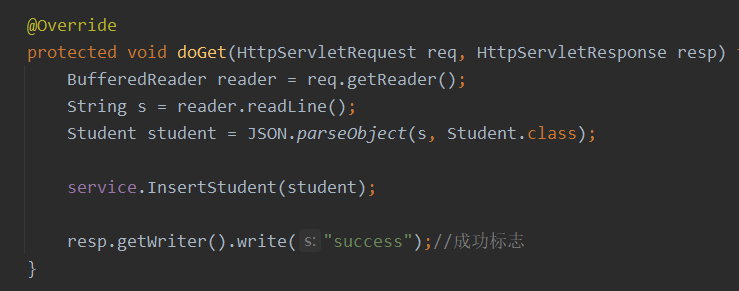
服务调用不需要修改,需要将JSON转化为需要的类然后调用服务修改数据库,最后的resp携带信息去html判断是否服务顺利调用,
按说删改还没讲,有时间补充。。

若有收获,就点个赞吧
0 人点赞


