视频地址:
https://www.bilibili.com/video/BV1RK4y1o7Ue?p=20
https://www.bilibili.com/video/BV1sp4y1k7zm?spm_id_from=333.337.search-card.all.click
使用jasypt对yml中的数据进行加密
<dependency><groupId>com.github.ulisesbocchio</groupId><artifactId>jasypt-spring-boot-starter</artifactId><version>2.1.0</version></dependency>
使用方法有以下三种
基础使用
/**
    * 加密
    */
    @Test
    public void testEncrypt(){
        StandardPBEStringEncryptor standardPBEStringEncryptor = new StandardPBEStringEncryptor();
        EnvironmentPBEConfig config = new EnvironmentPBEConfig();
        // 加密的算法
        config.setAlgorithm("PBEWithMD5AndDES");
        // 加密的密钥,类似于盐,不要告诉别人
        config.setPassword("Hello");

        standardPBEStringEncryptor.setConfig(config);
        // 明文
        String plainText = "123456";
        // 加密后的密文
        String encryptText = standardPBEStringEncryptor.encrypt(plainText);
        System.out.println(encryptText);
    }

    /**
    * 解密
    */
    @Test
    public void testDecrypt(){
        StandardPBEStringEncryptor standardPBEStringEncryptor = new StandardPBEStringEncryptor();
        EnvironmentPBEConfig config = new EnvironmentPBEConfig();
        // 加密的算法
        config.setAlgorithm("PBEWithMD5AndDES");
        // 加密的密钥,类似于盐,不要告诉别人
        config.setPassword("Hello");

        standardPBEStringEncryptor.setConfig(config);
        String encryptText = "l6jdd5zFTWVuxxAL2lq19w==";
        String decryptText = standardPBEStringEncryptor.decrypt(encryptText);

        System.out.println(decryptText);
    }
注解使用
也可以使用注解
@Resource
private StringEncryptor stringEncryptor;

stringEncryptor.encrypt()
推荐:配置文件中使用ENC()直接解密
配置依赖
<parent>
    <groupId>org.springframework.boot</groupId>
    <artifactId>spring-boot-starter-parent</artifactId>
    <version>2.0.5.RELEASE</version>
    <relativePath/>
</parent>
<dependencies>
    <!-- web启动器 -->
    <dependency>
        <groupId>org.springframework.boot</groupId>
        <artifactId>spring-boot-starter-web</artifactId>
    </dependency>

    <!-- lombok支持 -->
    <dependency>
        <groupId>org.projectlombok</groupId>
        <artifactId>lombok</artifactId>
    </dependency>

    <!-- 配置文件加密 -->
    <dependency>
        <groupId>com.github.ulisesbocchio</groupId>
        <artifactId>jasypt-spring-boot-starter</artifactId>
        <version>2.1.1</version>
    </dependency>

    <dependency>
        <groupId>org.springframework.boot</groupId>
        <artifactId>spring-boot-starter-test</artifactId>
        <scope>test</scope>
    </dependency>
</dependencies>
<build>
    <plugins>
        <plugin>
            <groupId>org.springframework.boot</groupId>
            <artifactId>spring-boot-maven-plugin</artifactId>
        </plugin>
    </plugins>
</build>
import org.springframework.boot.SpringApplication;
import org.springframework.boot.autoconfigure.SpringBootApplication;

@SpringBootApplication
public class Application {

    public static void main(String[] args) {
        SpringApplication.run(Application.class, args);
    }

}
import org.springframework.beans.factory.annotation.Value;
import org.springframework.web.bind.annotation.RequestMapping;
import org.springframework.web.bind.annotation.RestController;

@RestController
public class TestController {

    @Value("${com.name}")
    private String name;

    @RequestMapping("/get")
    public String get() {
        return name;
    }

}
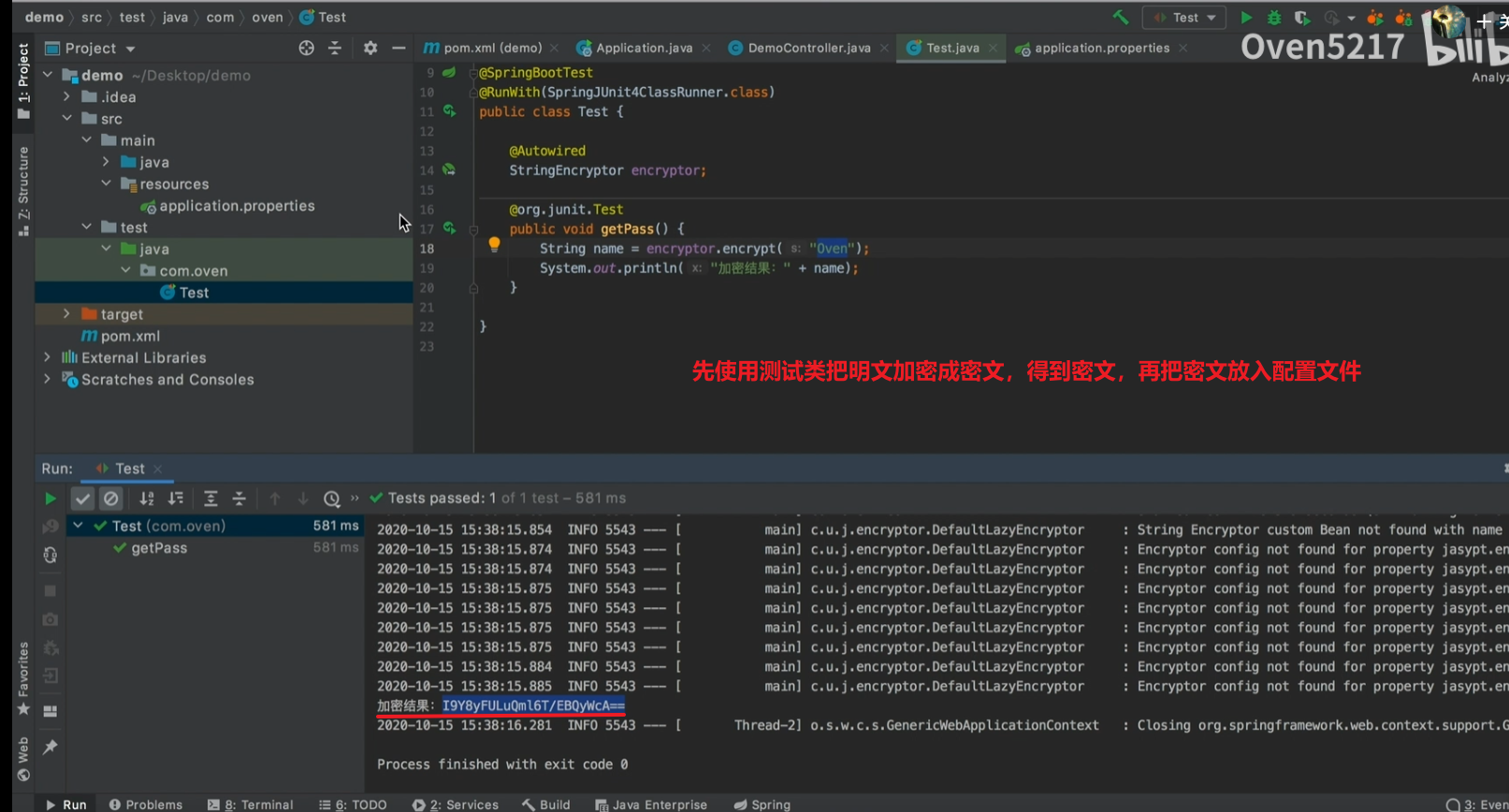
# 用来加密的salt值
jasypt.encryptor.password=5217
# 加密的算法
jasypt.encryptor.iv-generator-classname=org.jasypt.salt.RandomIVGenerator
# 在配置文件中配置的是密文,并使用ENC()包裹
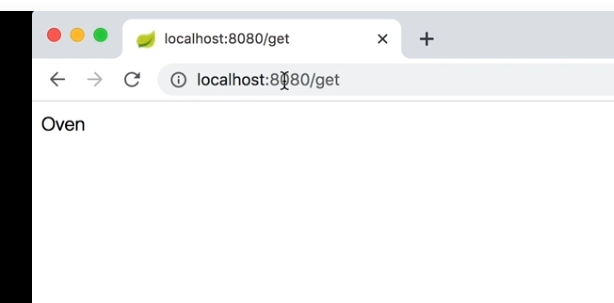
com.name=ENC(kwYxvK1ssjcDMCMqMdRhvQ==)

若有收获,就点个赞吧
0 人点赞


