1. 盒子大小
默认情况下,盒子可见框的大小由内容区、内边距和边框共同决定box-sizing用来设置盒子尺寸的计算方式(设置 width 和 height 的作用)
.box {width: 200px;height: 200px;background-color: yellow;border: 10px red solid;/* box-sizing: content-box; */box-sizing: border-box;}
可选值:
content-box默认值,宽度和高度用来设置内容区的大小
border-box宽度和高度用来设置整个盒子可见框的大小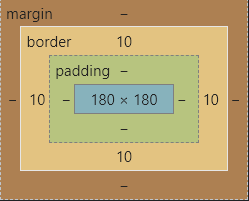
2. 轮廓
outline用来设置元素的轮廓线,用法和border一模一样
轮廓和边框不同点是,轮廓不会影响到可见框的大小
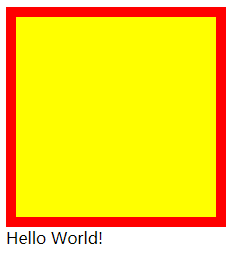
边框
.box {width: 200px;height: 200px;background-color: yellow;border: 10px red solid;}
轮廓
.box {width: 200px;height: 200px;background-color: yellow;outline: 10px red solid;}
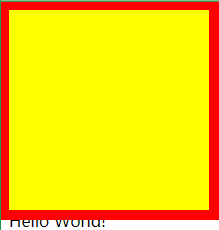
可以很明显看到outline与border的区别
我们一般不会直接这么设置轮廓,而是下面这种场景
.box:hover {outline: 10px red solid;}
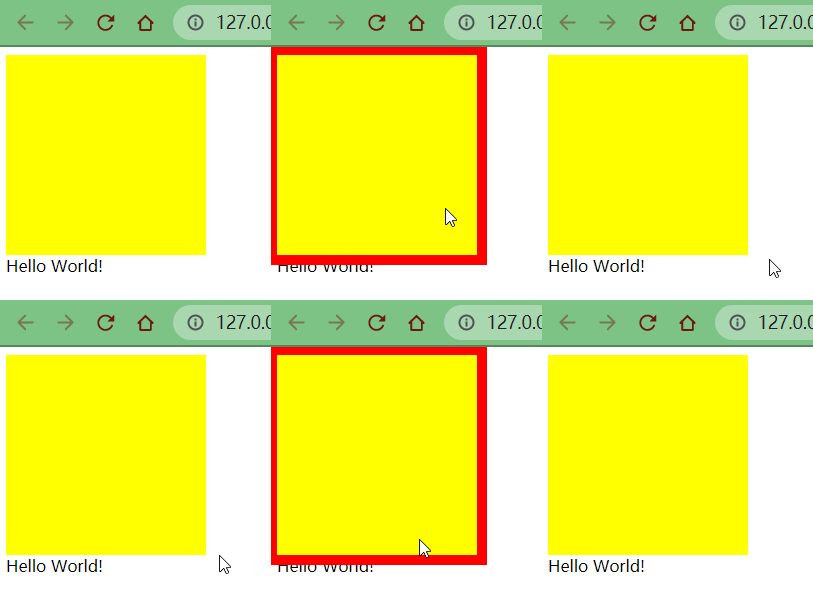
从上面的动态图也可以很清晰地看出,outline属性并没有改变盒子的布局
3. 阴影
box-shadow属性用于在一个元素的框架周围添加阴影效果 你可以设置多个由逗号分隔的效果 一个盒状阴影由相对于元素的 X 和 Y 的偏移量、模糊和扩散半径以及颜色来描述
box-shadow用来设置元素的阴影效果,阴影不会影响页面布局
.box {width: 200px;height: 200px;background-color: yellow;box-shadow: 10px 10px orange;}
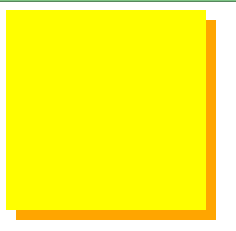
box-shadow: 10px 10px 5px orange;
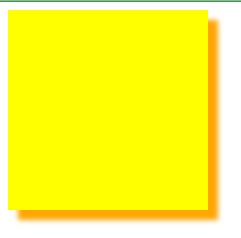
box-shadow: 10px 10px 5px rgba(0, 0, 0, 0.2);
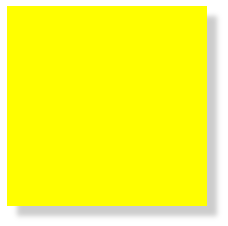
- 第一个值-水平偏移量:设置阴影的水平位置
- 正值向右移动
- 负值向左移动
- 第二个值-垂直偏移量:设置阴影的垂直位置
- 正值向下移动
- 负值向上移动
- 第三个值-阴影的模糊半径
- 第四个值-阴影的颜色
4. 圆角
border-radius属性使一个元素的外边框边缘的角变圆 你可以设置一个半径来做圆角,或者设置两个半径来做椭圆角
border-radius 用来设置圆角,圆角设置的是圆的半径大小
border-top-left-radiusborder-top-right-radiusborder-bottom-left-radiusborder-bottom-right-radiusborder-radius: 20px;
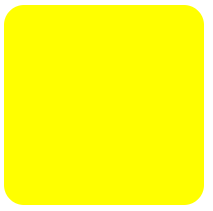
border-top-right-radius: 50px 100px;
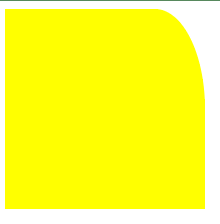
border-radius可以分别指定四个角的圆角四个值:
左上右上右下左下- 三个值:
左上右上/左下右下 - 两个值:
左上/右下右上/左下 - 一个值:
左上/右上/右下/左下
这里同样不需要死记硬背,只要记住遵循顺时针方向和矩形中心点对称原则
与border不同的是,border是从上开始顺时针设置,而圆角是从左上开始
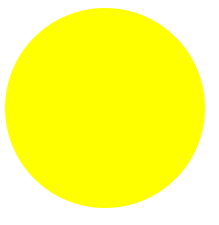
圆
原理很简单,就是绘制正方形,并将四个圆角半径设置为正方形的一半
.box {width: 200px;height: 200px;background-color: yellow;border-radius: 50%;}
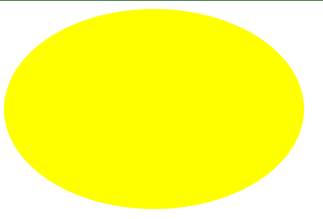
椭圆
只需要对上述样式对一点点的改动,设置width和height属性不相等即可
.box {width: 300px;height: 200px;background-color: yellow;border-radius: 50%;}
田径场实战
html 代码
<div class="box1"><div class="box2"><div class="box3"><div class="box4"><div class="box5"><div class="box6"><div class="box7"><div class="box8"><div class="boxRect"><div class="boxCirc"></div><div class="boxRectLeft1"></div><div class="boxRectRight1"></div></div></div></div></div></div></div></div></div></div>
css 样式
.box1 {background-color: #da251e;/* 这里使用css的一个表达式,方便加减乘除计算 */width: calc(1719.2px / 2 + 360px * 2 - 12.2px * 0 * 2);height: calc(360px * 2 - 12.2px * 0 * 2);margin: 100px auto;border: 0.5px white solid;/* 圆角 */border-radius: calc(360px - 12.2px * 0) / 50%;/* 盒子 */box-sizing: border-box;}.box2 {width: calc(1719.2px / 2 + 360px * 2 - 12.2px * 1 * 2);height: calc(360px * 2 - 12.2px * 1 * 2);margin: 12.2px auto;border: 0.5px white solid;border-radius: calc(360px - 12.2px * 1) / 50%;box-sizing: border-box;}.box3 {width: calc(1719.2px / 2 + 360px * 2 - 12.2px * 2 * 2);height: calc(360px * 2 - 12.2px * 2 * 2);margin: 12.2px auto;border: 0.5px white solid;border-radius: calc(360px - 12.2px * 2) / 50%;box-sizing: border-box;}.box4 {width: calc(1719.2px / 2 + 360px * 2 - 12.2px * 3 * 2);height: calc(360px * 2 - 12.2px * 3 * 2);margin: 12.2px auto;border: 0.5px white solid;border-radius: calc(360px - 12.2px * 3) / 50%;box-sizing: border-box;}.box5 {width: calc(1719.2px / 2 + 360px * 2 - 12.2px * 4 * 2);height: calc(360px * 2 - 12.2px * 4 * 2);margin: 12.2px auto;border: 0.5px white solid;border-radius: calc(360px - 12.2px * 4) / 50%;box-sizing: border-box;}.box6 {width: calc(1719.2px / 2 + 360px * 2 - 12.2px * 5 * 2);height: calc(360px * 2 - 12.2px * 5 * 2);margin: 12.2px auto;border: 0.5px white solid;border-radius: calc(360px - 12.2px * 5) / 50%;box-sizing: border-box;}.box7 {width: calc(1719.2px / 2 + 360px * 2 - 12.2px * 6 * 2);height: calc(360px * 2 - 12.2px * 6 * 2);margin: 12.2px auto;border: 0.5px white solid;border-radius: calc(360px - 12.2px * 6) / 50%;box-sizing: border-box;}.box8 {background-color: #00923f;width: calc(1719.2px / 2 + 360px * 2 - 12.2px * 7 * 2);height: calc(360px * 2 - 12.2px * 7 * 2);margin: 12.2px auto;border: 0.5px white solid;border-radius: calc(360px - 12.2px * 7) / 50%;box-sizing: border-box;}.boxRect {width: calc(1719.2px / 2);height: calc(360px * 2 - 12.2px * 7 * 2 - 10px);margin: 5px auto;border: 0.5px white solid;box-sizing: border-box;}.boxCirc {width: 100px;height: 100px;margin: calc((360px * 2 - 12.2px * 7 * 2 - 10px - 100px) / 2) auto;border: 0.5px white solid;border-radius: 50%;box-sizing: border-box;}.boxRectLeft1 {width: 100px;height: 200px;margin-top: calc(-360px * 2 / 2 + 12.2px * 7 * 2 / 2 + 10px - 200px / 2);border: 0.5px white solid;box-sizing: border-box;}.boxRectRight1 {width: 100px;height: 200px;margin-top: calc(-360px * 2 / 2 + 12.2px * 7 * 2 / 2 + 10px + 50px);margin-left: calc(1719.2px / 2 - 100px);border: 0.5px white solid;box-sizing: border-box;}
效果图
由于因为到目前为止,还没有学习更多的布局定位知识,所以一些其他的细节地方比较难绘制
这里就大概绘制一个雏形出来,等后面学习了绝对定位和相对定位之后再做补充和完善,会相对容易一些
绿茵足球场完善
学完了浮动,我们终于可以继续完善绿茵足球场了
废话不多说,直接上代码
<!DOCTYPE html><html lang="en"><head><meta charset="UTF-8" /><meta http-equiv="X-UA-Compatible" content="IE=edge" /><meta name="viewport" content="width=device-width, initial-scale=1.0" /><title>田径场</title><style>/* 公共部分 */.box1,.box2,.box3,.box4,.box5,.box6,.box7,.box8,.boxRect,.boxColLine,.boxRectLeft1,.boxRectLeft2,.boxCircLeft,.boxCirc,.boxCircRight,.boxRectRight1,.boxRectRight2,.football {box-sizing: border-box;border: 0.5px white solid;}.box2,.box3,.box4,.box5,.box6,.box7,.box8 {margin: 12.2px auto;}.boxRectLeft1,.boxRectLeft2,.boxCircLeft {float: left;/* 去除左边框 */border-left: none;}.boxCircRight,.boxRectRight1,.boxRectRight2 {float: right;/* 去除右边框 */border-right: none;}/* ==========田径场========== */.box1 {background-color: #da251e;width: calc(1719.2px / 2 + 360px * 2 - 12.2px * 0 * 2);height: calc(360px * 2 - 12.2px * 0 * 2);margin: 100px auto;border-radius: calc(360px - 12.2px * 0) / 50%;}.box2 {width: calc(1719.2px / 2 + 360px * 2 - 12.2px * 1 * 2);height: calc(360px * 2 - 12.2px * 1 * 2);border-radius: calc(360px - 12.2px * 1) / 50%;}.box3 {width: calc(1719.2px / 2 + 360px * 2 - 12.2px * 2 * 2);height: calc(360px * 2 - 12.2px * 2 * 2);border-radius: calc(360px - 12.2px * 2) / 50%;}.box4 {width: calc(1719.2px / 2 + 360px * 2 - 12.2px * 3 * 2);height: calc(360px * 2 - 12.2px * 3 * 2);border-radius: calc(360px - 12.2px * 3) / 50%;}.box5 {width: calc(1719.2px / 2 + 360px * 2 - 12.2px * 4 * 2);height: calc(360px * 2 - 12.2px * 4 * 2);border-radius: calc(360px - 12.2px * 4) / 50%;}.box6 {width: calc(1719.2px / 2 + 360px * 2 - 12.2px * 5 * 2);height: calc(360px * 2 - 12.2px * 5 * 2);border-radius: calc(360px - 12.2px * 5) / 50%;}.box7 {width: calc(1719.2px / 2 + 360px * 2 - 12.2px * 6 * 2);height: calc(360px * 2 - 12.2px * 6 * 2);border-radius: calc(360px - 12.2px * 6) / 50%;}.box8 {background-color: #00923f;width: calc(1719.2px / 2 + 360px * 2 - 12.2px * 7 * 2);height: calc(360px * 2 - 12.2px * 7 * 2);border-radius: calc(360px - 12.2px * 7) / 50%;}/* ==========绿茵足球场========== */.boxRect {width: calc(1719.2px / 2);height: calc(360px * 2 - 12.2px * 7 * 2 - 10px);margin: 5px auto;}.boxRectLeft1 {width: 100px;height: 200px;margin-top: calc(360px * 2 / 2 - 12.2px * 7 * 2 / 2 - 10px / 2 - 200px / 2);}.boxRectLeft2 {width: 50px;height: 100px;margin-top: calc(200px / 2 - 100px / 2);}.boxCircLeft {width: 50px;height: 100px;margin-top: calc(360px * 2 / 2 - 12.2px * 7 * 2 / 2 - 10px / 2 - 100px / 2);border-radius: 0 100px 100px 0;}.boxCirc {float: left;width: 100px;height: 100px;margin: calc(360px * 2 / 2 - 12.2px * 7 * 2 / 2 - 10px / 2 - 100px / 2) auto;margin-left: calc(1719.2px / 2 / 2 - 100px - 50px - 100px / 2);border-radius: 50%;}.boxCircRight {width: 50px;height: 100px;margin-top: calc(360px * 2 / 2 - 12.2px * 7 * 2 / 2 - 10px / 2 - 100px / 2);border-radius: 100px 0 0 100px;}.boxRectRight1 {width: 100px;height: 200px;margin-top: calc(360px * 2 / 2 - 12.2px * 7 * 2 / 2 - 10px / 2 - 200px / 2);}.boxRectRight2 {width: 50px;height: 100px;margin-top: calc(200px / 2 - 100px / 2);}.boxColLine {width: 0;height: 100%;margin-left: calc(1719.2px / 2 / 2);/* 边框样式 */border: 0.25px white dashed;}/* ==========足球========== */.football {float: right;width: 10px;height: 10px;background-color: black;margin: 100px;border-radius: 50%;}</style></head><body><div class="box1"><div class="box2"><div class="box3"><div class="box4"><div class="box5"><div class="box6"><div class="box7"><div class="box8"><div class="boxRect"><div class="boxRectLeft1"><div class="boxRectLeft2"></div></div><div class="boxCircLeft"></div><div class="boxCirc"></div><div class="boxRectRight1"><div class="boxRectRight2"></div></div><div class="boxCircRight"></div><!-- 足球 --><div class="football"></div><div class="boxColLine"></div></div></div></div></div></div></div></div></div></div></body></html>
这次主要的改动如下:
- 提取公共 css 代码
- 使用
float属性进行布局 - 删除重叠部分边框样式(叠加之后颜色会变粗,这里去掉同一侧的边框样式)
不过需要注意的是由于boxColLine不是float元素,应该放置最下方
这样可以利用浮动的特点,防止对布局产生影响
最终效果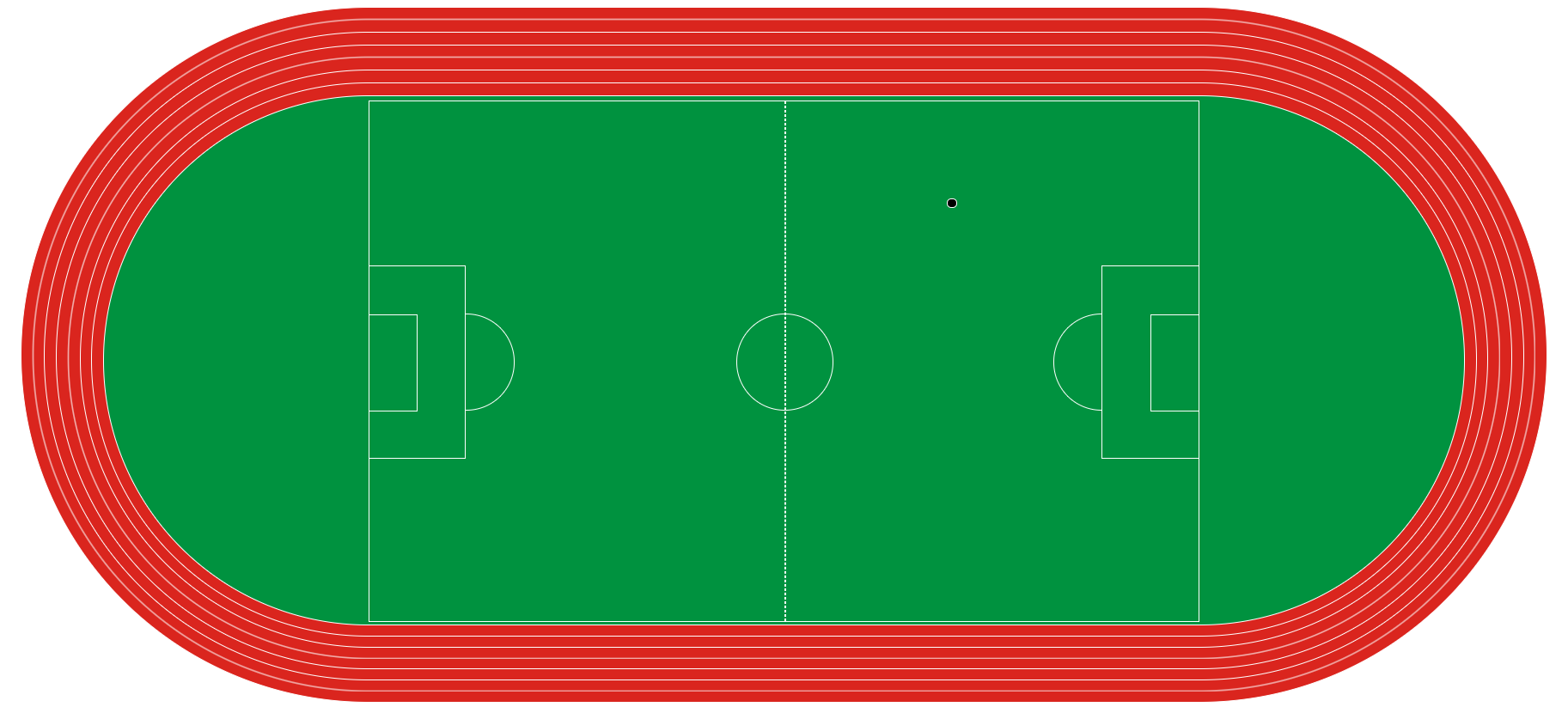
终于可以愉快的踢球了
搞错了,再来

若有收获,就点个赞吧
0 人点赞


