MongooDB
- 安装,下载地址:https://www.mongodb.com/try/download/community
- 添加安装路径下的bin目录至,全局变量环境中的path
- 启动,在管理员模式下运行:
net start MongoDB - 停止,在管理员模式下运行:
net stop MongoDBEgg
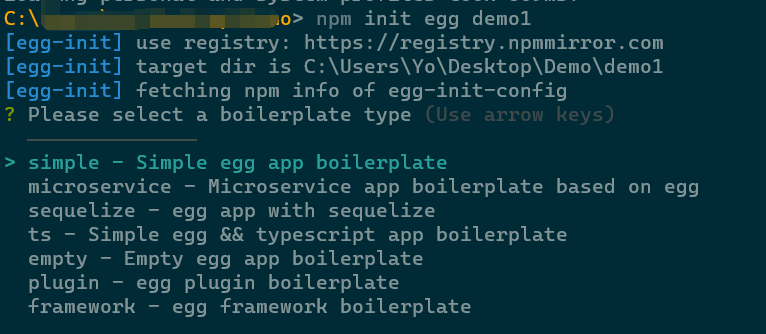
初始化项目npm init egg demo1
关联数据库
根据readme中步骤安装:https://github.com/eggjs/egg-mongoose
npm i egg-mongoose
参数校验,中文提示配置
根据readme中步骤安装:https://github.com/eggjs/egg-validate
npm i egg-validate i18n
配置
const I18n = require('i18n');I18n.configure({locales: [ 'zh-CN' ],defaultLocale: 'zh-CN',directory: __dirname + '/locale',});config.validate = {// convert: false,// validateRoot: false,translate() {const args = Array.prototype.slice.call(arguments);return I18n.__.apply(I18n, args);},};
统一错误处理
具体参照:https://www.eggjs.org/zh-CN/tutorials/restful#%E7%BB%9F%E4%B8%80%E9%94%99%E8%AF%AF%E5%A4%84%E7%90%86
生成token
npm install jsonwebtoken
路由
设置基础路径
module.exports = app => {···router.prefix('/api/v1');···};
Apollo
https://www.npmjs.com/package/node-apollo-client
// Apolloconst Apollo = async () => {const app = require('node-apollo-client');const apollo = new app({configServerUrl: 'http://apollo.58huihuahua.com:18081',appId: 'word-admin-api',cluster: 'default',namespaces: [ 'application' ],fetchCacheInterval: 5 * 60e3,});const result = await apollo.fetchConfig({ key: 'mongoUrl' });console.log('返回内容:', result);};Apollo();

若有收获,就点个赞吧
0 人点赞


