一.上传本地仓库镜像
1.拉取本地仓库工具镜像registry
[root@localhost ~]# docker pull registryUsing default tag: latestlatest: Pulling from library/registry79e9f2f55bf5: Pull complete0d96da54f60b: Pull complete5b27040df4a2: Pull completee2ead8259a04: Pull complete3790aef225b9: Pull completeDigest: sha256:169211e20e2f2d5d115674681eb79d21a217b296b43374b8e39f97fcf866b375Status: Downloaded newer image for registry:latestdocker.io/library/registry:latest
2.运行一个Registry镜像仓库的容器实例
[root@localhost ~]# docker run -itd --restart=always \> --name hwj-registry \> -p 8012:5000 \> -v /hwj-registry/registry:/var/lib/registry \> registry9f009cefbf2b485243de92afe79291a4023e52b264b2f97953fdaa08634dbfab
3.查看当前仓库下的镜像
[root@localhost ~]# curl 192.168.20.12:8012/v2/_catalog{"repositories":[]}

4.添加本地不安全的仓库信息
[root@localhost ~]# vim /etc/docker/daemon.json[root@localhost ~]# cat /etc/docker/daemon.json{"insecure-registries": ["192.168.20.12:8012"],"registry-mirrors": ["https://dgodf4l3.mirror.aliyuncs.com"]}
5.重新加载Docker服务配置文件并重新启动docker
[root@localhost ~]# systemctl daemon-reload[root@localhost ~]# systemctl restart docker
6.修改镜像标签(重命名)
root@localhost ~]# docker tag 321 192.168.20.12:8012/mysql:v1.0[root@localhost ~]# docker imagesREPOSITORY TAG IMAGE ID CREATED SIZE192.168.20.12:8012/mysql v1.0 3218b38490ce 3 months ago 516MBmysql latest 3218b38490ce 3 months ago 516MBregistry latest b8604a3fe854 5 months ago 26.2MB
7.上传镜像
[root@localhost ~]# docker push 192.168.20.12:8012/mysql:v1.0The push refers to repository [192.168.20.12:8012/mysql]d67a9f3f6569: Pushedfc8a043a3c75: Pushed118fee5d988a: Pushedc654c2afcbba: Pushed1d1f48e448f9: Pushedaad27784b762: Pushed0d17fee8db40: Pushedd7a777f6c3a4: Pusheda0c2a050fee2: Pushed0798f2528e83: Pushedfba7b131c5c3: Pushedad6b69b54919: Pushedv1.0: digest: sha256:238cf050a7270dd6940602e70f1e5a11eeaf4e02035f445b7f613ff5e0641f7d size: 2828
8.查看本次仓库镜像
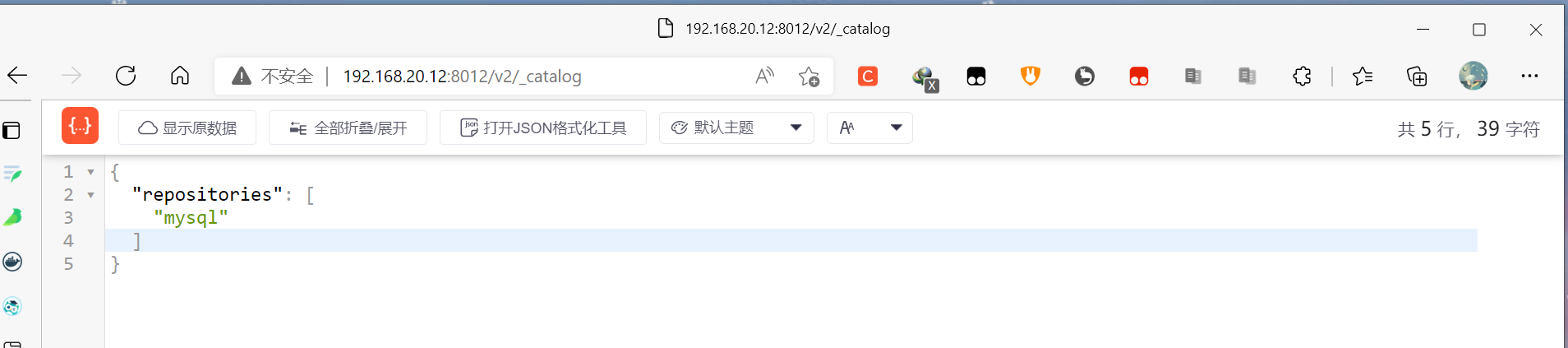
[root@localhost ~]# curl 192.168.20.12:8012/v2/_catalog{"repositories":["mysql"]}
二.使用另一台主机测试拉取镜像
1.测试添加本地不安全的仓库信息
[root@localhost ~]# cat /etc/docker/daemon.json{"insecure-registries": ["192.168.20.12:8012"],"registry-mirrors": ["https://dgodf4l3.mirror.aliyuncs.com"]}
2.重新加载Docker服务配置文件并重新启动docker
[root@localhost ~]# systemctl daemon-reload[root@localhost ~]# systemctl restart docker
3.拉取镜像
[root@localhost ~]# curl 192.168.20.12:8012/v2/_catalog{"repositories":["mysql"]}[root@localhost ~]# docker pull 192.168.20.12:8012/mysql:v1.0v1.0: Pulling from mysql72a69066d2fe: Pull complete93619dbc5b36: Pull complete99da31dd6142: Pull complete626033c43d70: Pull complete37d5d7efb64e: Pull completeac563158d721: Pull completed2ba16033dad: Pull complete688ba7d5c01a: Pull complete00e060b6d11d: Pull complete1c04857f594f: Pull complete4d7cfa90e6ea: Pull completee0431212d27d: Pull completeDigest: sha256:238cf050a7270dd6940602e70f1e5a11eeaf4e02035f445b7f613ff5e0641f7dStatus: Downloaded newer image for 192.168.20.12:8012/mysql:v1.0192.168.20.12:8012/mysql:v1.0[root@localhost ~]# docker imagesREPOSITORY TAG IMAGE ID CREATED SIZEnginx latest c316d5a335a5 2 months ago 142MBshenghuadehua/busybox v1.1 beae173ccac6 3 months ago 1.24MB192.168.20.12:8012/mysql v1.0 3218b38490ce 3 months ago 516MB

若有收获,就点个赞吧
0 人点赞


