一、pytest-sugar:进度条
安装:pip install pytest-sugar
def test_s1():print("用例 11:登录之后其它动作 111")def test_s2():print("用例 22:登录之后其它动作 222")def test_s3():print("用例 33:登录之后其它动作 333")运行:pytest -s test_demo.py

二、pytest-rerunfailures:失败重跑
安装:pip install pytest-rerunfailures
这个插件是为了实现我们有时候希望能够重试失败的用例 ,来提升测试的稳定性用的
命令如下:pytest test_demo.py —reruns=重试次数
#!/usr/bin/env python3# !coding:utf-8import pytestimport randomdef test_simple_assume():# 每次case运行的值为1或者2,具有随机性r = random.randint(1,8)assert r == 1

三、pytest-repeat:重复运行
安装:pip install pytest-repeat
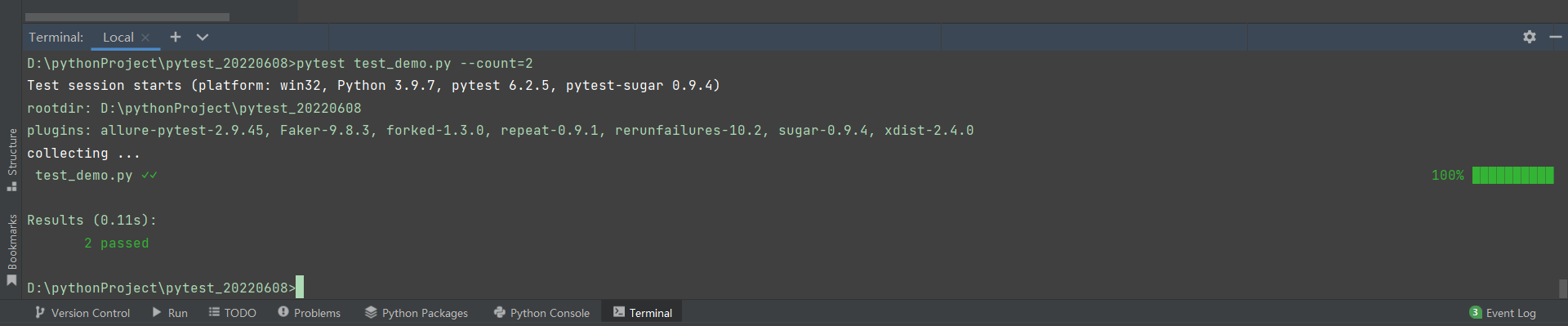
命令:pytest test_demo.py —count=重复次数
#!/usr/bin/env python3# !coding:utf-8import pytestimport randomdef test_simple_assume():# 每次case运行的值为1或者2,具有随机性r = random.randint(1,8)assert r == 1
四、pytest_xdist:并行任务
安装:pip install pytest_xdist
这个插件可以帮助我们实现并发执行测试用例,使用方法也是非常简单
运行:pytest test_demo -n=并发数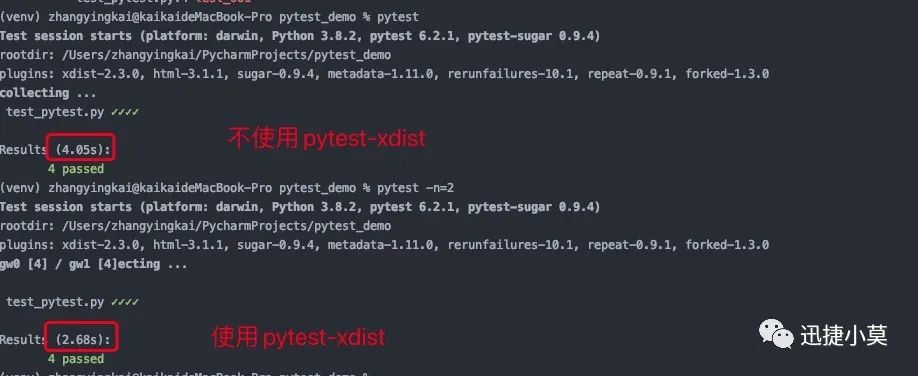
可以看到,我们使用pytest-xdist确实能够提升不小的测试效率,但是这里还是要温馨提示一下,我们在使用pytest-xdist插件的时候,测试用例的编写一定要遵循一个原则:测试用例和测试用例之间不能有任何依赖,否则并行执行的话就会乱掉
五、pytest-ordering:编排用例
安装:pip install pytest-ordering
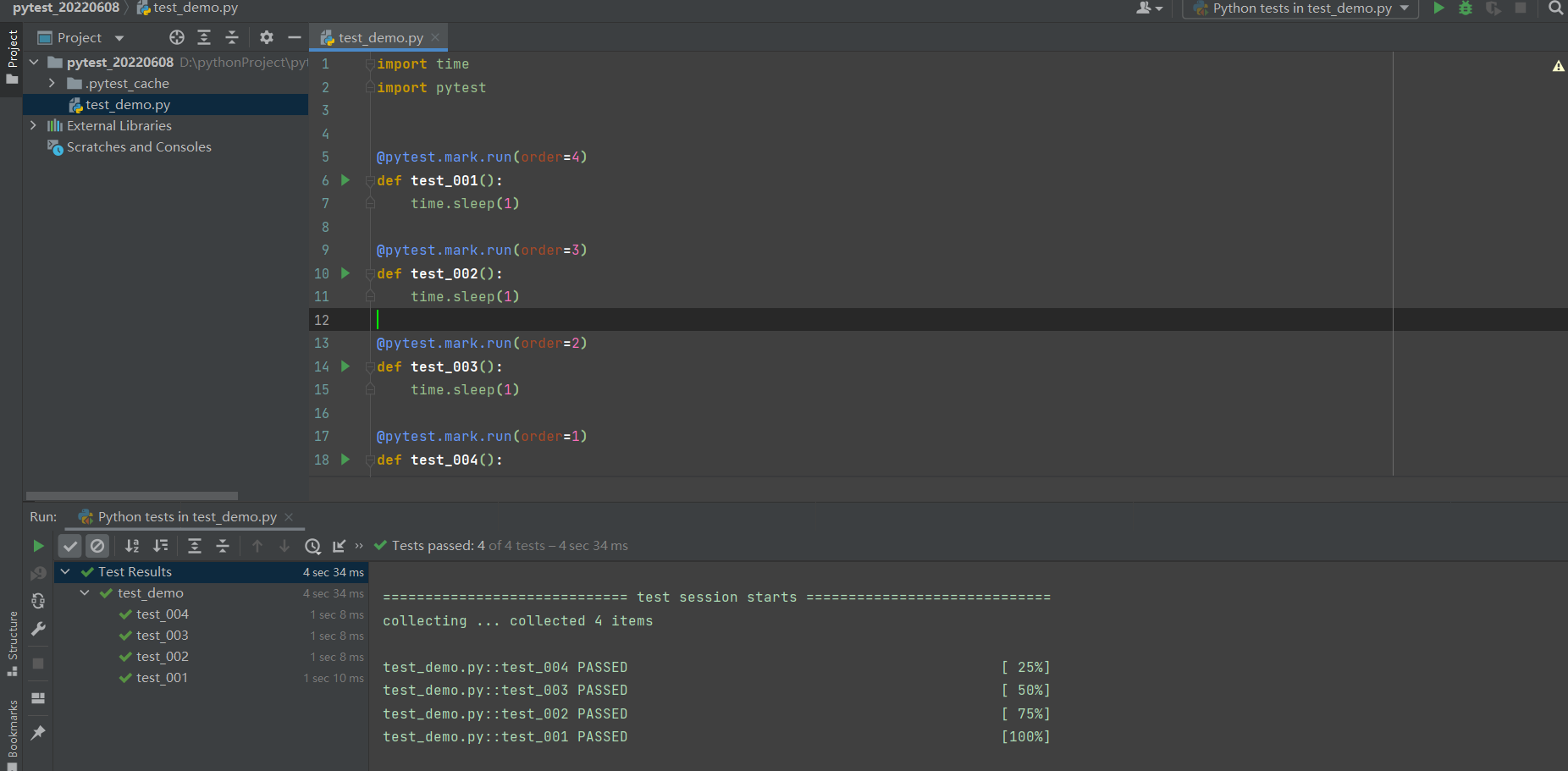
大家都知道在pytest中,默认的顺序是按照编写用例的前后顺序,如果想自定义这个用例的执行顺序,就需要用到此插件
import timeimport pytest@pytest.mark.run(order=4)def test_001():time.sleep(1)@pytest.mark.run(order=3)def test_002():time.sleep(1)@pytest.mark.run(order=2)def test_003():time.sleep(1)@pytest.mark.run(order=1)def test_004():time.sleep(1)
六、pytest-timeout:超时机制
安装:pip install pytest-timeout
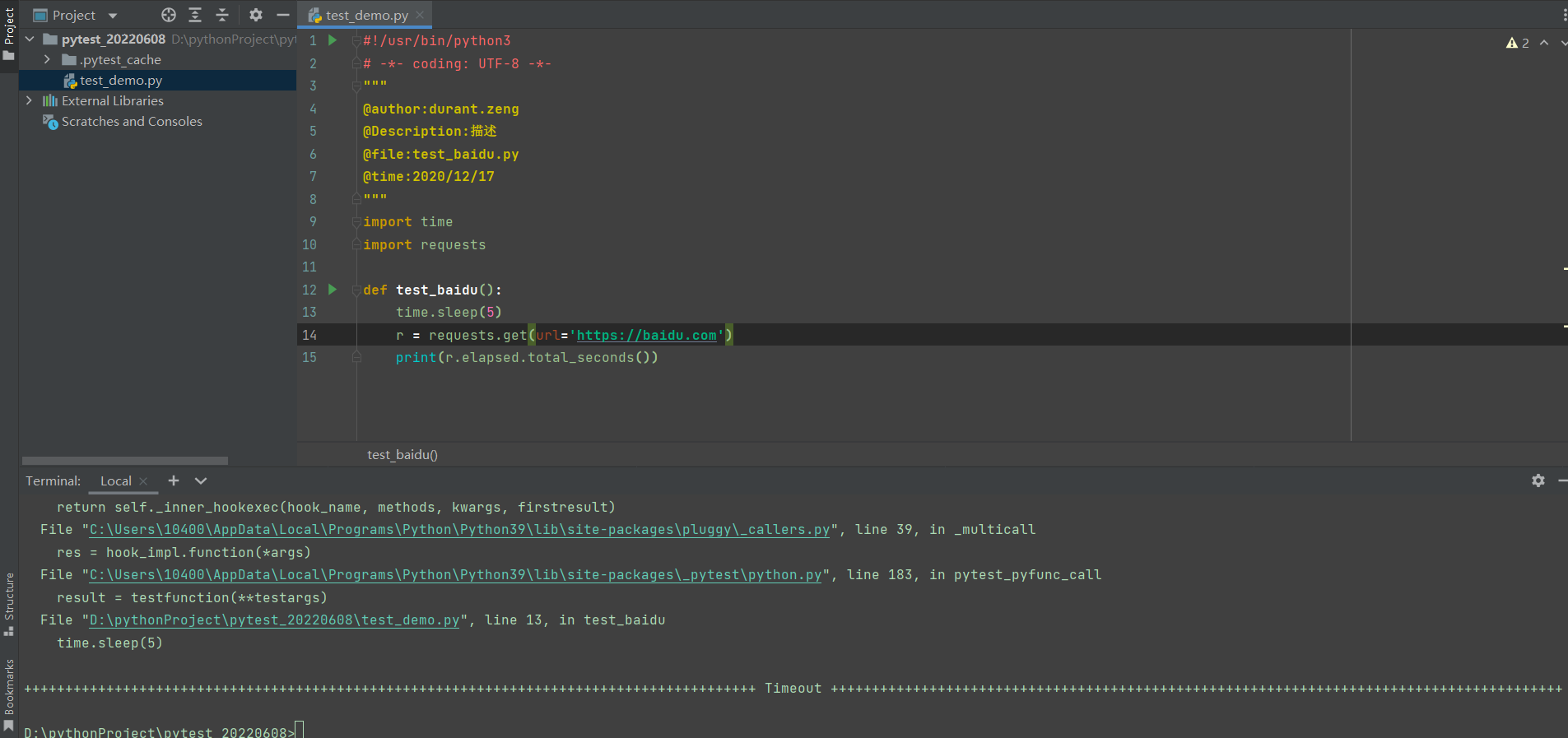
利用这个插件,我们可以控制用例的执行超时,如果超时的话就记用例失败
运行:pytest test_demo.py timeout=秒数
#!/usr/bin/python3# -*- coding: UTF-8 -*-"""@author:durant.zeng@Description:描述@file:test_baidu.py@time:2020/12/17"""import timeimport requestsdef test_baidu():time.sleep(5)r = requests.get(url='https://baidu.com')print(r.elapsed.total_seconds())
七、pytest-tmreport:测试报告
安装:pip install pytest-tmreport
这个测试插件是基于vue+element ui开发的一套模板插件,非常的精美(不过注意需要完美)
运行:pytest —pytest-tmreport-name=测试报告名称.html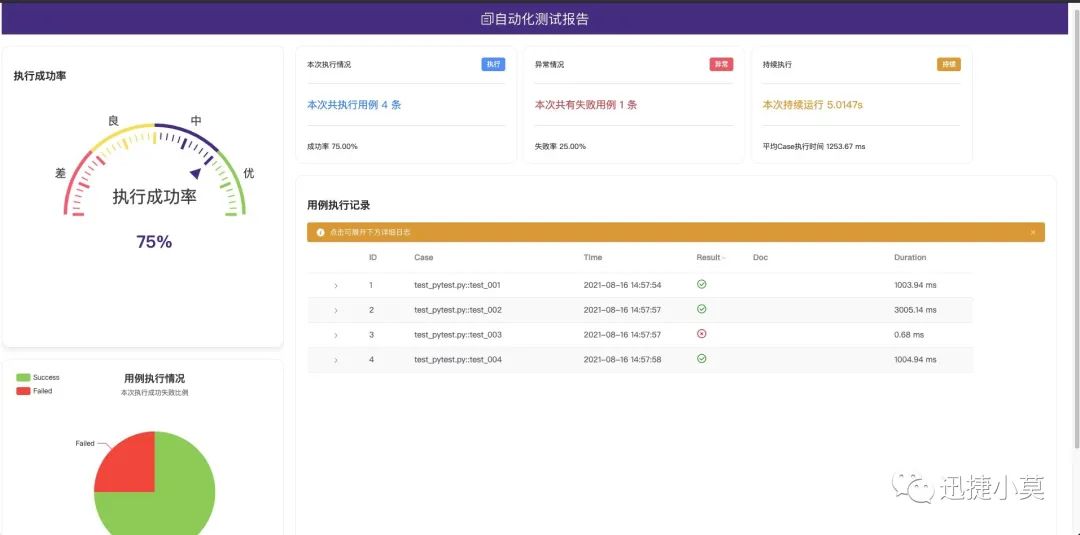

若有收获,就点个赞吧
0 人点赞


