Element coordinates: getBoundingClientRect
The method elem.getBoundingClientRect() returns window coordinates for a minimal rectangle that encloses elem as an object of built-in DOMRect class.
Main DOMRect properties:
x/y– X/Y-coordinates of the rectangle origin relative to window,width/height– width/height of the rectangle (can be negative).
Additionally, there are derived properties:
top/bottom– Y-coordinate for the top/bottom rectangle edge,left/right– X-coordinate for the left/right rectangle edge.
For instance click this button to see its window coordinates:
If you scroll the page and repeat, you’ll notice that as window-relative button position changes, its window coordinates (y/top/bottom if you scroll vertically) change as well.
Here’s the picture of elem.getBoundingClientRect() output: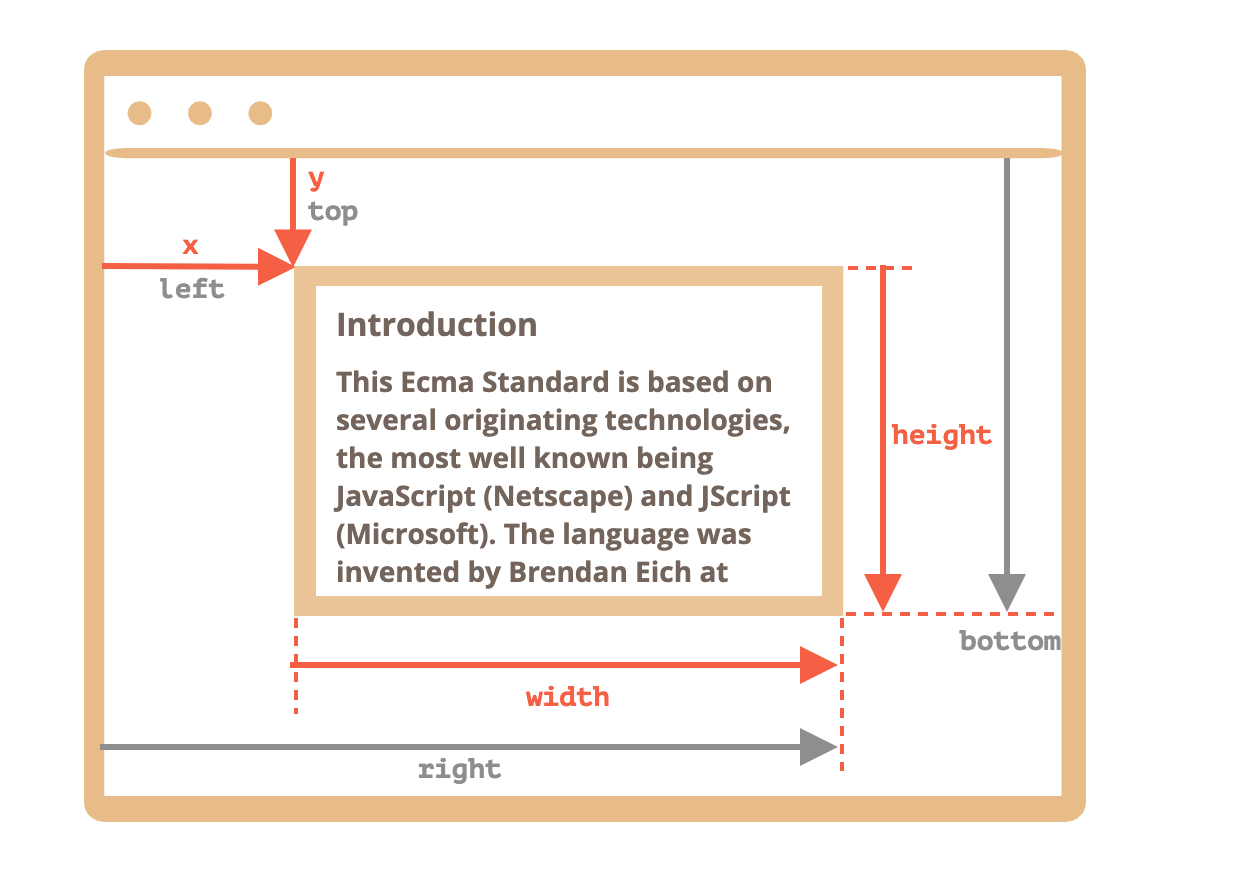
Why derived properties are needed? Why does top/left exist if there’s x/y?
Mathematically, a rectangle is uniquely defined with its starting point (x,y) and the direction vector (width,height). So the additional derived properties are for convenience.
Technically it’s possible for width/height to be negative, that allows for “directed” rectangle, e.g. to represent mouse selection with properly marked start and end.
Negative width/height values mean that the rectangle starts at its bottom-right corner and then “grows” left-upwards.
Here’s a rectangle with negative width and height (e.g. width=``-200, height``=-100):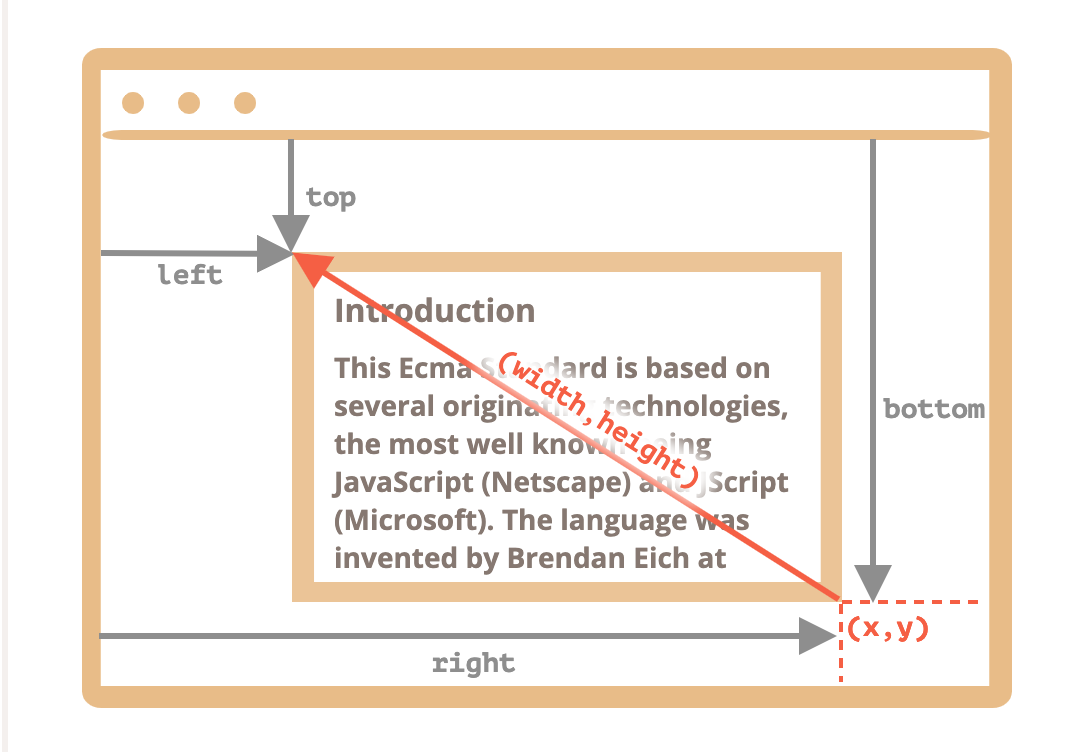
Document coordinates
Document-relative coordinates start from the upper-left corner of the document, not the window.
In CSS, window coordinates correspond to position:fixed, while document coordinates are similar to position:absolute on top.
We can use position:absolute and top/left to put something at a certain place of the document, so that it remains there during a page scroll. But we need the right coordinates first.
There’s no standard method to get the document coordinates of an element. But it’s easy to write it.
The two coordinate systems are connected by the formula:
pageY=clientY+ height of the scrolled-out vertical part of the document.pageX=clientX+ width of the scrolled-out horizontal part of the document.
The function getCoords(elem) will take window coordinates from elem.getBoundingClientRect() and add the current scroll to them:
// get document coordinates of the elementfunction getCoords(elem) {let box = elem.getBoundingClientRect();return {top: box.top + window.pageYOffset,left: box.left + window.pageXOffset};}

若有收获,就点个赞吧
0 人点赞


