1.command
tp5下的命令行模式编程思想,以命令行的方式,启动某些功能
2.创建
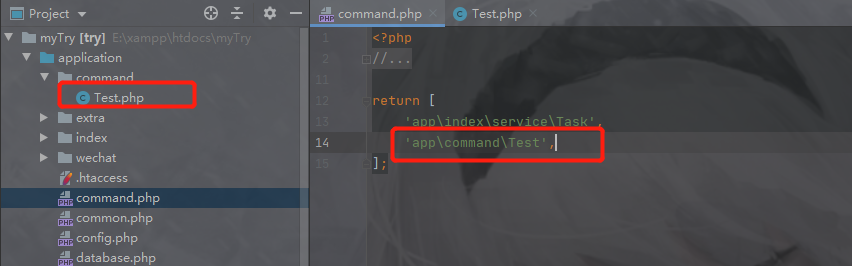
- 在想创建的地方创建Test类
- 在配置文件command.php中配置Test类的位置
这是因为tp5会加载command.php中的配置,来知道哪里是要以命令行的方式启动的,并将命令加入到命令集中。
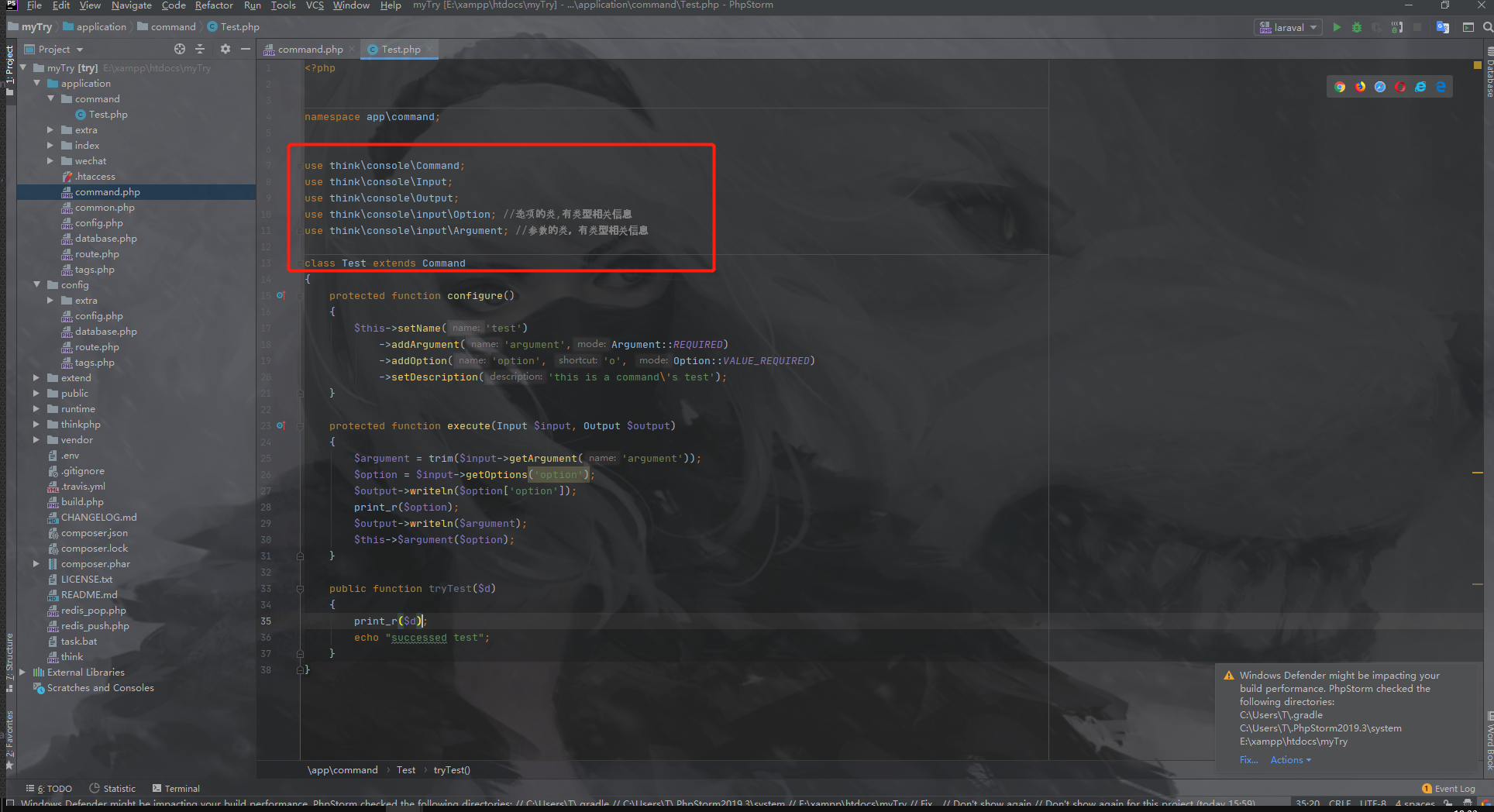
- 创建的Test类必须继承command类
- Input和Output必须,才能接收命令行上的参数
- Option和Argument是为了使用对应的类型常量
protected function configure(){$this->setName('test')->addArgument('argument',Argument::REQUIRED)->addOption('option', 'o', Option::VALUE_REQUIRED)->setDescription('this is a command\'s test');}protected function execute(Input $input, Output $output){$argument = trim($input->getArgument('argument'));$option = $input->getOptions('option');$output->writeln($option['option']);print_r($option);$output->writeln($argument);$this->$argument($option);}
- configure方法是加载该命令的相关配置
setName:设置命令名称(即调用时和加在命令集中的名称)
setArgument:设置参数(接收的名称,类型,描述,默认值)
- 类型有3种:必须,可选,数组型,
addOption:设置选项(接收的名称,简称,类型,描述,默认值)
- 简称只能一个字符
- 类型四种:必须,可选,数组型,空
setDescription:对该命令的解释介绍
execute()命令执行时调用的方法
input 接收输入的参数,内有获取对应类别参数的方法。
output输出,有许多方法可辅助输出提示(也可用fwrite这样其他输出方式)
🔺由于php支持字符串形式拼接好方法名和传递的参数,所以可形成动态调用相应方法。
this->
option)
3.传参
不带参数调用
php think test //test是setName的值参数Arguments调用(只传值就行,用空格隔开;必传在前,选填在后)
php think test tryTest //给argument传了5选项Options调用
- 要写名称,简称前有 ‘-’ 单横杠,全称前有 ‘—’双横杠
- 简称或全称接收参数,最后都是由全称接收
- 全程的name和value之间空格或者=
- 简称的name和value之间空格或者直接相连
php think test --option 7
php think test --option=7
php think test -o 7
php think test -o7
参数
Arguments和选项Options混合调用(参数和选项传递顺序不分)php think test tryTest -o7 php think test -o 7 tryTest
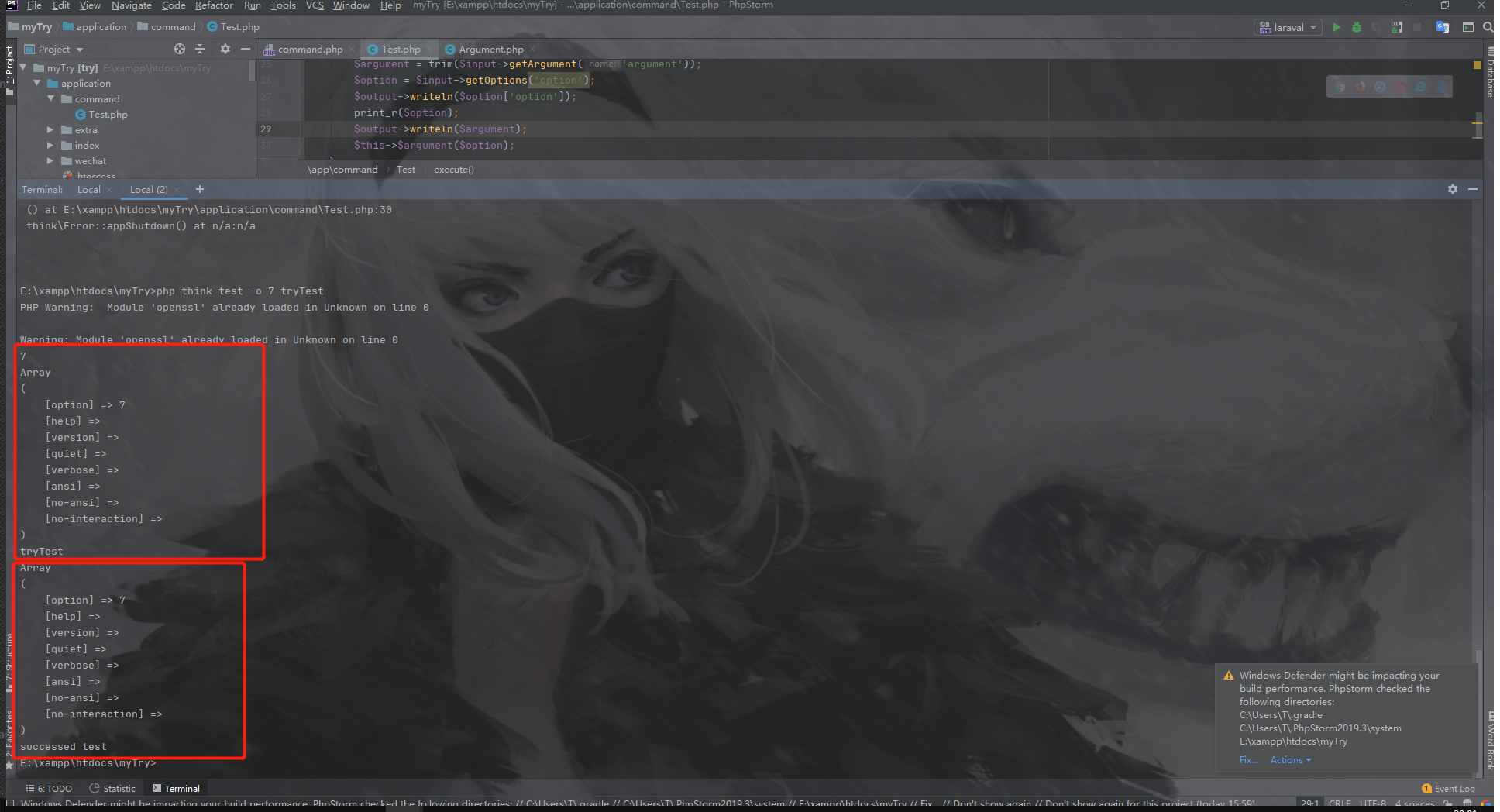
- 第一个框是执行execute时的
- 第二个框是骚操作,动态调用了函数tryTest
4.在其他地方调用命令
 use think\Console;#引入Console

 $output = Console::call('test');#无参数调用
 $output = Console::call('test',[args1,args2,argsN...]);#带参数调用命令
 $output = Console::call('test',['1','admin','-t2','-s3']);#带参数调用(options和arguments不区分顺序)
return $output->fetch();    #获取输出信息
- 使用Console即可模拟在控制台上执行某命令,并获得放回信息
5.小结
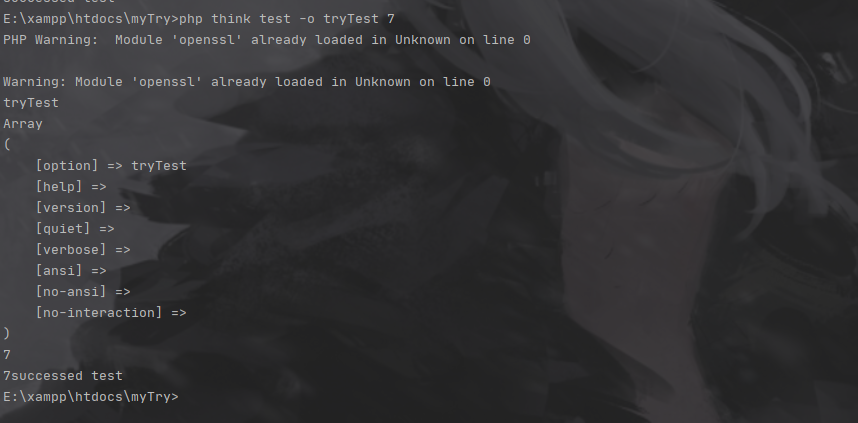
   我觉得应该用option(选项)做动态拼接方法名才对,但它在接收时**是个数组且传参时需要有横杠,不方便**;而argument做参数接收,它**直接写值即可**。

    由于以上,让argument做方法名更简单些。

    下面为我让option去做拼接方法名后,仍可动态调用方法。

若有收获,就点个赞吧
0 人点赞


