| 实验 目的 要求 |
目的: 理解Port Vlan的配置。 实现功能: 通过划分PORT VLAN实现本交换端口隔离。 |
|---|---|
| 实 验 原 理 |
VLAN(Virtual Local Area Network,虚拟局域网)是指在一个物理网段内,进行逻辑的划分,划分成若干个虚拟局域网。VLAN最大的特性是不受物理位置的限制,可以进行灵活的划分。VLAN具备了一个物理网段所具备的特性。 相同VLAN内的主机可以互相直接访问,不同VLAN间的主机之间互相访问必须经过路由设备进行转发。广播数据包只可以在本VLAN内进行传播,不能传输到其它VLAN中。 Port Vlan是实现VLAN的方式之一,Port Vlan是交换机的端口进行VLAN的划分,一个端口只能属于一个VLAN。 |
|---|---|
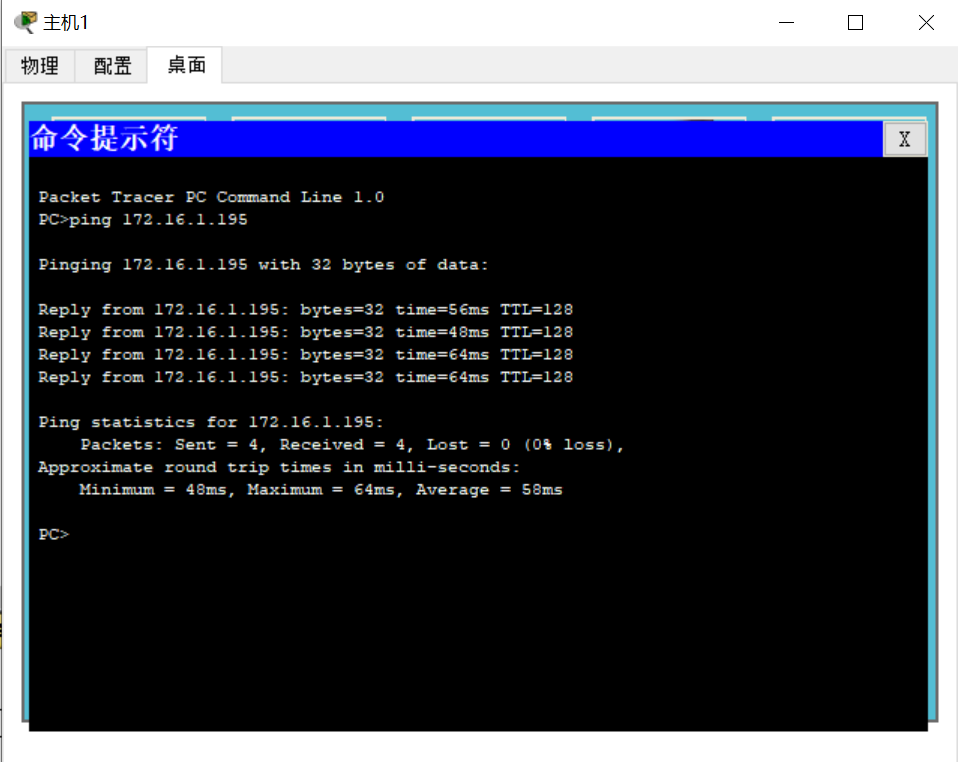
| 第一步:在未划VLAN前两台PC互相ping可以通。(必须是两台机器在同一网段)
第二步:创建VLAN。
Switch#configure terminal ! 进入交换机全局配置模式。
Switch(config)# vlan 10 ! 创建vlan 10。
Switch(config-vlan)# name shuji10 !将Vlan 10命名为shuji10。
Switch(config-vlan)#exit
Switch(config)# vlan 20 ! 创建vlan 20。
Switch(config-vlan)# name mishu20 ! 将Vlan 20命名为mishu20。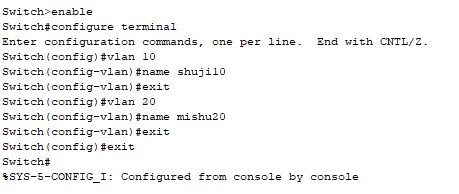
验证测试:
Switch#show vlan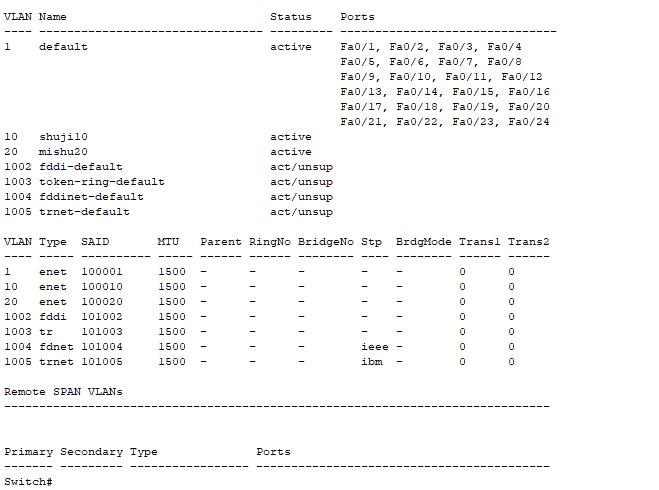
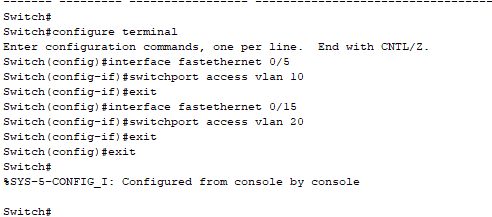
第三步:将接口分配到VLAN。
! 进入fastethernet 0/5的接口配置模式。
Switch(config)# interface fastethernet 0/5
! 将fastethernet 0/5端口加入vlan 10中。
Switch(config-if)# switchport access vlan 10
Switch(config-if)#exit
! 进入fastethernet 0/15的接口配置模式。
Switch(config)# interface fastethernet 0/15
! 将fastethernet 0/15端口加入vlan 20中。
Switch(config-if)# switchport access vlan 20
第四步:两台PC互相ping不通。
验证测试:
Switch#show vlan
|
| —- |
交换机
Switch>enableSwitch#configure terminalEnter configuration commands, one per line. End with CNTL/Z.Switch(config)#vlan 10Switch(config-vlan)#name shuji10Switch(config-vlan)#exitSwitch(config)#vlan 20Switch(config-vlan)#name mishu20Switch(config-vlan)#exitSwitch(config)#exitSwitch#%SYS-5-CONFIG_I: Configured from console by console
测试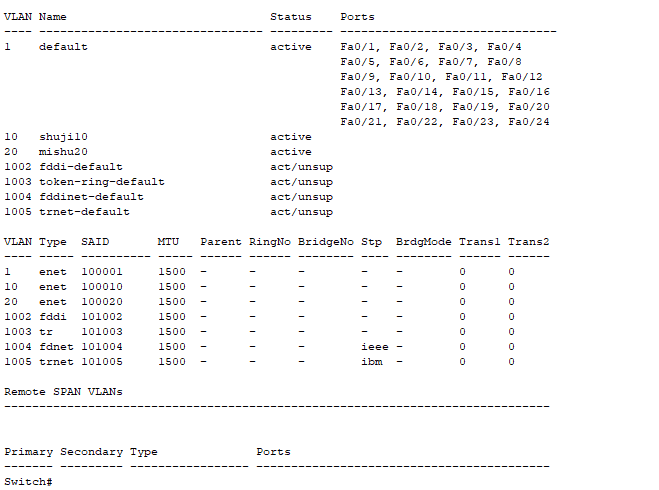
第三步
Switch#Switch#configure terminalEnter configuration commands, one per line. End with CNTL/Z.Switch(config)#interface fastethernet 0/5Switch(config-if)#switchport access vlan 10Switch(config-if)#exitSwitch(config)#interface fastethernet 0/15Switch(config-if)#switchport access vlan 20Switch(config-if)#exitSwitch(config)#exitSwitch#%SYS-5-CONFIG_I: Configured from console by console
第四步:两台PC互相ping不通。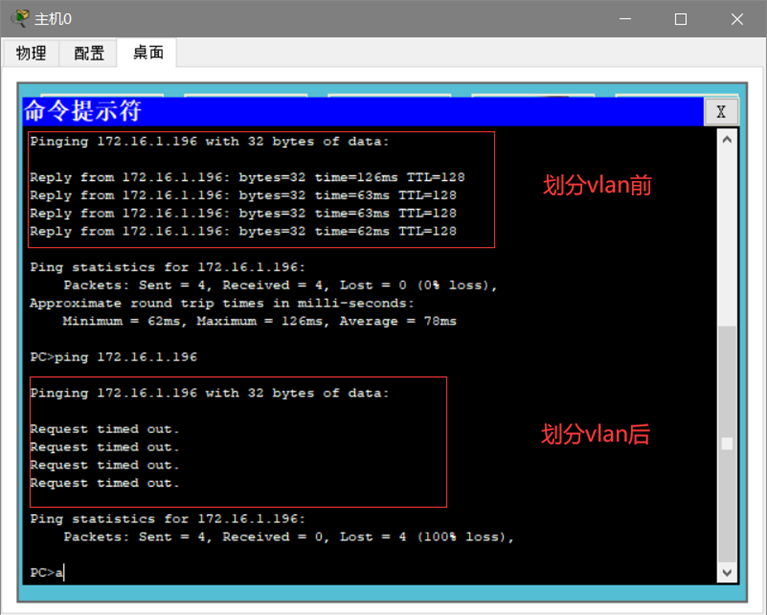
测试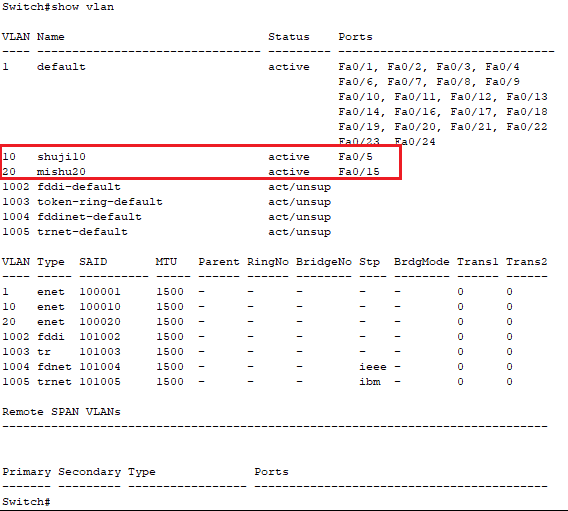

若有收获,就点个赞吧
0 人点赞


