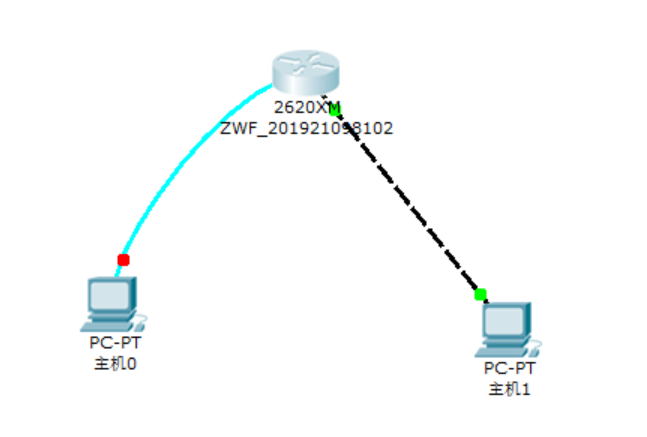
拓扑图
路由器配置
教程
第一步:在路由器上配置路由器名和fastethernet0端口的IP地址Red-Giant>enable !进入特权模式Red-Giant # configure terminal !进入全局配置模式Red-Giant (config)# hostname RouterA !配置路由器名称为 “RouterA”RouterA(config)# interface fastethernet 0 !进入路由器接口配置模式RouterA(config-if)# ip address 192.168.0.138 255.255.255.0 !配置路由器管理接口IP地址RouterA(config-if)# no shutdown !开启路由器fastethernet0接口
操作
第一步:在路由器上配置路由器名和fastethernet0端口的IP地址
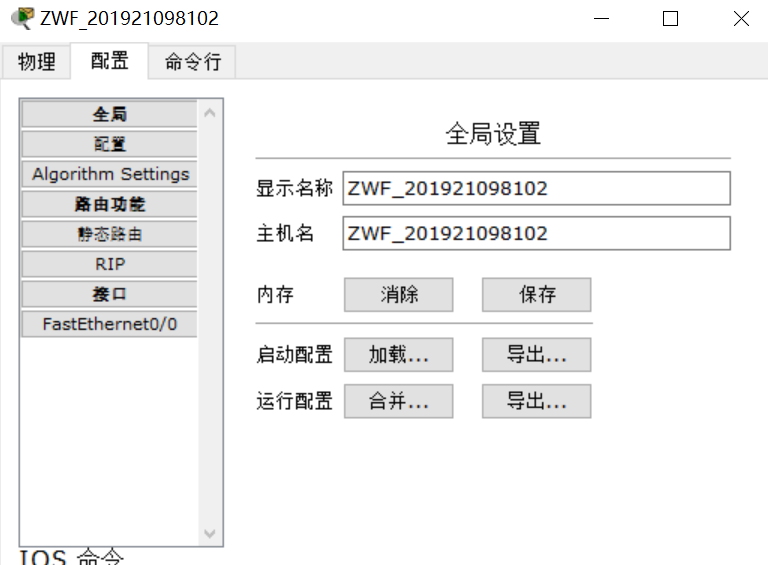
#configure terminal(config)#hostname ZWF_201921098102ZWF_201921098102(config)#interface fastethernet0/0ZWF_201921098102(config-if)#ip address 192.168.0.138 255.255.255.0ZWF_201921098102(config-if)#no shutdownZWF_201921098102(config-if)#exitZWF_201921098102(config)#exitZWF_201921098102#测试连接代码ZWF_201921098102#show ip interface fastethernet0/0
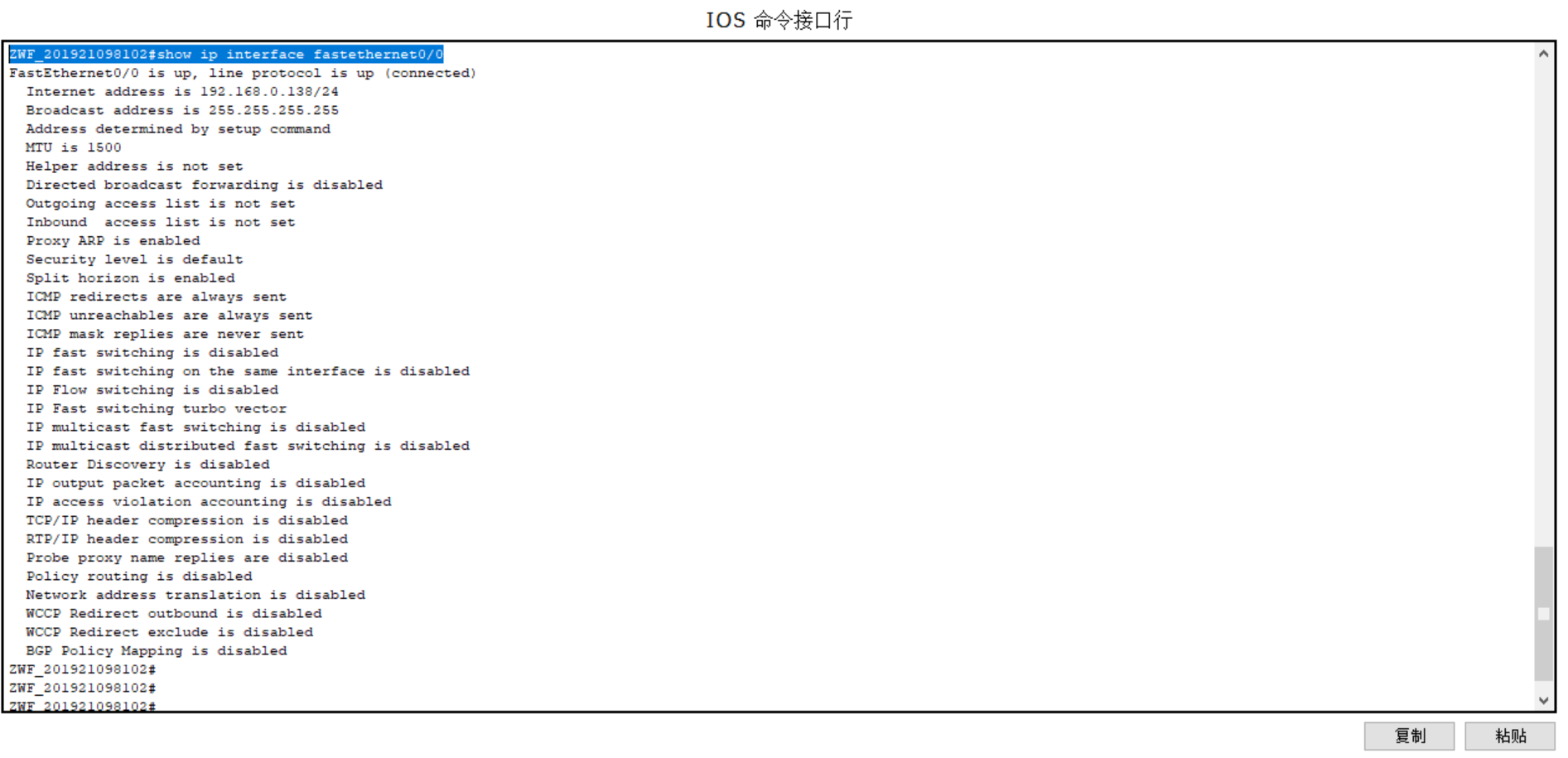
验证测试:验证路由器接口fastethernet0的IP地址已经配置和开启
RouterA#show ip interface fastethernet0 !验证接口fastethernet0的IP地址已经配置和开启
或RouterA#show ip interface brief !验证接口fastethernet0的IP地址已经配置和开启
第二步:配置路由器远程登录密码
第二步:配置路由器远程登录密码RouterA(config)# line vty 0 4 !进入路由器线路配置模式RouterA(config-line)# login !配置远程登录RouterA(config-line)# password star !设置路由器远程登录密码为 “star”RouterA(config-line)#end
ZWF_201921098102#configure terminalEnter configuration commands, one per line. End with CNTL/Z.ZWF_201921098102(config)#line vty 0 4ZWF_201921098102(config-line)#login% Login disabled on line 66, until 'password' is set% Login disabled on line 67, until 'password' is set% Login disabled on line 68, until 'password' is set% Login disabled on line 69, until 'password' is set% Login disabled on line 70, until 'password' is setZWF_201921098102(config-line)#password starZWF_201921098102(config-line)#endZWF_201921098102#%SYS-5-CONFIG_I: Configured from console by consoleZWF_201921098102#

验证测试:验证从PC机可以通过网线远程登录到路由器上
C:>telnet 192.168.0.138 !从PC机登录到路由器上
第三步:配置路由器特权模式密码
RouterA(config)#enable password star
ZWF_201921098102>ZWF_201921098102>enableZWF_201921098102#configure terminalEnter configuration commands, one per line. End with CNTL/Z.ZWF_201921098102(config)#enable password starZWF_201921098102(config)#

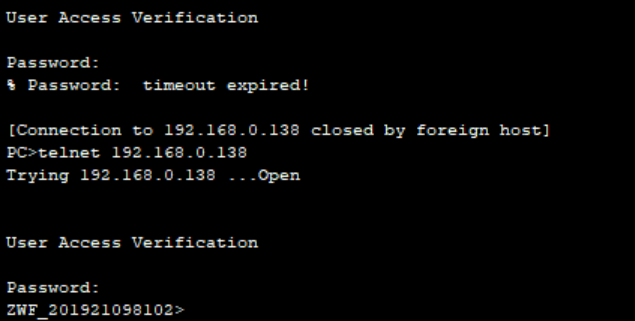
验证测试:验证从PC机通过网线远程登录到路由器上后可以进入特权模式
C:>telnet 192.168.0.138 !从PC机登录到路由器上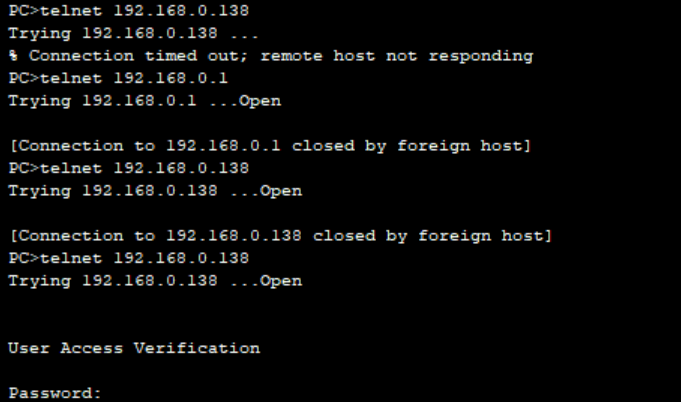
第四步:保存在路由器上所做的配置
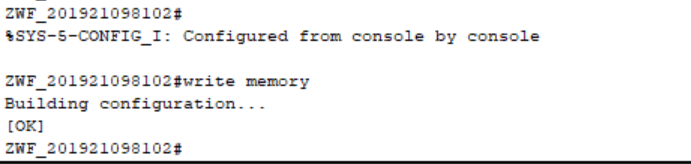
RouterA# copy running-config startup-config ! 保存路由器配置或RouterA# write memory
ZWF_201921098102(config)#exitZWF_201921098102#%SYS-5-CONFIG_I: Configured from console by consoleZWF_201921098102#write memoryBuilding configuration...[OK]ZWF_201921098102#
验证
验证测试:验证路由器配置已保存
RouterA#show startup-config ! 验证路由器配置已保存 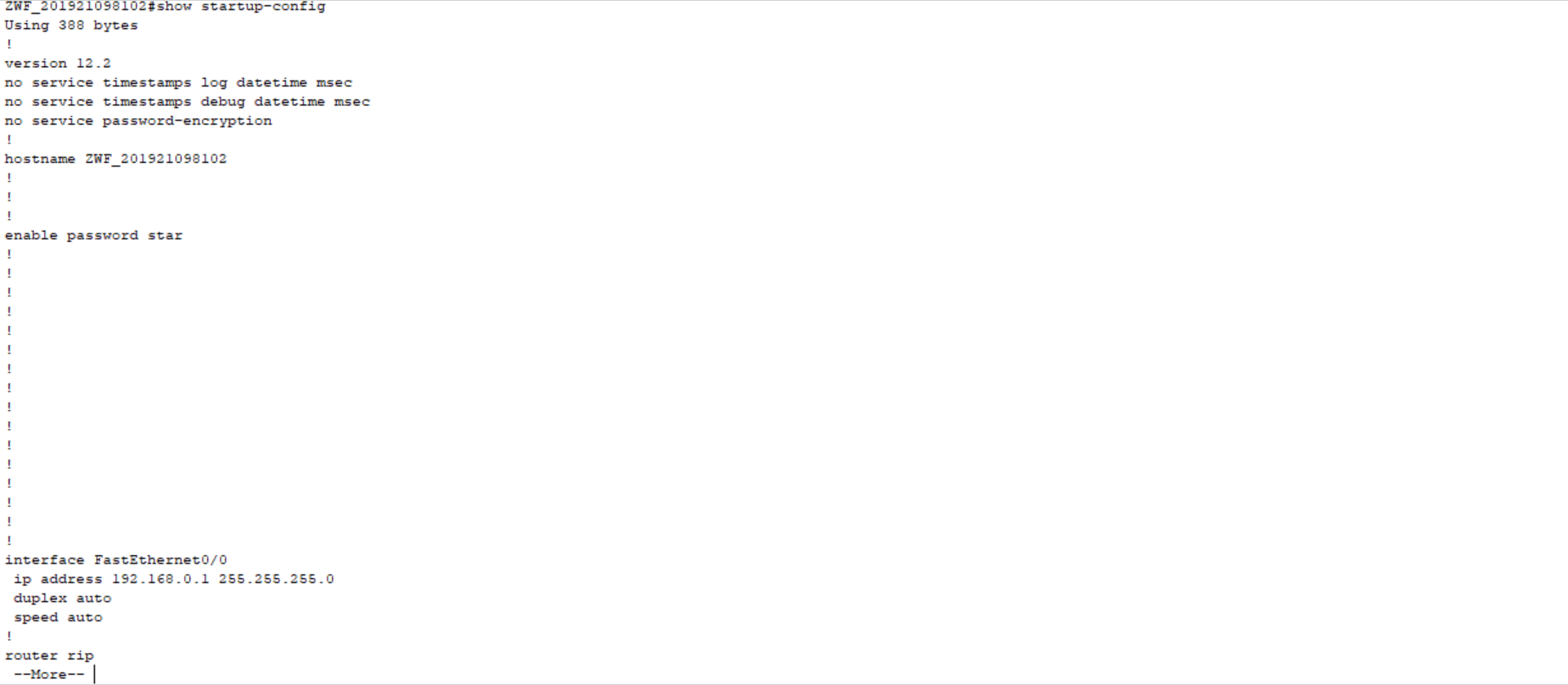
收尾:
RouterA#erase startup-config
RouterA#reload !重启
提示是否保存配置选择“N”
重启后会出现这样的提示:Would you like to enter the initial configuration dialog? 【yes】:N
ZWF_201921098102#erase startup-configErasing the nvram filesystem will remove all configuration files! Continue? [confirm][OK]Erase of nvram: complete%SYS-7-NV_BLOCK_INIT: Initialized the geometry of nvramZWF_201921098102#reloadProceed with reload? [confirm]%SYS-5-RELOAD: Reload requested by console. Reload Reason: Reload Command.System Bootstrap, Version 12.1(3r)T2, RELEASE SOFTWARE (fc1)Copyright (c) 2000 by cisco Systems, Inc.cisco 2620 (MPC860) processor (revision 0x200) with 60416K/5120K bytes of memorySelf decompressing the image :########################################################################## [OK]Restricted Rights LegendUse, duplication, or disclosure by the Government issubject to restrictions as set forth in subparagraph(c) of the Commercial Computer Software - RestrictedRights clause at FAR sec. 52.227-19 and subparagraph(c) (1) (ii) of the Rights in Technical Data and ComputerSoftware clause at DFARS sec. 252.227-7013.cisco Systems, Inc.170 West Tasman DriveSan Jose, California 95134-1706Cisco Internetwork Operating System SoftwareIOS (tm) C2600 Software (C2600-I-M), Version 12.2(28), RELEASE SOFTWARE (fc5)Technical Support: http://www.cisco.com/techsupportCopyright (c) 1986-2005 by cisco Systems, Inc.Compiled Wed 27-Apr-04 19:01 by miwangcisco 2620 (MPC860) processor (revision 0x200) with 60416K/5120K bytes of memory.Processor board ID JAD05190MTZ (4292891495)M860 processor: part number 0, mask 49Bridging software.X.25 software, Version 3.0.0.1 FastEthernet/IEEE 802.3 interface(s)32K bytes of non-volatile configuration memory.63488K bytes of ATA CompactFlash (Read/Write)--- System Configuration Dialog ---Continue with configuration dialog? [yes/no]: noPress RETURN to get started!


若有收获,就点个赞吧
0 人点赞


