搭建sentinel-dashboard
在rancher添加部署服务
设置镜像bladex/sentinel-dashboard:1.7.2,和暴露端口8858、8719
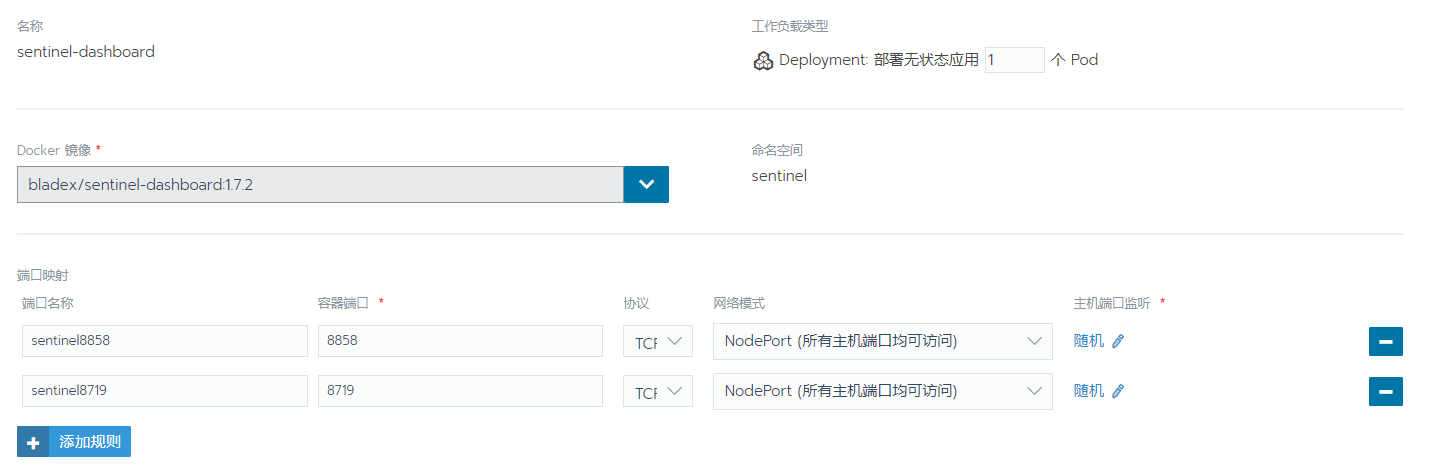
修改服务发现sentinel-dashboard-nodeport的端口


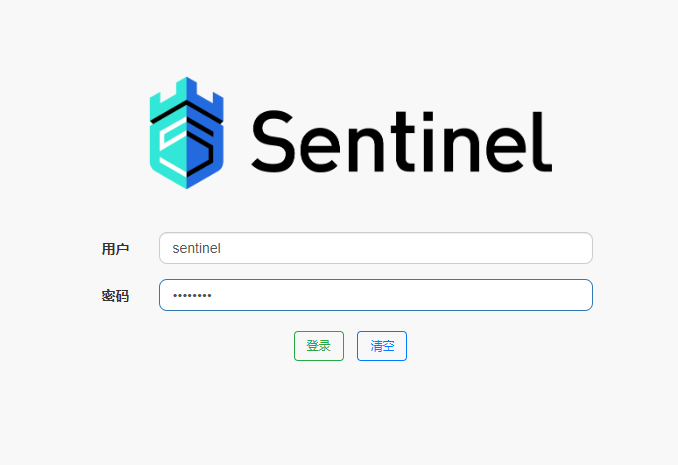
访问http://172.18.0.3:30008/账号密码都是sentinel
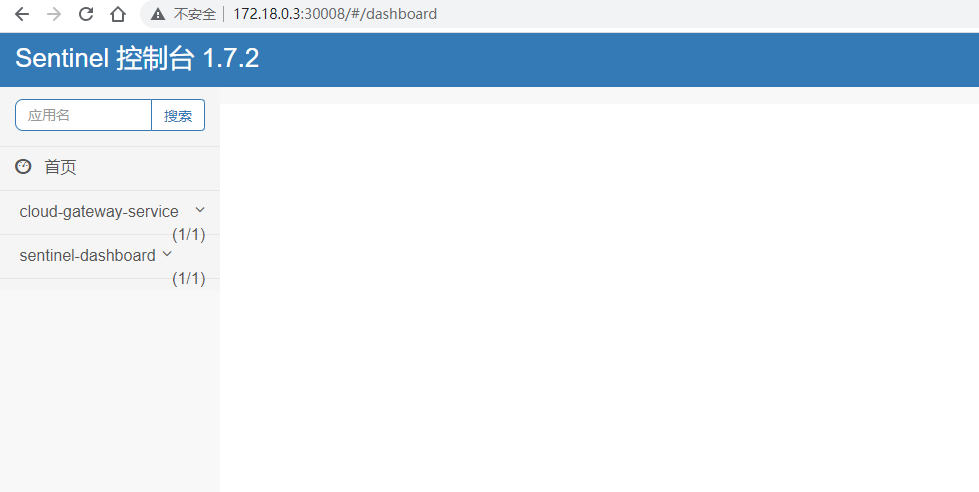
配置cloud-gateway-service
修改pom.xml,添加依赖
<!--SpringCloud ailibaba sentinel --><dependency><groupId>com.alibaba.cloud</groupId><artifactId>spring-cloud-starter-alibaba-sentinel</artifactId></dependency><!-- sentinel 网关限流 --><dependency><groupId>com.alibaba.cloud</groupId><artifactId>spring-cloud-alibaba-sentinel-gateway</artifactId></dependency><!--SpringCloud ailibaba sentinel-datasource-nacos 后续做持久化用到--><dependency><groupId>com.alibaba.csp</groupId><artifactId>sentinel-datasource-nacos</artifactId></dependency>
修改application.yml
spring:
  cloud:
    sentinel:
      transport:
        # 指定sentinel 控制台的地址
        dashboard: 172.18.0.3:30008
        port: 30009
      scg:
        fallback:
          response-status: 426
          response-body: "{'code':'426' , 'msg':'程序异常'}"
        enabled: true
      filter:
        enabled: true
      datasource:
        # 名称随意
        flow:
          nacos:
            server-addr: 172.18.0.3:30000
            dataId: ${spring.application.name}-sentinel-gw-flow
            groupId: DEV_GROUP
            # 规则类型,取值见:
            # com.alibaba.cloud.sentinel.datasource.RuleType
            rule-type: gw-flow
            username: nacos
            password: nacos
            data-type: json
        api:
          nacos:
            server-addr: 172.18.0.3:30000
            dataId: ${spring.application.name}-sentinel-gw-api-group
            groupId: DEV_GROUP
            # 规则类型,取值见:
            # com.alibaba.cloud.sentinel.datasource.RuleType
            rule-type: gw-api-group
            username: nacos
            password: nacos
            data-type: json
    gateway:
      discovery:
        locator:
          lowerCaseServiceId: true
          enabled: true
#      routes:
#        - id: api-order
#          # uri: http://localhost:8002
#          uri: lb://cloud-order-consumer
#          order: 8002
#          predicates:
#            - Path=/consumer/payment/get/**
redis:
  ################### redis 单机版 start ##########################
  host: 127.0.0.1
  port: 6379
  timeout: 6000
  database: 8
  lettuce:
    pool:
      max-active: 10 # 连接池最大连接数(使用负值表示没有限制),如果赋值为-1,则表示不限制;如果pool已经分配了maxActive个jedis实例,则此时pool的状态为exhausted(耗尽)
      max-idle: 8   # 连接池中的最大空闲连接 ,默认值也是8
      max-wait: 100 # # 等待可用连接的最大时间,单位毫秒,默认值为-1,表示永不超时。如果超过等待时间,则直接抛出JedisConnectionException
      min-idle: 2    # 连接池中的最小空闲连接 ,默认值也是0
    shutdown-timeout: 100ms
################### redis 单机版 end ##########################
#    cluster:
#      nodes: 130.75.131.237:7000,130.75.131.238:7000,130.75.131.239:7000,130.75.131.237:7001,130.75.131.238:7001,130.75.131.239:7001
#        #130.75.131.237:7000,130.75.131.238:7000,130.75.131.239:7000,130.75.131.237:7001,130.75.131.238:7001,130.75.131.239:7001
#        #192.168.3.157:7000,192.168.3.158:7000,192.168.3.159:7000,192.168.3.157:7001,192.168.3.158:7001,192.168.3.159:7001
#    timeout: 1000 # 连接超时时间(毫秒)
#    lettuce:
#      pool:
#        max-active: 10 # 连接池最大连接数(使用负值表示没有限制),如果赋值为-1,则表示不限制;如果pool已经分配了maxActive个jedis实例,则此时pool的状态为exhausted(耗尽)
#        max-idle: 8   # 连接池中的最大空闲连接 ,默认值也是8
#        max-wait: 100 # # 等待可用连接的最大时间,单位毫秒,默认值为-1,表示永不超时。如果超过等待时间,则直接抛出JedisConnectionException
#        min-idle: 2    # 连接池中的最小空闲连接 ,默认值也是0
#      shutdown-timeout: 100ms

ribbon:
  ReadTimeout: 90000
  ConnectTimeout: 90000
  MaxAutoRetries: 0
  MaxAutoRetriesNextServer: 1
  OkToRetryOnAllOperations: false

feign:
  sentinel:
    # 为feign整合sentinel
    enabled: true
测试
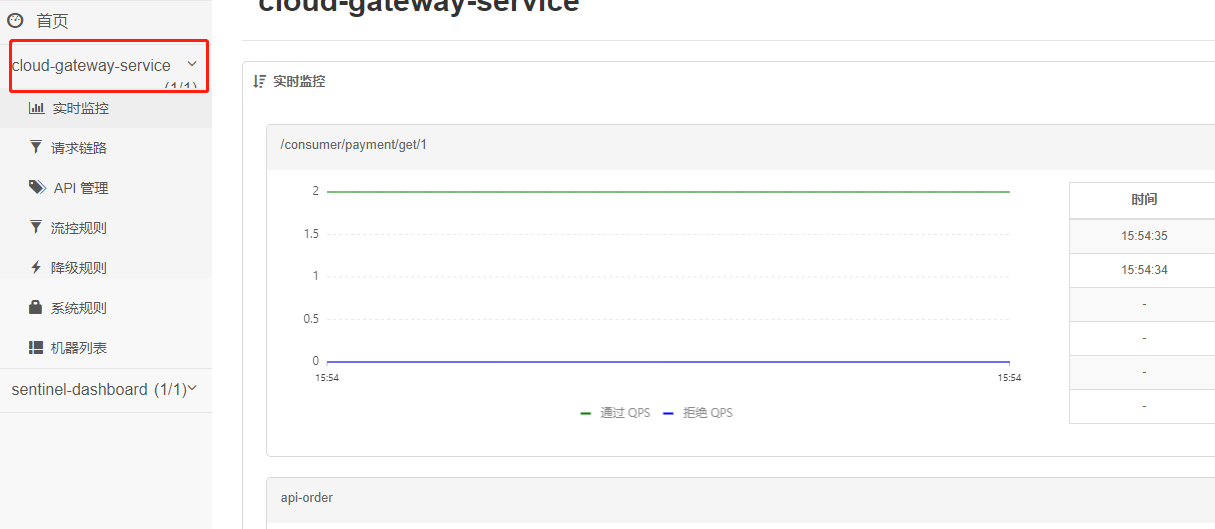
访问:http://127.0.0.1:8004/consumer/payment/get/1
Sentinel采用的懒加载说明,访问后才会出现服务

若有收获,就点个赞吧
0 人点赞


