1. 下载地址
https://github.com/medcl/elasticsearch-analysis-ik/releases/tag/v7.8.0
2. 安装
- 解压
- 将整个文件夹放到
/opt/module/es-cluster/plugin/下

- 分发,重启ES集群
xsync.sh plugins/
3. 测试
3.1 使用标准分词器分词
```http GET /_analyze { “analyzer”: “standard”, “text”: “中国人” }
“analyzer”: “standard”:使用标准分词器分词
“text”: “中国人”:指定测试文本
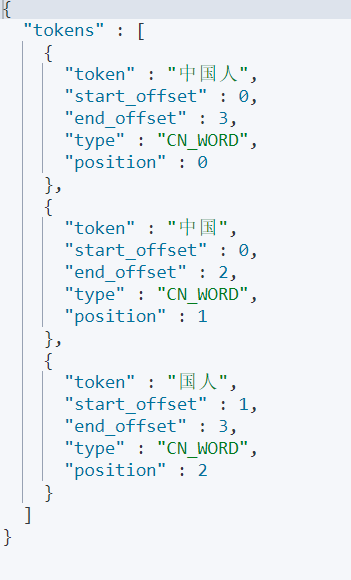
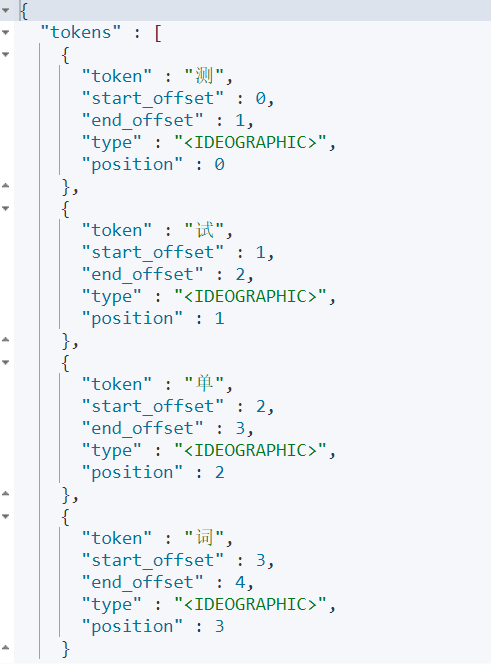<a name="B7Rtb"></a>## 3.2 使用IK分词器分词<a name="fc06Z"></a>### 3.2.1 使用ik_max_word> 会将文本做**最细粒度**的拆分```httpGET /_analyze{"analyzer": "ik_max_word","text": "中国人"}# "analyzer": "ik_max_word":是指定使用哪个分词器,ik_max_word会将文本做最细粒度的拆分# "text": "中国人":指定测试文本
3.2.2 使用ik_smart
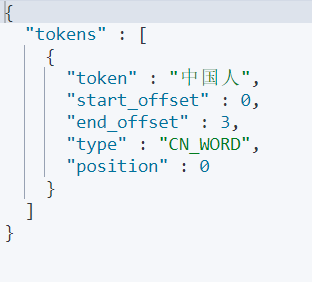
会将文本做最粗粒度的拆分
GET /_analyze{"analyzer": "ik_smart","text": "中国人"}# "analyzer": "ik_smart":是指定使用哪个分词器,ik_smart会将文本做最粗粒度的拆分# "text": "中国人":指定测试文本
4. 自定义扩展词汇、停止词汇
4.1 扩展词汇
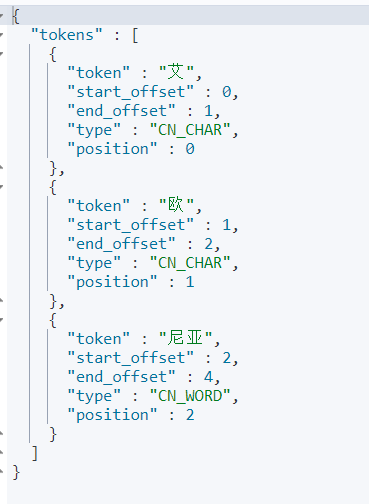
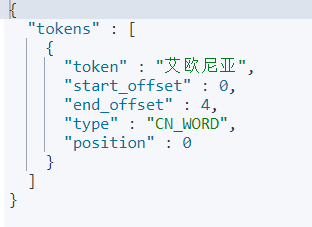
GET /_analyze{"analyzer": "ik_smart","text": "艾欧尼亚"}
- 未定义时:
定义时
在
/opt/module/es-cluster/plugins/elasticsearch-analysis-ik-7.8.0/config下创建custom.dic文件touch custom.dic
在
custom.dic中增加扩展词汇艾欧尼亚
在
IKAnalyzer.cfg.xml中增加自定义的扩展词典<?xml version="1.0" encoding="UTF-8"?><!DOCTYPE properties SYSTEM "http://java.sun.com/dtd/properties.dtd"><properties><comment>IK Analyzer 扩展配置</comment><!--用户可以在这里配置自己的扩展字典 --><entry key="ext_dict">custom.dic</entry><!--用户可以在这里配置自己的扩展停止词字典--><entry key="ext_stopwords"></entry><!--用户可以在这里配置远程扩展字典 --><!-- <entry key="remote_ext_dict">words_location</entry> --><!--用户可以在这里配置远程扩展停止词字典--><!-- <entry key="remote_ext_stopwords">words_location</entry> --></properties>
分发
xsync.sh plugins/
重启es集群,查看效果
4.2 停止词汇
基本同4.1 扩展词汇

若有收获,就点个赞吧
0 人点赞


