🥖ElasticSearch-04-查询和聚合的基础使用
🧿ES入门CRUD
- 创建索引
PUT /ralph_index{"settings": {"index": {"analysis.analyzer.default.type": "ik_max_word"}}}
为了方便测试,我们使用kibana的dev tool来进行学习测试:
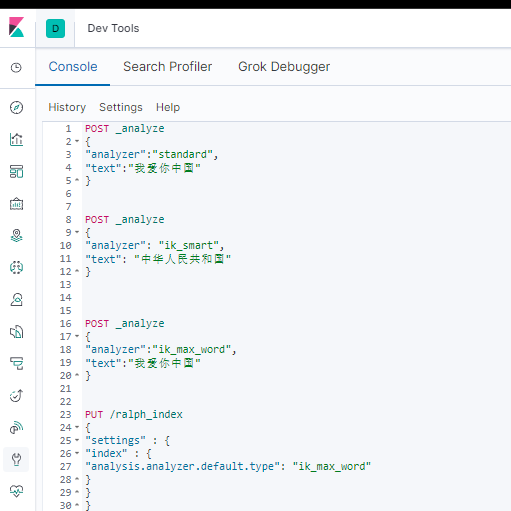
- 查询索引
GET /ralph_index
- 删除索引
DELETE /ralph_index
- 给索引添加文档
PUT /ralph_index/_doc/1{"name": "张三","sex": 1,"age": 25,"address": "广州天河公园","remark": "java developer"}
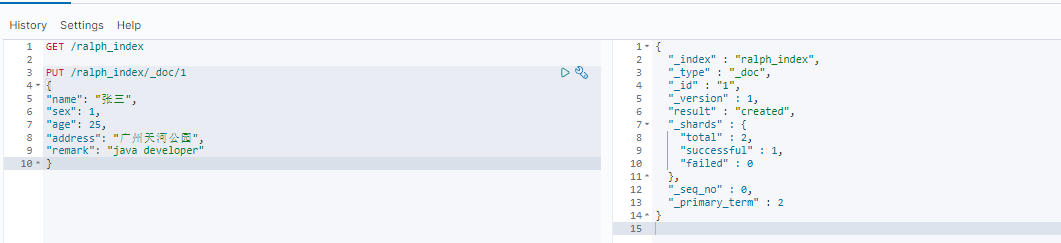
POST和PUT区别
1、需要注意的是PUT需要对一个具体的资源进行操作也就是要确定id才能进行更新/创建,而POST是可以针对整个资源集合进行操作的,如果不写id就由
ES生成一个唯一id进行创建新文档,如果填了id那就针对这个id的文档进行创建/更新2、PUT只会将JSON数据都进行替换, POST只会更新相同字段的值
3、PUT与DELETE都是
幂等性操作, 即不论操作多少次, 结果都一样
🧿查询数据
🎞 查询所有
GET /ralph_index/_doc/_searchSQL: select * from _doc
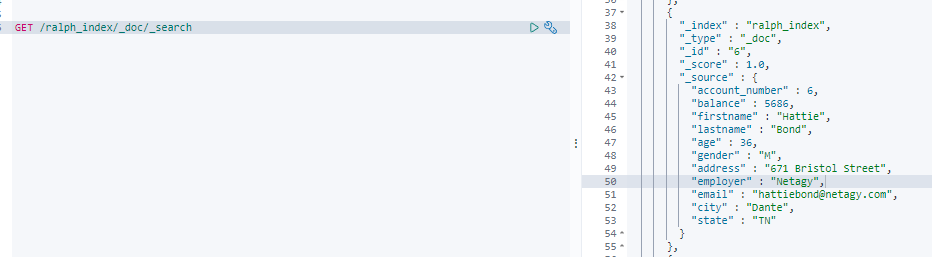
{ # _index索引名字,MYSQL的db名字"_index" : "ralph_index",# _type 文档的类型 7之后不推荐使用 命令行中可以省略"_type" : "_doc",# 唯一表示 类似MYSQL的主key 不设定默认随意生产 如ANQqsHgBaKNfVnMbhZYU"_id" : "6",# 匹配程度 分片后的匹配"_score" : 1.0,"_source" : {"account_number" : 6,"balance" : 5686,"firstname" : "Hattie","lastname" : "Bond","age" : 36,"gender" : "M","address" : "671 Bristol Street","employer" : "Netagy","email" : "hattiebond@netagy.com","city" : "Dante","state" : "TN"}
_shards.total :分片的总数
_version: 版本 后面被废弃 使用 _seq_no 来做乐观锁
当然我们还可以指定某些字段 match_all表示查询所有的数据,sort即按照什么字段排序
GET /ralph_index/_doc/_search{"query": { "match_all": {} },"sort": [{ "name": "asc" }]}
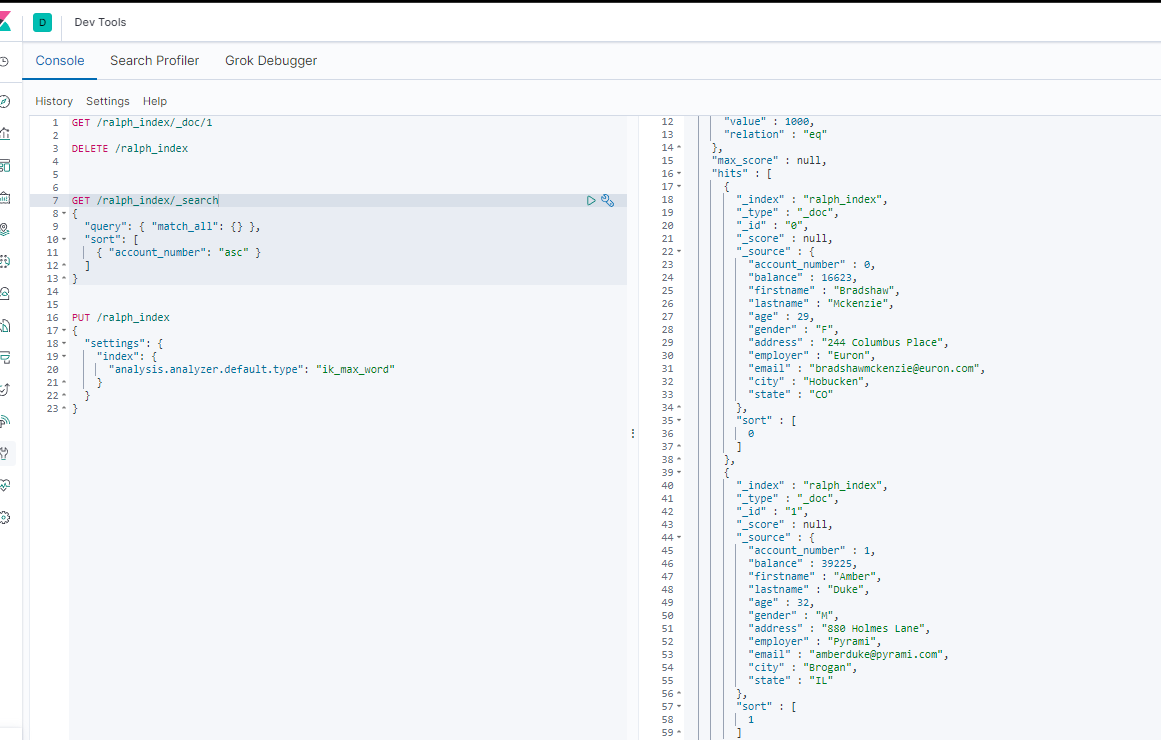
相关字段解释
took– Elasticsearch运行查询所花费的时间(以毫秒为单位)timed_out–搜索请求是否超时_shards- 搜索了多少个碎片,以及成功,失败或跳过了多少个碎片的细目分类。max_score– 找到的最相关文档的分数hits.total.value- 找到了多少个匹配的文档hits.sort- 文档的排序位置(不按相关性得分排序时)hits._score- 文档的相关性得分(使用match_all时不适用)
🎞 分页查询 (from+size)
本质上就是from和size两个字段,格式: GET /索引名称/类型/_search?q=age[25 TO 26]&from=0&size=1
举例: GET /ralph_index/_doc/_search?q=age[1 TO 26]&from=0&size=1SQL: select * from student where age between 1 and 26 limit 0, 1
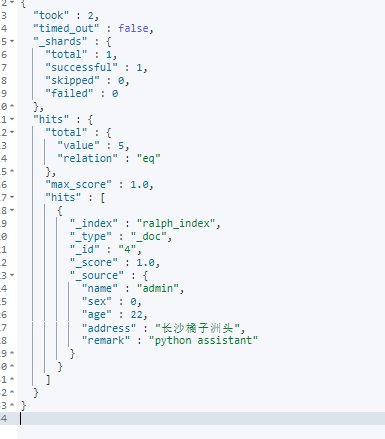
GET /ralph_index/_doc/_search{"query": { "match_all": {} },"sort": [{ "account_number": "asc" }],"from": 10,"size": 5}
🎞指定字段查询:
格式: GET /索引名称/类型/_search?_source=字段,字段
举例: GET /ralph_index/_doc/_search?_source=name,ageSQL: select name,age from student
match
如果要在字段中搜索特定字词,可以使用match; 如下语句将查询age字段中包含 33的数据
GET /ralph_index/_doc/_search{"query": { "match": { "age": "33" } }}
(由于ES底层是按照分词索引的)
🎞 查询段落匹配:match_phrase
如果我们希望查询的条件是 address字段中包含 “mill lane”,则可以使用match_phrase
GET /bank/_search{"query": { "match_phrase": { "address": "mill lane" } }}
🎞 多条件查询: bool
如果要构造更复杂的查询,可以使用bool查询来组合多个查询条件。
例如,以下请求在bank索引中搜索40岁客户的帐户,但不包括居住在爱达荷州(ID)的任何人
GET /ralph_index/_search{"query": {"bool": {"must": [{ "match": { "age": "40" } }],"must_not": [{ "match": { "state": "ID" } }]}}}
must, should, must_not 和 filter 都是bool查询的子句。那么filter和上述query子句有啥区别呢?
🎞条件查询:
?q=字段名:值
GET /ralph_index/_search?q=age:25
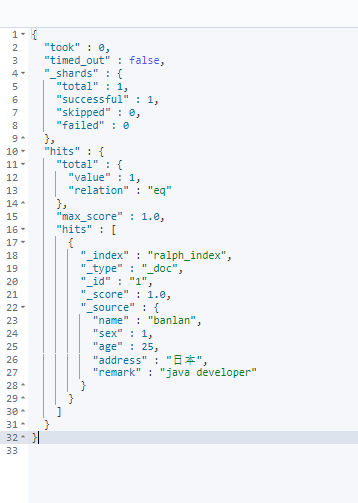
格式: GET /索引名称/类型/_search?q=age:<=**
举例: GET /ralph_index/_doc/_search?q=age:<=28SQL: select * from student where age <= 28
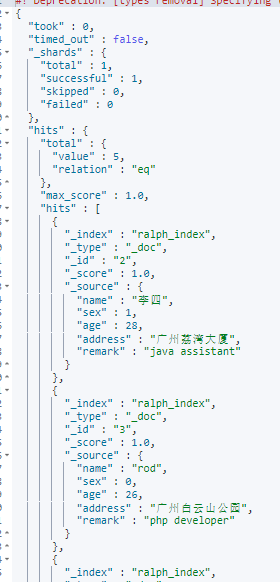
先看下如下查询, 在bool查询的子句中同时具备query/must 和 filter
GET /ralph_index/_search{"query": {"bool": {"must": [{"match": {"state": "ND"}}],"filter": [{"term": {"age": "40"}},{"range": {"balance": {"gte": 20000,"lte": 30000}}}]}}}
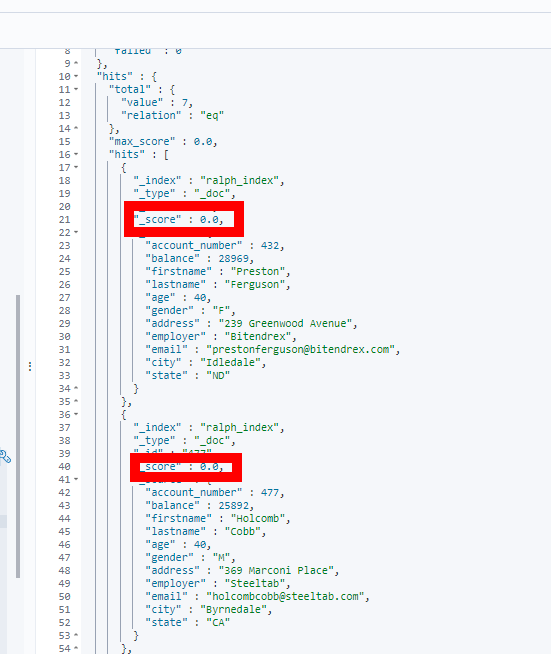
两者都可以写查询条件,而且语法也类似。区别在于,query 上下文的条件是用来给文档打分的,匹配越好 _score 越高;filter 的条件只产生两种结果:符合与不符合,后者被过滤掉
所以,我们进一步看只包含filter的查询
GET /ralph_index/_search{"query": {"bool": {"filter": [{"term": {"age": "40"}},{"range": {"balance": {"gte": 20000,"lte": 30000}}}]}}}
结果,显然无_score
🎞范围查询:
格式: GET /索引名称/类型/_search?q=[25 TO 26]
举例: GET /ralph_index/_doc/_search?q=age[25 TO 26]SQL: select * from student where age between 25 and 26
🎞批量查询:
格式: GET /索引名称/类型/_mget
GET /ralph_index/_doc/_mget{"ids":["1","2"]}SQL: select * from student where id in (1,2)
🧿聚合查询:Aggregation
我们知道SQL中有group by,在ES中它叫Aggregation,即聚合运算。
🎞 简单聚合
聚合查询的格式模板:
{"aggs":{ # 聚合操作的关键词"price_group":{ # 针对于聚合的名称,随意起名"terms":{ # 分组"field":"price" # 分组字段}}}}
比如我们希望计算出account每个州的统计数量, 使用aggs关键字对state字段聚合,被聚合的字段无需对分词统计,所以使用state.keyword对整个字段统计
GET /ralph_index/_search{"size": 0,"aggs": {"group_by_state": {"terms": {"field": "state.keyword"}}}}
结果
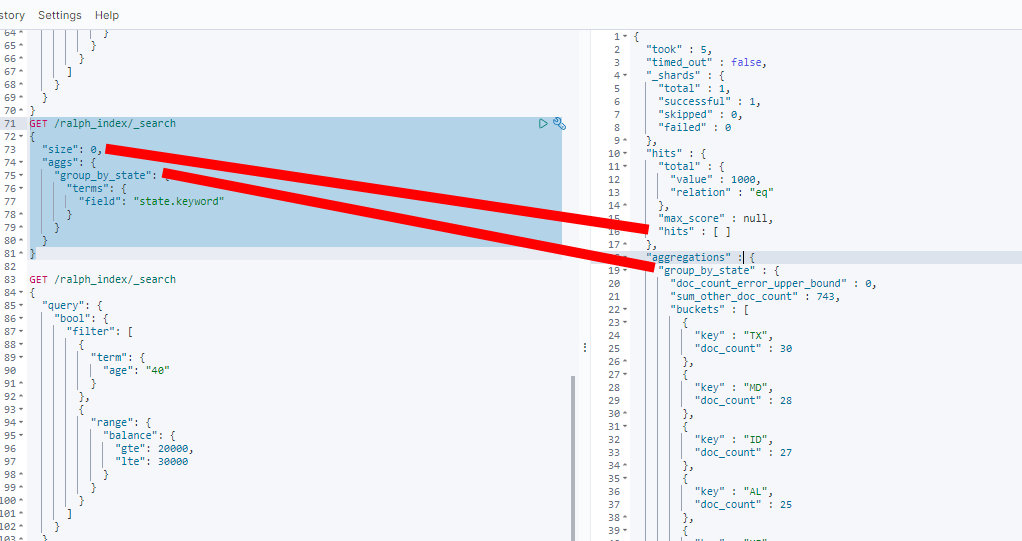
因为无需返回条件的具体数据, 所以设置size=0,返回hits为空。 doc_count表示bucket中每个州的数据条数。
🎞 嵌套聚合
ES还可以处理个聚合条件的嵌套。
比如承接上个例子, 计算每个州的平均结余。涉及到的就是在对state分组的基础上,嵌套计算avg(balance):
GET /ralph_index/_search{"size": 0,"aggs": {"group_by_state": {"terms": {"field": "state.keyword"},"aggs": {"average_balance": {"avg": {"field": "balance"}}}}}}
🎞 对聚合结果排序
可以通过在aggs中对嵌套聚合的结果进行排序
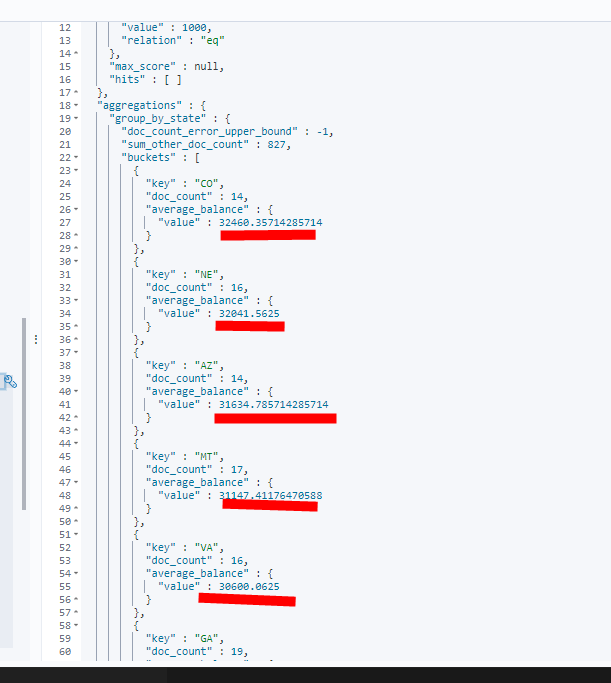
比如承接上个例子, 对嵌套计算出的avg(balance),这里是average_balance,进行排序
GET /ralph_index/_search{"size": 0,"aggs": {"group_by_state": {"terms": {"field": "state.keyword","order": {"average_balance": "desc"}},"aggs": {"average_balance": {"avg": {"field": "balance"}}}}}}
结果
文章参考

若有收获,就点个赞吧
0 人点赞


