🥖ElasticSearch-08-索引的详解
🧿索引管理的引入
我们在前文中增加文档时,如下的语句会动态创建一个customer的index:
PUT /customer/_doc/1{"name": "John Doe"}
而这个index实际上已经自动创建了它里面的字段(name)的类型。我们不妨看下它自动创建的mapping:
{"mappings": {"_doc": {"properties": {"name": {"type": "text","fields": {"keyword": {"type": "keyword","ignore_above": 256}}}}}}}
那么如果我们需要对这个建立索引的过程做更多的控制:比如想要确保这个索引有数量适中的主分片,并且在我们索引任何数据之前,分析器和映射已经被建立好。那么就会引入两点:
第一个禁止自动创建索引,第二个是手动创建索引。
- 禁止自动创建索引
可以通过在 config/elasticsearch.yml 的每个节点下添加下面的配置:
action.auto_create_index: false
手动创建索引就是接下来文章的内容。
🧿 索引的格式
在请求体里面传入设置或类型映射,如下所示:
PUT /my_index{"settings": { ... any settings ... },"mappings": {"properties": { ... any properties ... }}}
- settings: 用来设置分片,副本等配置信息
mappings: 字段映射,类型等
- properties: 由于type在后续版本中会被
Deprecated, 所以无需被type嵌套
- properties: 由于type在后续版本中会被
🧿 索引管理操作
我们通过kibana的devtool来学习索引的管理操作。
1️⃣ 创建索引
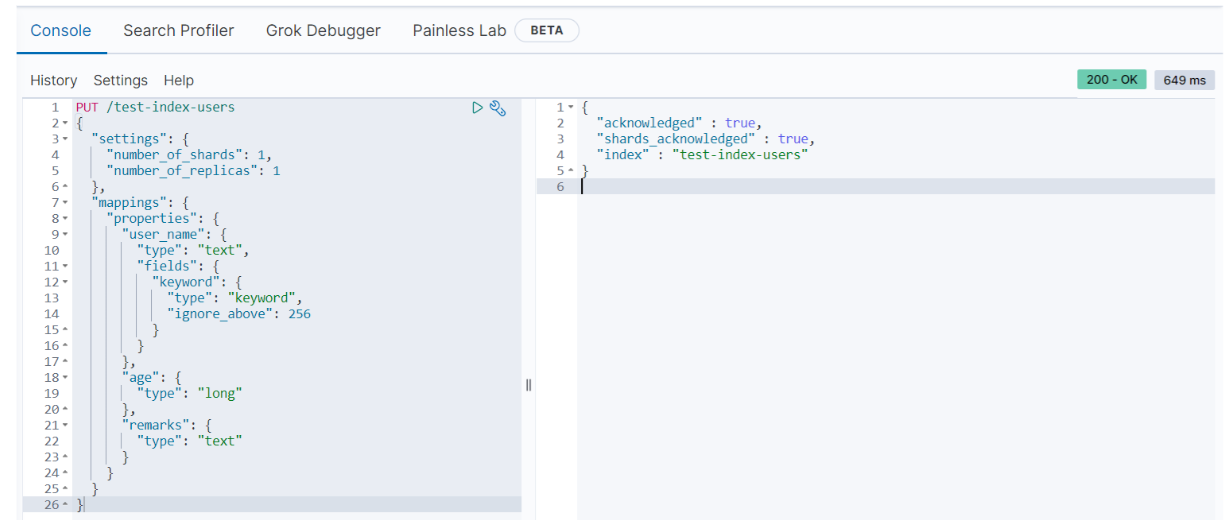
我们创建一个user 索引test-index-users,其中包含三个属性:name,age, remarks; 存储在一个分片一个副本上。
PUT /test-index-users{"settings": {"number_of_shards": 1,"number_of_replicas": 1},"mappings": {"properties": {"name": {"type": "text","fields": {"keyword": {"type": "keyword","ignore_above": 256}}},"age": {"type": "long"},"remarks": {"type": "text"}}}}
执行结果
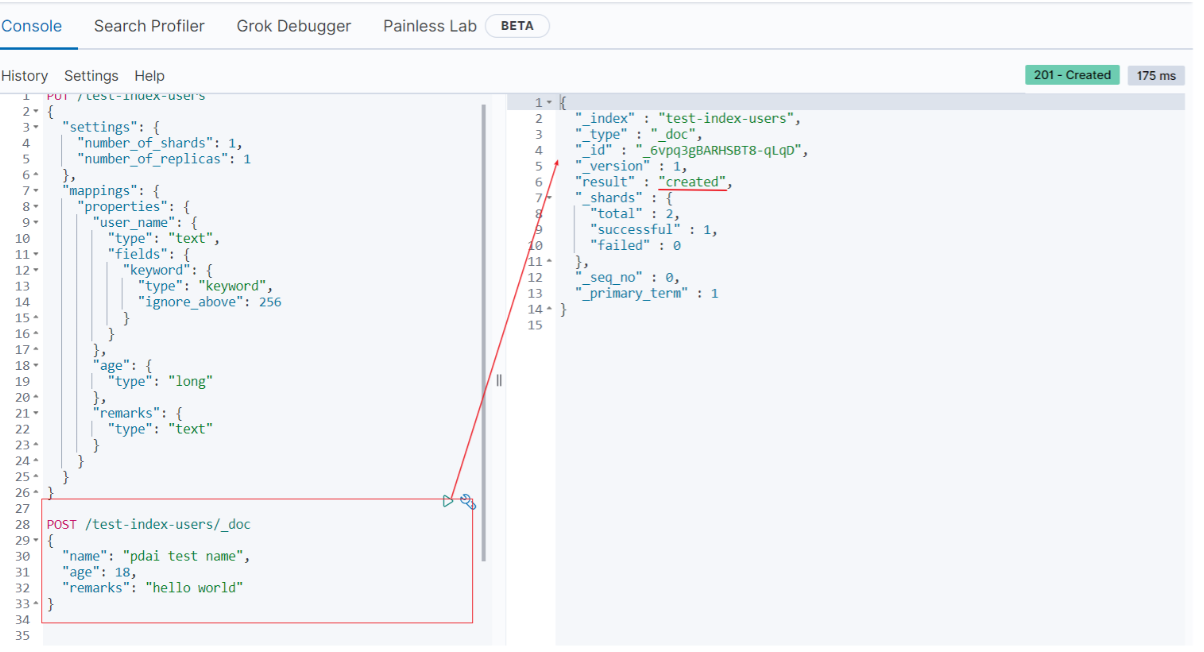
- 插入测试数据
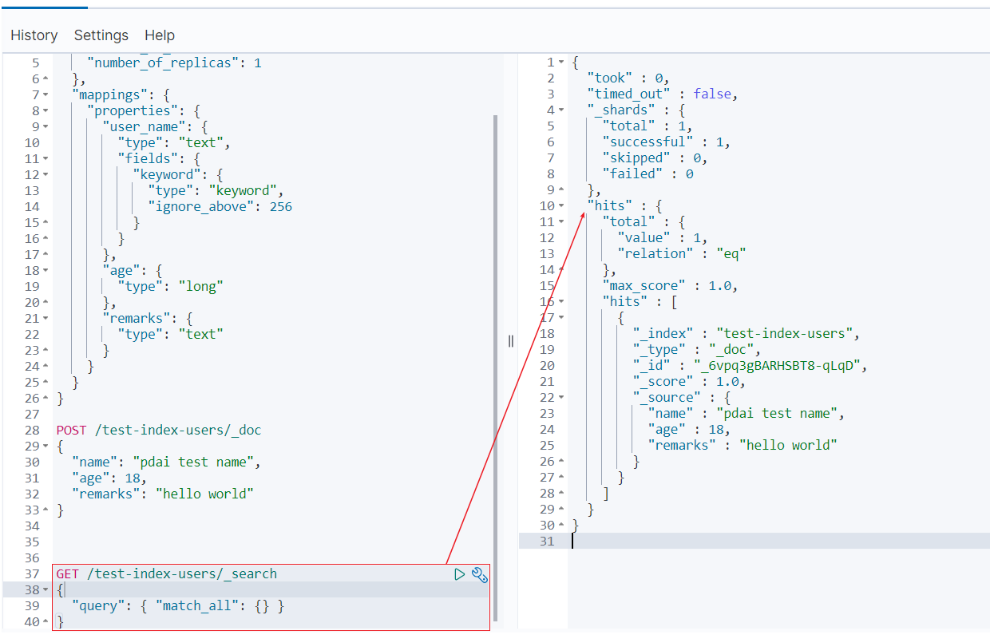
查看数据
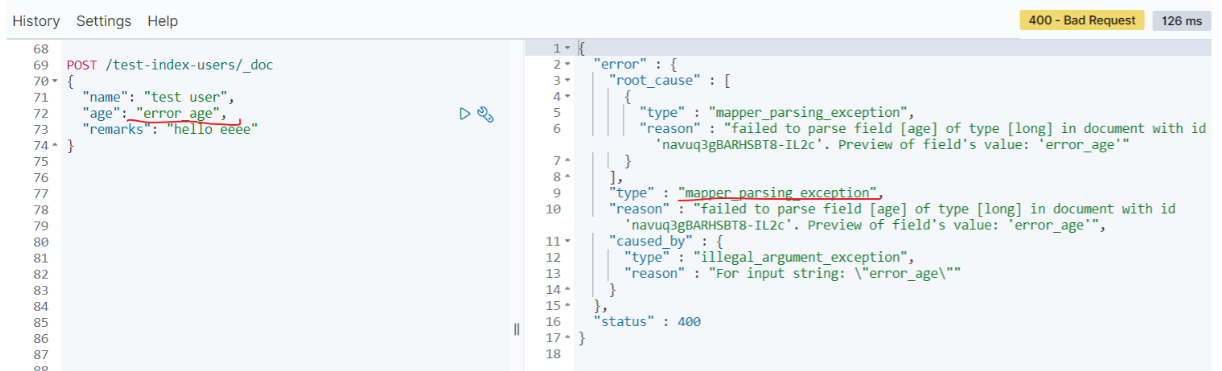
- 我们再测试下不匹配的数据类型(age):
POST /test-index-users/_doc{"name": "test user","age": "error_age","remarks": "hello eeee"}
你可以看到无法类型不匹配的错误:
2️⃣ 修改索引
查看刚才的索引,curl 'localhost:9200/_cat/indices?v' | grep users
yellow open test-index-users LSaIB57XSC6uVtGQHoPYxQ 1 1 1 0 4.4kb 4.4kb
我们注意到刚创建的索引的状态是yellow的,因为我测试的环境是单点环境,无法创建副本,但是在上述number_of_replicas配置中设置了副本数是1; 所以在这个时候我们需要修改索引的配置。
修改副本数量为0
PUT /test-index-users/_settings{"settings": {"number_of_replicas": 0}}
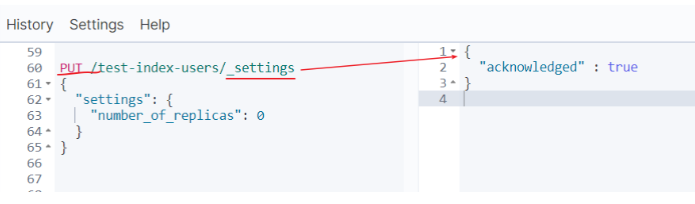
再次查看状态:
green open test-index-users LSaIB57XSC6uVtGQHoPYxQ 1 1 1 0 4.4kb 4.4kb
3️⃣ 打开/关闭索引
- 关闭索引
一旦索引被关闭,那么这个索引只能显示元数据信息,不能够进行读写操作。

当关闭以后,再插入数据时:

- 打开索引
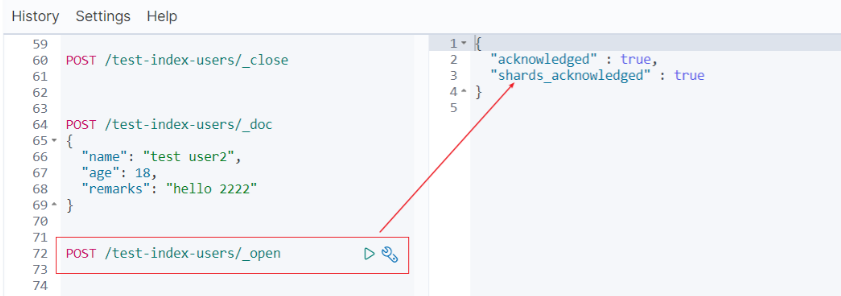
打开后又可以重新写数据了
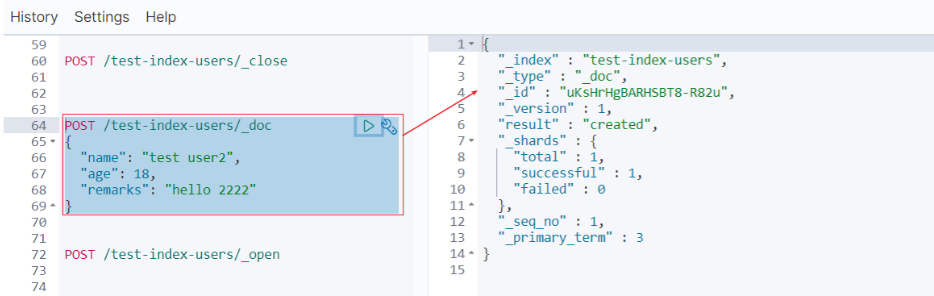
4️⃣ 删除索引
最后我们将创建的test-index-users删除。
DELETE /test-index-users

5️⃣ 查看索引
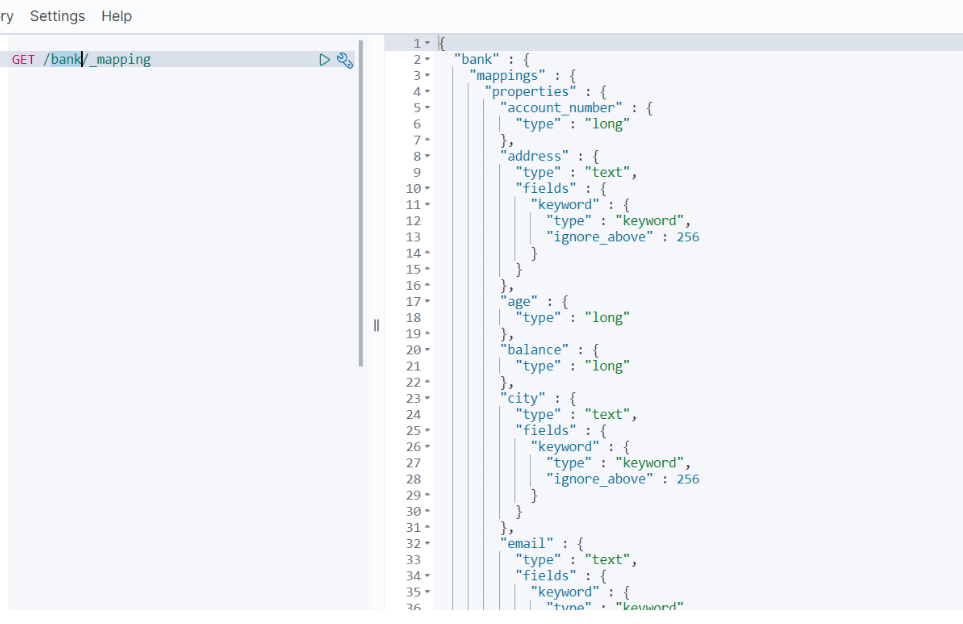
由于test-index-users被删除,所以我们看下之前bank的索引的信息
- mapping
GET /bank/_mapping
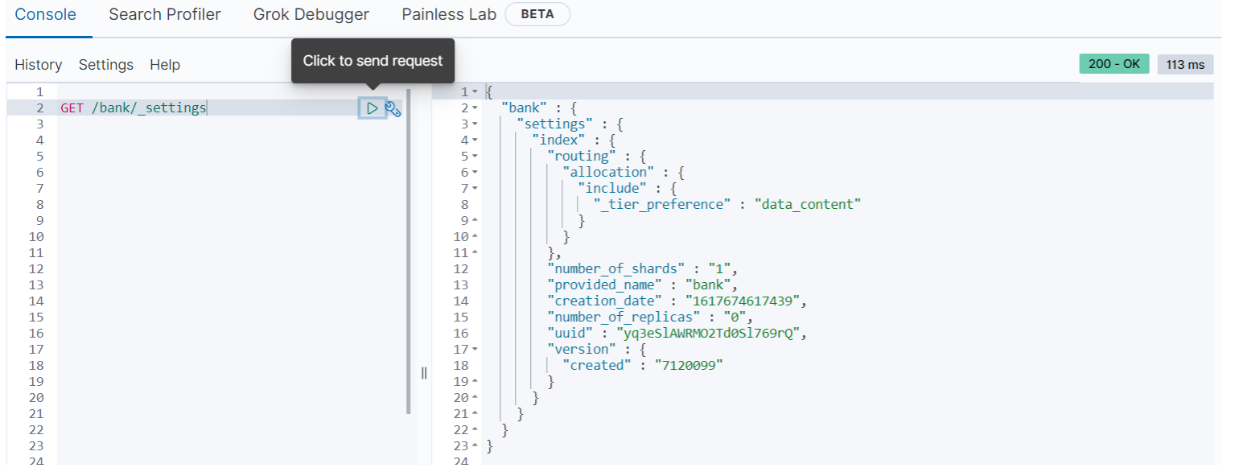
- settings
GET /bank/_settings
🧿 Kibana管理索引
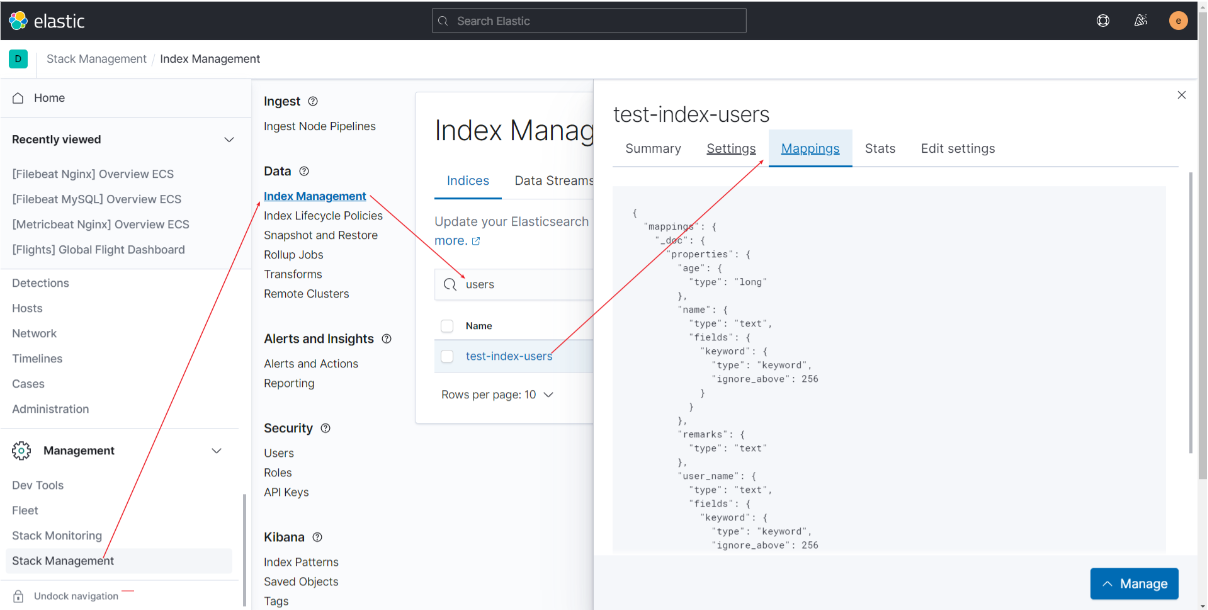
在Kibana如下路径,我们可以查看和管理索引
文件转载
- 作者:@pdai
- 版权声明:遵循 CC 4.0 BY-SA 版权协议,转载请附上原文出处链接及本声明。
- 原文链接:https://pdai.tech/md/db/nosql-es/elasticsearch-x-dsl-full-text.html

若有收获,就点个赞吧
0 人点赞


