

简介
CentOS,是基于 Red Hat Linux 提供的可自由使用源代码的企业级 Linux 发行版本;是一个稳定,可预测,可管理和可复制的免费企业级计算平台。
配置方法
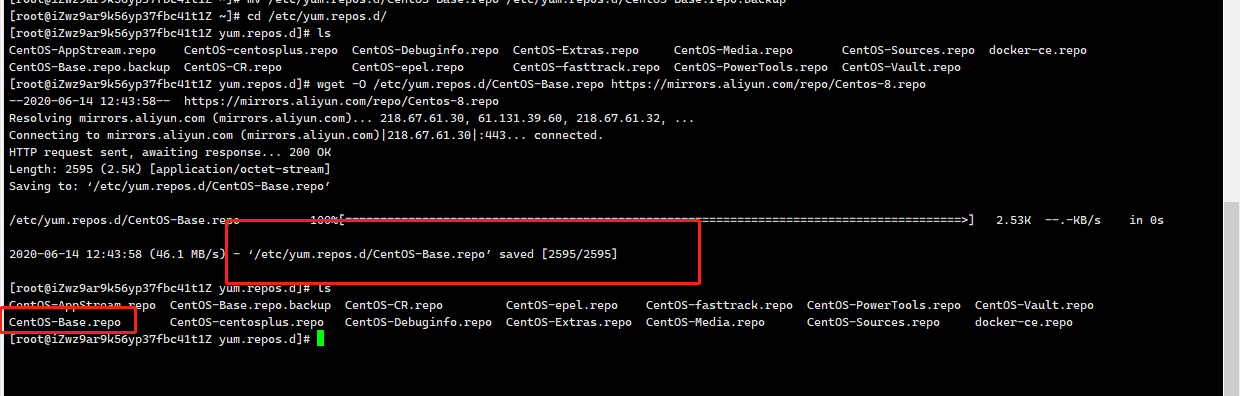
1. 备份
mv /etc/yum.repos.d/CentOS-Base.repo /etc/yum.repos.d/CentOS-Base.repo.backup
2. 下载新的 CentOS-Base.repo 到 /etc/yum.repos.d/
CentOS 6
wget -O /etc/yum.repos.d/CentOS-Base.repo https://mirrors.aliyun.com/repo/Centos-6.repo
或者
curl -o /etc/yum.repos.d/CentOS-Base.repo https://mirrors.aliyun.com/repo/Centos-6.repo
CentOS 7
wget -O /etc/yum.repos.d/CentOS-Base.repo https://mirrors.aliyun.com/repo/Centos-7.repo
或者
curl -o /etc/yum.repos.d/CentOS-Base.repo https://mirrors.aliyun.com/repo/Centos-7.repo
CentOS 8
wget -O /etc/yum.repos.d/CentOS-Base.repo https://mirrors.aliyun.com/repo/Centos-8.repo
或者
curl -o /etc/yum.repos.d/CentOS-Base.repo https://mirrors.aliyun.com/repo/Centos-8.repo
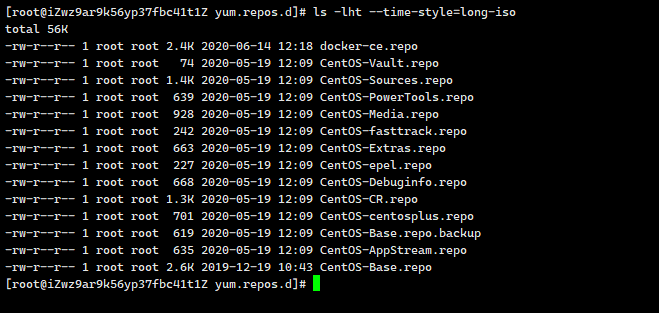
ls -lht --time-style=long-isols -lht可以查看文件大小以M来显示--time-style=long-iso 显示年月日时分ls -l --time-style=full-iso 显示精确到毫秒ls -l --time-style=iso ls -l --time-style=locale 显示月日时分ls -l --time-style '+%Y/%m/%d %H:%M:%S' 自定义显示方式
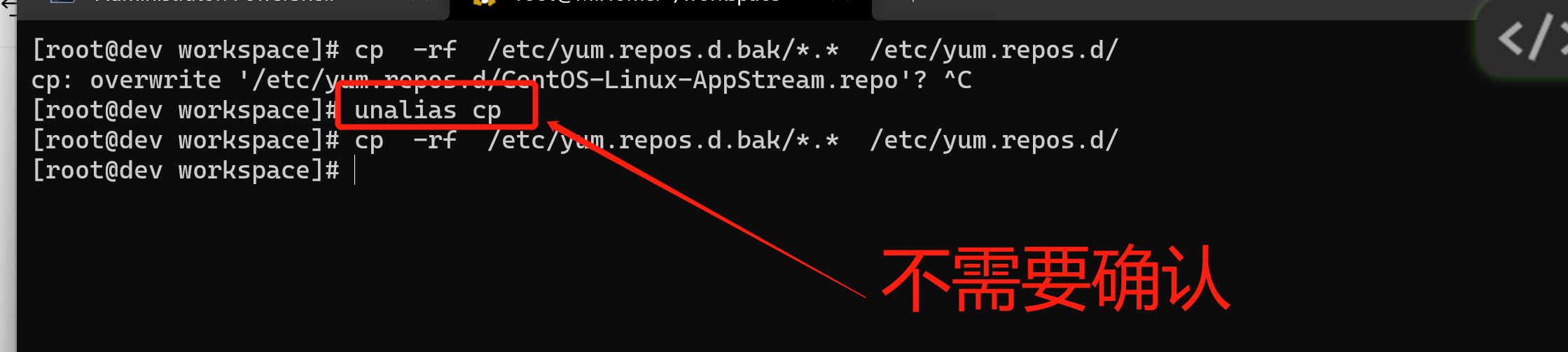
[root@dev workspace]# mkdir -p /etc/yum.repos.d.bak #创建文件夹[root@dev workspace]# cp -rf /etc/yum.repos.d/*.* /etc/yum.repos.d.bak/ # 备份文件[root@dev workspace]# unalias cp #去掉 cp 命令的别名,这时你再用 cp -rf 复制文件时,就不会要求确认cp -rf /etc/yum.repos.d.bak/*.* /etc/yum.repos.d/ # 还原文件
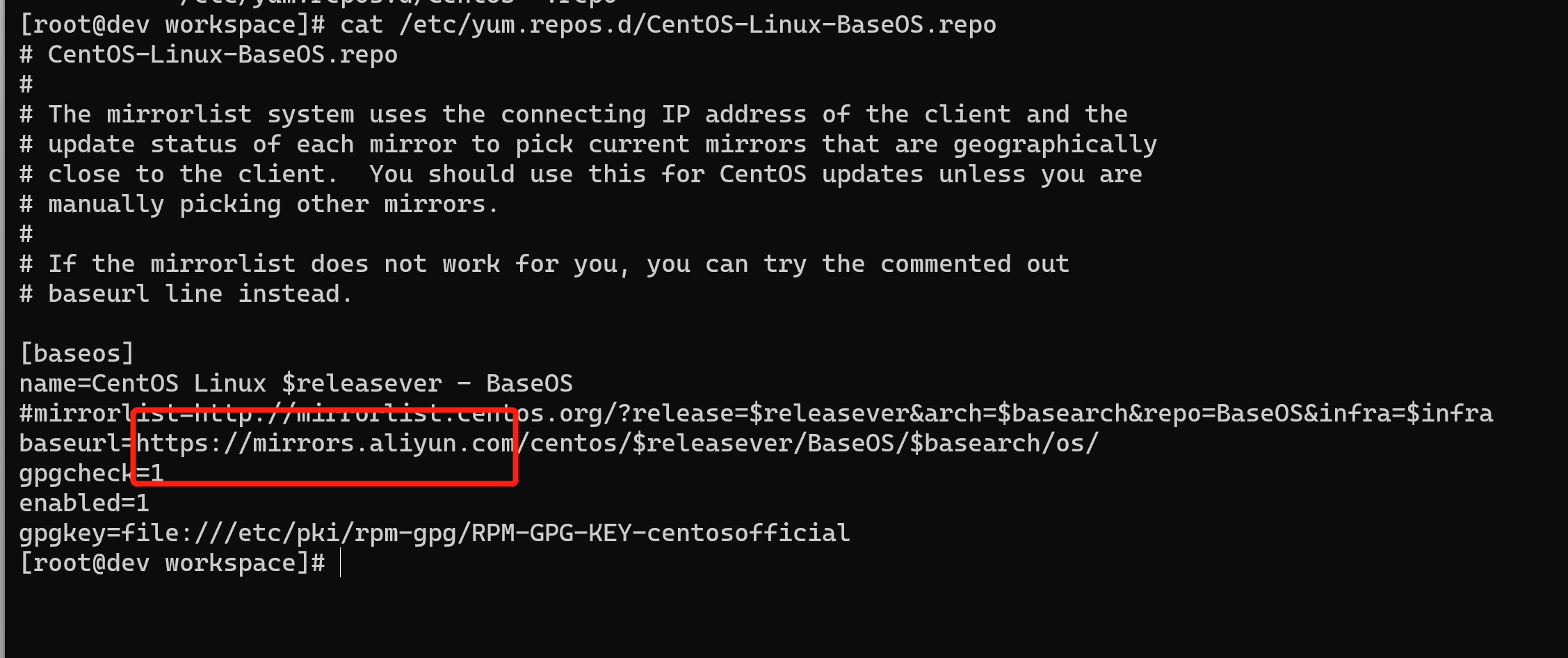
在 mirrorlist= 开头行前面加 # 注释掉;并将 baseurl= 开头行取消注释(如果被注释的话),把该行内的域名(例如mirror.centos.org)替换为 mirrors.aliyun.com。
sed -e 's|^mirrorlist=|#mirrorlist=|g' \-e 's|^#baseurl=http://mirror.centos.org/altarch/|baseurl=https://mirrors.aliyun.com/centos/|g' \-e 's|^#baseurl=http://mirror.centos.org/$contentdir/|baseurl=https://mirrors.aliyun.com/centos/|g' \-i.bak \/etc/yum.repos.d/CentOS-*.repo

cat /etc/yum.repos.d/CentOS-Linux-BaseOS.repo
3. 运行 yum makecache 生成缓存
[root@dev workspace]# yum clean all #清除缓存45 files removedyum clean all[root@dev workspace]# yum makecache #生成缓存CentOS Linux 8 - AppStream 2.1 MB/s | 8.4 MB 00:04CentOS Linux 8 - BaseOS 916 kB/s | 4.6 MB 00:05CentOS Linux 8 - Extras 3.7 kB/s | 10 kB 00:02Metadata cache created.[root@dev workspace]#
4. 其他
非阿里云ECS用户会出现 Couldn’t resolve host ‘mirrors.cloud.aliyuncs.com’ 信息,不影响使用。用户也可自行修改相关配置: eg:
sed -i -e '/mirrors.cloud.aliyuncs.com/d' -e '/mirrors.aliyuncs.com/d' /etc/yum.repos.d/CentOS-Base.repo
原文连接

若有收获,就点个赞吧
0 人点赞


