1.在主项目下创建module发现java,resources,test目录颜色没有改变

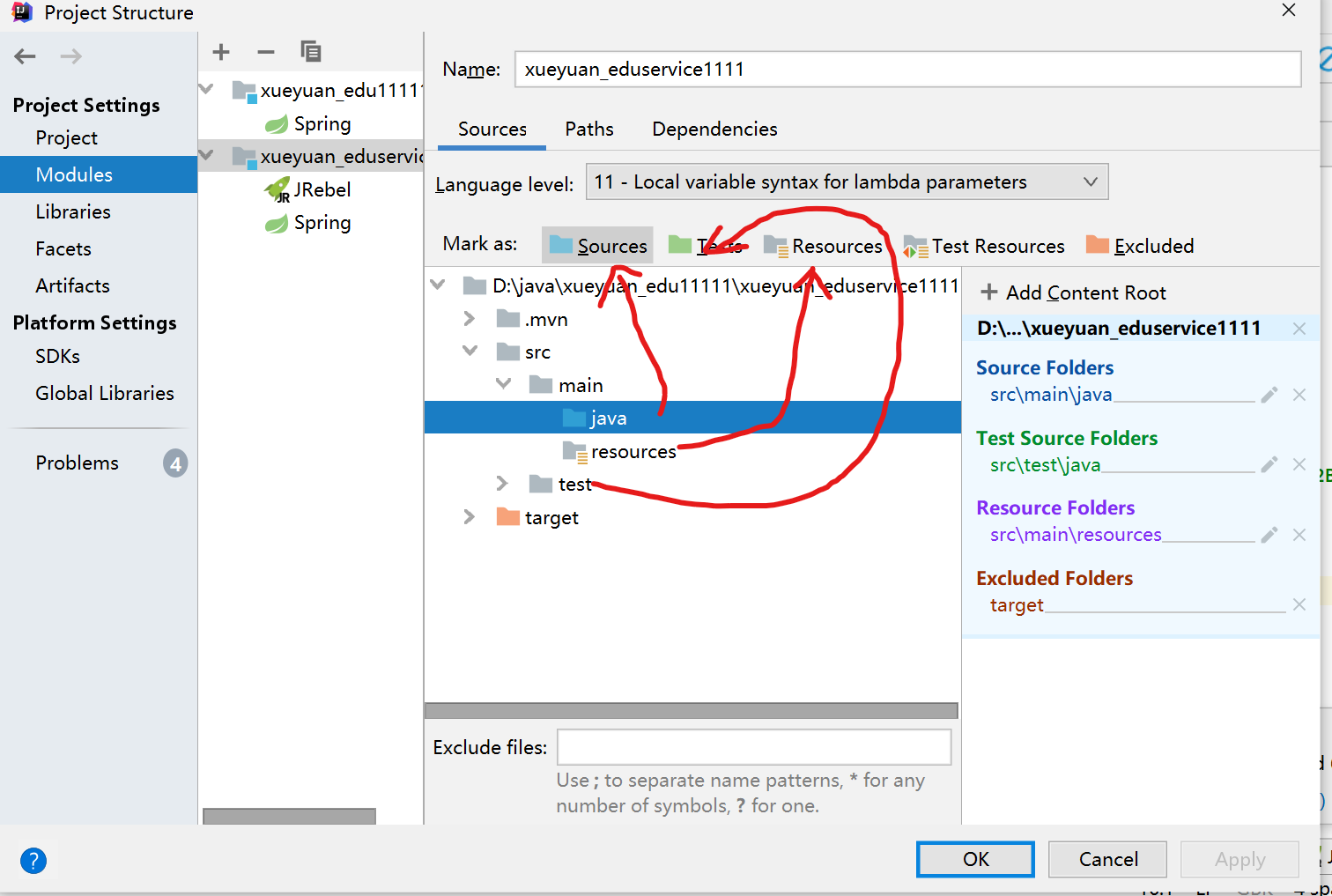
2.子工程maven依赖交给父工程托管
需要托管的依赖加上<dependencyManagement> 标签,如此子项目中的版本不需要写明直接使用父工程提供的版本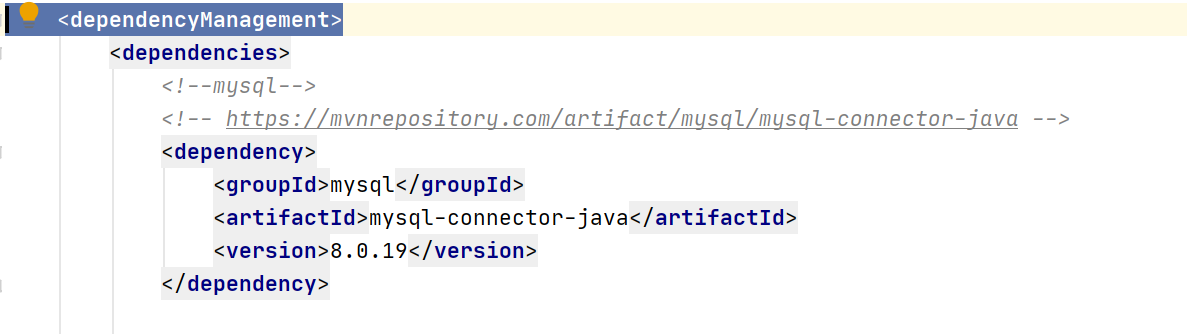
要在子pom中声明父工程的地址
父工程中也要写明托管的子工程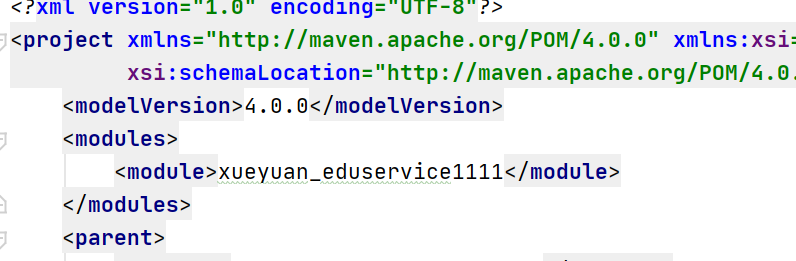
3.项目过大导致单元测试卡死
在pom.xml中添加
<!--用于解决单元测试卡住的问题--><dependency><!-- this is needed or IntelliJ gives junit.jar or junit-platform-launcher:1.3.2 not found errors --><groupId>org.junit.platform</groupId><artifactId>junit-platform-launcher</artifactId><scope>test</scope></dependency>
4.mysql列名为关键字
为关键字时用`区分
https://blog.csdn.net/yang3290325/article/details/3349907
5.前后端跨域问题
前后端的协议,端口,http/https不同时就会出现403,
解决方法:
1.在后端controller层添加注解@CrossOrigin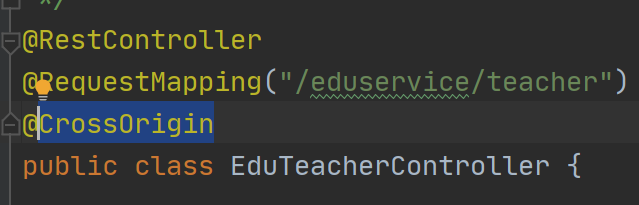
2.nginx
6.修改mapper.xml文件后报错

原因:maven进行编译时,只会把Java文件夹和resources里面的配置文件进行加载。Java文件进行编译,其他类型文件不会进行加载
解决:
- 将xml文件放到resources里面,不建议
- 推荐方法:进行配置实现,通过配置让maven加载xml配置文件
第一个地方,在项目pom.xml中添加
<build><plugins><plugin><groupId>org.springframework.boot</groupId><artifactId>spring-boot-maven-plugin</artifactId></plugin></plugins><!--项目打包时将Java目录中的*.xml文件也进行打包--><resources><resource><directory>src/main/java</directory><includes><include>**/*.xml</include></includes><filtering>false</filtering></resource></resources></build>
第二个地方在springboot配置文件(application.yml)中添加
#配置mapper.xml文件路径 mybatis-plus.mapper-locations: classpath:com/guli/edu/mapper/xml/*.xml
7.启动项一直报错,result Type一直找不到
- 检查类路径是否有错
- 整个项目进行build
- 重启idea
- 重启电脑
- 修改项目名称,并更改路径
8.自动填充将gmtCreate(创建时间),gmtModified(更新时间)两个字段填充
handler中创建CommonMetaObjectHandler
package com.online.edu.eduservice.handler;import com.baomidou.mybatisplus.core.handlers.MetaObjectHandler;import org.apache.ibatis.reflection.MetaObject;import org.springframework.stereotype.Component;import java.util.Date;/*** @description:实现mp的自动填充功能,将gmtCreate,gmtModified两个字段填充* @author: yuqiong* @createDate: 2020/3/15* @version: 1.0*/@Componentpublic class CommonMetaObjectHandler implements MetaObjectHandler {@Overridepublic void insertFill(MetaObject metaObject) {this.setFieldValByName("gmtCreate",new Date(),metaObject);this.setFieldValByName("gmtModified",new Date(),metaObject);}@Overridepublic void updateFill(MetaObject metaObject) {this.setFieldValByName("gmtModified",new Date(),metaObject);}}
实体类添加注解
@ApiModelProperty(value = "创建时间")@TableField(fill = FieldFill.INSERT)//自动填充标识private Date gmtCreate;@ApiModelProperty(value = "更新时间")@TableField(fill = FieldFill.INSERT_UPDATE)//自动填充标识private Date gmtModified;
9.运行 时出错: !invalid format: `命令行过长
https://blog.csdn.net/f641385712/article/details/106601324
10.中文乱码


若有收获,就点个赞吧
0 人点赞


