原作者:https://zhile.io/2021/11/29/ja-netfilter-javaagent-lib.html

版本:PyCharm 2021.01

下载

激活

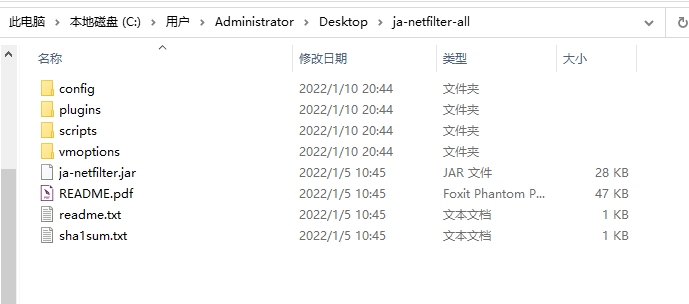
  1. 解压下载的激活包
    image.png

  2. 自动配置vmoptions Auto configure vmoptions

进入scripts文件夹,shift+右键打开PowerShell
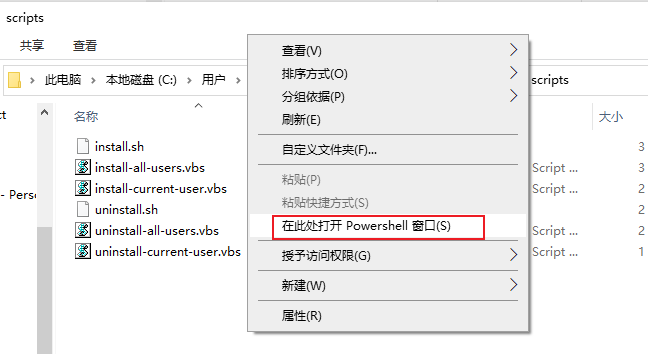
image.png
输入 .\install-all-users.vbs(所有用户的意思,如果玩不转用户的含义就选择all,否则选择current)image.png
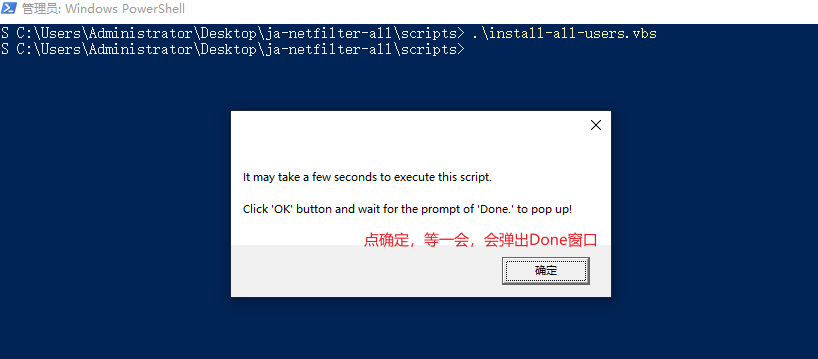
image.png

  1. 配置PyCharm

按照原文档有两种方式

  1. License code:
  2. 1. add -javaagent:/path/to/ja-netfilter.jar to your vmoptions (manual or auto)
  3. 2. use key on page https://jetbra.in/5d84466e31722979266057664941a71893322460
  4. Or
  5. License server:
  6. 1. add -javaagent:/path/to/ja-netfilter.jar to your vmoptions (manual or auto)
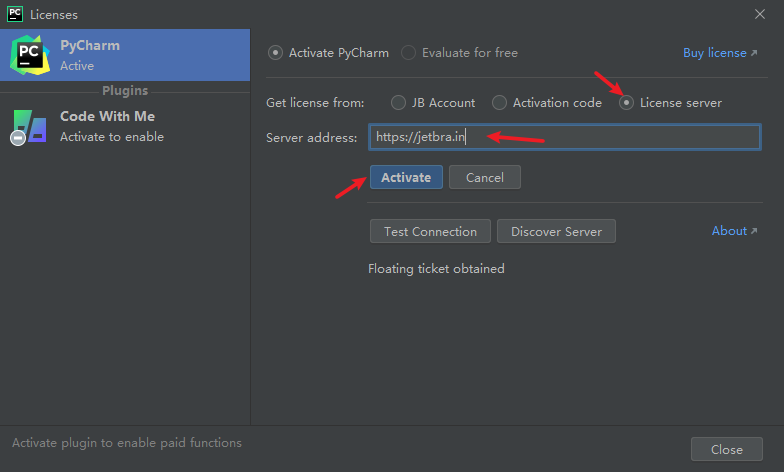
  7. 2. use license server url: https://jetbra.in
  8. Enjoy it~
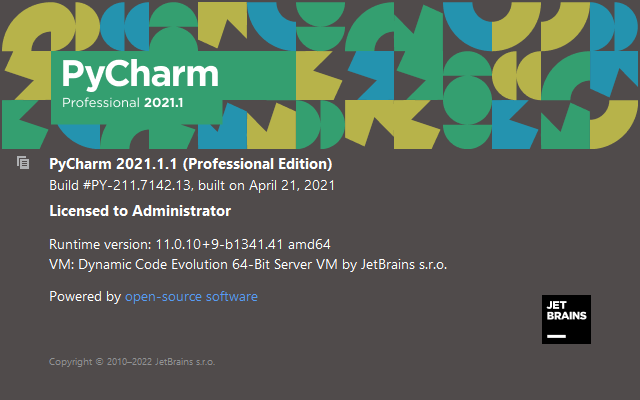
此处选择License server<br />![image.png](https://cdn.nlark.com/yuque/0/2022/png/2586916/1641820806413-1624554c-ace6-4fda-9fce-0c7e7953b31f.png#clientId=u1290483e-c1c0-4&crop=0&crop=0&crop=1&crop=1&from=paste&height=388&id=Jj6D0&margin=%5Bobject%20Object%5D&name=image.png&originHeight=472&originWidth=784&originalType=binary&ratio=1&rotation=0&showTitle=false&size=29270&status=done&style=none&taskId=uf0a5ba5f-aab8-425e-a404-5072a6d49f4&title=&width=645)<br />激活成功<br />![image.png](https://cdn.nlark.com/yuque/0/2022/png/2586916/1641820849090-4771d55e-5ee6-4056-af81-2c3ffa09d92f.png#clientId=u1290483e-c1c0-4&crop=0&crop=0&crop=1&crop=1&from=paste&height=400&id=u9309b861&margin=%5Bobject%20Object%5D&name=image.png&originHeight=400&originWidth=640&originalType=binary&ratio=1&rotation=0&showTitle=false&size=36174&status=done&style=none&taskId=ud73ad33a-edda-4502-9c26-44866215555&title=&width=640)