第一章、ES概述
1.概念介绍
查询: 宽泛的概念!只要将某个东西查询出来!
精确查询:模糊查询:
搜索: 一种特定的查询! 搜索一般指 通过某个关键字,检索出和关键字相关的信息!
搜索引擎,不适合使用关系型数据库存储数据!
原因: ①在搜索时,只输入关键字,希望可以得到匹配关键字的所有的数据!如果使用数据库,在查询时一定需要模糊查询,模糊查询会导致索引失效,全表扫描!效率低!
select xxx from xxx where xxx like %aaa% //索引失效,有索引,查询引擎不会用select xxx from xxx where xxx like aaa% //索引有效,加速查询
②关系型数据库查询时,不能分词,联想,得到的不是期望的结果!
2.几个框架
solr : 和es的作用是一样的,都是用于搜索!
solr一般用于中小数据量的静态搜索(数据,很少发生变化)!es可以用于PB级别数据量的动态搜索(数据可能会不断新增,变化)!
效率上: solr(老大哥): 小数据量,静态搜索,优于es!
solr在插入数据时,创建索引会有IO阻塞,效率低!es(新人) : 大数量,动态搜索,优于solr!es在插入数据时,创建索引,无阻塞! 不是实时,接近实时搜索,延迟秒级!
依赖: solr 依赖 zk
es不依赖任何框架!
数据类型: solr 丰富: xml,json
es 单一: json
扩展性: es更容易扩展,天然集群!
Lucene: 搜索场景,常用的API集合!
本质是一个框架,可以集成到项目中,提供搜索场景常用的API,方便开发!搜索工具包!业界公认的非常优秀的搜索框架!
Nutch : 是一个可以直接使用的产品! 基于lucene提供web浏览器的搜索产品! 小型google!
ES : es内置了Lucene,使Lunece变得更好用! 使用RESTFUL风格,使用ES!
直接通过浏览器,发送REST请求,使用ES完成数据的CRUD!
3.全文检索和倒排索引
全文检索:
最初的含义: 提供一个关键字,在整篇文章中,搜索和关键字匹配的片段!应用开发含义: 提供一个关键字,在整个数据库中,搜索和关键字匹配的数据!
如果要实现全文检索,必须依赖倒排索引!
索引: 是一种数据结构,加速查询!
类似一本百科全书的目录,根据目录直接跳转到感兴趣的书页!
正排索引:在mysql中创建的索引,在hbase中创建的索引,都属于正排索引!
举例: 《唐诗三百首》(数据库)目录(正排索引): 诗名 ------> 哪一页 ------> 诗的内容搜索 《静夜思》
倒排索引:
举例: 《唐诗三百首》(数据库)目录(倒排索引): 存储的不是诗名和页面的对应关系!词语 ------> 在哪些诗中出现了,诗是哪一页明月--------> 《静夜思》 200页, 《xxx》300页搜索:包含明月的古诗有哪些搜索引擎都使用倒排索引!
4.ES的特点
天然分片: 数据在写入时,会被分为若干片,每一片会分布到集群的不同节点!
优势: 横向扩容! 负载均衡! 提高并行IO能力!
天然集群: 一台ES实例也可以组成一个集群! 方便扩容! 如果集群需要增加节点!
只需要在其他节点安装ES,直接启动,自动在网段中寻找ES集群,自动加入集群!
天然索引: mysql和其他的数据库,需要手动创建索引! ES在插入数据后自动创建索引!
文档:
https://www.elastic.co/guide/en/elasticsearch/reference/6.6/index.html
5.REST
REST是一种思想和理念! 推崇使用标准的url路径,表达对资源的操作方式!本质是为了简化和规范url路径的写法!
没有REST之前: 在浏览器发送一个url时,可以随意写
举例: 查询1号员工
[http://hadoop102:8088/gmall/getEmployeeById?id=1](http://hadoop102:8088/gmall/getEmployeeById?id=1)[http://hadoop102:8088/gmall/findEmployeeById?id=1](http://hadoop102:8088/gmall/findEmployeeById?id=1)[http://hadoop102:8088/gmall/retreveEmployeeById?id=1](http://hadoop102:8088/gmall/retreveEmployeeById?id=1)[http://hadoop102:8088/gmall/queryEmployeeById?id=1](http://hadoop102:8088/gmall/queryEmployeeById?id=1)[http://hadoop102:8088/gmall/tongguoidchaxunyuangong?id=1](http://hadoop102:8088/gmall/tongguoidchaxunyuangong?id=1)
规范: /资源/id
可使用不同的请求方式,表达对资源的操作意图!
REST : /Employee/1
发送GET,代表查询发送POST,代表新增发送PUT,代表修改发送DELETE ,代表删除发送HEAD , 判断是否存在
http://hadoop102:8088/gmall/Emp/1 GET
框架使用RESTFUL的开发理念!这个框架支持REST风格的API操作!
6.B-tree
B(balance)-tree: B树,多路平衡(自愈)树
B+tree: B-tree的改进
LSM树(mysql,hbase)
第二章、ES安装
1.安装包下载
官网: https://www.elastic.co/cn/downloads/elasticsearch
本次学习基于6.6.0版本

2.将安装包上传到linux上并解压
一.安装
# 1.解压elasticsearch-6.6.0.tar.gz到/opt/module目录下tar -zxvf elasticsearch-6.6.0.tar.gz -C /opt/module/# 2.在/opt/module/elasticsearch-6.6.0路径下创建data文件夹mkdir data
# 3.修改配置文件(config/elasticsearch.yml)#-----------------------Cluster-----------------------cluster.name: my-application#-----------------------Node-----------------------node.name: node-102#-----------------------Paths-----------------------path.data: /opt/module/elasticsearch-6.6.0/datapath.logs: /opt/module/elasticsearch-6.6.0/logs#-----------------------Memory-----------------------bootstrap.memory_lock: falsebootstrap.system_call_filter: false#-----------------------Network-----------------------network.host: hadoop102#-----------------------Discovery-----------------------discovery.zen.ping.unicast.hosts: ["hadoop102","hadoop103","hadoop104"]
# 4.将 /opt/module/elasticsearch 分发至各节点xsync /opt/module/elasticsearch# 5.修改hadoop103,hadoop104上的配置文件(修改node.name,network.host)
二.配置Linux系统环境
参考:http://blog.csdn.net/satiling/article/details/59697916
# 1.借用root权限,编辑/etc/security/limits.conf 添加类似如下内容,注意*不要省略* soft nofile 65536* hard nofile 131072* soft nproc 2048* hard nproc 4096# 2.借用root权限修改配置sysctl.conf (/etc/sysctl.conf)#添加如下配置vm.max_map_count=655360#并执行命令sysctl -p#3.以上修改的配置分发到各节点xsync /etc/security/limits.confxsync /etc/sysctl.conf#4.重启linux
三.启动elasticsearch
[atguigu@hadoop102 elasticsearch]$ bin/elasticsearch
打开浏览器访问hadoop102:9200

群起脚本
[atguigu@hadoop102 bin]$ vi es.sh#!/bin/bashes_home=/opt/module/elasticsearch-6.6.0case $1 in"start") {for i in hadoop102 hadoop103 hadoop104doecho "==============$i=============="ssh $i "source /etc/profile;${es_home}/bin/elasticsearch >/dev/null 2>&1 &"sleep 4s;done};;"stop") {for i in hadoop102 hadoop103 hadoop104doecho "==============$i=============="ssh $i "ps -ef|grep $es_home |grep -v grep|awk '{print \$2}'|xargs kill" >/dev/null 2>&1done};;esac
3.Kibana
一.安装
#1.解压kibana-6.6.0-linux-x86_64.tar.gz到/opt/module下tar -zxvf kibana-6.6.0-linux-x86_64.tar.gz -C /opt/module/mv kibana-6.6.0-linux-x86_64/ kibana/#2.修改配置文件vim config/kibana.ymlserver.port: 5601server.host: "hadoop102"eleasticsearch.hosts: ["http://hadoop102:9200"]
二.启动kibana(先启动eleasticsearch)
[atguigu@hadoop102 kibana]$ bin/kibana
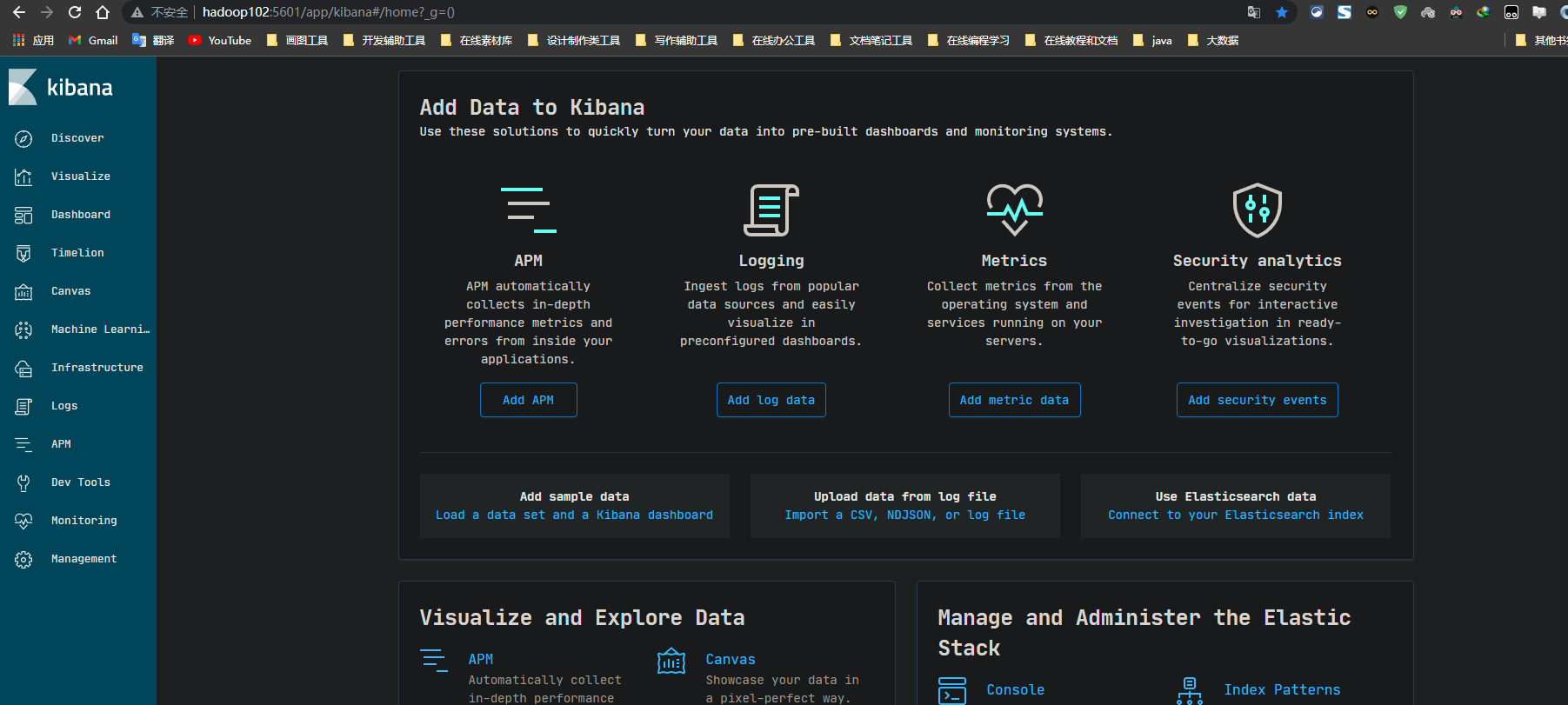
打开浏览器访问 hadoop102:5601
三.修改之前es的启动脚本
#!/bin/bashes_home=/opt/module/elasticsearch-6.6.0kibana_home=/opt/module/kibanacase $1 in"start") {for i in hadoop102 hadoop103 hadoop104doecho "==============$i=============="ssh $i "source /etc/profile;${es_home}/bin/elasticsearch >/dev/null 2>&1 &"sleep 4s;donesleep 2s;nohup ${kibana_home}/bin/kibana > kibana.log 2>&1 &};;"stop") {ps -ef | grep ${kibana_home} | grep -v grep | awk '{print $2}'| xargs killfor i in hadoop102 hadoop103 hadoop104doecho "==============$i=============="ssh $i "ps -ef|grep $es_home |grep -v grep|awk '{print \$2}'|xargs kill" >/dev/null 2>&1done};;esac
第三章、ES操作
1.管理性命令
GET /_cat# 带_xxx,都是系统内置的关键字#查看节点状况GET /_cat/nodes?v#查看健康状况GET /_cat/health#查看所有的indexget /_cat/indices
2.index操作
#一个库#查index#查看所有的indexGET /_cat/indices#查看某个index的信息GET /_cat/indices/.kibana_1#查看某个index的元数据信息GET /stu1##查看某个index的表结构GET /.kibana_1/_mapping#新增Index#手动创建 需要在创建index时指定mapping信息#6.0版本一个Index只能创建一个type,名称随意PUT stu{"mappings": {"table1":{"properties":{"id":{"type":"keyword"},"name":{"type":"text"},"sex":{"type":"integer"},"birth":{"type":"date"}}}}}#自动创建 直接向一个不存在的Index插入数据,在插入数据时,系统根据数据的类型,自动推断mapping,自动创建mapping# POST /indexname/typename/idPOST /stu1/table1/1{"id":"1001","name":"jack"}#删除indexDELETE /stu1#修改index 需要执行迁移操作,从一个index读取数据,写入一个新的index#判断是否存在index 404 - Not Found代表不存在 ,200代表存在HEAD /stu
3.type操作
#type就等价于index#7.0之后没有type的概念了,6.0一个index只允许创建一个type,因此index 等价于 type#查 type 和查index一致#删除type 就是删除index#创建type 就是创建index#判断type是否存在 405 - Method Not Allowed 判断index
4.数据操作
#查#全表查询GET /stu/table1/_search#查询单个元素 GET /indexname/typename/id# _id才是唯一标识GET /stu/table1/1#增#POST /indexname/typename/idPOST /stu/table1/2{"id":"tom","name":"tom"}#POST也可以实现更新操作,如果当前记录的ID不存在,就insert,存在就update。 更新是全量更新POST /stu/table1/2{"id":"1003"}#POST新增,不指定ID,就随机生成IDPOST /stu/table1/{"id":"tom","name":"tom"}#增量更新#400 : 客户端发送的参数不符合要求#404 : 客户端发送的url路径匹配不上#405 : 客户端发送的url,对应的请求方式不符合POST /stu/table1/rx4wNHwBb4g3p3m-lruA/_update{"doc": {"id":"1003"}}#改 PUT#新增 PUT在新增时,必须指定id!PUT /stu/table1/3{"id":"1003","name":"marry"}#405 /stu/table1/只允许POST,不允许PUTPUT /stu/table1/{"id":"1003","name":"marry"}#id存在就更新,不存在就插入,默认也是全量更新PUT /stu/table1/3{"name":"jack"}#不能增量更新PUT /stu/table1/rx4wNHwBb4g3p3m-lruA/_update{"doc": {"id":"1004"}}# 4xxx开头的都是客户端错误# 405: 客户端发送的请求方式错误,例如只允许发POST,你发了PUT# 400 : 请求参数格式错误。没有按照人家指定的格式发参数#删DELETE /stu/table1/rx4wNHwBb4g3p3m-lruA#判断是否存在HEAD /stu/table1/rx4wNHwBb4g3p3m-lruAHEAD /stu/table1/1
5.分词操作
# text(允许分词) keyword(不允许分词)# 默认的分词器,用来进行英文分词,按照空格分GET /_analyze{"text": "I am a teacher!"}#不能分词GET /_analyze{"keyword": "I am a teacher!"}# 汉语按照字切分GET /_analyze{"text": "国庆节快乐"}#ik_smart: 智能分词。切分后的所有单词的总字数等于 被切词的总字数 输入总字数=输出总字数GET /_analyze{"analyzer": "ik_smart","text": "国庆节快乐"}#ik_max_word: 最大化分词。 输入总字数 <= 输出总字数GET /_analyze{"analyzer": "ik_max_word","text": "国庆节快乐"}#只是切词,没有NLP(自然语言处理),没有感情,不会思考,听不懂人话GET /_analyze{"analyzer": "ik_max_word","text": "爱好抽烟喝酒烫头洗屁股眼子"}
6.子属性
java中:public class Person{public String name;public Address address;}public class Address{public String provinceName;}provinceName称为是Person类的 级联(层级联系)属性, 或子属性(属性的属性)json中:person:{age: 20address:{"provinceName":"广东"}}
注意:
"name" : {"type" : "text","fields" : {"aaa" : {"type" : "keyword","ignore_above" : 256}}}text类型的字段,如果将来需要聚合,一定需要为其设置一个子属性,子属性的类型必须是keyword类型!
7.批量导入数据语法
#导入数据:#_bulk代表批量写#格式 : {"action": {metadata}}\n {data}# action: insert,update,delete, index(upsert): 存在就更新,不存在就插入#metadata 指定当前向哪个index,哪个type,哪个id进行写#_id: id _index:xxx _type:哪个type
8.DSL中的常见关键字
| 关键字 | 含义 | 类比SQL |
|---|---|---|
| query | 查询 | select |
| bool | 多个组合条件 | selext xxx from xxx where age=20 and gender=male |
| filter | 一个过滤条件 | where |
| term | 精确匹配 | = |
| match | 全文检索,会分词 | |
| must | 在过滤条件中使用,代表必须包含 | |
| fuzzy | 模糊音匹配 | dick 联想到 nick pick |
| from | 从哪一条开始取,索引从0开始 | |
| size | 取多少条 | limit |
| _source | 只选择某些字段 | select 字段 |
| match_phrase | 短语匹配,将输入的查询内容整个作为整体进行查询,不切词 | |
| multi_match | 一次到多个子弹中匹配内容 | |
第四章、聚合
1.结构
aggregations|aggs"aggregations" :{--aggregation_name:聚合字段名"<aggregation_name>" :{--聚合运算的类型,类比,sum,avg,count(Term),min,max sum()"<aggregation_type>" :{--num 对什么字段进行聚合<aggregation_body>}-- 对哪些表进行聚合,类比tablea,不写,将meta写在url[,"meta" : { [<meta_data_body>] } ]?--子聚合,在当前聚合的基础上,继续聚合[,"aggregations" : { [<sub_aggregation>]+ } ]?}--[,"<aggregation_name_2>" : { ... } ]*}count 等价于 termcount(*) ======== sum(if(gender = 'male',1,0))selecta,max(sum_num) --子聚合from(selecta,b,sum(num) sum_num,max(num) max_numfrom tableawhere xxxgroup by a,b) tmpgroup by a
2.聚合报错
"type": "illegal_argument_exception","reason": "Fielddata is disabled on text fields by default. Set fielddata=true on [gender] in order to load fielddata in memory by uninverting the inverted index.Note that this can however use significant memory. Alternatively use a keyword field instead."TEXT类型,因为涉及到分词,无法被聚合!解决: 使用KEYWORD类型a_column(text)中国人 ------> 中国,国人,中国人
3.聚合练习
- 见第五章综合练习
第五章、综合练习
#导入测试数据#建表PUT /test{"mappings" : {"emps" : {"properties" : {"empid" : {"type" : "long"},"age" : {"type" : "long"},"balance" : {"type" : "double"},"name" : {"type" : "text","fields" : {"keyword" : {"type" : "keyword","ignore_above" : 256}}},"gender" : {"type" : "text","fields" : {"keyword" : {"type" : "keyword","ignore_above" : 256}}},"hobby" : {"type" : "text","analyzer":"ik_max_word","fields" : {"keyword" : {"type" : "keyword","ignore_above" : 256}}}}}}}#导数据POST /test/emps/_bulk{"index":{"_id":"1"}}{"empid":1001,"age":20,"balance":2000,"name":"李三","gender":"男","hobby":"吃饭睡觉"}{"index":{"_id":"2"}}{"empid":1002,"age":30,"balance":2600,"name":"李小三","gender":"男","hobby":"吃粑粑睡觉"}{"index":{"_id":"3"}}{"empid":1003,"age":35,"balance":2900,"name":"张伟","gender":"女","hobby":"吃,睡觉"}{"index":{"_id":"4"}}{"empid":1004,"age":40,"balance":2600,"name":"张伟大","gender":"男","hobby":"打篮球睡觉"}{"index":{"_id":"5"}}{"empid":1005,"age":23,"balance":2900,"name":"大张伟","gender":"女","hobby":"打乒乓球睡觉"}{"index":{"_id":"6"}}{"empid":1006,"age":26,"balance":2700,"name":"张大喂","gender":"男","hobby":"打排球睡觉"}{"index":{"_id":"7"}}{"empid":1007,"age":29,"balance":3000,"name":"王五","gender":"女","hobby":"打牌睡觉"}{"index":{"_id":"8"}}{"empid":1008,"age":28,"balance":3000,"name":"王武","gender":"男","hobby":"打桥牌"}{"index":{"_id":"9"}}{"empid":1009,"age":32,"balance":32000,"name":"王小五","gender":"男","hobby":"喝酒,吃烧烤"}{"index":{"_id":"10"}}{"empid":1010,"age":37,"balance":3600,"name":"赵六","gender":"男","hobby":"吃饭喝酒"}{"index":{"_id":"11"}}{"empid":1011,"age":39,"balance":3500,"name":"张小燕","gender":"女","hobby":"逛街,购物,买"}{"index":{"_id":"12"}}{"empid":1012,"age":42,"balance":3400,"name":"李三","gender":"男","hobby":"逛酒吧,购物"}{"index":{"_id":"13"}}{"empid":1013,"age":42,"balance":3400,"name":"李球","gender":"男","hobby":"体育场,购物"}{"index":{"_id":"14"}}{"empid":1014,"age":22,"balance":3400,"name":"李健身","gender":"男","hobby":"体育场,购物"}{"index":{"_id":"15"}}{"empid":1015,"age":22,"balance":3400,"name":"Nick","gender":"男","hobby":"坐飞机,购物"}
#0.查询的两种方式#①.RESTFUL的查询方式,参数是需要附加在url的后面#②ES定义的DSL(特定领域语言),需要根据DSL的语法规则将参数写在请求体中#1.全表查询,按照年龄降序排序#① RESTFUL 知道在ES中,不同的参数是什么操作 q代表查询 sort代表排序GET /test/emps/_search?q=*&sort=age:desc#②DSL 学习DSL的语法规则GET /test/emps/_search{"query": {"match_all": {}},"sort": [{"age": {"order": "desc"}}]}#2.全表查询,按照年龄降序排序,再按照工资降序排序,只取前5条记录的empid,age,balanceGET /test/emps/_search{"query": {"match_all": {}},"sort": [{"age": {"order": "desc"}},{"balance": {"order": "desc"}}],"from": 0, "size": 5,"_source": ["empid","age","balance"]}#3.匹配之match分词匹配: 搜索hobby是吃饭睡觉的员工GET /_analyze{"analyzer": "ik_max_word","text": "吃饭睡觉"}GET /test/emps/_search{"query": {"match": {"hobby": "吃饭睡觉"}}}#4.匹配之match/term不分词匹配: 搜索工资是2000的员工#只有text类型可以切词,balance是double类型,无法切词#ES不建议对无法切词的类型,使用 matchGET /test/emps/_search{"query": {"match": {"balance": 2000}}}# 匹配之term不分词匹配: 搜索工资是2000的员工GET /test/emps/_search{"query": {"term": {"balance": 2000}}}##5.匹配之match不分词匹配: 搜索hobby是吃饭睡觉的员工# keyword类型不能切词,只需要使用 一个 keyword类型的hobby就行了GET /test/emps/_search{"query": {"match": {"hobby.keyword": "吃饭睡觉"}}}#6.匹配之短语匹配: 搜索hobby是吃饭的员工GET /test/emps/_search{"query": {"match_phrase": {"hobby": "吃饭睡觉"}}}#7.匹配之多字段匹配: 搜索name或hobby中带球的员工GET /test/emps/_search{"query": {"multi_match": {"query": "球","fields": ["name","hobby"]}}}#8.匹配之多条件匹配,搜索男性中喜欢购物的员工GET /test/emps/_search{"query": {"bool": {"must": [{"match": {"hobby": "购物"}},{"term": {"gender": {"value": "男"}}}]}}}#9.匹配之多条件匹配,搜索男性中喜欢购物,还不能爱去酒吧的员工GET /test/emps/_search{"query": {"bool": {"must": [{"match": {"hobby": "购物"}},{"term": {"gender": {"value": "男"}}}],"must_not": [{"match": {"hobby": "酒吧"}}]}}}#10.匹配之多条件匹配,搜索男性中喜欢购物,还不能爱去酒吧的员工,最好在20-30之间#should 加分GET /test/emps/_search{"query": {"bool": {"must": [{"match": {"hobby": "购物"}},{"term": {"gender": {"value": "男"}}}],"must_not": [{"match": {"hobby": "酒吧"}}],"should": [{"range": {"age": {"gt": 20,"lt": 30}}}]}}}#11.匹配之多条件匹配,搜索男性中喜欢购物,还不能爱去酒吧的员工,最好在20-30之间,不要40岁以上的GET /test/emps/_search{"query": {"bool": {"must": [{"match": {"hobby": "购物"}},{"term": {"gender": {"value": "男"}}}],"must_not": [{"match": {"hobby": "酒吧"}},{"range": {"age": {"gt": 40}}}],"should": [{"range": {"age": {"gt": 20,"lt": 30}}}]}}}GET /test/emps/_search{"query": {"bool": {"must": [{"match": {"hobby": "购物"}},{"term": {"gender": {"value": "男"}}}],"must_not": [{"match": {"hobby": "酒吧"}}],"should": [{"range": {"age": {"gt": 20,"lt": 30}}}],"filter": {"range": {"age": {"lte": 40}}}}}}#12.匹配之字段模糊联想匹配,搜索NickGET /test/emps/_search{"query": {"fuzzy": {"name": "Dick"}}}#13.聚合之单聚合,统计男女员工各多少人#如果想取全部的聚合结果,size >= 分组数GET /test/emps/_search{"aggs": {"gendercount": {"terms": {"field": "gender.keyword","size": 2}}}}#14.聚合之先查询再聚合,统计喜欢购物的男女员工各多少人GET /test/emps/_search{"query": {"match": {"hobby": "购物"}},"aggs": {"gendercount": {"terms": {"field": "gender.keyword","size": 2}}}}#15.聚合之多聚合,统计喜欢购物的男女员工各多少人,及这些人总体的平均年龄GET /test/emps/_search{"query": {"match": {"hobby": "购物"}},"aggs": {"gendercount": {"terms": {"field": "gender.keyword","size": 2}},"avgage":{"avg": {"field": "age"}}}}#16.聚合之多聚合和嵌套聚合,统计喜欢购物的男女员工各多少人,及这些人不同性别的平均年龄GET /test/emps/_search{"query": {"match": {"hobby": "购物"}},"aggs": {"gendercount": {"terms": {"field": "gender.keyword","size": 2},"aggs": {"avgage": {"avg": {"field": "age"}}}}}}
第六章、别名
1.对应关系
别名和索引是N对N的关系!
1个别名 对于 N个索引!
1个索引可以拥有多个别名!
别名的主要应用场景:
在hive中有分区表,常见按照数据的日期分区。比如表ods_a,按照dt分区/ ods_a / dt= 2021-07-07/ ods_a / dt= 2021-07-08只查询某一天的数据,使用分区字段进行过滤where dt= 2021-07-07如果是全表查询,不加where过滤!
在ES中,如何实现一个分区表的效果?
要实现分区的效果:只能将每天产生的数据,放入到一个独立的index中2021-07-07 ----------> ods_a_2021-07-07_index2021-07-08 ----------> ods_a_2021-07-08_index只查询某一天的数据,只查询某个对应的index2021-07-07 ------> GET ods_a_2021-07-07_index查询这个月的所有数据?这个月的index在创建时,为它们赋予一个别名 2021-07_index使用别名查询: GET 2021-07_index查询每一天所有的数据?每个index在创建时,为它们赋予一个别名 ods_a_index使用别名查询: GET ods_a_index
2.别名练习
#别名的查询#查询所有的别名GET /_cat/aliases?v#查某个index的别名GET /movie_index/_alias#增#在创建Index时,直接指定PUT movie_index{"aliases": {"movie1": {},"movie2": {}},"mappings": {"movie_type":{"properties": {"id":{"type": "long"},"name":{"type": "text","analyzer": "ik_smart"}}}}}#为已经创建好的index,添加别名POST _aliases{"actions": [{"add": {"index": "movie_index","alias": "movie3"}}]}#使用别名来引用一个index的子集POST _aliases{"actions": [{"add": {"index": "test","alias": "man","filter": {"term": {"gender": "男"}}}}]}GET /man/_search#将movie_index的别名 movie3删除,为test添加movie3POST _aliases{"actions": [{"remove": {"index": "movie_index","alias": "movie3"}},{"add": {"index": "test","alias": "movie3"}}]}
第七章、模版
1.模版练习
#查看#查看当前所有定义的模板GET /_cat/templates#新增#index_patterns 指当你创建的索引名称符合当前模板的index_patterns时,调用模板帮你创建indexPUT /_template/template_movie2020{"index_patterns": ["movie_test*"],"aliases" : {"{index}-query": {},"movie_test-query":{}},"mappings": {"_doc": {"properties": {"id": {"type": "keyword"},"movie_name": {"type": "text","analyzer": "ik_smart"}}}}}GET /test#Rejecting mapping update to [movie_index] as the final mapping would have more than 1 type: [movie_type, t1]#movie2 是一个别名,指向movie_index# PUT /movie_index/t1/1# movie_index 的唯一type 是movie_type,你又指定了t1,冲突了PUT /movie2/t1/1{"name":"jack"}GET /_cat/aliasesGET /movie_indexPUT /hahah/t1/1{"name":"jack"}GET /movie_test2PUT /movie_test2/_doc/1{"name":"jack"}HEAD /_template/template_movie2020
第八章、Java API操作
1.准备工作
新建maven工程,导入依赖
<dependency><groupId>org.apache.httpcomponents</groupId><artifactId>httpclient</artifactId><version>4.5.5</version></dependency><dependency><groupId>org.apache.httpcomponents</groupId><artifactId>httpmime</artifactId><version>4.3.6</version></dependency><dependency><groupId>io.searchbox</groupId><artifactId>jest</artifactId><version>5.3.3</version></dependency><dependency><groupId>net.java.dev.jna</groupId><artifactId>jna</artifactId><version>4.5.2</version></dependency><dependency><groupId>org.codehaus.janino</groupId><artifactId>commons-compiler</artifactId><version>2.7.8</version></dependency><dependency><groupId>org.elasticsearch</groupId><artifactId>elasticsearch</artifactId><version>6.6.0</version></dependency><dependency><groupId>org.projectlombok</groupId><artifactId>lombok</artifactId><version>1.18.12</version><scope>provided</scope></dependency>
javabean(Emp.java)
package com.atgugu.esdemo.pojo;import lombok.AllArgsConstructor;import lombok.Data;import lombok.NoArgsConstructor;@NoArgsConstructor@AllArgsConstructor@Datapublic class Emp {private String empid;private Integer age;private Double balance;private String name;private String gender;private String hobby;}
2.读数据
package com.atgugu.esdemo;import com.atgugu.esdemo.pojo.Emp;import io.searchbox.client.JestClient;import io.searchbox.client.JestClientFactory;import io.searchbox.client.config.HttpClientConfig;import io.searchbox.core.Search;import io.searchbox.core.SearchResult;import java.io.IOException;import java.util.List;/*** 一般步骤* 1.创建一个客户端* 2.连接服务端* 3.准备命令* 4.发送命令* 5.如果是查询,接收服务端返回的结果* -------------------------------------* Jest客户端大量使用以下两种模式* 工厂模式: new 对象Factory().get对象()* 建筑者模式: new 对象Builder().build()* 在建筑者模式中大量使用了java语法糖* A.B() 返回 A* -------------------------------------*/public class ReadDemo01 {public static void main(String[] args) throws IOException {//建厂JestClientFactory jestClientFactory = new JestClientFactory();//设置连接的集群地址HttpClientConfig httpClientConfig = (new HttpClientConfig.Builder("http://hadoop102:9200")).build();jestClientFactory.setHttpClientConfig(httpClientConfig);//获取连接JestClient jestClient = jestClientFactory.getObject();String queryString = "{\n" +" \"query\": {\n" +" \"match\": {\n" +" \"hobby\": \"购物\"\n" +" }\n" +" },\n" +" \"aggs\": {\n" +" \"gendercount\": {\n" +" \"terms\": {\n" +" \"field\": \"gender.keyword\",\n" +" \"size\": 2\n" +" },\n" +" \"aggs\": {\n" +" \"avgage\": {\n" +" \"avg\": {\n" +" \"field\": \"age\"\n" +" }\n" +" }\n" +" }\n" +" }\n" +" }\n" +"}";// 使用 GET /test/emps/_searchSearch search = new Search.Builder(queryString).addIndex("test").addType("emps").build();SearchResult searchResult = jestClient.execute(search);//遍历返回最后的结果System.out.println("total:"+ searchResult.getTotal());System.out.println("max_score:"+ searchResult.getMaxScore());List<SearchResult.Hit<Emp, Void>> hits = searchResult.getHits(Emp.class);for (SearchResult.Hit<Emp, Void> hit : hits) {System.out.println("_index:"+hit.index);System.out.println("_type:"+hit.type);System.out.println("_id:"+hit.id);System.out.println("_source:"+hit.source);}//关闭jestClient.shutdownClient();}}
3.读数据(面向对象)
package com.atgugu.esdemo;import com.atgugu.esdemo.pojo.Emp;import io.searchbox.client.JestClient;import io.searchbox.client.JestClientFactory;import io.searchbox.client.config.HttpClientConfig;import io.searchbox.core.Search;import io.searchbox.core.SearchResult;import io.searchbox.core.search.aggregation.AvgAggregation;import io.searchbox.core.search.aggregation.MetricAggregation;import io.searchbox.core.search.aggregation.TermsAggregation;import org.elasticsearch.index.query.MatchQueryBuilder;import org.elasticsearch.search.aggregations.AggregationBuilders;import org.elasticsearch.search.aggregations.bucket.terms.TermsAggregationBuilder;import org.elasticsearch.search.builder.SearchSourceBuilder;import java.io.IOException;import java.util.List;/*** 一般步骤* 1.创建一个客户端* 2.连接服务端* 3.准备命令* 4.发送命令* 5.如果是查询,接收服务端返回的结果* -------------------------------------* Jest客户端大量使用以下两种模式* 工厂模式: new 对象Factory().get对象()* 建筑者模式: new 对象Builder().build()* 在建筑者模式中大量使用了java语法糖* A.B() 返回 A* -------------------------------------*/public class ReadDemo02 {public static void main(String[] args) throws IOException {//建厂JestClientFactory jestClientFactory = new JestClientFactory();//设置连接的集群地址HttpClientConfig httpClientConfig = (new HttpClientConfig.Builder("http://hadoop102:9200")).build();jestClientFactory.setHttpClientConfig(httpClientConfig);//获取连接JestClient jestClient = jestClientFactory.getObject();//创建一个对象,通过这个对象,将查询条件封装//封装matchMatchQueryBuilder matchQueryBuilder = new MatchQueryBuilder("hobby", "购物");//封装aggsTermsAggregationBuilder aggregationBuilder = AggregationBuilders.terms("gendercount").field("gender.keyword").size(2).subAggregation(AggregationBuilders.avg("avgage").field("age"));//将match放入queryString querySource = new SearchSourceBuilder().query(matchQueryBuilder).aggregation(aggregationBuilder).toString();// 使用 GET /test/emps/_searchSearch search = new Search.Builder(querySource).addIndex("test").addType("emps").build();SearchResult searchResult = jestClient.execute(search);//遍历返回最后的结果System.out.println("total:"+ searchResult.getTotal());System.out.println("max_score:"+ searchResult.getMaxScore());List<SearchResult.Hit<Emp, Void>> hits = searchResult.getHits(Emp.class);for (SearchResult.Hit<Emp, Void> hit : hits) {System.out.println("_index:"+hit.index);System.out.println("_type:"+hit.type);System.out.println("_id:"+hit.id);System.out.println("_source:"+hit.source);}MetricAggregation aggregations = searchResult.getAggregations();TermsAggregation genderCount = aggregations.getTermsAggregation("gendercount");List<TermsAggregation.Entry> buckets = genderCount.getBuckets();for (TermsAggregation.Entry bucket : buckets) {System.out.println(bucket.getKey() + ":" + bucket.getCount());AvgAggregation avgage = bucket.getAvgAggregation("avgage");System.out.println(avgage.getAvg());}//关闭jestClient.shutdownClient();}}
4.写数据(新增)
package com.atgugu.esdemo;import com.atgugu.esdemo.pojo.Emp;import io.searchbox.client.JestClient;import io.searchbox.client.JestClientFactory;import io.searchbox.client.config.HttpClientConfig;import io.searchbox.core.DocumentResult;import io.searchbox.core.Index;import java.io.IOException;import java.util.List;/*** 新增或修改:index* 删除:Delete**/public class WriteDemo01 {public static void main(String[] args) throws IOException {//建厂JestClientFactory jestClientFactory = new JestClientFactory();//设置连接的集群地址HttpClientConfig httpClientConfig = (new HttpClientConfig.Builder("http://hadoop102:9200")).build();jestClientFactory.setHttpClientConfig(httpClientConfig);//获取连接JestClient jestClient = jestClientFactory.getObject();//将写的数据封装为一个对象Emp emp = new Emp("1018", 30, 22.22, "jack", "男", "吃饭");//PUT /test/emps/16Index index = new Index.Builder(emp).type("emps").index("test").id("18").build();DocumentResult result = jestClient.execute(index);System.out.println(result.getResponseCode());//关闭jestClient.shutdownClient();}}
5.写数据(批量写)
package com.atgugu.esdemo;import com.atgugu.esdemo.pojo.Emp;import io.searchbox.client.JestClient;import io.searchbox.client.JestClientFactory;import io.searchbox.client.config.HttpClientConfig;import io.searchbox.core.*;import java.io.IOException;/*** 新增或修改:index* 删除:Delete* 批量写:Bulk**/public class WriteDemo02 {public static void main(String[] args) throws IOException {//建厂JestClientFactory jestClientFactory = new JestClientFactory();//设置连接的集群地址HttpClientConfig httpClientConfig = (new HttpClientConfig.Builder("http://hadoop102:9200")).build();jestClientFactory.setHttpClientConfig(httpClientConfig);//获取连接JestClient jestClient = jestClientFactory.getObject();//将写的数据封装为一个对象Emp emp = new Emp("1018", 30, 22.22, "jack", "男", "吃饭");//PUT /test/emps/16Index index = new Index.Builder(emp).type("emps").index("test").id("16").build();Delete delete = new Delete.Builder("18").index("test").type("emps").build();//将多次操作组装到一个Bulk中Bulk bulk = new Bulk.Builder().addAction(index).addAction(delete).build();BulkResult bulkResult = jestClient.execute(bulk);System.out.println(bulkResult.getResponseCode());//关闭jestClient.shutdownClient();}}

若有收获,就点个赞吧
0 人点赞


