Docker命令
帮助命令
docker version
显示Docker版本信息
[root@localhost ~]# docker versionClient: Docker Engine - CommunityVersion: 19.03.13API version: 1.40Go version: go1.13.15Git commit: 4484c46d9dBuilt: Wed Sep 16 17:03:45 2020OS/Arch: linux/amd64Experimental: falseServer: Docker Engine - CommunityEngine:Version: 19.03.13API version: 1.40 (minimum version 1.12)Go version: go1.13.15Git commit: 4484c46d9dBuilt: Wed Sep 16 17:02:21 2020OS/Arch: linux/amd64Experimental: falsecontainerd:Version: 1.3.7GitCommit: 8fba4e9a7d01810a393d5d25a3621dc101981175runc:Version: 1.0.0-rc10GitCommit: dc9208a3303feef5b3839f4323d9beb36df0a9dddocker-init:Version: 0.18.0GitCommit: fec3683[root@localhost ~]#
docker info
显示docker的系统信息,包括镜像和容器的数量。
[root@localhost ~]# docker infoClient:Debug Mode: falseServer:Containers: 1Running: 0Paused: 0Stopped: 1Images: 1Server Version: 19.03.13Storage Driver: overlay2Backing Filesystem: xfsSupports d_type: trueNative Overlay Diff: trueLogging Driver: json-fileCgroup Driver: cgroupfsPlugins:Volume: localNetwork: bridge host ipvlan macvlan null overlayLog: awslogs fluentd gcplogs gelf journald json-file local logentries splunk syslogSwarm: inactiveRuntimes: runcDefault Runtime: runcInit Binary: docker-initcontainerd version: 8fba4e9a7d01810a393d5d25a3621dc101981175runc version: dc9208a3303feef5b3839f4323d9beb36df0a9ddinit version: fec3683Security Options:seccompProfile: defaultKernel Version: 3.10.0-1127.19.1.el7.x86_64Operating System: CentOS Linux 7 (Core)OSType: linuxArchitecture: x86_64CPUs: 1Total Memory: 1.777GiBName: localhost.localdomainID: 4ARA:NX4Y:7DM7:IGVR:XQNU:PNSQ:SDFN:44U2:VINY:2OMR:VDKO:2SKUDocker Root Dir: /var/lib/dockerDebug Mode: falseRegistry: https://index.docker.io/v1/Labels:Experimental: falseInsecure Registries:127.0.0.0/8Registry Mirrors:https://gnxq79wc.mirror.aliyuncs.com/Live Restore Enabled: false[root@localhost ~]#
docker 命令 —help
帮助命令

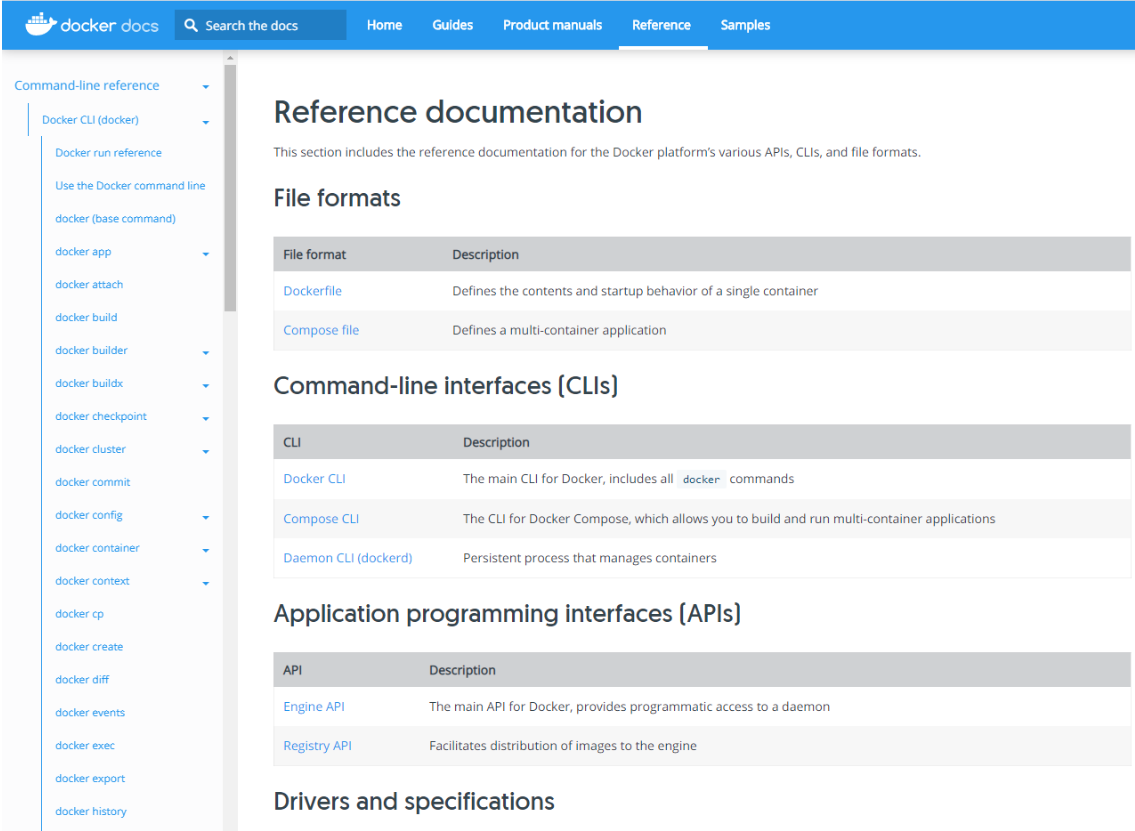
命令:https://docs.docker.com/engine/reference/commandline/
镜像命令
docker images
查看所有本地主机上的镜像
[root@localhost ~]# docker imagesREPOSITORY TAG IMAGE ID CREATED SIZEhello-world latest bf756fb1ae65 10 months ago 13.3kB#解释REPOSITORY 镜像仓库源TAG 镜像的标签IMAGE ID 镜像的IDCREATED 镜像的创建时间SIZE 镜像的大小
Options选项
[root@localhost ~]# docker images --helpUsage: docker images [OPTIONS] [REPOSITORY[:TAG]]List imagesOptions:-a, --all Show all images (default hides intermediate images)--digests Show digests #格式化-f, --filter filter Filter output based on conditions provided #过滤--format string Pretty-print images using a Go template--no-trunc Don't truncate output-q, --quiet Only show numeric IDs
解释
-a 列出所有镜像
-q 只显示镜像的ID
[root@localhost ~]# docker images -a
REPOSITORY          TAG                 IMAGE ID            CREATED             SIZE
hello-world         latest              bf756fb1ae65        10 months ago       13.3kB
[root@localhost ~]# docker images -aq
bf756fb1ae65
[root@localhost ~]#
搜索命令
网页搜索

docker search
docker search —help
[root@localhost ~]# docker search --help

Usage:    docker search [OPTIONS] TERM

Search the Docker Hub for images

Options:
  -f, --filter filter   Filter output based on conditions provided
      --format string   Pretty-print search using a Go template
      --limit int       Max number of search results (default 25)
      --no-trunc        Don't truncate output
[root@localhost ~]#
例如:
—filter=STARS=3000 #过滤出镜像收藏大于3000的
[root@localhost ~]# docker search mysql --filter=STARS=3000
NAME                DESCRIPTION                                     STARS               OFFICIAL            AUTOMATED
mysql               MySQL is a widely used, open-source relation…   10115               [OK]
mariadb             MariaDB is a community-developed fork of MyS…   3715                [OK]
[root@localhost ~]#
下载命令
docker pull
[root@localhost ~]# docker pull --help

Usage:    docker pull [OPTIONS] NAME[:TAG|@DIGEST]

Pull an image or a repository from a registry

Options:
  -a, --all-tags                Download all tagged images in the repository
      --disable-content-trust   Skip image verification (default true)
      --platform string         Set platform if server is multi-platform capable
  -q, --quiet                   Suppress verbose output
[root@localhost ~]#
[root@localhost ~]# docker pull mysql
Using default tag: latest   #如果不写tag:,默认下载最新的版本
latest: Pulling from library/mysql
bb79b6b2107f: Pull complete    #分层下载,docker image的核心:联合文件系统
49e22f6fb9f7: Pull complete
842b1255668c: Pull complete
9f48d1f43000: Pull complete
c693f0615bce: Pull complete
8a621b9dbed2: Pull complete
0807d32aef13: Pull complete
a56aca0feb17: Pull complete
de9d45fd0f07: Pull complete
1d68a49161cc: Pull complete
d16d318b774e: Pull complete
49e112c55976: Pull complete
Digest: sha256:8c17271df53ee3b843d6e16d46cff13f22c9c04d6982eb15a9a47bd5c9ac7e2d   #签名
Status: Downloaded newer image for mysql:latest
docker.io/library/mysql:latest   #真实地址
[root@localhost ~]
docker pull mysql=docker pull docker.io/library/mysql:latest #等价
指定下载版本
docker pull 镜像名:tag
注:指定下载的版本必须是存在的。
联合文件系统,公用文件不在下载极大减少占用存储
比较:
[root@localhost ~]# docker pull mysql
Using default tag: latest
latest: Pulling from library/mysql
bb79b6b2107f: Pull complete
49e22f6fb9f7: Pull complete
842b1255668c: Pull complete
9f48d1f43000: Pull complete
c693f0615bce: Pull complete
8a621b9dbed2: Pull complete
0807d32aef13: Pull complete
a56aca0feb17: Pull complete
de9d45fd0f07: Pull complete
1d68a49161cc: Pull complete
d16d318b774e: Pull complete
49e112c55976: Pull complete
Digest: sha256:8c17271df53ee3b843d6e16d46cff13f22c9c04d6982eb15a9a47bd5c9ac7e2d
Status: Downloaded newer image for mysql:latest
docker.io/library/mysql:latest
[root@localhost ~]# docker pull mysql:5.7
5.7: Pulling from library/mysql
bb79b6b2107f: Already exists
49e22f6fb9f7: Already exists
842b1255668c: Already exists
9f48d1f43000: Already exists
c693f0615bce: Already exists
8a621b9dbed2: Already exists
0807d32aef13: Already exists
f15d42f48bd9: Pull complete
098ceecc0c8d: Pull complete
b6fead9737bc: Pull complete
351d223d3d76: Pull complete
Digest: sha256:4d2b34e99c14edb99cdd95ddad4d9aa7ea3f2c4405ff0c3509a29dc40bcb10ef
Status: Downloaded newer image for mysql:5.7
docker.io/library/mysql:5.7
[root@localhost ~]#
查看下载的镜像

删除镜像命令
docker rmi -f id
docker rmi -f id1 id2 id3 #删除多个指定的容器镜像
通过ID删除镜像/通过TAG删除镜像
再次查看,mysql 5.7已被删除,只删除了部分层。
删除全部容器镜像
docker rmi -f $(docker images -aq)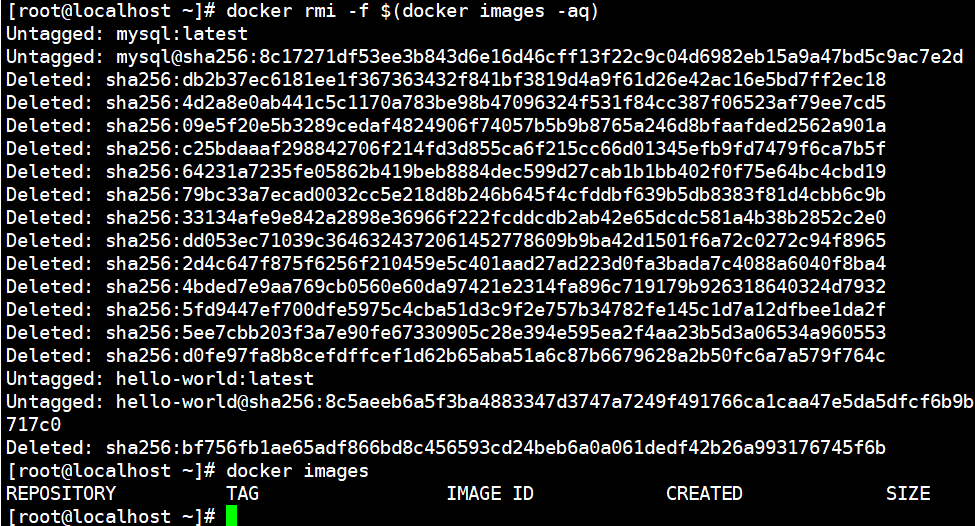

若有收获,就点个赞吧
0 人点赞


