高级查询
查询结果中的分值 score,表示匹配度。
1. 查询对象
query 单个属性的查询
GET /users/_search{"query": {"match": {"name": "engure"}}}

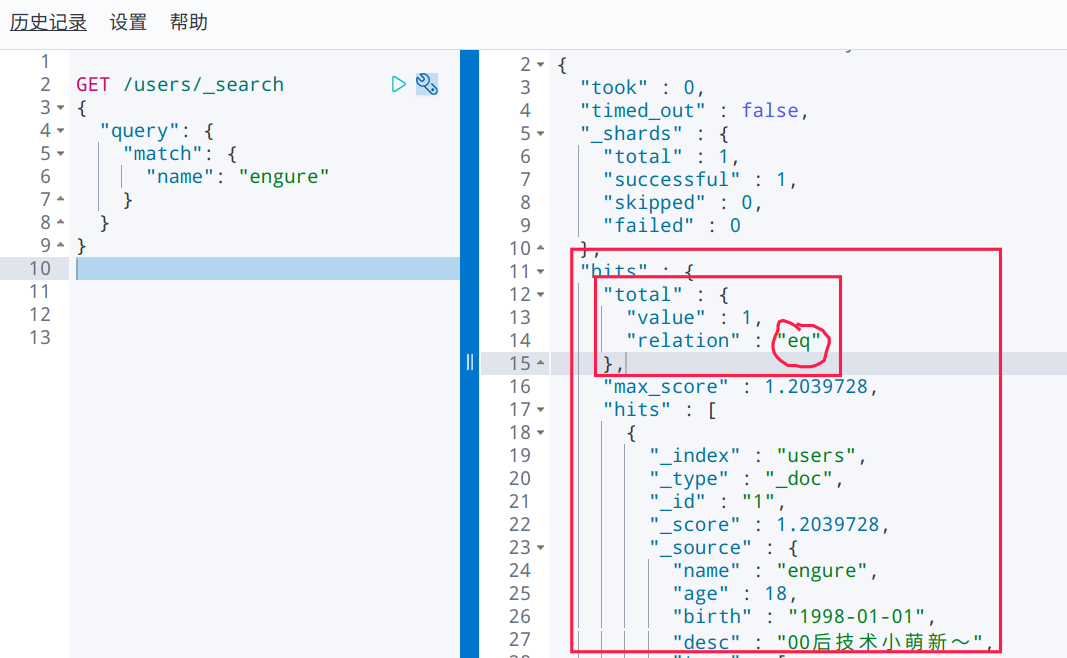
可以看到这里是 等值匹配的。
2. 只查询指定的字段
_source
GET /users/_search{"query": {"match": {"name": "engure"}},"_source": ["name","birth"]}


3. 排序
sort
# 不使用查询语句,查询所有文档。按年龄倒序排序GET /users/_search{"sort": [{"age": {"order": "desc"}}]}

多个排序条件呢?
GET /users/_search{"sort": [{"age": {"order": "desc"},"birth": {"order": "asc"}}]}
经测试,符合预期。
4. 分页
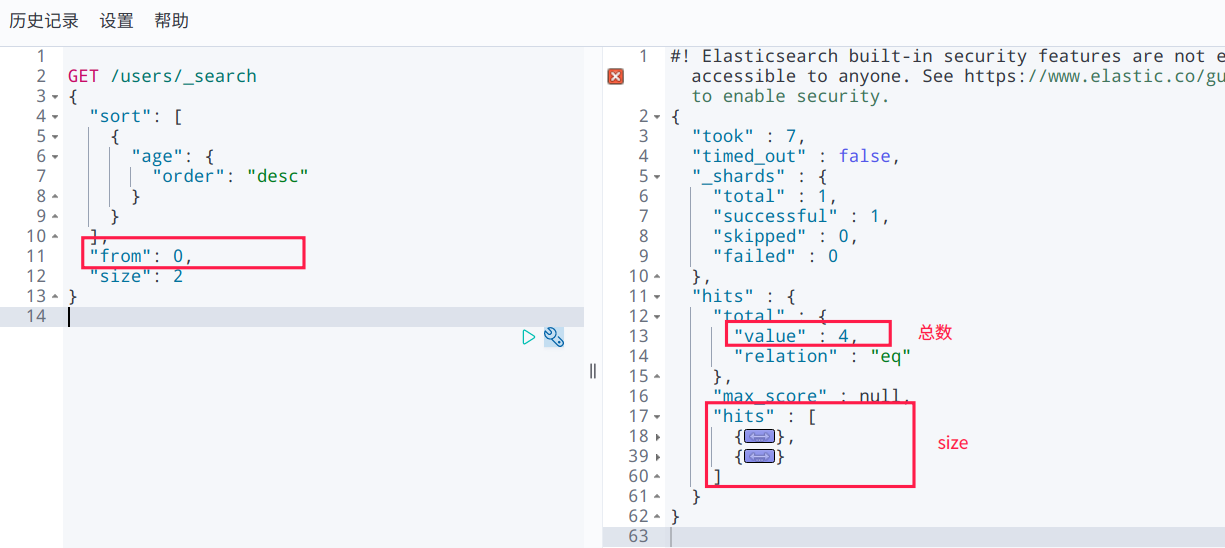
分页条件:from、size
GET /users/_search{"sort": [{"age": {"order": "desc"}}],"from": 0,"size": 2}

5. 多条件查询(bool 查询)
must 查询,相当于 and,所有条件都满足
################### name=engure && age=19GET /users/_search{"query": {"bool": {"must": [{"match": {"name": "engure"}},{"match": {"age": "19"}}]}}}
should 查询,相当于 or,满足其中一个条件即可
################### name=engure || age=19GET /users/_search{"query": {"bool": {"should": [{"match": {"name": "engure"}},{"match": {"age": "19"}}]}}}
must not 查询,相当于 not
################# age != 18GET /users/_search{"query": {"bool": {"must_not": [{"match": {"age": "18"}}]}}}
稍微复杂一点,bool嵌套
############ age = 18 && name != engureGET /users/_search{"query": {"bool": {"must": [{"match": {"age": "18"}},{"bool": {"must_not": [{"match": {"name": "engure"}}]}}]}}}

6. 过滤器,范围过滤
# bool ---> age != 18# filter -> age < 18GET /users/_search{"query": {"bool": {"must_not": [{"match": {"age": "18"}}],"filter": [{"range": {"age": {"lt": 18}}}]}}}
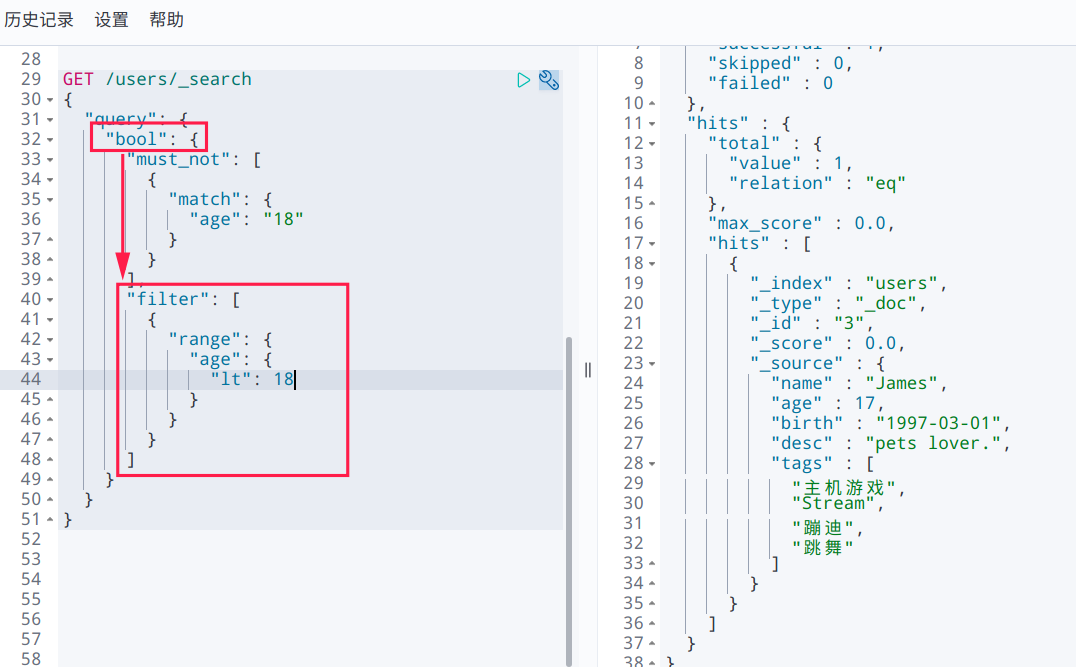
gt>gte>=lt<le<=eq==
# bool ----> age != 18# filter --> 10 < age < age


7. 匹配多个条件
查询多个条件,直接用空格隔开
GET /users/_search{"query": {"match": {"name": "engure Tom"}}}


8. 精确查询
term利用倒排索引实现精确查询。text 类型会被分词器解析,keyword 类型不会分词器解析。match会使用分词器。先分析文档,再查询。
1) text 与 keyword (重要!)
使用 keyword 分词器拆分: 不会被拆分,而是将输入作为整体匹配查询。
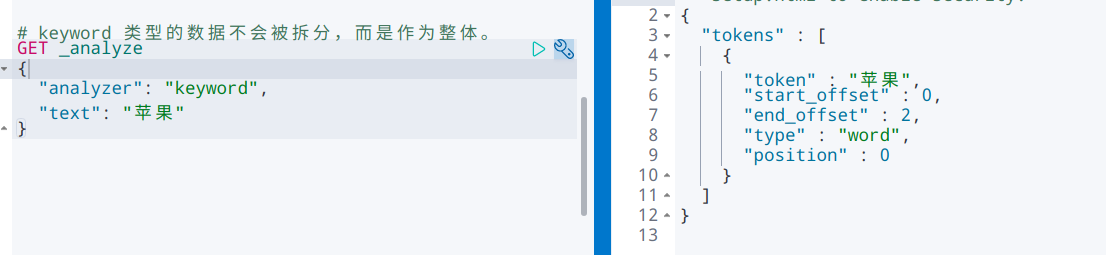


使用 standard 分词器进行拆分: 模拟拆分 text 类型数据,会被拆分。


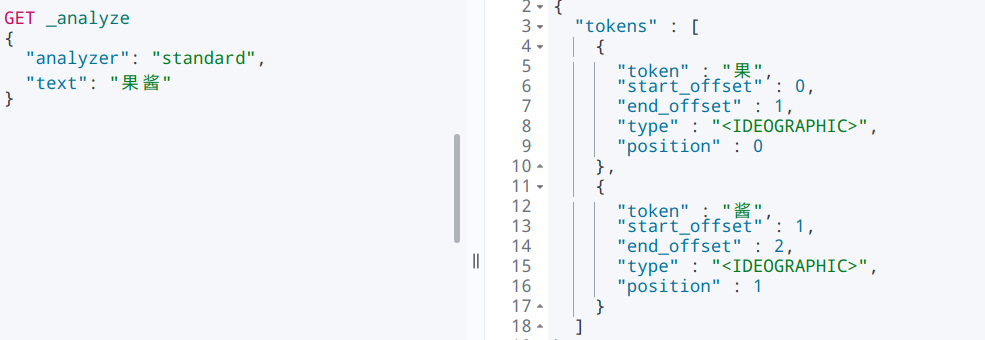

已知文档的 name 字段是 text 类型,对其进行查询,该属性值会被分析器分析,然后进行匹配。

注:比如中文的“苹果”会被分析(text 类型)为“苹”和“果”,会匹配到“果”。英文的匹配是以单词为单位的,比如“engureguo”,不会被进一步拆分。
如果这里的 name 是 keyword 类型,那末将会整体匹配 name=“果”。
2) 验证
########## 创建索引,指定文档各属性类型PUT testidx{"mappings": {"properties": {"rt": {"type": "text"},"rk": {"type": "keyword"}}}}################# 添加文档PUT testidx/_doc/1{"rt": "Come on dude1 - text","rk": "Come on dude1 - keyword"}PUT testidx/_doc/2{"rt": "Come on dude2 - text","rk": "Come on dude2 - keyword"}############## 查询GET testidx/_search{"query": {"match": {"rt": "on"}}}
text 类型的字段的匹配,查询出来所有 name 包含 on 的文档,说明已有文档的 name 字段经过了分析。

查询另一个字段(rk,keyword 类型),结果为空:

更换一个已知的属性值,得到一条结果,是整体匹配。
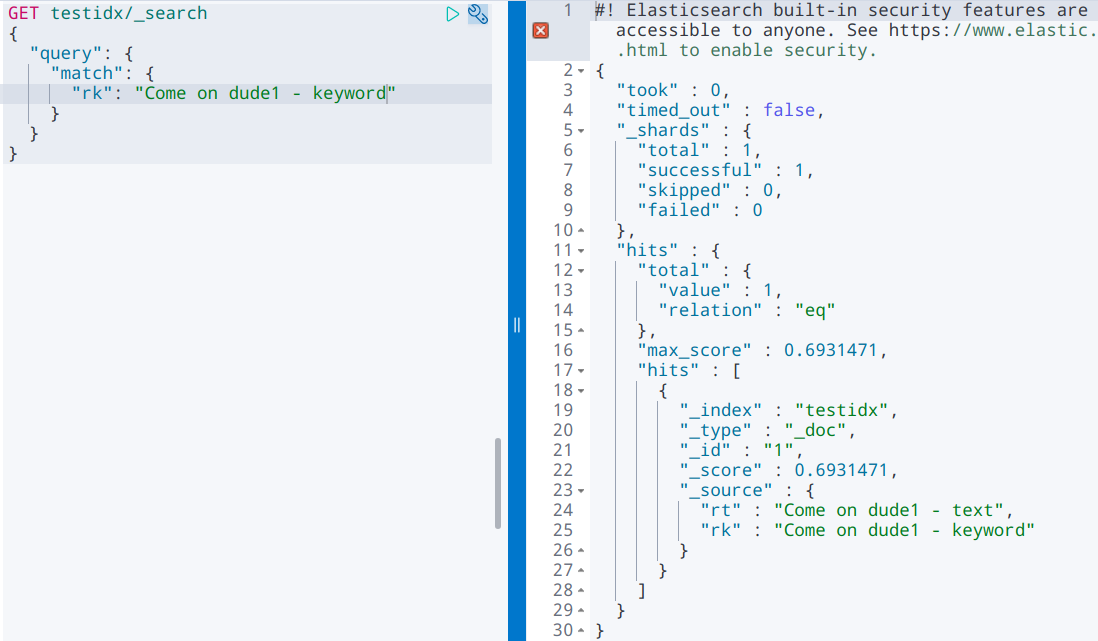
结论:keyword 字段类型不会被分词器解析。
3) 使用 term 精确匹配多个值
查询结果高亮
# 查询内容高亮显示GET users/_search{"query": {"match": {"name": "果"}},"highlight": {"fields": {"name": {}}}}


如何定制样式?使用提供的属性
GET users/_search{"query": {"match": {"name": "果"}},"highlight": {"pre_tags": "<span class='hlword' style='color:red;'>","post_tags": "</span>","fields": {"name": {}}}}


若有收获,就点个赞吧
0 人点赞


