1 下载
下载hive——地址:http://mirror.bit.edu.cn/apache/hive/
2 安装
2.1 解压
tar -zxvf apache-hive-3.1.2-bin.tar.gz
2.2 配置环境变量
 #hive
export HIVE_HOME=/usr/local/hive/apache-hive-3.1.2-bin
export PATH=$PATH:$HIVE_HOME/bin

source /etc/profile

hive --version
验证是否安装完成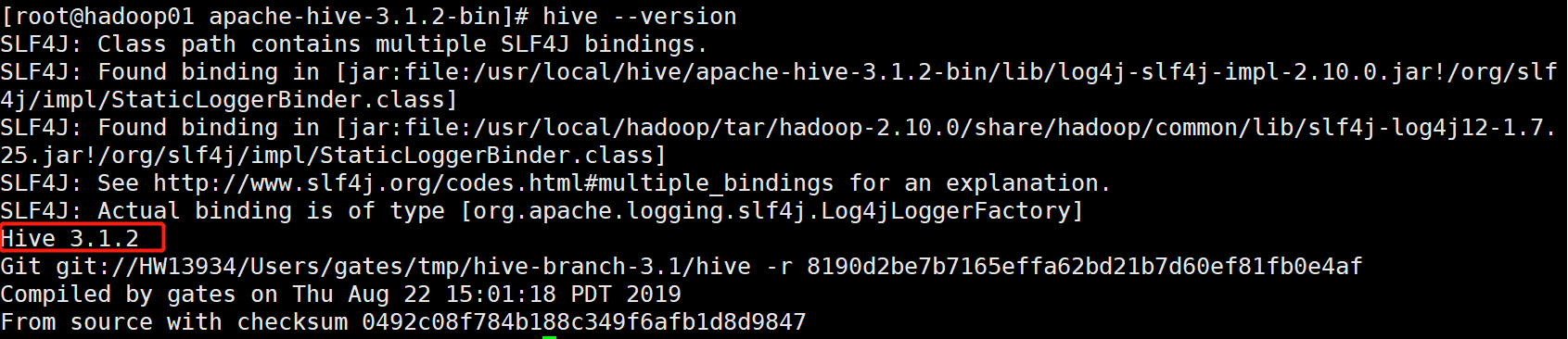
2.3 修改配置文件
cp hive-default.xml.template hive-site.xml

vim hive-site.xml
在 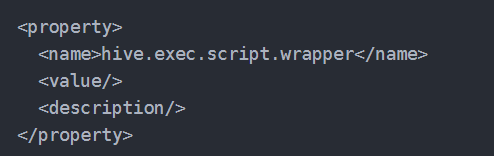 之前添加一下代码 主要是mysql的连接信息
注意 其中其他信息全部删除,只留下面信息
<?xml version="1.0" encoding="UTF-8" standalone="no"?>
<?xml-stylesheet type="text/xsl" href="configuration.xsl"?><!--
   Licensed to the Apache Software Foundation (ASF) under one or more
   contributor license agreements.  See the NOTICE file distributed with
   this work for additional information regarding copyright ownership.
   The ASF licenses this file to You under the Apache License, Version 2.0
   (the "License"); you may not use this file except in compliance with
   the License.  You may obtain a copy of the License at

       http://www.apache.org/licenses/LICENSE-2.0

   Unless required by applicable law or agreed to in writing, software
   distributed under the License is distributed on an "AS IS" BASIS,
   WITHOUT WARRANTIES OR CONDITIONS OF ANY KIND, either express or implied.
   See the License for the specific language governing permissions and
   limitations under the License.
--><configuration>
  <!-- WARNING!!! This file is auto generated for documentation purposes ONLY! -->
  <!-- WARNING!!! Any changes you make to this file will be ignored by Hive.   -->
  <!-- WARNING!!! You must make your changes in hive-site.xml instead.         -->
  <!-- Hive Execution Parameters -->
  <property>
        <name>javax.jdo.option.ConnectionUserName</name>
        <value>root</value>
    </property>
    <property>
        <name>javax.jdo.option.ConnectionPassword</name>
        <value>root</value>
    </property>
   <property>
        <name>javax.jdo.option.ConnectionURL</name>
        <value>jdbc:mysql://192.168.2.128:3306/hive?createDatabaseIfNotExist=true</value>
    </property>
    <property>
        <name>javax.jdo.option.ConnectionDriverName</name>
        <value>com.mysql.jdbc.Driver</value>
    </property>

</configuration>
2.4 添加mysql相关jar
复制mysql-connector-java-5.1.18-bin.jar文件到 /hive/lib下面
mysql-connector-java-5.1.34-bin.jar
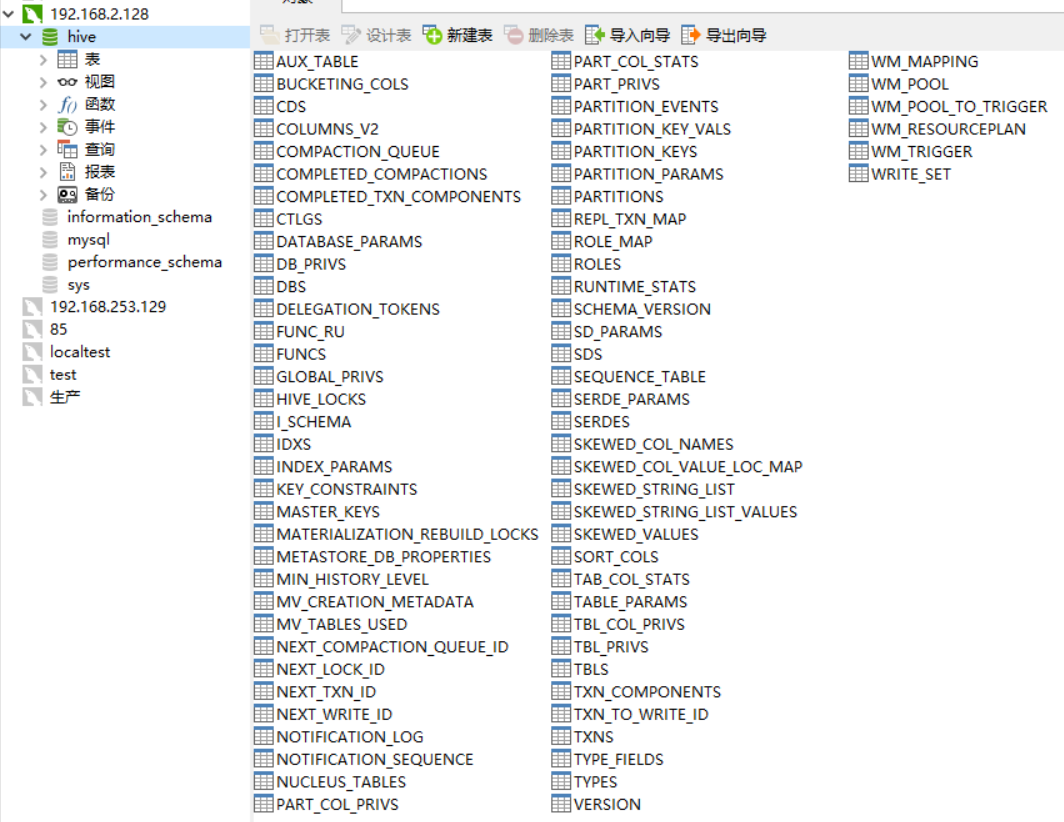
2.5 在mysql上初始化数据库
cd /usr/local/hive/apache-hive-3.1.2-bin/bin

schematool -dbType mysql -initSchema
出现问题
发现问题
成功界面

生产的schema文件
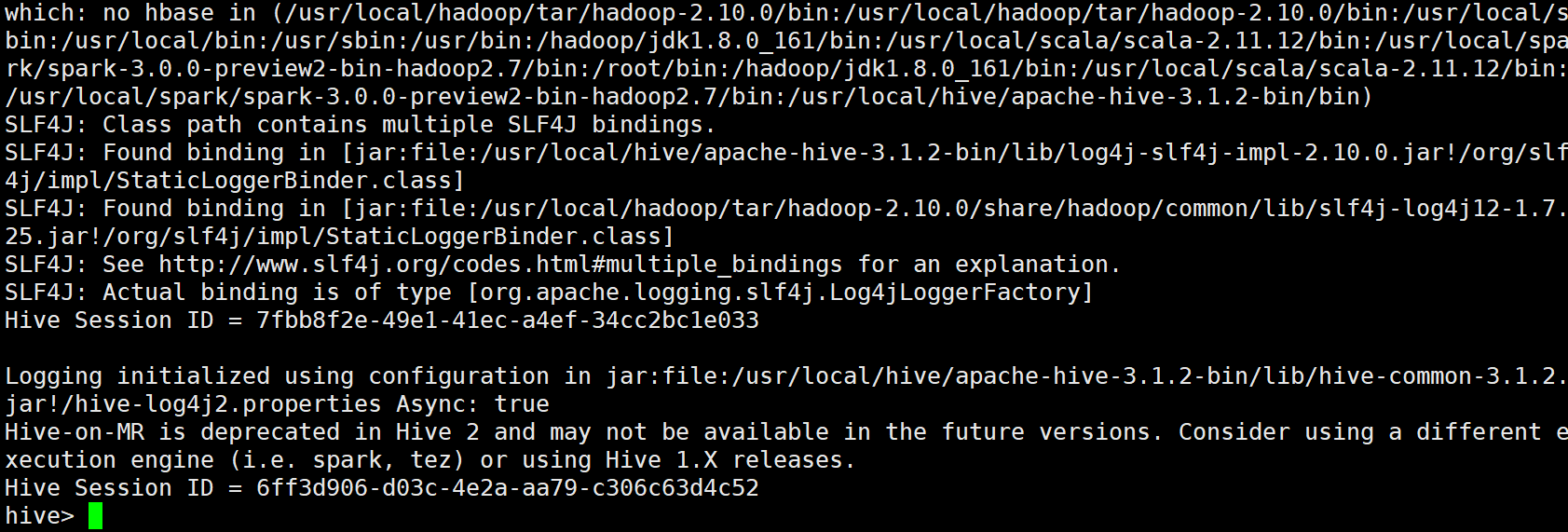
2.6 执行hive命令
注意:需要启动hadoop之后在执行 否则报错
hive
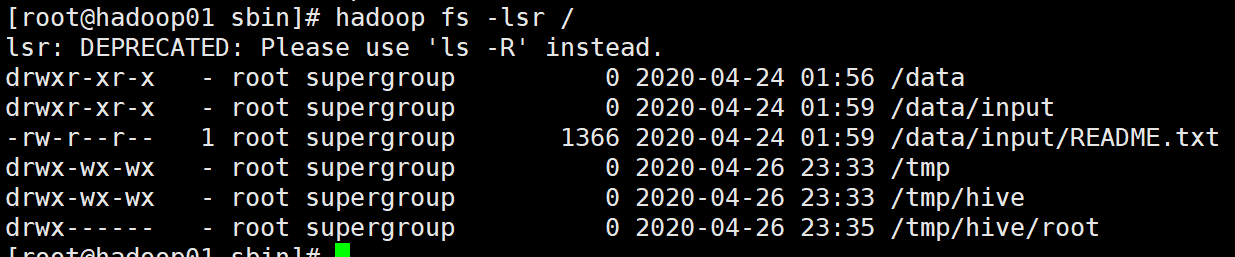
3 安装完的变化
hadoop fs -lsr /

若有收获,就点个赞吧
0 人点赞


