1、tab切换显示块
- 设置class名基础样式
- 利用for循环赋予所有li点击事件
- 点击后先将所有兄弟元素的class名清空,再赋予点击的元素class名使其获得样式
- 获取正在被点击的元素的下标
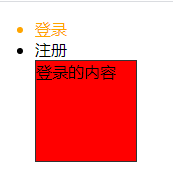
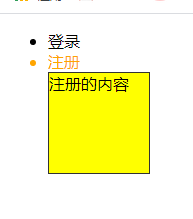
- 先将所有.content下的div块隐藏,再利用被点击元素的下标设置对应的div块显示
<style>.current{color: orange;}.content{width: 100px;height: 100px;border: 1px solid #333;position: relative;}.content>div{width: 100%;height: 100%;position: absolute;}.content>div:first-child{background: red;z-index: 100;}.content>div:last-child{background: yellow;}</style></head><body><ul><li class="current">登录</li><li>注册</li><div class="content"><div>登录的内容</div><div>注册的内容</div></div></ul><script>/* 1、点击对应的li给对应的li添加calss = "current" ,并给它的兄弟元素移除class="current"*/var lis = document.querySelectorAll("ul li");var divs = document.querySelectorAll(".content div");for(var i = 0;i<lis.length;i++){ //赋予所有li点击事件lis[i].index = i; //获取正在被点击的元素下标lis[i].onclick = function(){for(var i=0;i<lis.length;i++){lis[i].className = ""; //先将所有元素class名清空}this.className = "current"; //赋予点击的元素class名/* 2、让所有的.content下的div隐藏,点击对应的下标的div,对应的元素显示 */console.log(this.index);for(var i=0;i<divs.length;i++){divs[i].style.display = "none"; //先将所有元素隐藏}divs[this.index].style.display = "block"; //赋予点击的元素显示}}</script></body>
2、jquery
2-1.安装jquery与使用
下载jquery包放在文件目录下利用script引入
html-css bootstrap
JavaScript jquery
jquery 是一个JavaScript的库
1、查询DOM
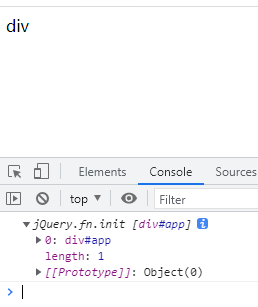
2、Ajax<!--html-css bootstrapJavaScript jqueryjquery 是一个JavaScript的库1、查询DOM2、Ajax--><div id="app">div</div><script>/* $ --> 找到 */var app = $("#app");console.log(app)</script>
2-2.jquery支持使用所有CSS选择器
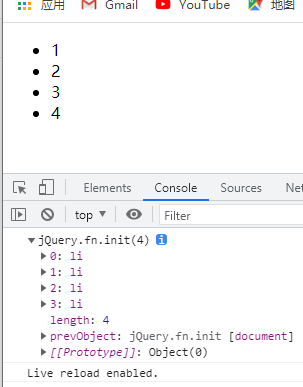
允许获取时使用所有CSS选择器<ul class="parent"><li>1</li><li>2</li><li>3</li><li>4</li></ul><script>/* jquery支持所有CSS选择器 */var lis = $(".parent li");console.log(lis)
2-3.jquery点击事件
<div id="app">div</div><script>$("#app").click(function(){$(this).html("change")})</script>

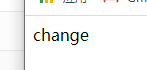
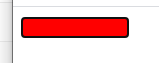
2-4.jquery-focus事件与blur事件
<input type="text" id="app"><script>$("#app").focus(function(){$(this).css({backgroundColor:"red",width:"100px"})})$("#app").blur(function(){$(this).css({backgroundColor:"yellow"})})</script>
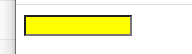
2-5.链式调用
jquery允许在单个获取后接着调用<input type="text" id="app"><script>$("#app").focus(function(){$(this).css({backgroundColor:"red",width:"100px"})}).blur(function(){$(this).css({backgroundColor:"yellow"})})</script>
2-6.消失效果
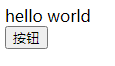
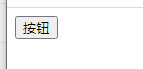
.hide() 隐藏
.show() 显示<div>hello world</div><button id="btn">按钮</button><script>$("#btn").click(function(){$("div").hide() //括号内可写数字设置隐藏时间})</script>
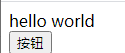
2-7.切换效果
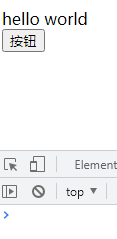
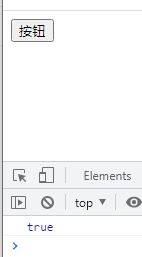
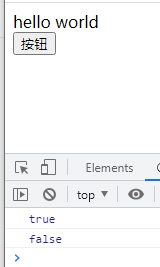
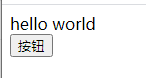
.is(“:visible”)<div>hello world</div><button id="btn">按钮</button><script>$("#btn").click(function(){/* 判断元素是否显示 *//* .is(":visible") 判断元素是否隐藏 */var isShow = $("div").is(":visible");console.log(isShow)if(isShow){$("div").hide(2000)}else{$("div").show(2000)}})</script>
2-8.toggle切换
.toggle 切换<div>hello world</div><button id="btn">按钮</button><script>$("#btn").click(function(){/* toggle:切换 融合hide和show方法 */$("div").toggle()})</script>
2-9.ready加载完毕
$(document).ready(function(){} —等待页面加载完毕再执行下面代码
==window.onload
tips:如果后面的js依赖于jquery,必须写在jquery后面// window.onload = function(){// $("div").click(function(){// console.log(1);// })// }$(document).ready(function(){/* 等待页面加载完毕再执行下面代码 */$("div").click(function(){console.log(1)})})
2-10.siblings()获取兄弟元素
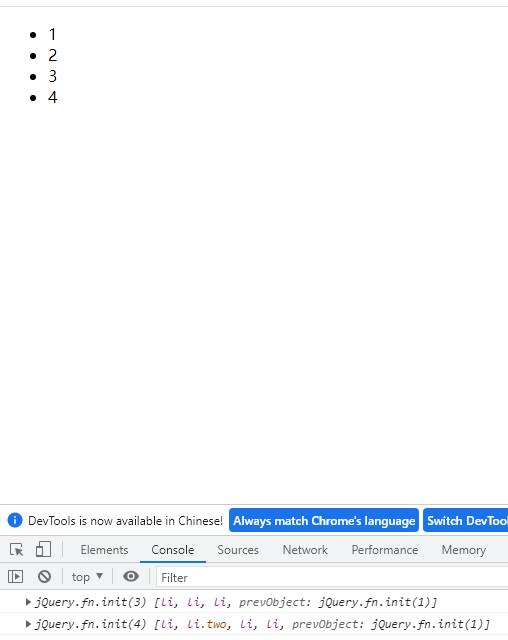
.siblings()获取所有兄弟元素<ul class="parent"><li>1</li><li class="two">2</li><li>3</li><li>4</li></ul><script>var siblings = $(".two").siblings();console.log(siblings);console.log($(".parent").children());</script>
2-11.获取指定位置的元素
.eq(index)
改变指定位置的元素,从0开始,如果是负数则从最后开始倒数<script>$('li').eq(2).css('background-color', 'red');</script>


若有收获,就点个赞吧
0 人点赞


