前言
实现一个简单版本的react-router, 揭秘路由的神秘面纱
思考
• 前端路由本质上是什么
• 前端路由里的一些坑和注意点
• hash路由和history路由的区别
• Router组件和Route组件分别做了什么
路由的本质
浏览器端的路由不是真实的网页跳转,和服务器没有任何交互,本质上就是对url进行监听,让某个dom节点显示对应的视图
路由的区别
路由的区别
一般来说,前端路由分为两种
1、hash 路由, 特征是url后面会有 # 号, 如 baidu.com/#foo/bar/baz
2、history 路由, url和普通路由没有差异。 如 baidu.com/foo/bar/baz
实际上只要搞清楚两种路由分别是如何改变,并且组件是如何完成视图的展示的
hash
通过location.hash = 'foo' 这样的语法来改变, 路径, 路径就会由baidu.com变成baidu.com/#foo
通过window.addEventListener('hashchange')这个事件监听到hash值的变化
- history
通过window.history.pushState(data, title, targetURL)
- @状态对象:传给目标路由的信息,可为空
- @页面标题:目前所有浏览器都不支持,填空字符串即可
- @可选url:目标url,不会检查url是否存在,且不能跨域。如不传该项,即给当前url添加data
通过history.pushState({}, '', 'foo'),可以让 baidu.com 变化为 baidu.com/foo
!坑
history路由的监听,浏览器虽然提供了window.addEventListener(‘popstate事件’),但是只能监听浏览器回退和前进产生的路由变化,对于主动的pushState却监听不到
基于history版本从零到1实现 react-mini-router
实现一个history
1、history.push
2、history.listen
利用观察者模式封装简单的listen API。让用户监听到history.push 产生的路径变化
// 参考 https://github.com/sl1673495/react-mini-routerlet listeners = [];function listen(fn){listeners.push(fn)}function push(to, state) {// 解析用户传入的 url// 调用原生 history 的方法改变路由window.history.pushState(state, '', to);// 执行用户传入的监听函数listeners.forEach(fn => fn(location));}// 用于处理浏览器前进后退操作window.addEventListener('popstate', () => {listeners.forEach(fn => fn(location));});history.listen = listenhistory.push = pushhistory.location = location
简单实现
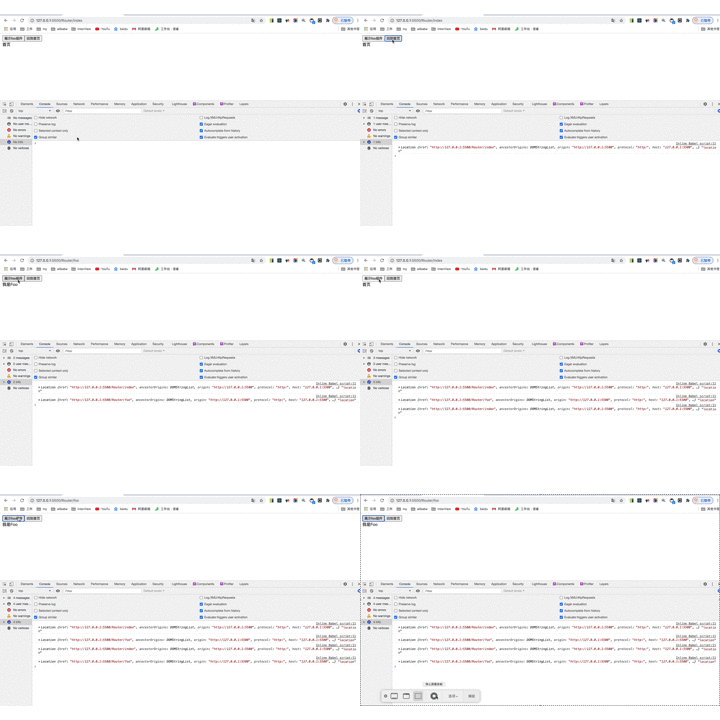
<!DOCTYPE html><html lang="en"><head><meta charset="UTF-8" /><meta name="viewport" content="width=device-width, initial-scale=1.0" /><title>React Router History</title></head><body><div id="app"><div></body><script src="https://unpkg.com/react@16/umd/react.production.min.js" crossorigin></script><script src="https://unpkg.com/react-dom@16/umd/react-dom.production.min.js" crossorigin></script><script src="https://unpkg.com/babel-standalone@6/babel.min.js"></script><script>// 参考 https://github.com/sl1673495/react-mini-routerlet listeners = [];function listen(fn){listeners.push(fn)}function push(to, state) {// 解析用户传入的 url// 调用原生 history 的方法改变路由window.history.pushState(state, '', to);// 执行用户传入的监听函数listeners.forEach(fn => fn(location));}// 用于处理浏览器前进后退操作window.addEventListener('popstate', () => {listeners.forEach(fn => fn(location));});history.listen = listenhistory.push = pushhistory.location = location</script><script type="text/babel">class App extends React.Component{constructor(props){super(props)this.state={showFoo: false}}componentDidMount(){history.listen(location => {console.log(location,'location');const {pathname} = location;if(pathname == '/Router/foo'){this.setState({showFoo: true})}else{this.setState({showFoo: false})}});}changeRouter(to){history.push(to, {});}render(){const {showFoo} = this.state;return(<div><button onClick={()=>{this.changeRouter('foo')}}>展示foo组件</button><button onClick={()=>{this.changeRouter('index')}}>回到首页</button>{!showFoo && <div>首页</div>}{showFoo && <div>我是Foo</div>}</div>)}}ReactDOM.render(<App/>,document.getElementById('app'));</script></html>
实现 Router
Router的核心原理就是通过Provider把location和history等路由关键信息传递给子组件,并切在路由发生变化的时候让子组件可以感知
const RouterContext = React.createContext(null)class Router extends React.Component{constructor(props){super(props)this.state={location: location}}componentDidMount(){history.listen(location => {this.setState({location})});}render(){const { location } = this.statereturn(<div><RouterContext.Provider value={{ history, location }}>{this.props.children}</RouterContext.Provider></div>)}}
实现 Route
Route 组件接受 path 和 children两个 prop ,本质上就决定了在某个路径下需要渲染什么组件,我们又可以通过 Router 的 Provider 传递下来的 location 信息拿到当前路径,所以这个组件需要做的就是判断当前的路径是否匹配,渲染对应组件
const Route = ({ path, children }) => {let {history,location} = React.useContext(RouterContext);let { pathname } = locationconsole.log(pathname,path,'iii');if(pathname === path){return children}return null};
实现 Link
Link 组件接受to和name两个参数,通过 Router 的 Provider 传递下来的 history 拿到当前的push方法,点击的时候去触发
const Link = ({name,to})=>{let {history} = React.useContext(RouterContext);function changeRouter(to){history.push(to, {});}return (<div><button onClick={()=>{changeRouter(to)}}>{name}</button></div>)}
完整代码
<!DOCTYPE html><html lang="en"><head><meta charset="UTF-8" /><meta name="viewport" content="width=device-width, initial-scale=1.0" /><title>React Router History</title></head><body><div id="app"><div></body><script src="https://unpkg.com/react@16/umd/react.production.min.js" crossorigin></script><script src="https://unpkg.com/react-dom@16/umd/react-dom.production.min.js" crossorigin></script><script src="https://unpkg.com/babel-standalone@6/babel.min.js"></script><script src="./history.js"></script><script type="text/babel">const RouterContext = React.createContext(null)class Router extends React.Component{constructor(props){super(props)this.state={location: location}}componentDidMount(){history.listen(location => {this.setState({location})});}render(){const { location } = this.statereturn(<div><RouterContext.Provider value={{ history, location }}>{this.props.children}</RouterContext.Provider></div>)}}const Route = ({ path, children }) => {let {history,location} = React.useContext(RouterContext);let { pathname } = locationconsole.log(pathname,path,'iii');if(pathname === path){return children}return null};const Link = ({name,to})=>{let {history} = React.useContext(RouterContext);function changeRouter(to){history.push(to, {});}return (<div><button onClick={()=>{changeRouter(to)}}>{name}</button></div>)}class App extends React.Component{constructor(props){super(props)}render(){return(<div><Router><Link to="/foo" name="展示foo组件"/><Link to="/index" name="回到首页"/><Route path="/index"><Index/></Route><Route path="/foo"><Foo/></Route></Router></div>)}}class Foo extends React.Component{render(){return <div>我是foo</div>}}class Index extends React.Component{render(){return <div>我是index1</div>}}ReactDOM.render(<App/>,document.getElementById('app'));</script></html>
参考
总结
react-router 前端路由本质上是通过地址栏的切换,展示隐藏页面上的dom元素, 前端路由一般分为两种,hash模式和history模式, hash模式可以通过location.hash 切换,通过浏览器的hashchange进行事件监听, history模式可以通过history.pushState({},’’,’foo’) 切换地址, 通过浏览器的popstate事件监听(这里需要注意的坑是popstate只能监听到浏览器前进后退事件不能监听到history.pushState的切换,需要通过观察者模式来注册回调的方式进行监听)

若有收获,就点个赞吧
0 人点赞


