1. 查看文章页面
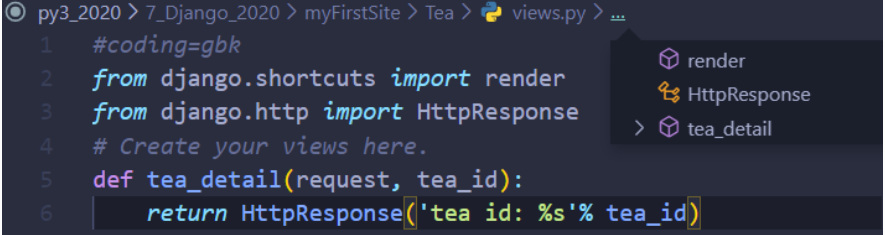
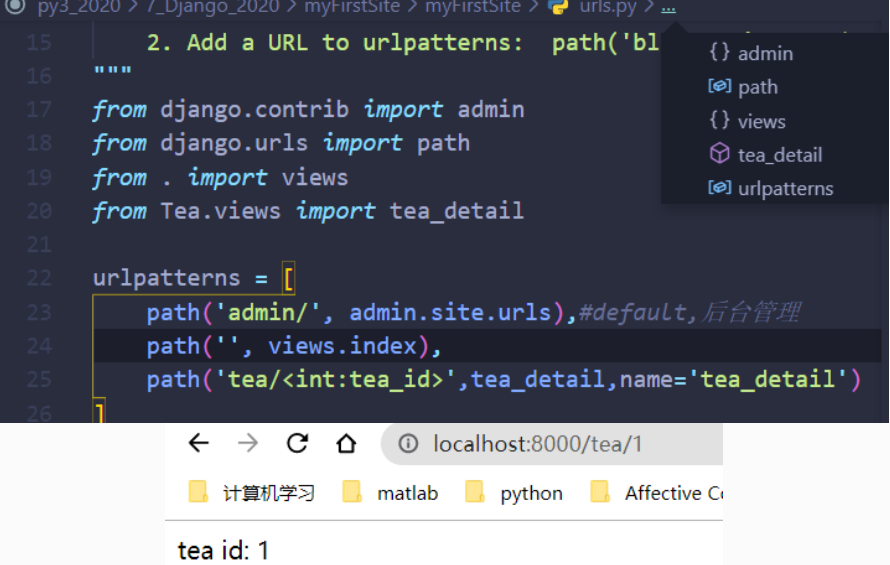
1.1 如何通过一个处理方法获取 <文章唯一标识>
2. objects
模型的objects是获取或操作模型的对象
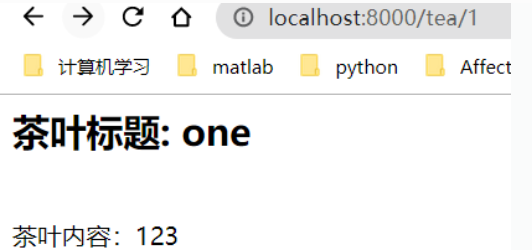
from django.shortcuts import renderfrom django.http import HttpResponsefrom .models import firstTea#create your views heredef tea_details(request, tea_id):tea = firstTea.objects.get(id=tea_id)return HttpResponse('<h2>茶叶标题: %s </h2><br> 茶叶内容:%s ' % (tea.title,tea.content))
如果遇到Class has no objects menber报错
解决方法step1:pip install pylint-djangostep2:ctrl+shift+p > preferences: configure language sepcific settings >pythonstep3:{"python.linting.pylintArgs": ["--load-plugins=pylint_django"],"[python]": {}}
若在vscode中显示导入包错误Unable to import ‘xxx’ pylint(import-error)
解决方法:
    vscode静态分析,是不能导入public下模块的,但是代码运行起来之后,导入又是正确的,因此vscode的这个提示是有问题的,而且红色标注了,对强迫症的我们非常难受。下面就来看下如何去掉这个红色的提示

    在vscode中点击文件->首选项->设置,在搜索框中输入:pylintArgs。在搜索的结果Python>Linting:Pylint Args中点击“添加项”,分别添加—errors-only及—disable=E0401,保存,退出设置,重启vscode,上述的错误提示就没有了。
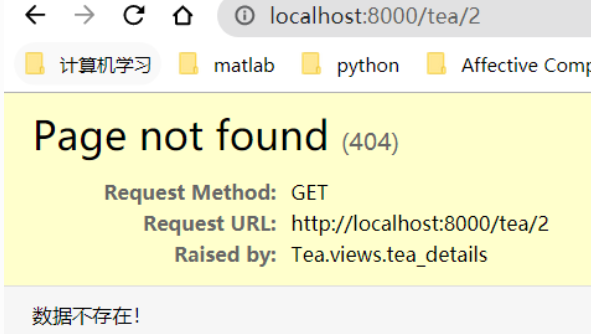
如果输入2遇到报错。是因为在后台中目前只有一条数据,但客户端在客户手里,需要判断是否存在数据范围异常。
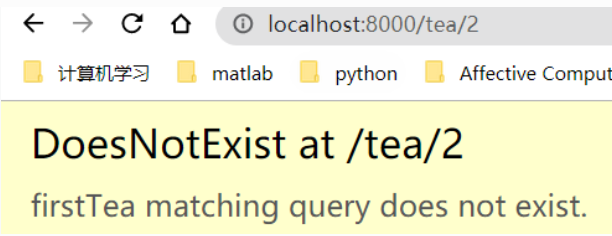
判断异常
    from django.http import HttpResponse,Http404

    try:
        tea = firstTea.objects.get(id=tea_id)
    except firstTea.DoesNotExist:
        # return HttpResponse("不存在此条数据")
        raise Http404('数据不存在!')
3. 使用模板
前端页面和后端代码分离 减轻耦合性
在应用文件夹中创建文件夹templates。其规定在project的settings中。
TEMPLATES = [
    {
        'BACKEND': 'django.template.backends.django.DjangoTemplates',
        'DIRS': [],
        'APP_DIRS': True,#能读取到templates中模板文件
        'OPTIONS': {
            'context_processors': [
                'django.template.context_processors.debug',
                'django.template.context_processors.request',
                'django.contrib.auth.context_processors.auth',
                'django.contrib.messages.context_processors.messages',
            ],
        },
    },
]
在templates下创建html文件,这里我命名为tea_details.html
<html>
    <head></head>
    <body>
        <h2>{{tea_obj.title}}</h2>
        <!-- <hr>=line -->
        <hr>
        <p>{{tea_obj.content}}</p>
    </body>
</html>
在views.py中调用,使前后端分离
#该方法更简洁
#get_object_or_404成功便访问,否则抛出异常
from django.shortcuts import render,get_object_or_404
from .models import firstTea

def tea_details(request, tea_id):
    tea = get_object_or_404(firstTea, pk=tea_id)
    context = {}
    context['tea_obj'] = tea
    return render(request,"tea_details.html",context)
#也可使用如下
from django.http import HttpResponse,Http404
def tea_details(request, tea_id):
    try:
        tea = firstTea.objects.get(id=tea_id)
        context = {}
        context['tea_obj'] = tea
        return render(request,"tea_details.html",context)
    except firstTea.DoesNotExist:
        # return HttpResponse("不存在此条数据")
        raise Http404('数据不存在!')
    # return HttpResponse('<h2>茶叶标题: %s </h2><br> 茶叶内容:%s ' % (tea.title,tea.content))
4. 获取文章列表
                        |-tea1
                tea list--|-tea2
                        |-tea3
在应用tea目录下的views.py中添加文章列表函数
def tea_list(request):
    teas = firstTea.objects.all()
    context = {}
    context['teas'] = teas
    return render(request,'tea_list.html',context)
在应用tea目录下的templates新建tea_list.html
<html>
    <head></head>
    <body>
        {% for t in teas %}
        <!-- <a href="/tea/{{t.pk}}">{{t.title}}</tea></a> -->
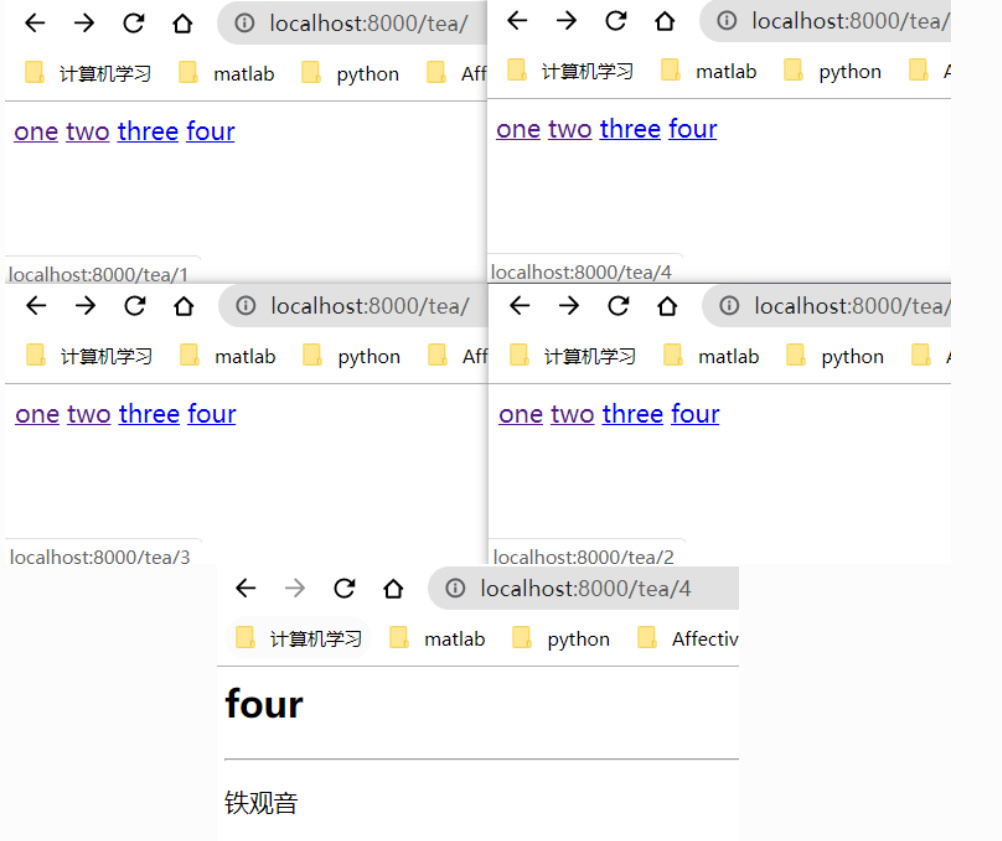
        <a href="{% url 'tea_details' t.pk%}">{{t.title}}</tea></a>
        {% endfor %}
    </body>

</html>
在主项目的urls.py中添加
from Tea.views import tea_list

    path('tea/',tea_list,name='tea_list'),
5. 路由 urls
总路由urls.py包括app的urls
            |- app1 urls
项目总urls--|- app2 urls
            |- app3 urls
可以从项目总urls中提取app urls放到app目录下方便管理
对项目urls修改
    from django.contrib import admin
    from django.urls import path,include
    from . import views
    # from Tea.views import tea_details,tea_list

    urlpatterns = [
        path('admin/', admin.site.urls),#default,后台管理
        path('', views.index),
        path('tea/',include('Tea.urls'))#注意app名称大小写
        #name=别名
        # path('tea/<int:tea_id>', tea_details, name = 'tea_details'),
        # path('tea/',tea_list,name='tea_list'),
]
在app目录下新建urls.py
    from django.contrib import admin
    from django.urls import path
    from . import views

    urlpatterns = [
        #localhost:8000/tea/1
        path('tea/<int:tea_id>', views.tea_details, name='tea_details'),
        #localhost:8000/tea
        path('', views.tea_list, name='tea_list'),
    ]

若有收获,就点个赞吧
0 人点赞


