一、SpringBoot 打包添加外部依赖
<configuration><includeSystemScope>true</includeSystemScope></configuration>
项目如果依赖了本地jar包,需要打包部署 jar。
maven打包插件中加入下面:
<build><plugins><plugin><groupId>org.springframework.boot</groupId><artifactId>spring-boot-maven-plugin</artifactId><configuration><includeSystemScope>true</includeSystemScope></configuration></plugin></plugins></build>
二、spring boot 打包
添加打包插件
<plugins><plugin><groupId>org.springframework.boot</groupId><artifactId>spring-boot-maven-plugin</artifactId></plugin></plugins>
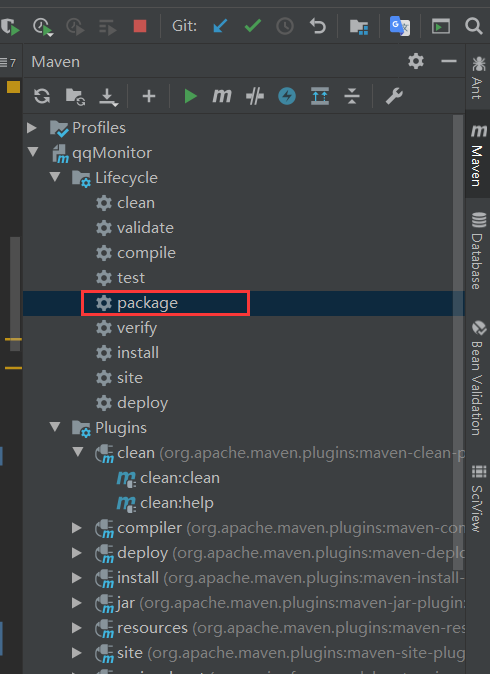
双击下面这个,
等待完成
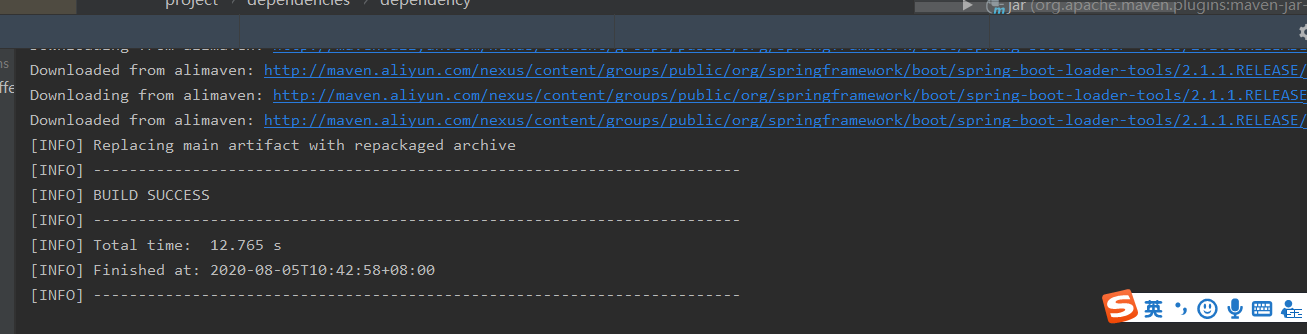
打包路径:D:**\qqMonitor\target\qqMonitor-2.1.1.RELEASE.jar
导入本地依赖,莫名的出现红色;
添加到classpath;
自动添加选择添加到classpath;

若有收获,就点个赞吧
0 人点赞


