信息搜集
msf模块
- 获取目标机器的分区情况:post/windwos/gather/forensics/enum_drives
- 判断是否为虚拟机:post/windows/gather/checkvm
- 开启哪些服务:post/windows/gather/enum_services
- 安装了那些应用:post/windows/gather/enum_applications
- 查看共享:post/windows/gather/enum_shares
- 获取主机最近的系统操作:post/windows/gather/dumplinks
- 查看补丁:post/windows/gather/enum_applications
- scraper脚本
使用 run scraper 后等待片刻
即可生成信息,进入 ~/.msf4/logs/scripts/scraper/ 就能看到生成的信息
- Winenum脚本
输入 run winenum ,等到生成,在 /root/.msf4/logs/scripts/winenum/ 下得到生成内容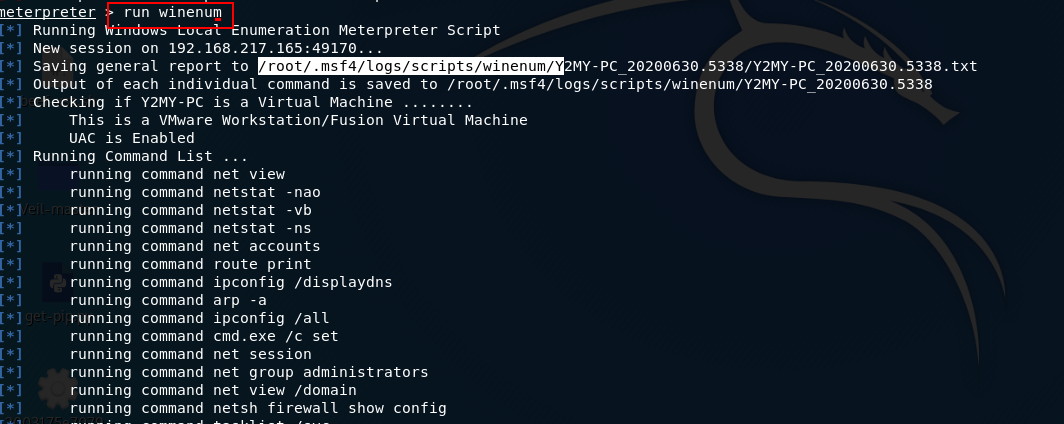
数据包捕获
抓包
- 加载sniffer:load sniffer
- 查看网卡信息:sniffer_interface
- 开启监听:sniffer_start 1
- 导出数据包:sniffer_dump 1 1.cap
解包
- auxiliary/sniffer/psnuffle

若有收获,就点个赞吧
0 人点赞


