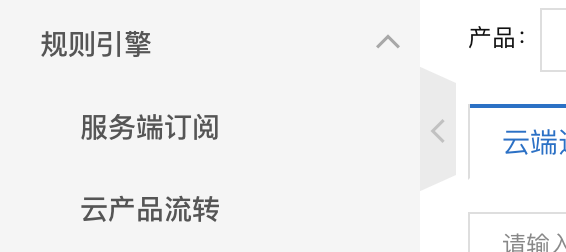
你看阿里云把“服务端订阅”和“云产品流转”都划分在”规则引擎“这个业务下面,证明两者属于同意类型的业务场景。
比如你只有阿里云物联网产品没有其他云产品无法做云产品流转,但是于此同时你又需要获取这些上报的数据你会怎么办?那这就是“服务端订阅”。https://help.aliyun.com/document_detail/89225.html
1-创建消费组

2-创建订阅

3-服务端开发
https://help.aliyun.com/document_detail/175270.html
# encoding=utf-8import timeimport sysimport hashlibimport hmacimport base64import stompimport sslimport scheduleimport threadingdef connect_and_subscribe(conn):accessKey = " "accessSecret = " "consumerGroupId = " "# iotInstanceId:实例ID。iotInstanceId = " "clientId = "12345678"#这个客户端id自定义# 签名方法:支持hmacmd5,hmacsha1和hmacsha256。signMethod = "hmacsha1"timestamp = current_time_millis()# userName组装方法,请参见AMQP客户端接入说明文档。# 若使用二进制传输,则userName需要添加encode=base64参数,服务端会将消息体base64编码后再推送。具体添加方法请参见下一章节“二进制消息体说明”。username = clientId + "|authMode=aksign" + ",signMethod=" + signMethod \+ ",timestamp=" + timestamp + ",authId=" + accessKey \+ ",iotInstanceId=" + iotInstanceId \+ ",consumerGroupId=" + consumerGroupId + "|"signContent = "authId=" + accessKey + "×tamp=" + timestamp# 计算签名,password组装方法,请参见AMQP客户端接入说明文档。password = do_sign(accessSecret.encode("utf-8"), signContent.encode("utf-8"))conn.set_listener('', MyListener(conn))conn.connect(username, password, wait=True)# 清除历史连接检查任务,新建连接检查任务schedule.clear('conn-check')schedule.every(1).seconds.do(do_check, conn).tag('conn-check')class MyListener(stomp.ConnectionListener):def __init__(self, conn):self.conn = conndef on_error(self, frame):print('received an error "%s"' % frame.body)def on_message(self, frame):print('received a message "%s"' % frame.body)def on_heartbeat_timeout(self):print('on_heartbeat_timeout')def on_connected(self, headers):print("successfully connected")conn.subscribe(destination='/topic/#', id=1, ack='auto')print("successfully subscribe")def on_disconnected(self):print('disconnected')connect_and_subscribe(self.conn)def current_time_millis():return str(int(round(time.time() * 1000)))def do_sign(secret, sign_content):m = hmac.new(secret, sign_content, digestmod=hashlib.sha1)return base64.b64encode(m.digest()).decode("utf-8")# 检查连接,如果未连接则重新建连def do_check(conn):print('check connection, is_connected: %s', conn.is_connected())if (not conn.is_connected()):try:connect_and_subscribe(conn)except Exception as e:print('disconnected, ', e)# 定时任务方法,检查连接状态def connection_check_timer():while 1:schedule.run_pending()time.sleep(10)# 接入域名,请参见AMQP客户端接入说明文档。这里直接填入域名,不需要带amqps://前缀conn = stomp.Connection([('xxxx.amqp.iothub.aliyuncs.com', 61614)])conn.set_ssl(for_hosts=[('xxxx.amqp.iothub.aliyuncs.com', 61614)], ssl_version=ssl.PROTOCOL_TLS)try:connect_and_subscribe(conn)except Exception as e:print('connecting failed')raise e# 异步线程运行定时任务,检查连接状态thread = threading.Thread(target=connection_check_timer)thread.start()
4-mqtt.fx模拟设备上报

5-日志查看
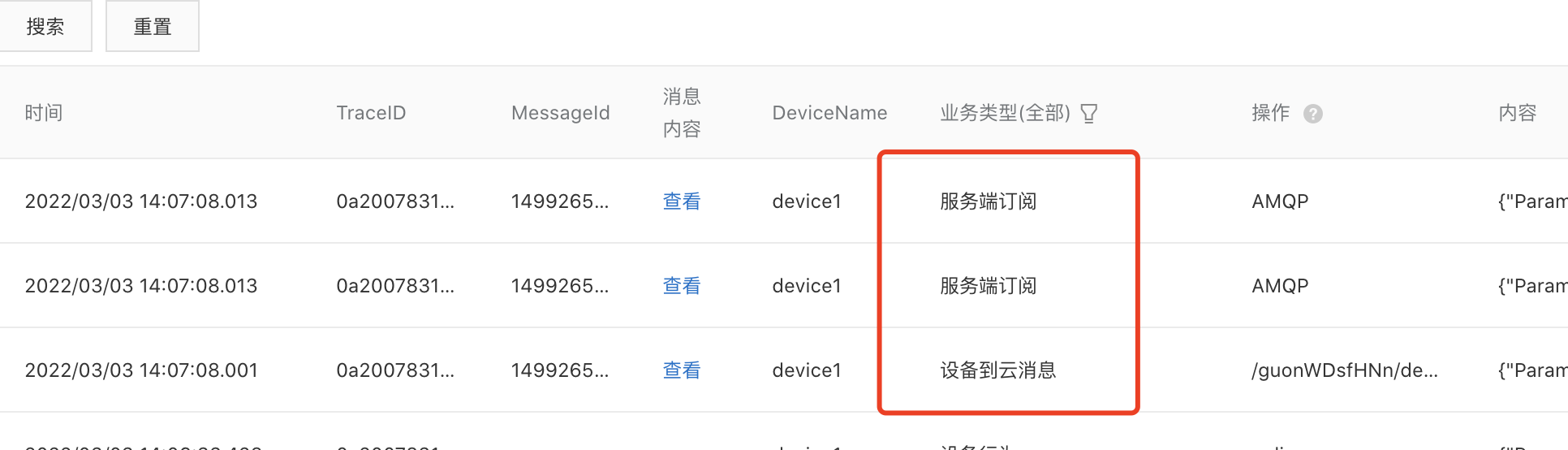
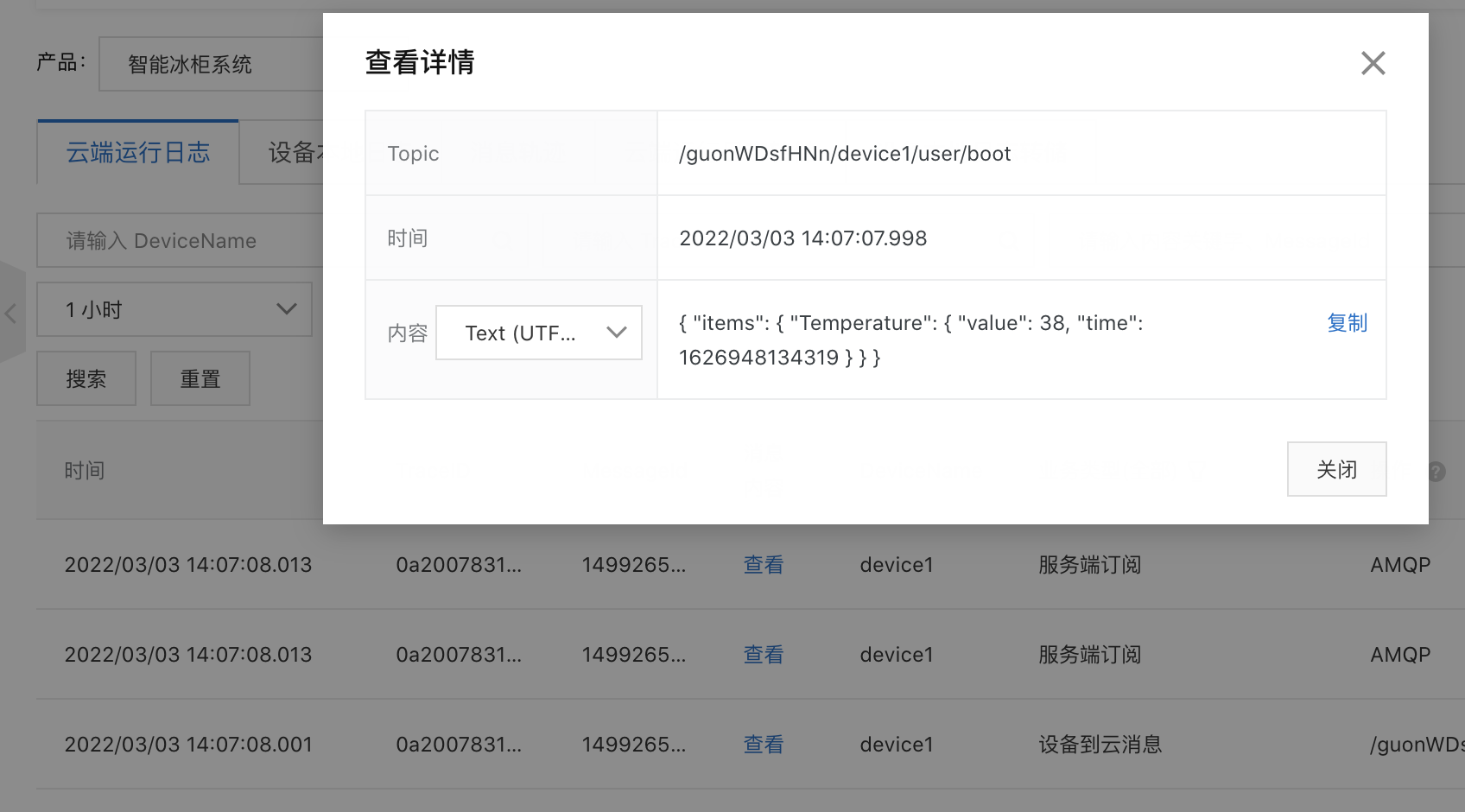

6-云产品流转实现amqp
在云产品流转的时候也可以选择流转到服务端订阅,感觉这种方式可以可无,非要说的话可以用云产品流转的数据脚本解析的功能等。


若有收获,就点个赞吧
0 人点赞


