数据采集
根据实验17
查看爬取结果
[hfut@master ~]$ cd tmp[hfut@master tmp]$ ls
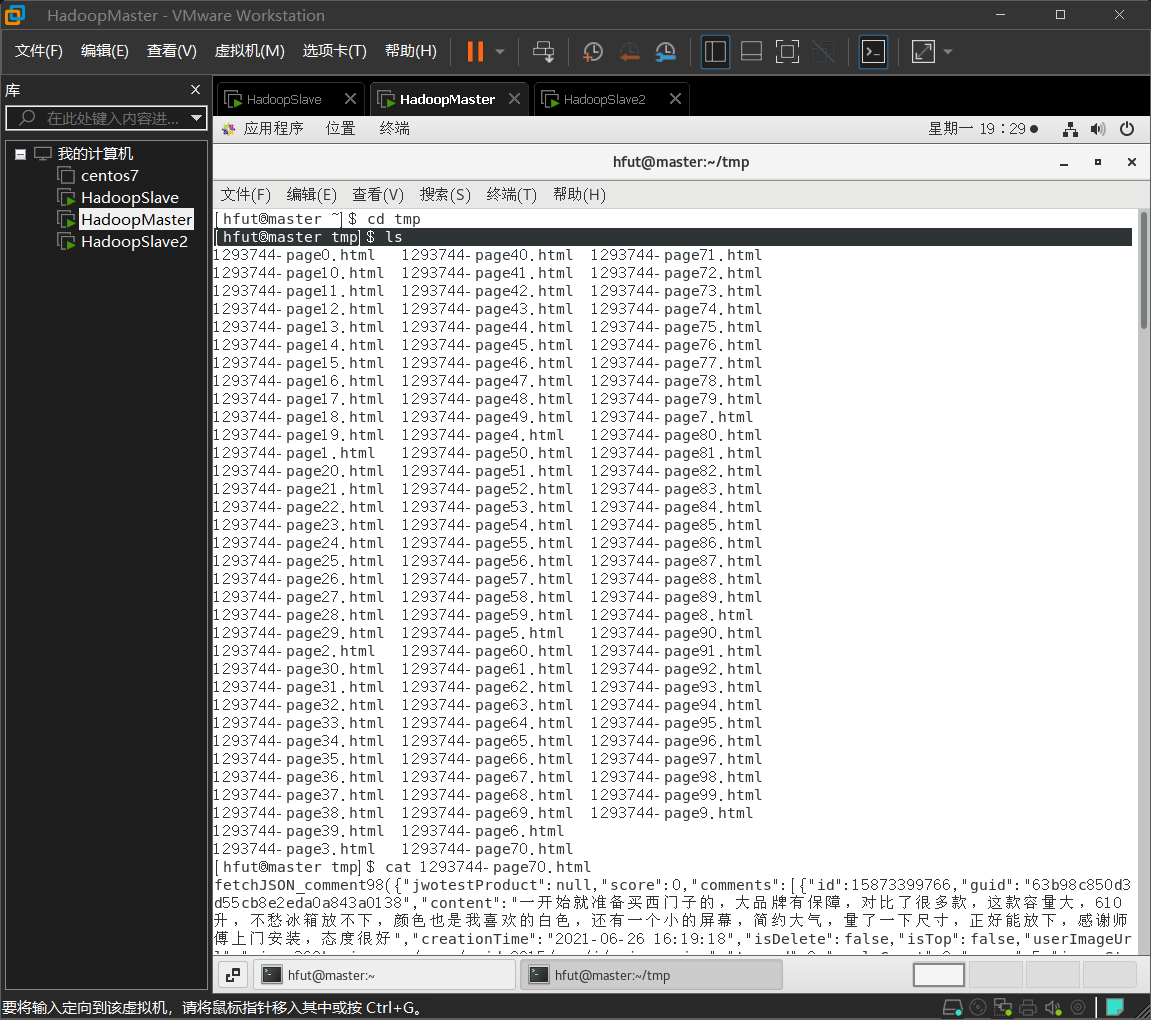
可见已经正确爬取数据,对其中一个文件进行查看
[hfut@master tmp]$ cat 1293744-page70.html
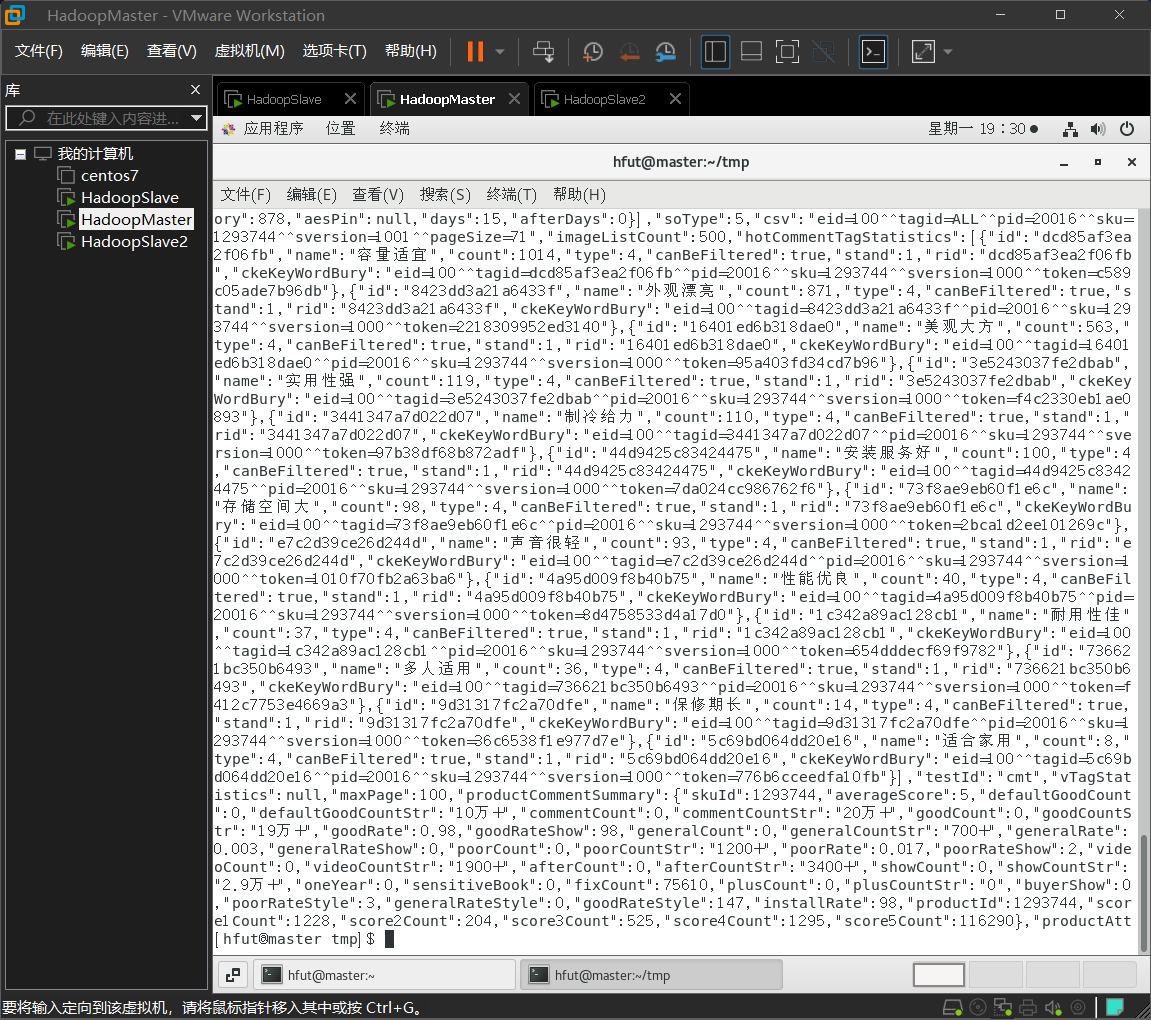
可见数据需要清洗处理。
package my.webcollector;import java.io.*;import okhttp3.Request;import cn.edu.hfut.dmic.webcollector.model.CrawlDatum;import cn.edu.hfut.dmic.webcollector.model.CrawlDatums;import cn.edu.hfut.dmic.webcollector.model.Page;import cn.edu.hfut.dmic.webcollector.plugin.berkeley.BreadthCrawler;import cn.edu.hfut.dmic.webcollector.plugin.net.OkHttpRequester;public class JDCommentCrawler extends BreadthCrawler {public JDCommentCrawler(String crawlPath) {// 第二个参数表示不需要自动探测URLsuper(crawlPath, false);// 设置线程数为1setThreads(1);// 添加种子(评论API对应的URL,这里翻页10次)for (int pageIndex = 0; pageIndex < 100; pageIndex++) {String seedUrl = String.format("https://club.jd.com/comment/productPageComments.action?callback=fetchJSON_comment98&productId=1293744&score=0&sortType=5&page=%d&pageSize=10&isShadowSku=0&fold=1",pageIndex);// 在添加种子的同时,记录对应的页号addSeedAndReturn(seedUrl).meta("pageIndex", pageIndex);}}@Overridepublic void visit(Page page, CrawlDatums crawlDatums) {// 模拟人访问网页的速度try {Thread.sleep(3000);} catch (InterruptedException e) {e.printStackTrace();}// 获取之前保存的页号信息int pageIndex = page.metaAsInt("pageIndex");String body = page.html();// 保存当前访问的productPageComments页面信息JDCommentCrawler.createFile(body, "/home/hfut/tmp/1293744-page"+ pageIndex + ".html");}/*** 将字符串保存到文件*/public static boolean createFile(String content, String filePath) {// 标记文件生成是否成功boolean flag = true;try {// 保证创建一个新文件File file = new File(filePath);if (!file.getParentFile().exists()) { // 如果父目录不存在,创建父目录file.getParentFile().mkdirs();}if (file.exists()) { // 如果已存在,删除旧文件file.delete();}file.createNewFile();// 将格式化后的字符串写入文件Writer write = new OutputStreamWriter(new FileOutputStream(file),"UTF-8");write.write(content);write.flush();write.close();} catch (Exception e) {flag = false;e.printStackTrace();}return flag;}/*** 模拟普通用户使用浏览器访问*/public static class MyRequester extends OkHttpRequester {String userAgent = "Mozilla/5.0 (Windows NT 10.0; Win64; x64; rv:99.0) Gecko/20100101 Firefox/99.0";// 每次发送请求前都会执行这个方法来构建请求@Overridepublic Request.Builder createRequestBuilder(CrawlDatum crawlDatum) {// 这里使用的是OkHttp中的Request.Builder// 可以参考OkHttp的文档来修改请求头return super.createRequestBuilder(crawlDatum).removeHeader("User-Agent") //移除默认的UserAgent.addHeader("Referer", "https://item.jd.com/").addHeader("User-Agent", userAgent);}}public static void main(String[] args) throws Exception {// 实例化一个评论爬虫,并设置临时文件夹为crawlJDCommentCrawler crawler = new JDCommentCrawler("crawl");// 抓取1层crawler.start(1);}}
comments中一条评论的结构:
"id": 11079346347,"topped": 0,"guid": "e6cf6af4-7872-438f-a05a-7c08fc45a99d","content": "发货很迅速,第二天下午就很快收到了。手机用着还好,中规中矩,国货中性价比是不错了。很喜欢。外壳膜配件不是很好配,毕竟小众。希望能够用得久些。期待中。电池个人感觉一般。其他暂时感觉正常,是一款性价比较高的手机。", //评论内容 √"creationTime": "2017-12-17 02:25:02", //写评论的时间 √"isTop": false, //是否置顶"referenceId": "4432058","referenceImage": "jfs/t5527/223/1660932474/149818/343ed1d7/59130e4cNa6d07fe0.jpg","referenceName": "锤子 坚果Pro 128GB 细红线特别版 全网通 移动联通电信4G手机 双卡双待","referenceTime": "2017-12-07 04:17:50", //收货时间 √"referenceType": "Product","referenceTypeId": 0,"firstCategory": 9987, //第一分类 √"secondCategory": 653, //第二分类 √"thirdCategory": 655, //第三分类 √"replies": [ ],"replyCount": 15,"replyCount2": 0,"score": 5, //打分 √"status": 1,"title": "","usefulVoteCount": 48,"uselessVoteCount": 0,"userImage": "storage.360buyimg.com/i.imageUpload/776471664757787153445a68535731343232373835363632353035_sma.jpg","userImageUrl": "storage.360buyimg.com/i.imageUpload/776471664757787153445a68535731343232373835363632353035_sma.jpg","userLevelId": "105","userProvince": "","viewCount": 0,"orderId": 0,"isReplyGrade": false,"nickname": "九***女", //昵称 √"userClient": 4,"images": [],"videos": [],"showOrderComment": {},"mergeOrderStatus": 2,"discussionId": 302057364,"productColor": "细红线特别版","productSize": "128GB","imageCount": 8,"integral": -20,"userImgFlag": 1,"anonymousFlag": 1,"userLevelName": "钻石会员", //会员级别 √"plusAvailable": 103,"productSales": [],"mobileVersion": "","userLevelColor": "#666666","recommend": true,"userClientShow": "来自京东Android客户端", //评论设备"isMobile": true, //是否移动端"days": 10, //评论时间距【收货/下单】时间多长时间"afterDays": 0
数据清洗
根据实验18-数据清洗,可将爬取的数据清晰,获取有用的数据-评价。
数据清洗是对数据进行重新审查和校验的过程,目的在于删除重复信息、纠正存在的错误,并提供数据一致性。
数据清洗从名字上也看的出就是把“脏”的“洗掉”,指发现并纠正数据文件中可识别的错误的最后一道程序,包括检查数据一致性,处理无效值和缺失值等。因为数据仓库中的数据是面向某一主题的数据的集合,这些数据从多个业务系统中抽取而来而且包含历史数据,这样就避免不了有的数据是错误数据、有的数据相互之间有冲突,这些错误的或有冲突的数据显然是我们不想要的,称为“脏数据”。我们要按照一定的规则把“脏数据”“洗掉”,这就是数据清洗。而数据清洗的任务是过滤那些不符合要求的数据,将过滤的结果交给业务主管部门,确认是否过滤掉还是由业务单位修正之后再进行抽取。不符合要求的数据主要是有不完整的数据、错误的数据、重复的数据三大类。数据清洗是与问卷审核不同,录入后的数据清洗一般是由计算机而不是人工完成。

为了之后的分词的需要,数据清洗结果只保留评论结果,故将数据清洗的代码修改如下。
import java.io.IOException;import org.apache.hadoop.fs.Path;import org.apache.hadoop.io.Text;import org.apache.hadoop.mapreduce.Job;import org.apache.hadoop.mapreduce.Mapper;import org.apache.hadoop.mapreduce.lib.input.FileInputFormat;import org.apache.hadoop.mapreduce.lib.output.FileOutputFormat;import com.alibaba.fastjson.JSONArray;import com.alibaba.fastjson.JSONObject;public class MRDataClean4JDCommets2 {public static void main(String[] args) throws IOException,ClassNotFoundException, InterruptedException {Job job = Job.getInstance();job.setJobName("MRDataClean4JDCommets");job.setJarByClass(MRDataClean4JDCommets.class);job.setMapperClass(doMapper.class);// job.setReducerClass(doReducer.class);job.setOutputKeyClass(Text.class);job.setOutputValueClass(Text.class);Path in = new Path("hdfs://master:9000/MRDataClean/in");Path out = new Path("hdfs://master:9000/MRDataClean/out/3");FileInputFormat.addInputPath(job, in);FileOutputFormat.setOutputPath(job, out);System.exit(job.waitForCompletion(true) ? 0 : 1);}public static class doMapper extends Mapper<Object, Text, Text, Text> {@Overrideprotected void map(Object key, Text value, Context context)throws IOException, InterruptedException {String initJsonString = value.toString();JSONObject initJson = JSONObject.parseObject(initJsonString );if (!initJsonString.contains("productCommentSummary") && !initJsonString.contains("comments")) {return;}JSONObject myjson = initJson.getJSONObject("ten");/* comments 包括十条评论 */JSONArray comments = myjson.getJSONArray("comments");for (int i = 0; i < comments.size(); i++) {JSONObject comment = comments.getJSONObject(i);// String guid = comment.getString("guid");String content = comment.getString("content").replace('\n', ' ');StringBuilder sb = new StringBuilder();sb.append( content ); sb.append("\t");String result = sb.toString();context.write(new Text(result), new Text(""));}}}}
查看清洗后的数据
创建/DataClean/目录并切换目录到/DataClean/下。在命令行界面,输入脚本,查看hdfs上/MRDataClean/out是否有内容输出
[hfut@master ~]$ mkdir /home/hfut/DataClean[hfut@master ~]$ cd /home/hfut/DataClean[hfut@master DataClean]$ hadoop fs -lsr /MRDataClean/out
将hdfs输出内容,下载到linux本地
[hfut@master DataClean]$ hadoop fs -get /MRDataClean/out/2/*
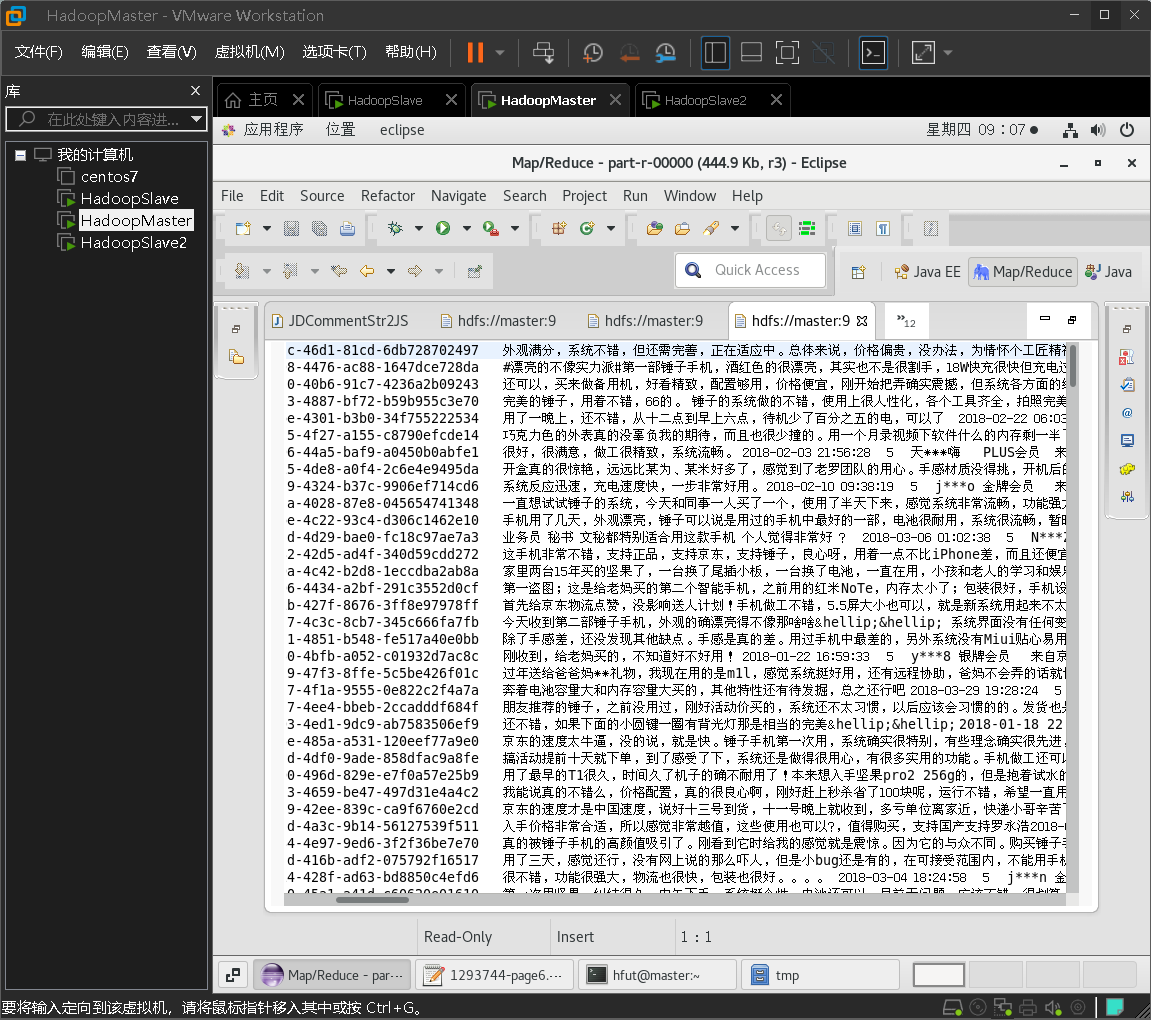
可以查看数据清洗后只剩下评论,可以作为下一步分词中的输入。

分词
将获得的评论按行分词输出到一个文件中,为下一步的统计词频做铺垫。
根据实验19-文本分词为基础进行改进。
通过数据的清洗,我们可以得到结构比较清晰的文档,这一步需要对文本进行分词。
中文分词指的是将一个汉字序列切分成一个一个单独的词。分词就是将连续的字序列按照一定的规范重新组合成词序列的过程。我们知道,在英文的行文中,单词之间是以空格作为自然分界符的,而中文只是字、句和段能通过明显的分界符来简单划界,唯独词没有一个形式上的分界符,虽然英文也同样存在短语的划分问题,不过在词这一层上,中文比之英文要复杂的多、困难的多。
使用IKAnalyzer进行分词,由于实验19中已经为了便于在MapReduce、Spark中调用分词,将分词的方法序列化,可以直接修改IKAnalyzerTest2 .java,按行读取进行分词。
具体的修改为:
- 修改输入输出路径
FileSystem fs = FileSystem.get(conf);Path file = new Path("/MRDataClean/out/3/part-r-00000");//input fileFSDataInputStream getIt = fs.open(file);BufferedReader d = new BufferedReader(new InputStreamReader(getIt));// String content = d.readLine(); // 读取文件一行// System.out.println(content);String str = null;String filename = "/MRDataClean/out/3/test.txt";FSDataOutputStream os = fs.create(new Path(filename));
修改读取方式,按行读取
while((str = d.readLine()) != null){String resulte = IKAnalyzerTest2.splitWords(str);System.out.println(str);try {// Configuration conf = new Configuration();// conf.set("fs.defaultFS", "hdfs://master:9000");// conf.set("fs.hdfs.impl",// "org.apache.hadoop.hdfs.DistributedFileSystem");// FileSystem fs = FileSystem.get(conf);byte[] buff = resulte.getBytes();// String filename = "/MRDataClean/out/3/test.txt";// FSDataOutputStream os = fs.create(new Path(filename));os.write(buff, 0, buff.length);// System.out.println("Create:" + filename);// os.close();// fs.close();} catch (Exception e) {e.printStackTrace();}}
- 修改输出格式,换行输出
while (tokenStream.incrementToken()) {CharTermAttribute charTermAttribute = tokenStream.getAttribute(CharTermAttribute.class);//System.out.print(charTermAttribute.toString() + "|");sb.append(charTermAttribute.toString());sb.append("\n");}
修改完成后:
private static final long serialVersionUID = 1L;public static void main(String[] args) throws IOException {try {Configuration conf = new Configuration();conf.set("fs.defaultFS", "hdfs://master:9000");conf.set("fs.hdfs.impl","org.apache.hadoop.hdfs.DistributedFileSystem");FileSystem fs = FileSystem.get(conf);Path file = new Path("/MRDataClean/out/3/part-r-00000");//input fileFSDataInputStream getIt = fs.open(file);BufferedReader d = new BufferedReader(new InputStreamReader(getIt));// String content = d.readLine(); // 读取文件一行// System.out.println(content);String str = null;String filename = "/MRDataClean/out/3/test.txt";FSDataOutputStream os = fs.create(new Path(filename));while((str = d.readLine()) != null){String resulte = IKAnalyzerTest2.splitWords(str);System.out.println(str);try {byte[] buff = resulte.getBytes();// String filename = "/MRDataClean/out/3/test.txt";// FSDataOutputStream os = fs.create(new Path(filename));os.write(buff, 0, buff.length);} catch (Exception e) {e.printStackTrace();}}os.close();d.close(); // 关闭文件fs.close(); // 关闭hdfs} catch (Exception e) {e.printStackTrace();}//这是分词的接口,line输入,然后public static String splitWords(String line){String result = "";IKAnalyzer analyzer = new IKAnalyzer(true);try {TokenStream tokenStream = analyzer.tokenStream("content", new StringReader(line));tokenStream.addAttribute(CharTermAttribute.class);StringBuilder sb = new StringBuilder();while (tokenStream.incrementToken()) {CharTermAttribute charTermAttribute = tokenStream.getAttribute(CharTermAttribute.class);//System.out.print(charTermAttribute.toString() + "|");sb.append(charTermAttribute.toString());sb.append("\n");}result = sb.toString();} catch (Exception e) {System.err.println(e.getMessage());}analyzer.close();return result;}}
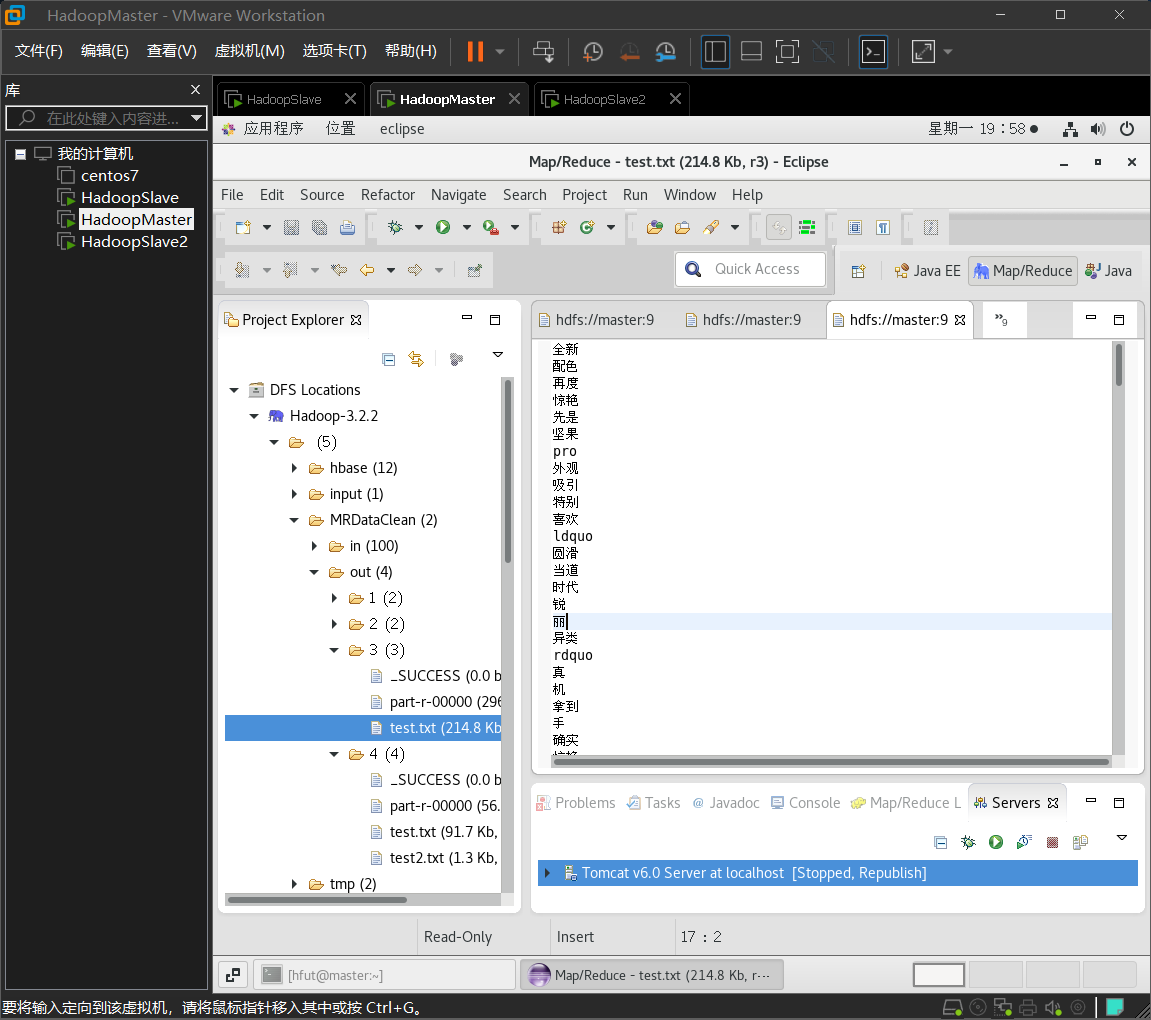
查看结果:
统计词频
根据上一步得到的分词后的结果,对其进行统计词频。
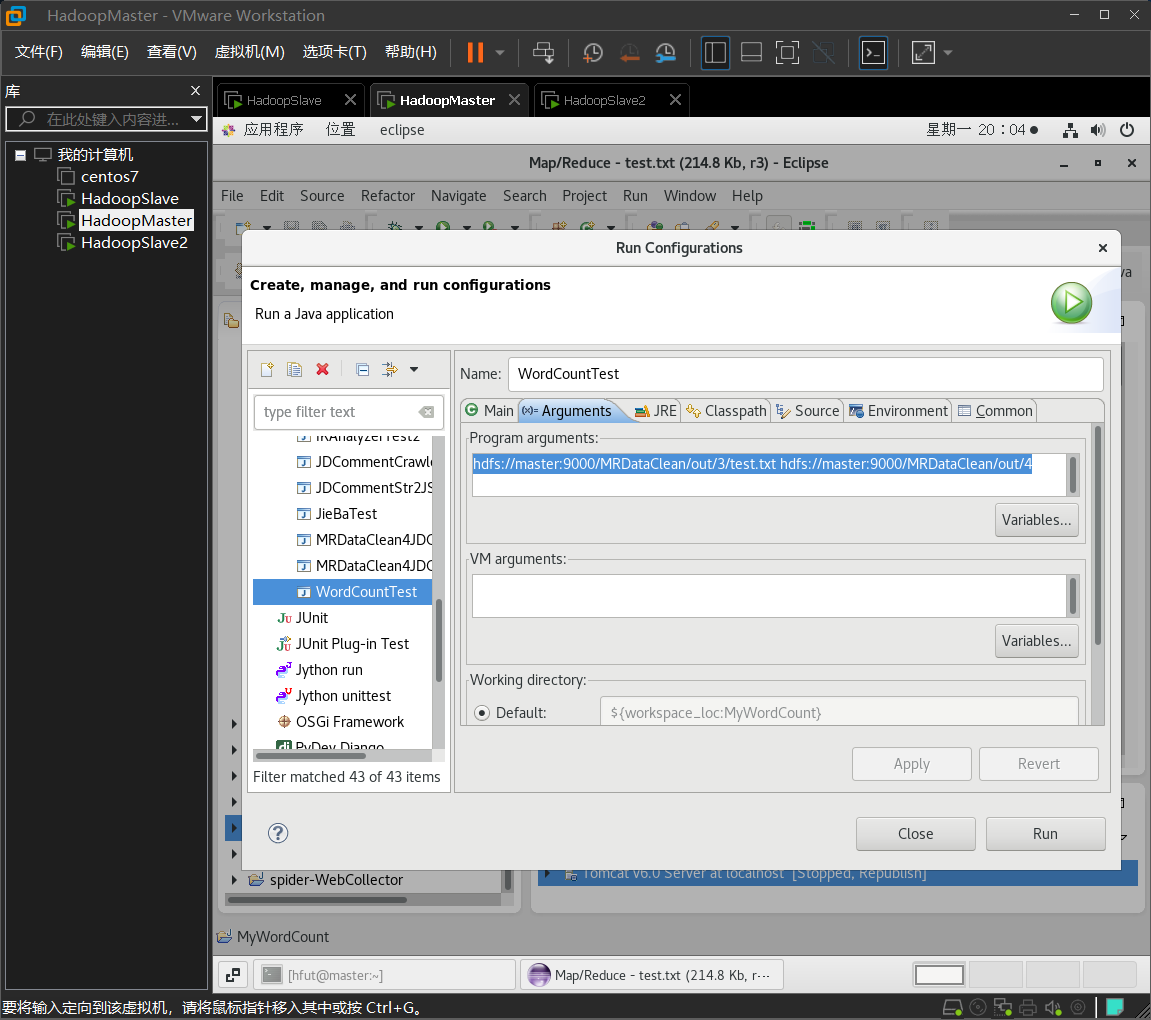
修改之前实验wordcount中的输入和输出地址。
修改为:
hdfs://master:9000/MRDataClean/out/3/test.txt hdfs://master:9000/MRDataClean/out/4
编写代码:
import java.io.IOException;import java.util.Iterator;import java.util.StringTokenizer;import org.apache.hadoop.conf.Configuration;import org.apache.hadoop.fs.Path;import org.apache.hadoop.io.IntWritable;import org.apache.hadoop.io.Text;import org.apache.hadoop.mapreduce.Job;import org.apache.hadoop.mapreduce.Mapper;import org.apache.hadoop.mapreduce.Reducer;import org.apache.hadoop.mapreduce.lib.input.FileInputFormat;import org.apache.hadoop.mapreduce.lib.output.FileOutputFormat;import org.apache.hadoop.util.GenericOptionsParser;public class WordCountTest {public WordCountTest() {}public static void main(String[] args) throws Exception {Configuration conf = new Configuration();String[] otherArgs = (new GenericOptionsParser(conf, args)).getRemainingArgs();if(otherArgs.length < 2) {System.err.println("Usage: wordcount <in> [<in>...] <out>");System.exit(2);}Job job = Job.getInstance(conf, "word count test");job.setJarByClass(WordCountTest.class);job.setMapperClass(WordCountTest.TokenizerMapper.class);job.setCombinerClass(WordCountTest.IntSumReducer.class);job.setReducerClass(WordCountTest.IntSumReducer.class);job.setOutputKeyClass(Text.class);job.setOutputValueClass(IntWritable.class);for(int i = 0; i < otherArgs.length - 1; ++i) {FileInputFormat.addInputPath(job, new Path(otherArgs[i]));}FileOutputFormat.setOutputPath(job, new Path(otherArgs[otherArgs.length - 1]));System.exit(job.waitForCompletion(true)?0:1);}public static class IntSumReducer extends Reducer<Text, IntWritable, Text, IntWritable> {private IntWritable result = new IntWritable();public IntSumReducer() {}public void reduce(Text key, Iterable<IntWritable> values, Reducer<Text, IntWritable, Text, IntWritable>.Context context) throws IOException, InterruptedException {int sum = 0;IntWritable val;for(Iterator itr = values.iterator(); itr.hasNext(); sum += val.get()) {val = (IntWritable)itr.next();}this.result.set(sum);context.write(key, this.result);}}public static class TokenizerMapper extends Mapper<Object, Text, Text, IntWritable> {private static final IntWritable one = new IntWritable(1);private Text word = new Text();public TokenizerMapper() {}public void map(Object key, Text value, Mapper<Object, Text, Text, IntWritable>.Context context) throws IOException, InterruptedException {StringTokenizer itr = new StringTokenizer(value.toString());while(itr.hasMoreTokens()) {this.word.set(itr.nextToken());context.write(this.word, one);}}}}
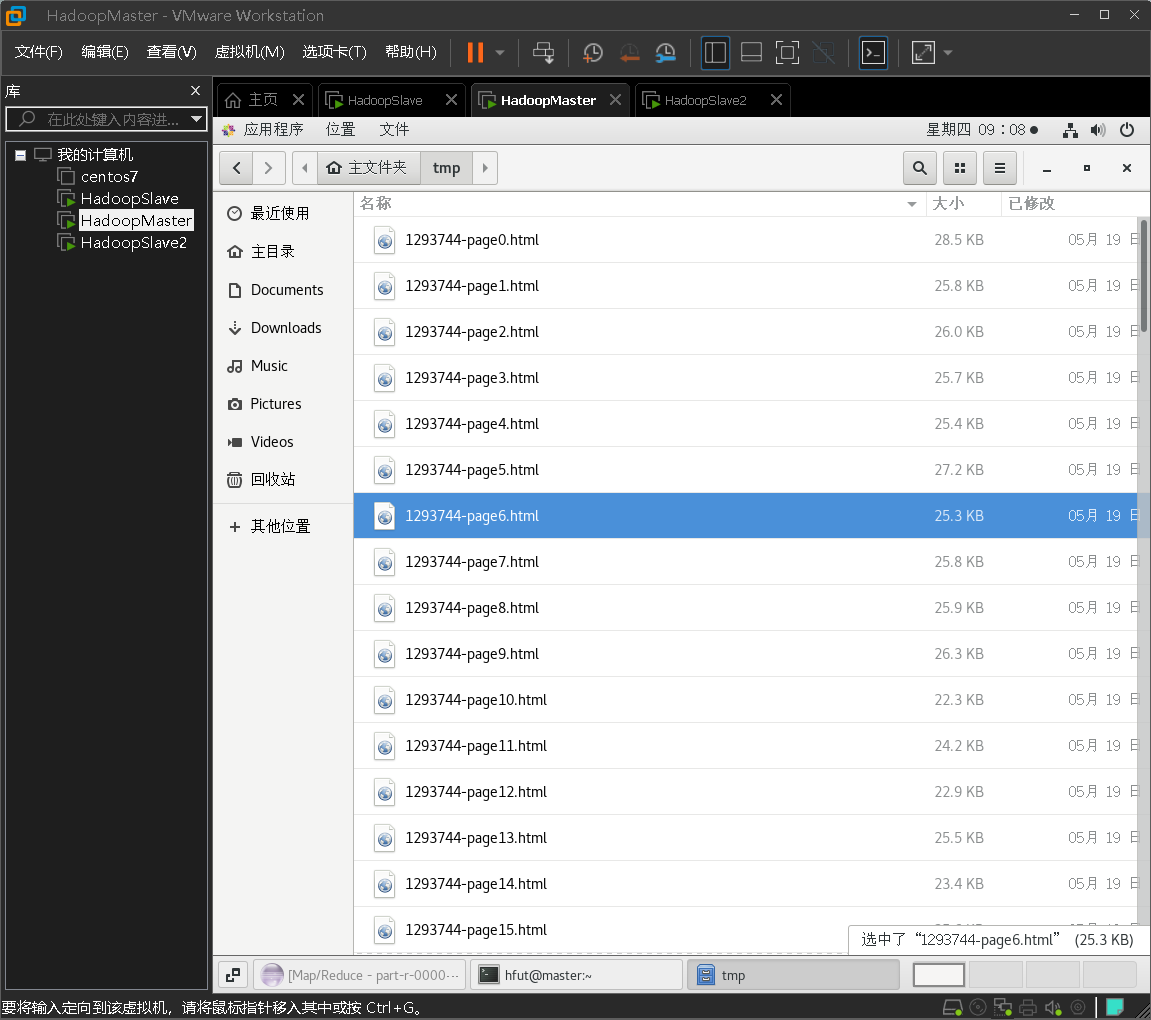
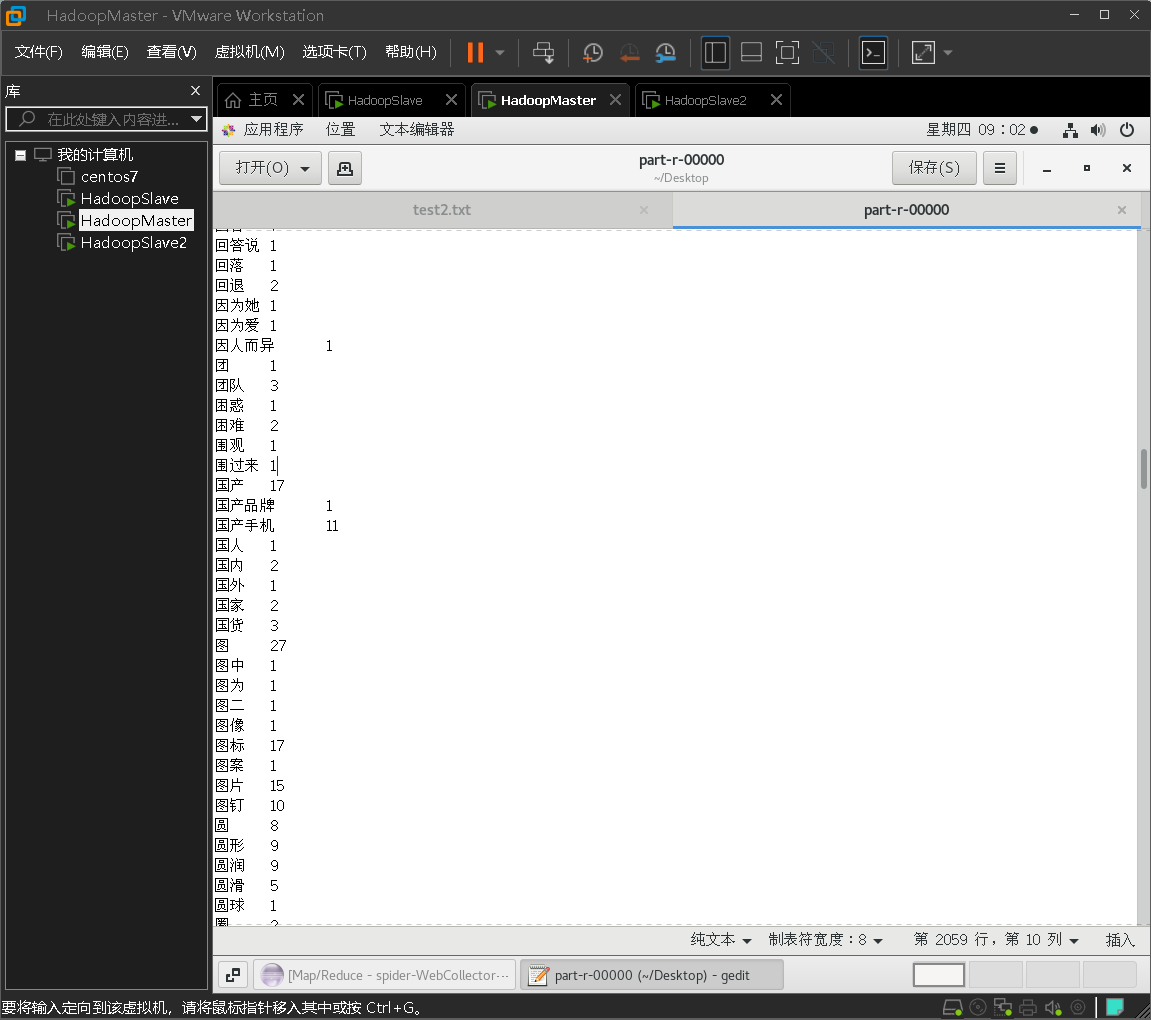
查看分词后的结果,可见分词正确。
格式转换
将分词结果改为可以输入mysql的格式,同时过滤掉出现频次很低的单词,它们可能是乱码或者其他错误分词。
代码如下
import java.io.BufferedReader;import java.io.InputStreamReader;import org.apache.hadoop.fs.FSDataOutputStream;import org.apache.hadoop.fs.Path;import org.apache.hadoop.fs.FSDataInputStream;import org.apache.hadoop.conf.Configuration;import org.apache.hadoop.fs.FileSystem;public class Fileconver{public static void main(String[] args) {try {Configuration conf = new Configuration();conf.set("fs.defaultFS", "hdfs://master:9000");conf.set("fs.hdfs.impl","org.apache.hadoop.hdfs.DistributedFileSystem");FileSystem fs = FileSystem.get(conf);Path file = new Path("/MRDataClean/out/4/part-r-00000");FSDataInputStream getIt = fs.open(file);BufferedReader d = new BufferedReader(new InputStreamReader(getIt));String str = null;String filename = "/MRDataClean/out/4/test2.txt";FSDataOutputStream os = fs.create(new Path(filename));while((str = d.readLine()) != null){String[] res = str.split(" ");System.out.println(res[0]);String resulte = "('" + res[0] +"', " + res[1] + ")," + "\n";if (Integer.parseInt(res[1]) > 50){try {//byte[] buff = resulte.getBytes();os.write(buff, 0, buff.length);} catch (Exception e) {e.printStackTrace();}}}os.close();d.close(); // 关闭文件fs.close(); // 关闭hdfs} catch (Exception e) {e.printStackTrace();}}}
查看结果

将结果添加到MySql
创建ciyun数据库:
mysql> create database ciyun;mysql> use ciyun;
创建词云数据表kwonecloud
create table kwonecloud(kw varchar(50), num double);
插入测试数据:
('pro', 88),
('very', 58),
('一步', 71),
('不知道', 54),
('不错', 305),
('中', 62),
('买', 279),
('买了', 94),
('京东', 207),
('人性化', 54),
('价格', 92),
('体验', 76),
('值', 69),
('做工', 52),
('充电', 90),
('入手', 52),
('内存', 82),
('到了', 94),
('割手', 57),
('力', 56),
('功能', 197),
('卡', 118),
('双', 53),
('喜欢', 154),
('坚果', 156),
('外观', 172),
('大爆炸', 62),
('太', 87),
('好用', 98),
('好看', 66),
('安', 51),
('小米', 52),
('屏', 74),
('屏幕', 129),
('希望', 90),
('很喜欢', 59),
('很好', 123),
('很快', 96),
('快递', 84),
('性价比', 113),
('感觉', 285),
('手', 163),
('手感', 98),
('手机', 945),
('拍照', 74),
('指纹', 85),
('挺', 89),
('挺好', 63),
('操作', 51),
('支持', 96),
('收到', 61),
('时间', 60),
('服务', 52),
('机', 85),
('流畅', 160),
('满意', 83),
('漂亮', 89),
('物流', 63),
('特别', 60),
('用了', 155),
('电池', 82),
('真的', 122),
('确实', 75),
('第一次', 75),
('系统', 376),
('续航', 56),
('罗', 192),
('耳机', 58),
('胶囊', 66),
('膜', 93),
('苹果', 95),
('解锁', 57),
('设计', 65),
('评价', 64),
('说', 101),
('赞', 88),
('软件', 59),
('运行', 75),
('速度', 120),
('都是', 61),
('锤子', 428),
('键', 79),
('非常好', 85),
('高', 93);
查看插入数据,检查是否有乱码。
mysql> select * from kwonecloud;

生成词云
将词云的数据表指定为新创建的表:
String sql = "select kw, max(num) as num from kwonecloud group by kw order by num desc limit 30;";
代码如下:
package my.dao;
import java.sql.Connection;
import java.sql.ResultSet;
import java.sql.Statement;
import java.util.ArrayList;
import java.util.List;

import my.domain.WordCloud;

import org.apache.log4j.Logger;

public class WordCloudDao {
public static Logger logger = Logger.getLogger(WordCloudDao.class);

    public static List<WordCloud> getWordCloudList() {

        String sql = "select kw, max(num) as num from kwonecloud group by kw order by num desc limit 30;";
        Connection conn=  null;
        ResultSet set = null;
        Statement stmt = null;
        List<WordCloud> list = new ArrayList<WordCloud>();

        try {
            conn = DBHelper.connDB();
            stmt = conn.createStatement();
            set = stmt.executeQuery(sql);
            while (set.next()) {
                WordCloud bean = new WordCloud();
                bean.setIsmobile(set.getString("kw"));
                bean.setNum(set.getInt("num"));
                list.add(bean);
            }
        } catch (Exception e) {
            logger.error(e.getMessage());
        } finally{
            DBHelper.free(set, stmt, conn);
        }
        return list;
    }

}
Tomcat开启后,打开Firefox浏览器,输入下面网址
http://localhost:8081/ciyun/1/ksh1.jsp
可以看到MySQL库中的kwcloud表中的数据已经通过词云的形式展现出来了。


若有收获,就点个赞吧
0 人点赞


