这是群里大佬Lindh08分享的实用脚本,支持多厂商的设备配置文件备份,也支持自定义配置,修改密码模块有点完善,感兴趣的小伙伴可以运行测试,也可以在此基础进行完善。
代码如下:
import osimport timefrom datetime import datetimeimport getpassimport reimport sysfrom netmiko import ConnectHandlerfrom netmiko.ssh_exception import NetMikoTimeoutExceptionfrom netmiko.ssh_exception import AuthenticationExceptionfrom paramiko.ssh_exception import SSHExceptionimport geventfrom gevent import spawnfrom gevent import monkey;monkey.patch_all()from gevent.pool import Poolfrom openpyxl import Workbookfrom openpyxl import load_workbook###################################################################################################### v1.2.0 2021.4.29 新增进度条显示功能# v1.3.0 2021.4.30 新增华为设备模块# v1.4.0 2021.5.6 新增锐捷AC模块# v1.5.0 2021.5.7 1.新增"点击回车键"退出程序功能# 2.打包封装程序并增加图标# v2.0.0 2021.6.2 重构代码框架,后续可模块化添加设备和任务类型# v2.0.1 2021.6.3 细微调整结构框架# v3.0.0 2021.6.5 1.将原先多线程方式运行改为用gevent协程方式运行# 2.修改flag信息# 3.任务99名称修改为"自定义操作"# 4.取消进度条显示,改为实时任务进度显示# v3.1.0 2021.6.6 1.重构函数,增加报错输出。# 2.修复get_config中锐捷的output变量bug# v3.2.0 2021.6.8 1.读取文件形式由txt改成excel# v3.2.1 2021.6.16 增加特权密码# v3.2.2 2021.6.17 1.修复进入特权bug# 2.增加ASA设备# 3.修复ASA有failover创建文件bug# v3.2.3 2021.6.18 修改H3C登录bug#####################################################################################################print('****************************************************')print('*Welcome!This program designed by Lindh08. *')print('*Please contact me by E-mail.Add:511768312@qq.com. *')print('****************************************************')dev_type = input("请选择设备类型:\n\1.Cisco\n\2.Ruijie\n\3.Ruijie_AC\n\4.H3C\n\5.Huawei\n\6.Cisco-ASA\n\请输入序号: ")print('******************************************')task = input("请选择想要运行的脚本类型:\n\1.备份配置\n\2.修改密码\n\99.自定义操作\n\请输入序号: ")print('******************************************')username = input('Username: ')password = getpass.getpass('Password: ')secret = getpass.getpass('Secret: ')###################################################################################################### 1.1判断模块###################################################################################################### 1.1.1判断设备类型#####################################################################################################if int(dev_type)==1: # Cisco设备dev_type_brand = "cisco"dev_type_str = "cisco_ios"elif int(dev_type)==2: #锐捷路由器或者交换机设备dev_type_brand = "ruijie"dev_type_str = "ruijie_os"elif int(dev_type)==3: #锐捷ACdev_type_brand = "ruijie_AC"dev_type_str = "ruijie_os"elif int(dev_type)==4: #H3C设备dev_type_brand = "H3C"dev_type_str = "hp_comware"elif int(dev_type)==5: #华为设备dev_type_brand = "Huawei"dev_type_str = "huawei"elif int(dev_type)==6: #Cisco-ASAdev_type_brand = "ASA"dev_type_str = "cisco_asa_ssh"#elif int(dev_type)==x: #后续添加设备# dev_type_brand = "xxxx"# dev_type_str = "xxxx"###################################################################################################### 1.1.2判断任务类型#####################################################################################################if int(task)==1: #备份配置task_type = "bak"elif int(task)!=1:if int(task)==2: #修改密码task_type = "pwd"#elif int(task)==x: #后续可添加模块elif int(task)==99: #其他操作task_type = "other"###################################################################################################### 1.2函数模块###################################################################################################### 1.2.1会话连接#####################################################################################################def get_config(ip):dev = {'device_type':dev_type_str,'host':ip,'username':username,'password':password,'secret':secret,}ssh_session = ConnectHandler(**dev)get_hostname = ssh_session.find_prompt().replace("#","").replace("<","").replace(">","").replace("/","-")print(f"---- 正在连接: {get_hostname}({ip.strip()}).")# 判断任务类型输入命令if int(task)==1: #备份配置if int(dev_type)==1 or int(dev_type)==2 or int(dev_type)==3 or int(dev_type)==6: # Cisco设备ssh_session.enable()command = ("sh run")output = ssh_session.send_command(command)elif int(dev_type)==4 or int(dev_type)==5 : # 华为设备command = ("dis cur")output = ssh_session.send_command(command)elif int(task)!=1:cmdlist = open(f'cmd\\{int(task)}.{task_type}\\{task_type}_cmd_{dev_type_brand}.txt','r')cmdlist.seek(0)output = ssh_session.send_config_set(cmdlist.readlines())output += ssh_session.save_config()return output,get_hostname###################################################################################################### 1.2.2输出配置信息#####################################################################################################def output_log(output,get_hostname):now = datetime.now()date= "%s-%s-%s"%(now.year,now.month,now.day)config_path = f'log\\{int(task)}.{task_type}\\{task_type}'+dateverify_path = os.path.exists(config_path)if not verify_path:os.makedirs(config_path)config_filename = f'{config_path}\\{get_hostname}_{date}.txt'print ('---- 正在写入输出文件: ', config_filename)with open( config_filename, "w",encoding='utf-8' ) as config_out:config_out.write(output)###################################################################################################### 1.2.3检查问题设备#####################################################################################################def output_issue_device(issue_device):now = datetime.now()date= "%s-%s-%s"%(now.year,now.month,now.day)time_now = "%s-%s"%(now.hour,now.minute)config_path = 'log\\issue_device\\'+'issue_'+dateverify_path = os.path.exists(config_path)if not verify_path:os.makedirs(config_path)config_filename = f'{config_path}\\issue_{date}_{time_now}.txt'print ('---- 正在写入问题设备: ', config_filename)with open (config_filename, "a", encoding='utf-8') as issue_facts:issue_facts.write('\n'.join(issue_device)+'\n')###################################################################################################### 1.2.4运行读取ip#####################################################################################################def read_device():ip_list = []wb = load_workbook(f'lists\\ip_list.xlsx')ws = wb[dev_type_brand]for cow_num in range(2,ws.max_row+1):ip = ws["a"+str(cow_num)].valueip_list.append(ip)return ip_list###################################################################################################### 1.2.5运行gevent#####################################################################################################def run_gevent(ip):issue_device = []try:device_config = get_config(ip)output = device_config[0]get_hostname = device_config[1]output_log(output,get_hostname)except (AuthenticationException):issue_message = (ip + ': 认证错误 ')issue_device.append(issue_message)output_issue_device(issue_device)except NetMikoTimeoutException:issue_message = (ip + ': 网络不可达 ')issue_device.append(issue_message)output_issue_device(issue_device)except (SSHException):issue_message = (ip +': SSH端口异常 ')issue_device.append(issue_message)output_issue_device(issue_device)except Exception as unknown_error:issue_message = (ip +': 发生未知错误: ')output_issue_device(issue_device)issue_device.append(issue_message+str(unknown_error))###################################################################################################### 1.2.6主函数#####################################################################################################def main():start_time = time.time()print(f"******************************************")print(f"程序于{time.strftime('%X')}开始执行\n")ip_list = read_device()pool = Pool(100)pool.map(run_gevent,ip_list)pool.join()print(f"\n程序于{time.strftime('%X')}执行结束")print(f"******************************************")quit_program = input("请按回车键退出: ")###################################################################################################### 1.3运行程序#####################################################################################################if __name__ == '__main__':main()#####################################################################################################
演示如下:
这里小编把py脚本打包成exe可执行文件来操作,在此以思科设备为例。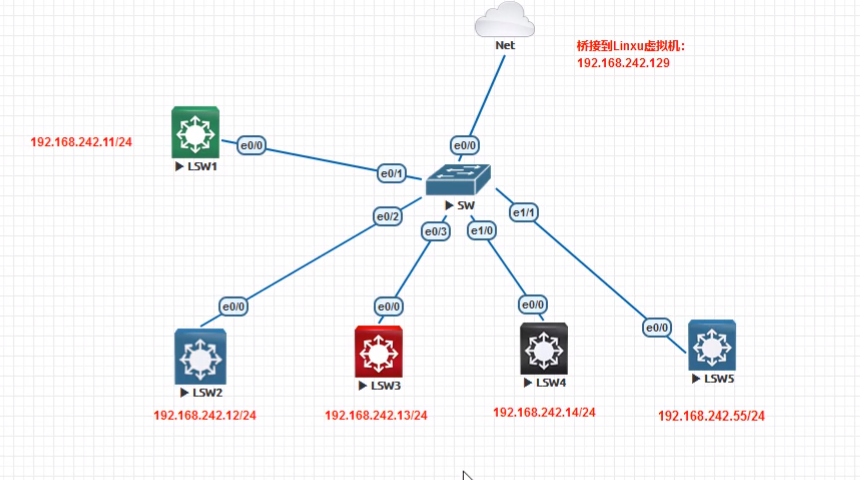
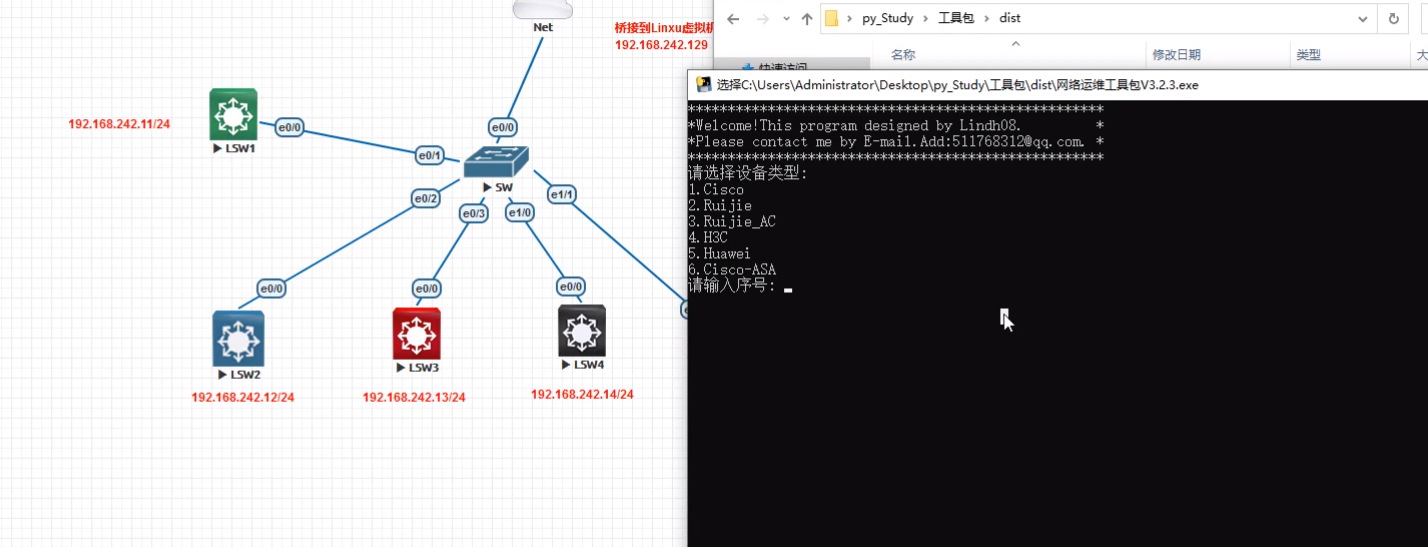
https://mp.weixin.qq.com/s/AwVf_wmCFoQZsiNl1k501g (公众号文章中有视频演示)
,时长05:34
脚本文件获取:公众号后台回复“ py网络工具 ”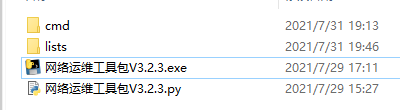

若有收获,就点个赞吧
0 人点赞


