高级搜索:查询接口说明
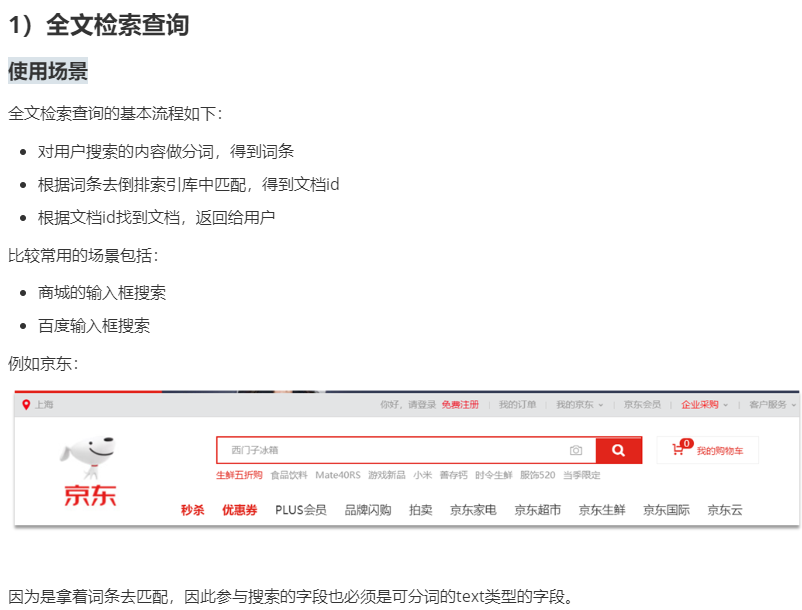
1)全文检索查询
DSL语句
match查询:单字段查询
multi_match查询:多字段查询,任意一个字段符合条件就算符合查询条件
match查询语法如下: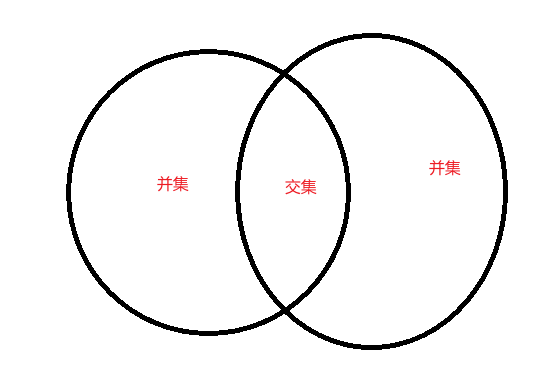
# match 单字段全文检索# 操作方法(operator):# or 默认值(不需要写) 把所有词条结果取并集# and 把所有词条结果取交集GET hotel/_search{"query": {"match": {"all": "虹桥如家"}}}GET hotel/_search{"query": {"match": {"all": {"operator": "and","query": "虹桥如家"}}}}
multi_match查询示例:
# multi_match 多字段全文检索
GET hotel/_search
{
  "query": {
    "multi_match": {
      "query": "虹桥如家",
      "fields": ["name","brand","business"]//显示在这个些元素里面
      含有虹桥如家的字
    }
  }

}

Rest(API)
@RunWith(SpringRunner.class)(就是可以用spring容器的东西)
import cn.itcast.hotel.mapper.HotelMapper;
import cn.itcast.hotel.pojo.Hotel;
import cn.itcast.hotel.pojo.HotelDoc;
import com.fasterxml.jackson.databind.ObjectMapper;
import org.elasticsearch.action.admin.indices.delete.DeleteIndexRequest;
import org.elasticsearch.action.bulk.BulkRequest;
import org.elasticsearch.action.delete.DeleteRequest;
import org.elasticsearch.action.delete.DeleteResponse;
import org.elasticsearch.action.get.GetRequest;
import org.elasticsearch.action.get.GetResponse;
import org.elasticsearch.action.index.IndexRequest;
import org.elasticsearch.action.index.IndexResponse;
import org.elasticsearch.action.search.SearchRequest;
import org.elasticsearch.action.search.SearchResponse;
import org.elasticsearch.action.support.master.AcknowledgedResponse;
import org.elasticsearch.client.IndicesClient;
import org.elasticsearch.client.RequestOptions;
import org.elasticsearch.client.RestHighLevelClient;
import org.elasticsearch.client.indices.CreateIndexRequest;
import org.elasticsearch.client.indices.CreateIndexResponse;
import org.elasticsearch.common.xcontent.XContentType;
import org.elasticsearch.index.query.Operator;
import org.elasticsearch.index.query.QueryBuilders;
import org.elasticsearch.search.SearchHit;
import org.elasticsearch.search.SearchHits;
import org.junit.Test;
import org.junit.runner.RunWith;
import org.springframework.beans.factory.annotation.Autowired;
import org.springframework.boot.test.context.SpringBootTest;
import org.springframework.test.context.junit4.SpringRunner;

import java.io.IOException;
import java.util.ArrayList;
import java.util.List;

@RunWith(SpringRunner.class)
@SpringBootTest(classes = HotelDemoApplication.class)
public class HotelSearchTest {

    @Autowired
    private RestHighLevelClient highLevelClient;

    @Autowired
    private HotelMapper hotelMapper;

    private ObjectMapper objectMapper = new ObjectMapper();

    /**
     * 1)全文检索
     */
    @Test
    public void testMatch() throws Exception {

        //一、执行查询,获取结果
        //1)创建请求对象
        SearchRequest request = new SearchRequest("hotel");
        //二、使用关键字拼接条件
        //2)填充条件 // 固定规则:所有的Query里面的条件都是使用QueryBuilders
        //全文搜索
        request.source().query(QueryBuilders.matchQuery("all","虹桥如家").operator(Operator.OR));
        //精确搜索
        request.source().query(QueryBuilders.termQuery("brand", "如家"));
        //范围搜索
        request.source().query(QueryBuilders.rangeQuery("price").gte(200).lte(400));
       //接收响应
        SearchResponse response = highLevelClient.search(request, RequestOptions.DEFAULT);

        //处理搜索结果
        handleResponse(response);
    }

    private void handleResponse(SearchResponse response) throws com.fasterxml.jackson.core.JsonProcessingException {
        //处理结果(进行数据封装等操作)
        //1)获取命中结果
        SearchHits searchHits = response.getHits();
        //2)获取命中结果总数
        long total = searchHits.getTotalHits().value;
        System.out.println("命中结果数:"+total);
        //3)获取命中列表
        List<HotelDoc> hotelDocList = new ArrayList<>();
        for(SearchHit searchHit : searchHits){
            //4)获取文档的json字符串
            String json = searchHit.getSourceAsString();
            //5)转换为对象
            HotelDoc hotelDoc = objectMapper.readValue(json, HotelDoc.class);

            hotelDocList.add(hotelDoc);
        }

        hotelDocList.forEach(System.out::println);
    }

}
总结
match和multi_match的区别是什么?
- match:根据一个字段查询
- multi_match:根据多个字段查询,参与查询字段越多,查询性能越差
2)精准查询
精确查询一般是查找keyword、数值、日期、boolean等类型字段。所以不会对搜索条件分词。常见的有:
term:根据词条精确值查询,不分词(搜什么就出现什么,搜如家只出现如家,想搜出结果,就搜如家酒店)
range:根据值的范围查询,一般应用在对数值类型做范围过滤的时候。比如做价格范围过滤。// term查询 GET /indexName/_search { "query": { "term": { "FIELD": {#(元素例如品牌) "value": "VALUE"#(如家酒店) } } } }
基本语法:// range查询 GET /indexName/_search { "query": { "range": { "FIELD": { "gte": 10, // 这里的gte代表大于等于,gt则代表大于 "lte": 20 // lte代表小于等于,lt则代表小于 } } } }

若有收获,就点个赞吧
0 人点赞


