selenium使用之安装webdriver
2019-09-192019-09-19 16:22:57阅读 1.4K0
有时候在使用scrapy爬取一些数据时,需要进行登录和填写验证码的操作,需要使用selenium设置cookie和打码,就需要使用webdriver
安装selenium
pip install selenium
使用pycharm的可以在settings-> interceptor中进行安装。
下载并安装chromedriver
- 查看当前安装的chrome浏览器版本,如果没有安装,需要先安装chrome。查看版本的方式是在浏览器地址栏输入:chrome://version/
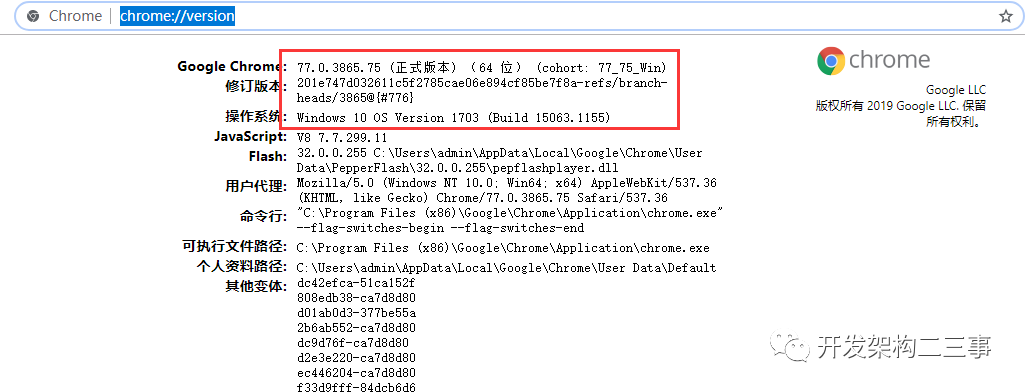
- 下载
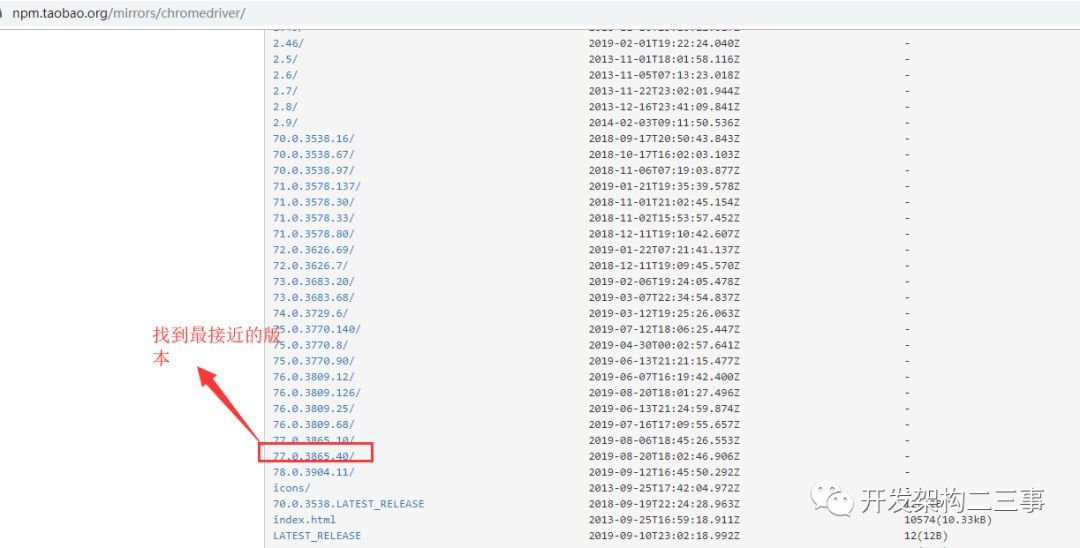
有两个下载地址:
找到合适的版本进行安装。
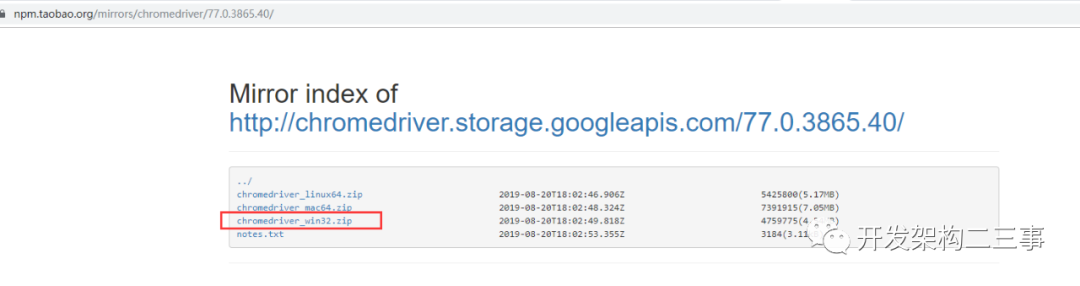
下载windows版本:
3.解压并将chromedriver.exe放在chrome的安装目录下
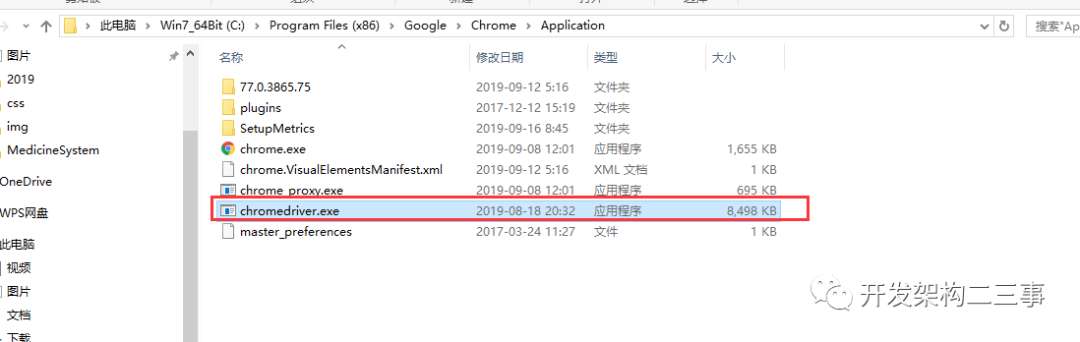
- 配置 有两种方式:
- 环境变量方式:在path中添加C:\Program Files (x86)\Google\Chrome\Application
- 代码中引入:
from selenium import webdriver
browser = webdriver.Chrome(chrome_options=options,executable_path=’C:\Program Files (x86)\Google\Chrome\Application\chromedriver.exe’)
另一种方式:
from selenium import webdriver
import os
os.environ[“webdriver.chrome.driver”] = “C:\Program Files (x86)\Google\Chrome\Application\chromedriver.exe”
driver = webdriver.Chrome()
使用
登录:
options = webdriver.ChromeOptions()
设置中文
options.add_argument(‘lang=zh_CN.UTF-8’)
更换头部
options.add_argument(‘Mozilla/5.0 (Macintosh; Intel Mac OS X 10_13_6) AppleWebKit/537.36 (KHTML, like Gecko) Chrome/70.0.3538.77 Safari/537.36’)
browser = webdriver.Chrome(chrome_options=options,executable_path=’C:\Program Files (x86)\Google\Chrome\Application\chromedriver.exe’)
wait = WebDriverWait(browser,10)
browser.get(self.login\_url)
添加cookie:
browser.add_cookie({
‘domain’:cookie[‘domain’],
‘httpOnly’: cookie[‘httpOnly’],
‘name’:cookie[‘name’],
‘path’:cookie[‘path’],
‘secure’:cookie[‘secure’],
‘value’:cookie[‘value’],
‘expiry’:None if ‘expiry’ not in cookie else cookie[‘expiry’]
})
设置代理浏览器:
chrome_options = webdriver.ChromeOptions()
chrome_options.add_argument(‘—proxy-server=’+proxy)
time.sleep(2)
browser = webdriver.Chrome(chrome_options=chrome_options)
wait = WebDriverWait(browser,15)
接下来就可以配合scrapy愉快地进行爬虫了。
本文分享自微信公众号 - 开发架构二三事(gh_d6f166e26398),作者:两个小灰象
原文出处及转载信息见文内详细说明,如有侵权,请联系 yunjia_community@tencent.com 删除。
原始发表时间:2019-09-17
本文参与腾讯云自媒体分享计划,欢迎正在阅读的你也加入,一起分享。
点赞 3分享
我来说两句
0 条评论
登录 后参与评论

若有收获,就点个赞吧
0 人点赞


