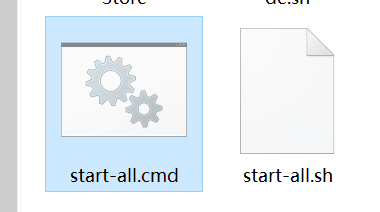
cmd用来在windows上跑。。
sh用来在linux上跑,以后听到linux的shell脚本,.sh就是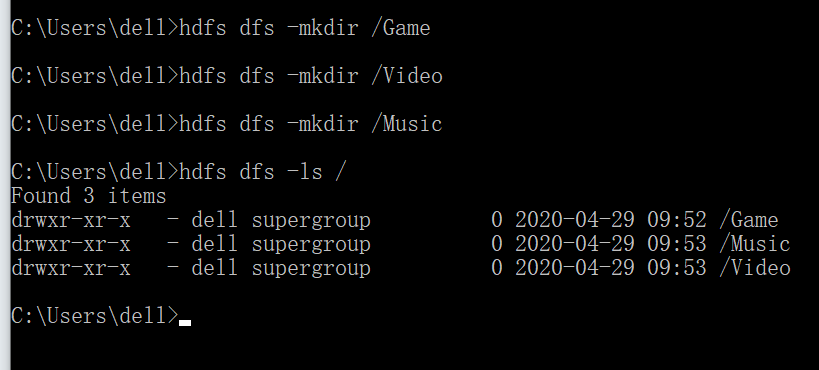
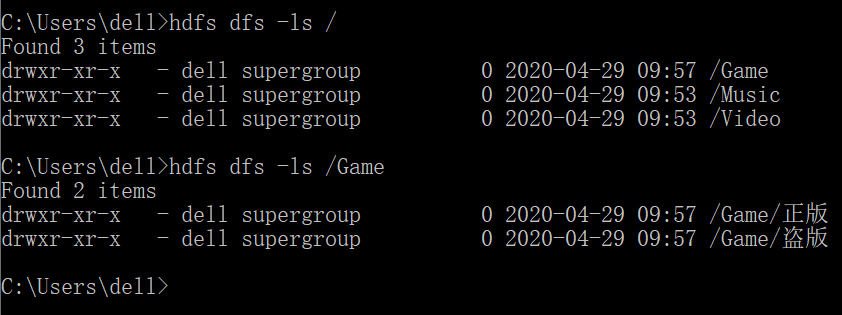
package com.moon.utils;import java.io.FileOutputStream;import java.io.InputStream;import org.apache.hadoop.conf.Configuration;import org.apache.hadoop.fs.FSDataInputStream;import org.apache.hadoop.fs.FSDataOutputStream;import org.apache.hadoop.fs.FileStatus;import org.apache.hadoop.fs.FileSystem;import org.apache.hadoop.fs.Path;public class HdfsUtils {private static Configuration conf;static {conf = new Configuration();conf.set("fs.defaultFS", "hdfs://127.0.0.1:9000");}// 查看文件列表public static void ls(String path) {try {FileSystem fs = FileSystem.get(conf);FileStatus[] arr = fs.listStatus(new Path(path));for (FileStatus f : arr) {System.out.println(f.getPath().getName());}fs.close();} catch (Exception e) {e.printStackTrace();}}// 创建目录public static void mkdir(String path) {try {FileSystem fs = FileSystem.get(conf);fs.mkdirs(new Path(path));System.out.println("创建目录成功");fs.close();} catch (Exception e) {e.printStackTrace();}}// 删除public static void delete(String path) {try {FileSystem fs = FileSystem.get(conf);fs.delete(new Path(path));System.out.println("删除成功");fs.close();} catch (Exception e) {e.printStackTrace();}}// ntfs->hdfs 要求传本地路径和云端路径。在真实开发中是不适合的public static void uploadToHdfs(String localPath, String hdfsPath) {try {FileSystem fs = FileSystem.get(conf);fs.copyFromLocalFile(new Path(localPath), new Path(hdfsPath));System.out.println("上传成功");fs.close();} catch (Exception e) {e.printStackTrace();}}// ntfs->hdfs uploadToHdfs改良版public static void uploadToHdfs(InputStream inputStream, String hdfsPath) {try {FileSystem fs = FileSystem.get(conf);FSDataOutputStream outputStream = fs.create(new Path(hdfsPath));byte[] buf = new byte[1024];int len;while ((len = inputStream.read(buf)) != -1) {outputStream.write(buf, 0, len);outputStream.flush();}System.out.println("上传成功");outputStream.close();inputStream.close();fs.close();} catch (Exception e) {e.printStackTrace();}}// hdfs->ntfspublic static void downloadTolocal(String hdfsPath, String localPath) {try {FileSystem fs = FileSystem.get(conf);FSDataInputStream dataInputStream = fs.open(new Path(hdfsPath));FileOutputStream outputStream = new FileOutputStream(localPath);byte[] buf = new byte[1024];int len;while ((len = dataInputStream.read(buf)) != -1) {outputStream.write(buf, 0, len);outputStream.flush();}System.out.println("下载成功");outputStream.close();dataInputStream.close();fs.close();} catch (Exception e) {e.printStackTrace();}}// 测试主函数public static void main(String[] args) {//}}
你们课下假如有人去做做这个试验,那么我中午发的压缩包,记得解压一定要在C:/hadoop路径。然后记得配个环境变量,然后格式化,打开服务。

若有收获,就点个赞吧
0 人点赞


