安装Git
yum install gitgit --version
安装node
1、安装node
2、执行 npm install
安装grunt
npm install -g grunt-cli  #安装grunt命令行工具grunt-cli
npm install grunt --save-dev  #安装grunt及其插件
grunt -version   #查看安装版本情况
下载并安装elasticsearch-head
cd /opt/elk
git clone git://github.com/mobz/elasticsearch-head.git   #git下载
cd elasticsearch-head  #进入目录
cnpm install  # 如果npm使用很多错误,尝试使用cnpm
cnpm install grunt --save  #安装grunt到模块中并保存
修改两处的配置
# 修改elasticsearch.yml
vim /opt/elk/es/config/elasticsearch.yml
# 增加如下字段
http.cors.enabled: true
http.cors.allow-origin: "*"
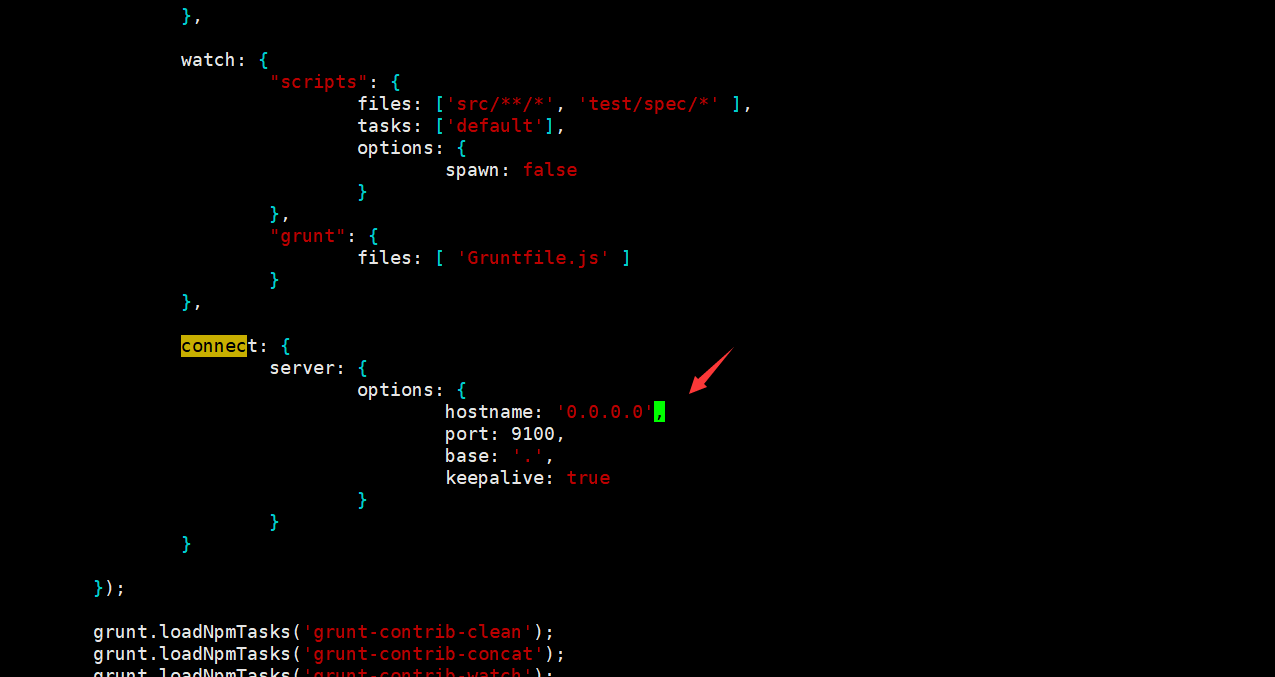
# 修改elasticsearch-head下的Gruntfile.js
vim /opt/elk/elasticsearch-head/Gruntfile.js
# 其中增加一个
hostname: '0.0.0.0'  或者是 hostname: '*'
关闭防火墙
systemctl stop firewalld.service  #停止firewall
systemctl disable firewalld.service  #禁止firewall开机启动
firewall-cmd --state #查看默认防火墙状态(关闭后显示notrunning,开启后显示running)
用户授权
chown -R es:es /opt/elk/elasticsearch-head
启动ES
# 切换用户为es
su es
cd /opt/elk/es
bin/elasticsearch -d
启动head插件
# 很多时候重启会遇上9200,或者9100端口占用
netstat -tunlp |grep 9100  #查看某个端口情况
kill -9 pid
cd /opt/elk/elasticsearch-head/
nohup grunt  server &
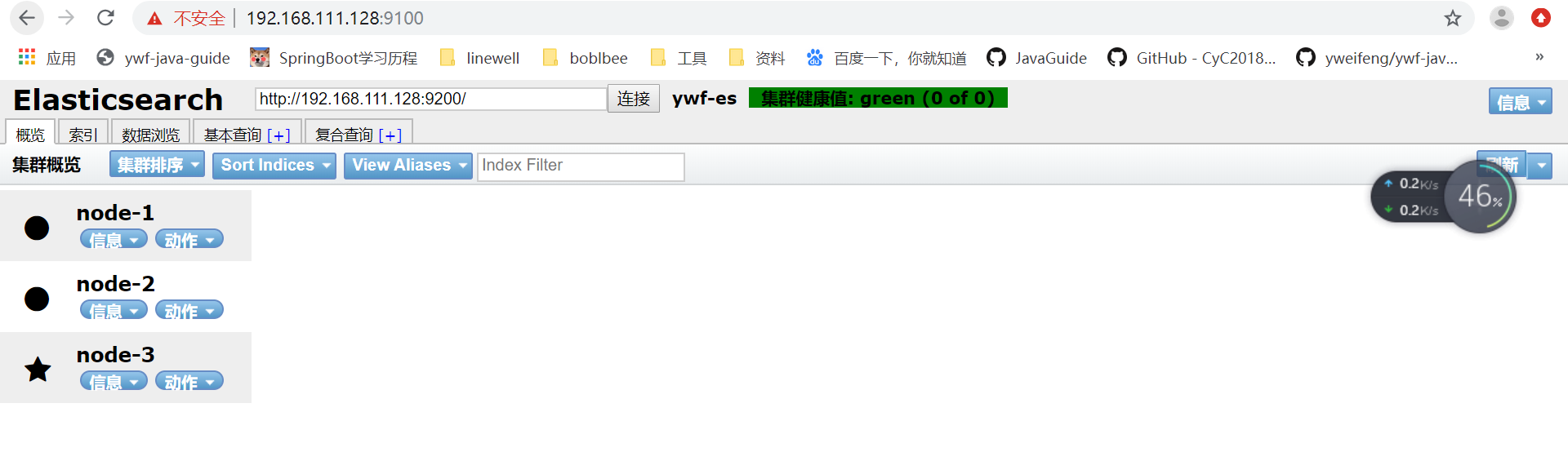
浏览器访问

若有收获,就点个赞吧
0 人点赞


