hive安装
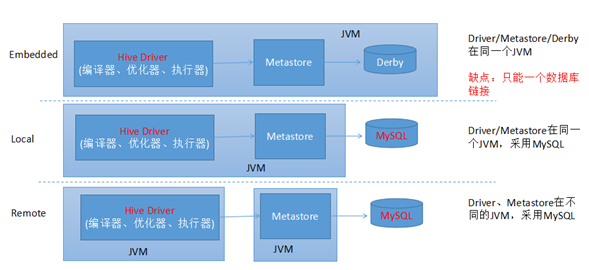
下载地址http://mirror.bit.edu.cn/apache/hive/hive-3.1.1/
1. 解压hive安装包
# 解压tar -zxvf apache-hive-3.1.1-bin.tar.gz -C ~# 创建软链接ln -s apache-hive-3.1.1-bin hivecd hivels
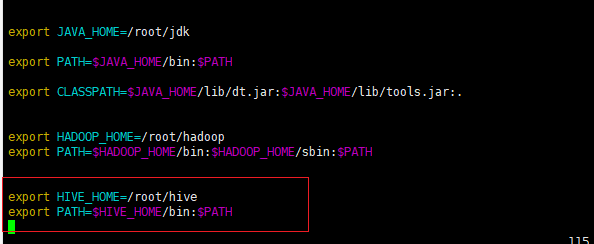
2.配置HIVE_HOME环境变量
vi ~/.bashrcexport HIVE_HOME=/root/hiveexport PATH=$HIVE_HOME/bin:$PATH# 一定要记得这一步source ~/.bashrc
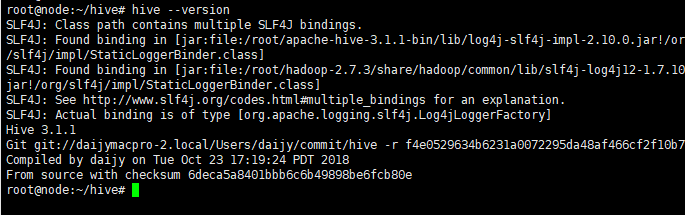
查看版本号 hive —version
3.在hdfs上创建hive数据存放目录
hadoop fs -mkdir /tmphadoop fs -mkdir -p /user/hive/warehousehadoop fs -chmod g+w /tmphadoop fs -chmod g+w /user/hive/warehouse
4. 初始化hive库schma
# hive安装目录下执行下面命令初始化hive 默认数据库为derby:cd hive./bin/schematool -dbType derby -initSchema
- 初始化成功后就会在hive的安装目录下生成derby.log日志文件和metastore_db数据库目录,目录中存放的是hive
的数据库信息.

5.启动hive
注意事项:
1.在高版本的hive已经添加安全认证机制,所有需要使用hadoop用户启动.
2.保证hadoop集群的状态是非安全模式下,使用一下命令查看到的状态是OFF
如果是ON状态,请使用hadoop dfsadmin -safemode leave命令关闭安全模式
当我们配置好hive的环境变量执行,直接使用hive命令启动hive的shell操作界面.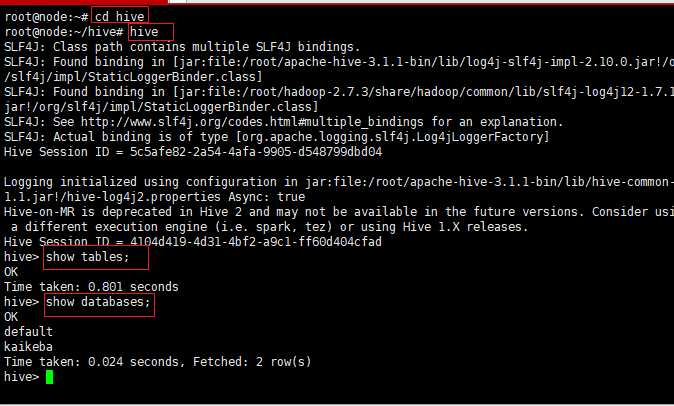
**记得要进到hive目录下再使用hive命令 使用show tables 如果安装成功会显示OK提示.**
数据源上传
1. 单表
在home下创建datas目录,然后通过xftp 把数据源上传上去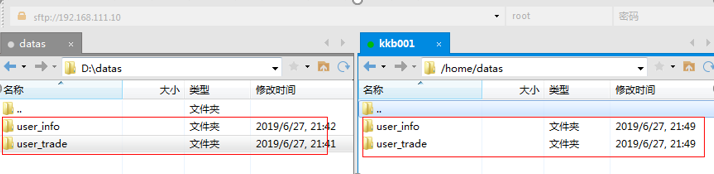
# 依次启动 Hadoop 与 hive进入hive 交互模式并创建库kaikebacreate database if not exists kaikeba;use kaikeba;create table if not exists user_info (user_id string,user_name string,sex string,age int,city string,firstactivetime string,level int,extra1 string,extra2 map<string,string>)row format DELIMITED FIELDS TERMINATED BY '\t'COLLECTION ITEMS TERMINATED BY ','MAP KEYS TERMINATED BY ':'LINES TERMINATED BY '\n'stored as textfile;
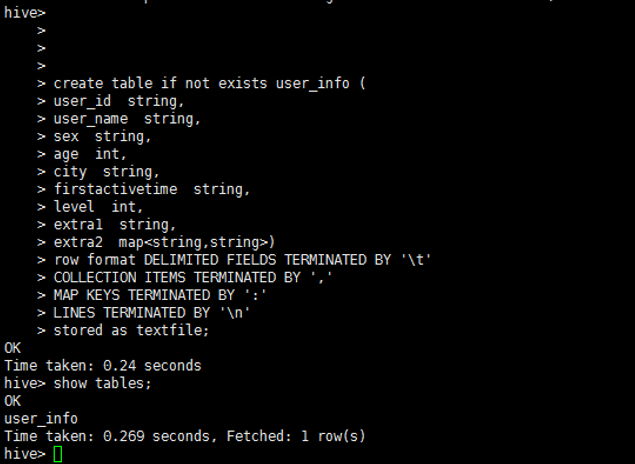
加载数据源
load data local inpath '/home/datas/user_info/user_info.txt' overwrite into table user_info;
注意:上步如果出现错误 建议重启3台虚拟环境,然后每台都要关闭防火墙,重启hadoop 重启hive 命令如下: 1.#停止firewall systemctl stop firewalld.service 2.#禁止firewall开机启动 systemctl disable firewalld.service
2. 分区表
CREATE TABLE IF NOT EXISTS user_trade(user_name string,piece int,price double,pay_amount double,goods_category string,pay_time bigint)partitioned by (dt string)row format delimited fields terminated by '\t';
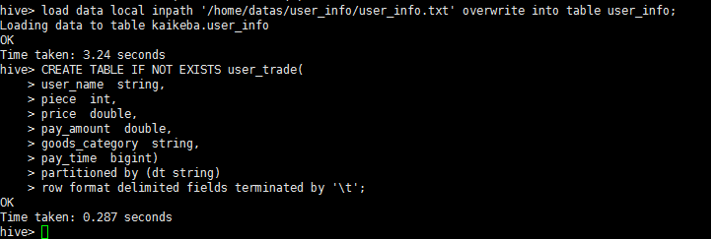
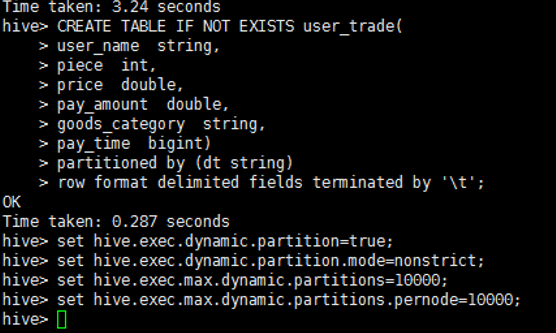
设置动态分区
set hive.exec.dynamic.partition=true;set hive.exec.dynamic.partition.mode=nonstrict;set hive.exec.max.dynamic.partitions=10000;set hive.exec.max.dynamic.partitions.pernode=10000;
查看hdfs上的文件
用xshell 再次打开一个kkb001 上述保持不动做如下操作 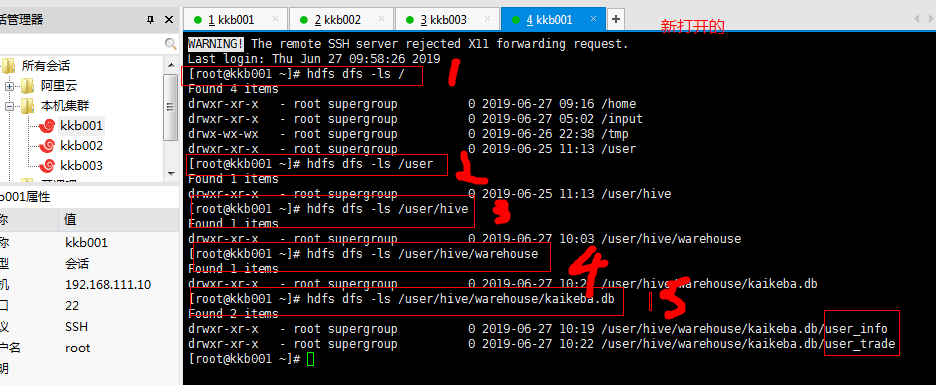
上传数据到hdfs
hdfs dfs -put
/home/datas/user_trade/* /user/hive/warehouse/kaikeba.db/user_trade 
msck repair table + 表名 
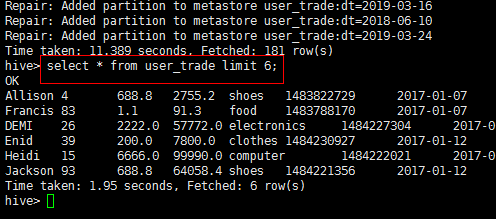

若有收获,就点个赞吧
0 人点赞


