单体应用+前后端分离
相关链接
https://www.bilibili.com/video/BV1ki4y147oK
https://www.layui.com/demo/table/totalRow.html

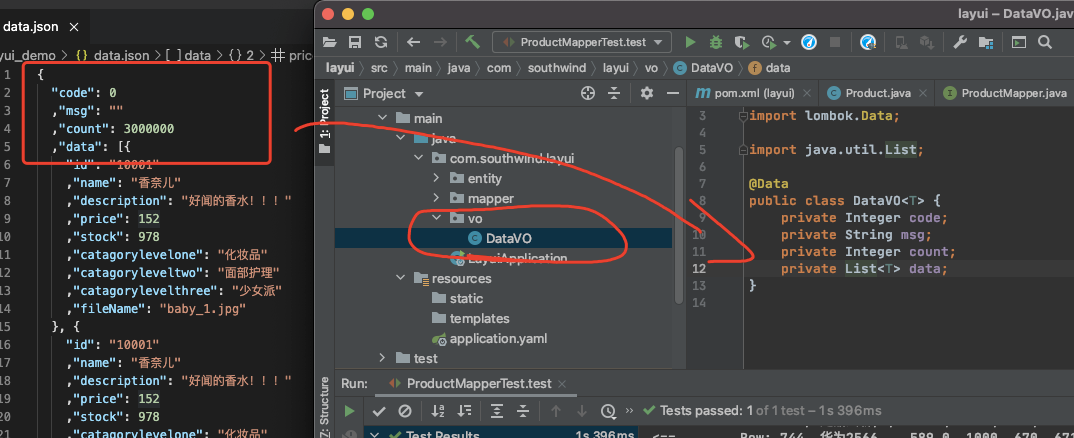
vo view object
后端数据跟前端展示的有一定的出入的时候,我们用ov来把后台数据特定字段转成特定格式返回给前端。
跨域问题
跨域问题可以在前端解决 也可以在后端解决
后台解决 加一个配置类即可
MyBatisPlus分页问题
Layui在请求的时候会带上limit和page信息
需要一个配置类
再理解下前后端分离


Echarts可视化工具

什么叫tm的专业
use mmal;SELECT p.name,sum(quantity) countfrom order_detail od,product pwhere od.product_id = p.idGROUP BY product_id;
从订单表(order_detail) 别名od 和 商品表(product)别名p
取商品名称字段(p.name) 和 单商品销量总和(quantity) 同时这里用sum合并相同id商品订单销量
条件是商品id 等于 订单id
并按id分组
查询结果如下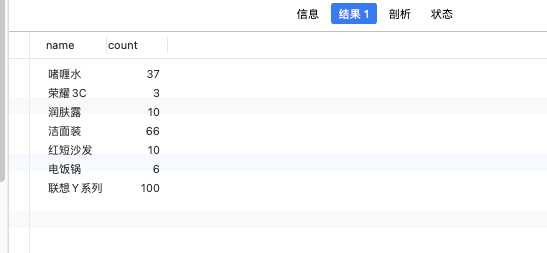
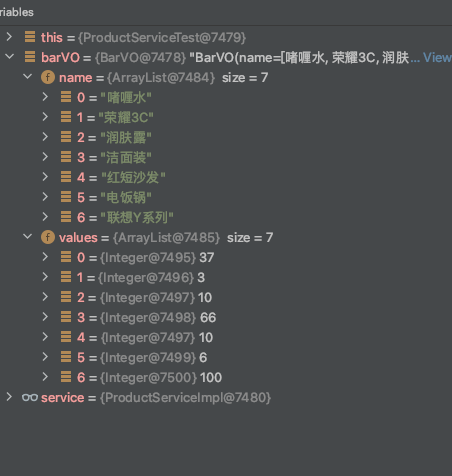
我们需要把横向数据改成纵向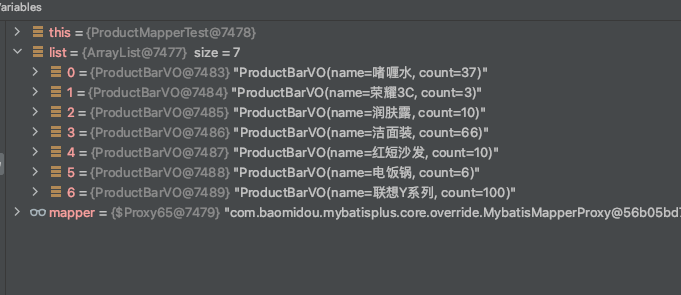
柱状图操作步骤
1.写vo类
因为我们需要的字段比较特殊,我们用vo类给前端返回数据
这里有两个vo类
一个是BarVO 一个是ProductBarVO 我们最后用的是BarVO
ProductBarVO用来保存sql的数据
BarVO用来传给前端
BarVO.java
package com.southwind.layui.vo;

import lombok.Data;

import java.util.List;

@Data
/**
 * 用来封装柱状图需要的两个字段列表
 * 我们要把ProductBarOV 转换成BarVO   (他们两个一个是横向一个是纵向)
 */
public class BarVO {
    private List<String> names;
    private List<Integer> values;

}
ProductBarVO.java
package com.southwind.layui.vo;

import lombok.Data;

@Data
public class ProductBarVO {
    private String name;
    private Integer count;
}
2.写sql mapper层(dao层)
这里可以直接注解写,是mybatis-Plus的特性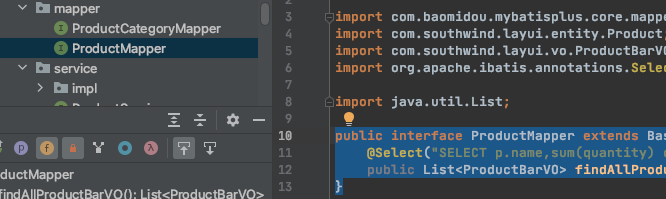
public interface ProductMapper extends BaseMapper<Product> {
    @Select("SELECT p.name,sum(quantity) count from order_detail od,product p where od.product_id = p.id GROUP BY product_id;")
    public List<ProductBarVO> findAllProductBarVO();
}
把查询到的字段保存到ProductBarVO类型的列表中。
3.Service层的横向改纵向
ProductServiceImpl.java(截选)
 /**
     * 我们要把ProductBarOV 转换成BarVO   (他们两个一个是横向一个是纵向)
     * @return
     */
    @Override
    public BarVO getBarVO() {
        //先拿封装之前的数据
        List<ProductBarVO> list = productMapper.findAllProductBarVO();

        //定义两个集合
        List<String> names = new ArrayList<>();
        List<Integer> values = new ArrayList<>();

        //把两个数据分别填充到两个列表
        for (ProductBarVO productBarVO : list) {
            names.add(productBarVO.getName());
            values.add(productBarVO.getCount());
        }

        //把这里两个列表放到一个BarVO里面
        BarVO barVO = new BarVO();
        barVO.setNames(names);
        barVO.setValues(values);

        return barVO;
    }
第3步写完了来测试一下

4.开放接口 Controller层调Service层的东西
package com.southwind.layui.controller;

import com.southwind.layui.service.ProductService;
import com.southwind.layui.vo.BarVO;
import com.southwind.layui.vo.DataVO;
import org.springframework.beans.factory.annotation.Autowired;
import org.springframework.context.annotation.Configuration;
import org.springframework.stereotype.Controller;
import org.springframework.web.bind.annotation.*;

@Controller
public class ProductController {

    @Autowired
    private ProductService productService;

    @RequestMapping("/list")
    @ResponseBody
    public DataVO list(Integer page,Integer limit){
        return productService.findData(page,limit);
    }

    @GetMapping("/{url}")
    public String redirect(@PathVariable("url") String url){
        System.out.println("请求进来了");
        return url;
    }

    @RequestMapping("/barVO")
    @ResponseBody  //跟上面list是一样的,我们要返回的是数据
    public BarVO getBarVO(){
        return productService.getBarVO();
    }
}
再测试一下这个url能访问吗
5.前端导入Jq 用异步请求获取信息 并测试

再多测试一下
饼图操作步骤
解决前端需要的key和VO类属性不一致的方法:
1.重写一个VO让他们一一对应
2.注解

若有收获,就点个赞吧
0 人点赞


