下载地址:https://mirror.bit.edu.cn/apache/hadoop/common/
一、网络环境准备
二、服务器设置
同步时间
设置主机名
配置内网映射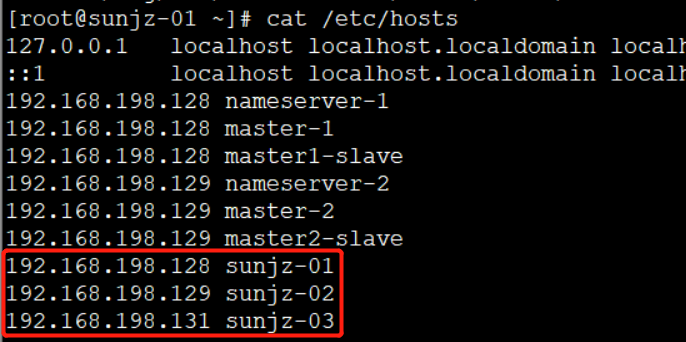
配置ssh免密登录
ssh-keygen -t rsa
ssh-copy-id -i /root/.ssh/id_rsa.pub root@192.168.198.131
ssh-copy-id -i /root/.ssh/id_rsa.pub root@192.168.198.128
ssh-copy-id -i /root/.ssh/id_rsa.pub root@192.168.198.129
防火墙设置
关闭防火墙 - service iptables stop
关闭开机启动 - chkconfig iptables off
查看是否关闭开机启动 - chkconfig iptables —list
三、集群节点规划
hdfs:namenode、SecondaryNamenode datanode
yarn:ResourceManager NodeManager
mapreduce
| 机械ip | |||||
|---|---|---|---|---|---|
| 192.168.198.128 | namenode | datanode | NodeManager | ||
| 192.168.198.129 | secondary | datanode | ResourceManager | NodeManager | |
| 192.168.198.131 | datanode | NodeManager |
四、配置文件修改
- 安装配置jdk1.8
进入etc/hadoop目录下,配置hadoop的jdk变量,vim hadoop-env.sh

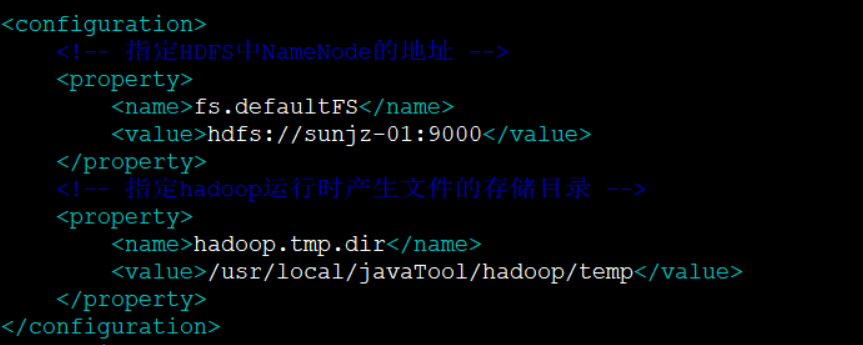
修改core-site.xml
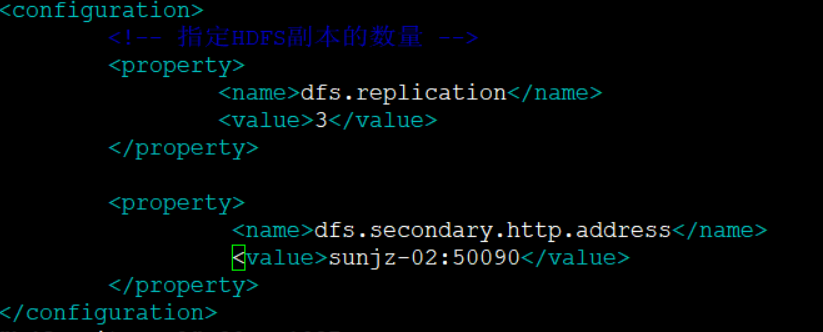
修改hdfs-site.xml
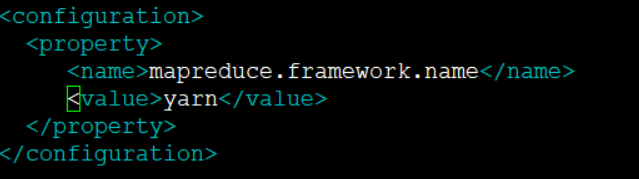
修改mapred-site.xml
修改yarn-site.xml
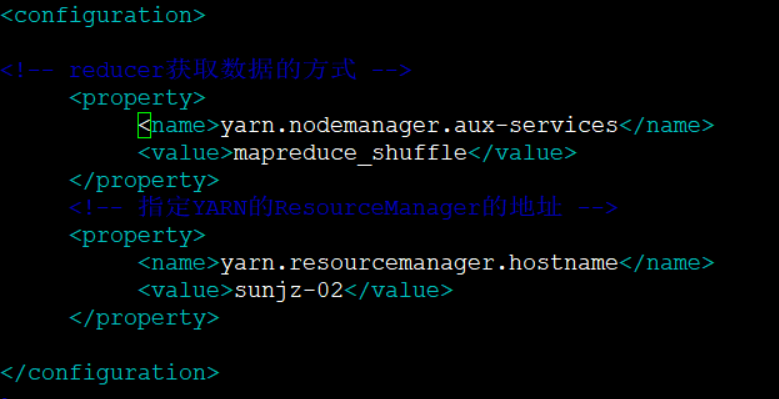
配置hadoop环境变量

修改启动、停止脚本start-dfs.sh、stop-dfs.sh, 加在文件的最上面即可

修改启动、停止脚本start-yarn.sh、stop-yarn.sh,加在文件的最上面即可
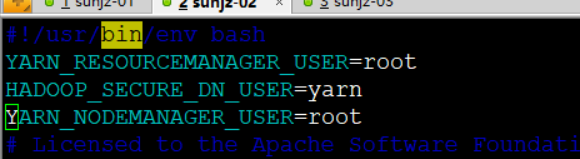
-
五、启动
启动前格式化namenode - hdfs namenode -format
在192.168.198.128节点上启动hdfs - shin/start-dfs.sh
在192.168.198.129节点上启动yarm - sbin/start-yarn.sh六、启动结果


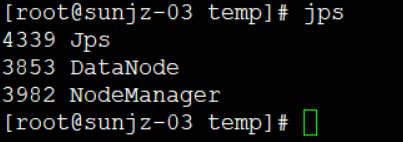
七、管理界面
查看namenode端口:netstat -antp | fgrep 12811
yarn管理界面:http://192.168.198.129:8088/cluster
hdfs管理界面:http://192.168.198.128:50070

若有收获,就点个赞吧
0 人点赞


