docker-compose
version: "3"services:jenkins:container_name: jenkinsimage: jenkinsci/blueoceanports:- "8080:8080"
登录
jenkins 默认登录用户为 admin,初始密码存放在/data/secrets/initialAdminPassword 下
jenkins 修改系统语言
- Download and install the local plugin:
- From the main page of Jenkins, go to Manage Jenkins -> Manage Plugins
- Click on Availables
- Check the “Locale plugin” and clicks on “Download now and install after restart”
Jenkins will download the plugin and restart if not job has been scheduled
- Set the language
- From the main page of Jenkins, go to Manage Jenkins -> Configure System
- Under Locale, there will be a field called “Default Language”. Enter the new language. It could be “en” or “ENGLISH”
- Under the text box, check the checkBox called “Ignore browser preference and force this language to all users”
pipeline stage view install
- Download and install the pipline stage view plugin:
- From the main page of Jenkins,go to Mange Jenkins -> Manage Plugins
- Click on Availables
- Check the “Pipeline Stage View Plugin” and clicks on “Download now and install after restart”
Jenkins will download the plugin and restart if not job has been scheduled
检查 pipeline stage view 插件是否安装成功
- Jenkins 创建一个 pipeline 项目
- 将以下配置放到 pipeline script 里 ```groovy pipeline { agent any
stages { stage(‘Build’) {
steps {echo 'Building...'echo "Running ${env.BUILD_ID} ${env.BUILD_DISPLAY_NAME} on ${env.NODE_NAME} and JOB ${env.JOB_NAME}"}
} stage(‘Test’) { steps {
echo 'Testing...'
} } stage(‘Deploy’) { steps {
echo 'Deploying...'
} } } } ```
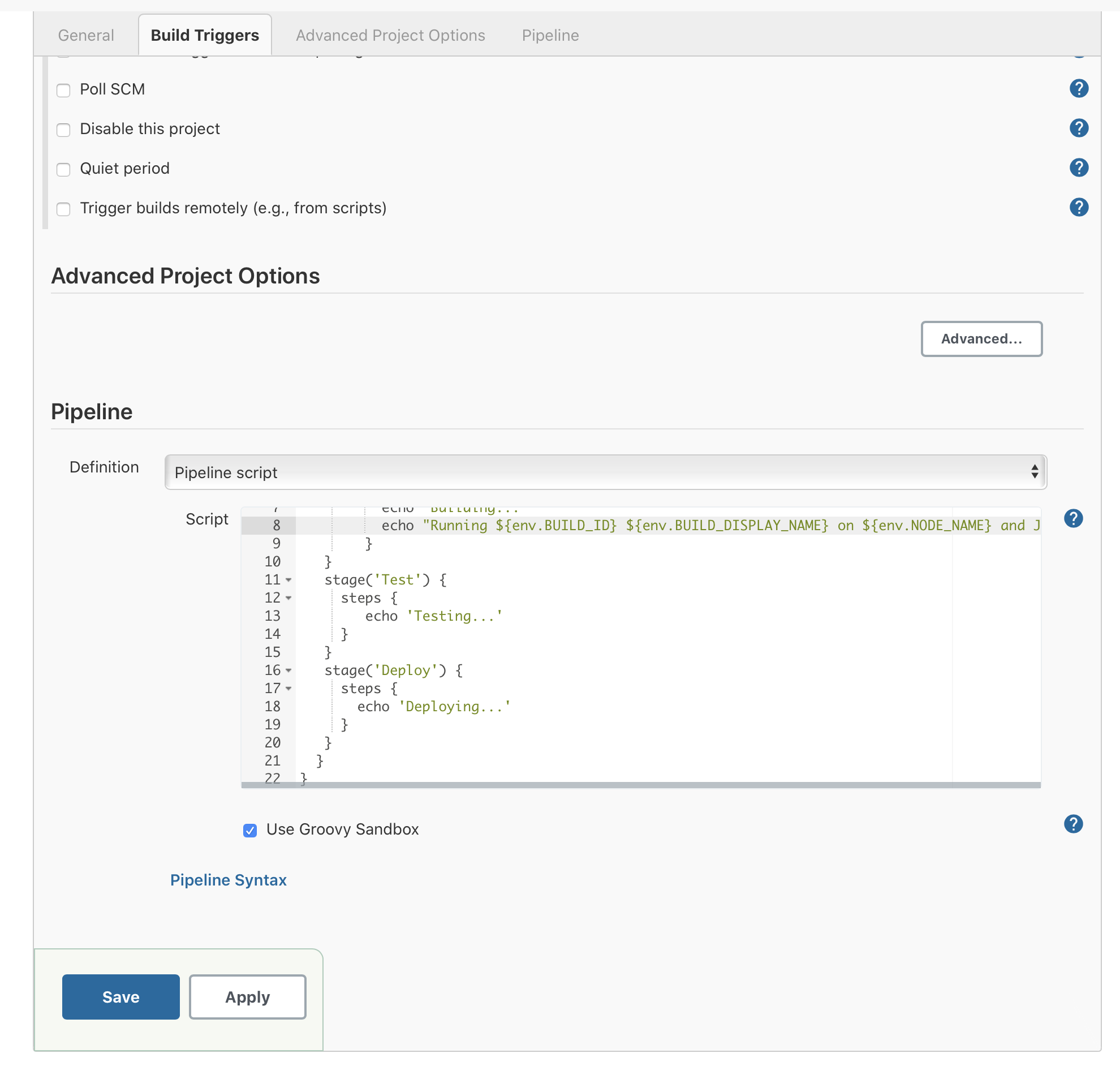
- 保存配置
- build now 并查看是否有 pipeline stage view 页面

pipeline script from SCM
- 创建一个pipeline项目
- 配置pipeline script位置
- 跳转到 pipeline 配置,Definition 选择 Pipeline script from SCM
- 填写相应信息(注意 jenkinsfile 的 path 要写对)
- 保存配置
- build now
结果与上面的 pipeline script 相同,但第一步多了一个 Declarative: Checkout SCM 的步骤

若有收获,就点个赞吧
0 人点赞


