demo7源码
经过上面几个小节的操作,有没有觉得每次进去更改index.html中引入js文件很麻烦,一旦打包的名字变更后,也要对应的去修改index.html引入的js名称,这个时候就要使用一个插件来帮助我们,打包完之后自动生成HTML文件,并自动引入打包后的js文件
**
(一)安装依赖
npm i html-webpack-plugin html-loader —save-dev
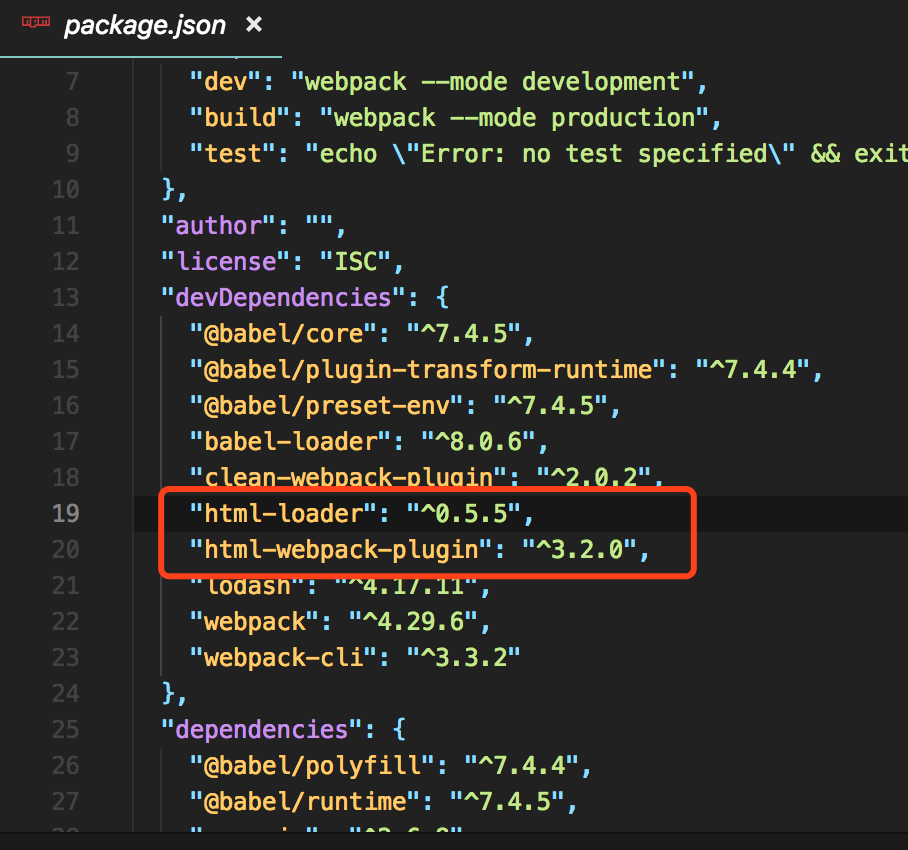
(二)更改配置文件
module.exports = {plugins: [new HtmlWebpackPlugin({// 打包输出HTMLtitle: '自动生成 HTML',minify: {// 压缩 HTML 文件removeComments: true, // 移除 HTML 中的注释collapseWhitespace: true, // 删除空白符与换行符minifyCSS: true // 压缩内联 css},filename: 'index.html', // 生成后的文件名template: 'index.html' // 根据此模版生成 HTML 文件})]}
HtmlWebpackPlugin 是在 plugin 这个选项中配置的。常用参数含义如下:
- title:打包后生成html的title
- filename:打包后html文件名称
- template: 模板文件(例子源码中根目录下的index.html)
- chunks:和entry配置中相匹配。支持多页面,多入口
- minify:压缩选项
由于使用了title选项,则需要在template选项对应的html的title中加入<%= htmlWebpackPlugin.options.title %>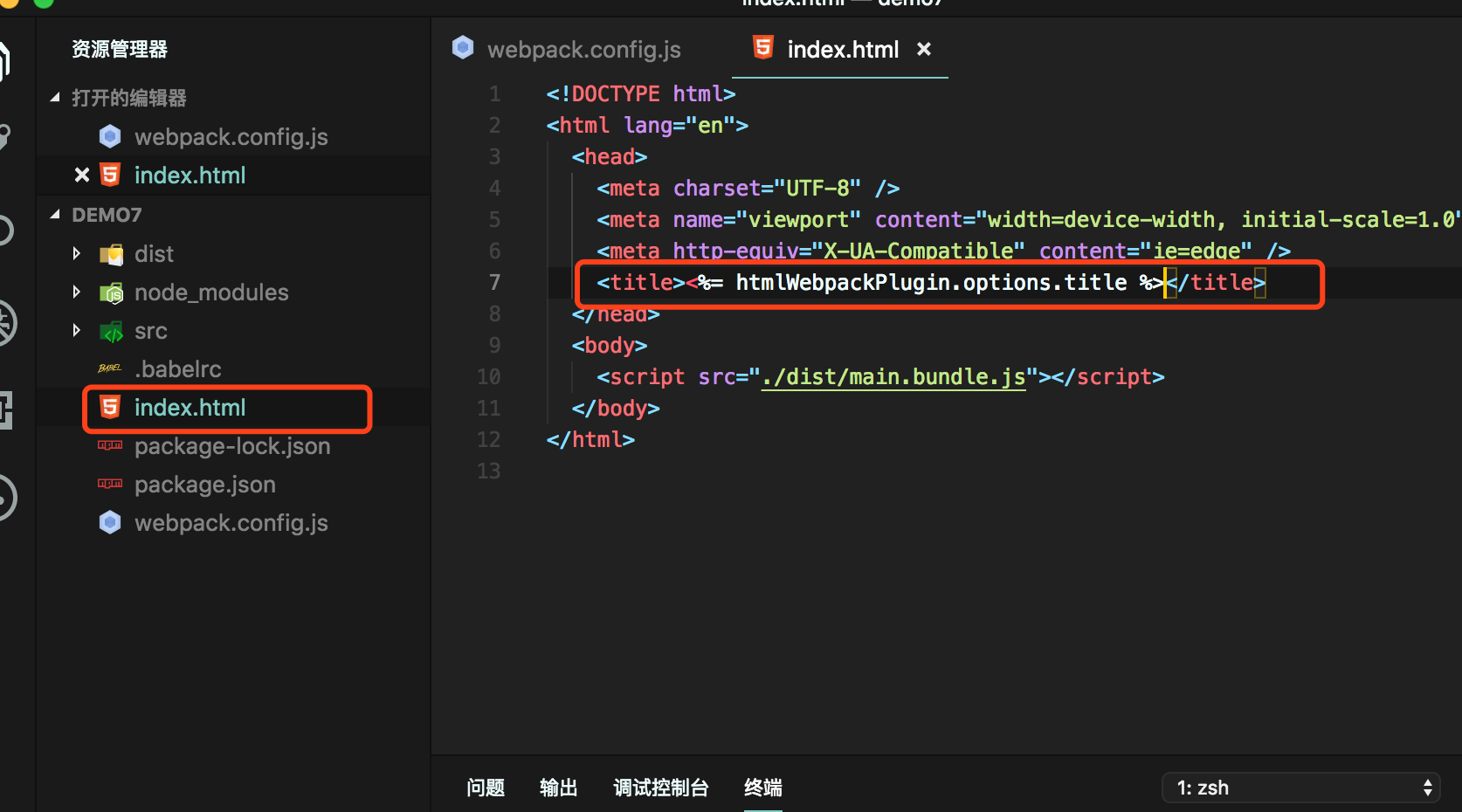
const path = require('path')const CleanWebpackPlugin = require('clean-webpack-plugin')const HtmlWebpackPlugin = require('html-webpack-plugin') // 引入插件module.exports = {entry: {page: './src/page.js'},output: {publicPath: __dirname + '/dist/', // js 引用的路径或者 CDN 地址path: path.resolve(__dirname, 'dist'), // 打包文件的输出目录filename: '[name].bundle.js', // 代码打包后的文件名chunkFilename: '[name].js' // 代码拆分后的文件名},plugins: [new CleanWebpackPlugin(),new HtmlWebpackPlugin({// 打包输出HTMLtitle: '自动生成 HTML',minify: {// 压缩 HTML 文件removeComments: true, // 移除 HTML 中的注释collapseWhitespace: true, // 删除空白符与换行符minifyCSS: true // 压缩内联 css},filename: 'index.html', // 生成后的文件名template: 'index.html' // 根据此模版生成 HTML 文件})],optimization: {splitChunks: {chunks: 'all',cacheGroups: {lodash: {name: 'chunk-lodash', // 单独将 lodash 拆包priority: 10, // 优先级要大于 commons 不然会被打包进 commonstest: /[\\/]node_modules[\\/]lodash[\\/]/},commons: {name: 'chunk-commons',minSize: 1, //表示在压缩前的最小模块大小,默认值是 30kbminChunks: 2, // 最小公用次数priority: 5, // 优先级reuseExistingChunk: true // 公共模块必开启}}}}}
(三)打包并测试
运行 npm run build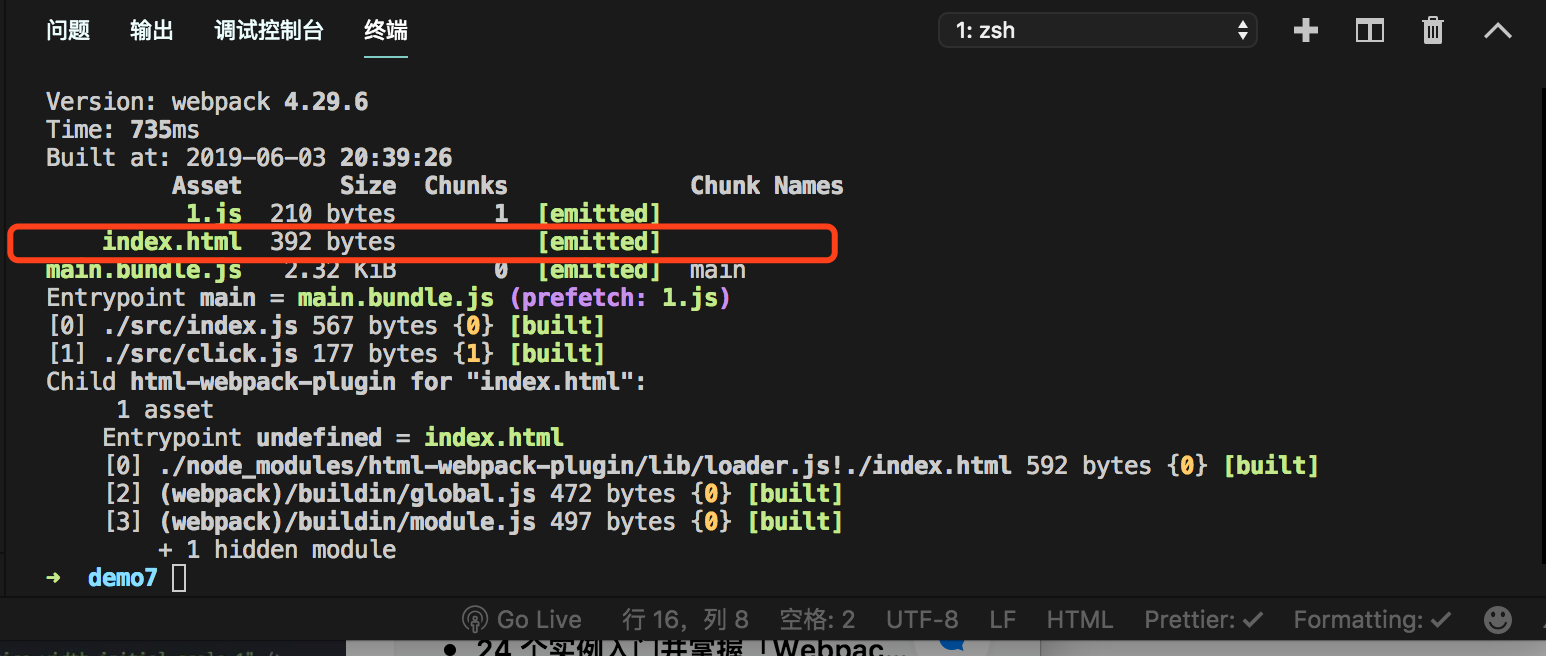
打开dist文件夹里自动生成的index.html
在浏览器中打开index.htm文件,打开控制天也发现有输出,ok,自动生成HTML文件成功
细心的朋友可能会发现一个问题,生成后的HTML文件引入的js为绝对路径,但是真实的项目打包完之后都是部署在服务器上面的,用绝对路径肯定不行,因为你本地电脑的绝对路径放在服务器上面肯定找不到
我们要将引入的js文件从绝对路基改为相对路径
修改webpack.config.js文件
找到output输出配置,更改publicPath公共路径,修改为./绝对路径
output:{publicPath:'./', // js引用的路径或者是CDN地址path: path.resolve(__dirname,'dist'), // 打包文件输出目录filename: '[name].bundle.js', // 代码打包后的文件名chunkFileName: '[name].js' // 代码拆分后的文件名}
再次打包,看打包后的index.html文件,打开浏览器测试也是没有问题的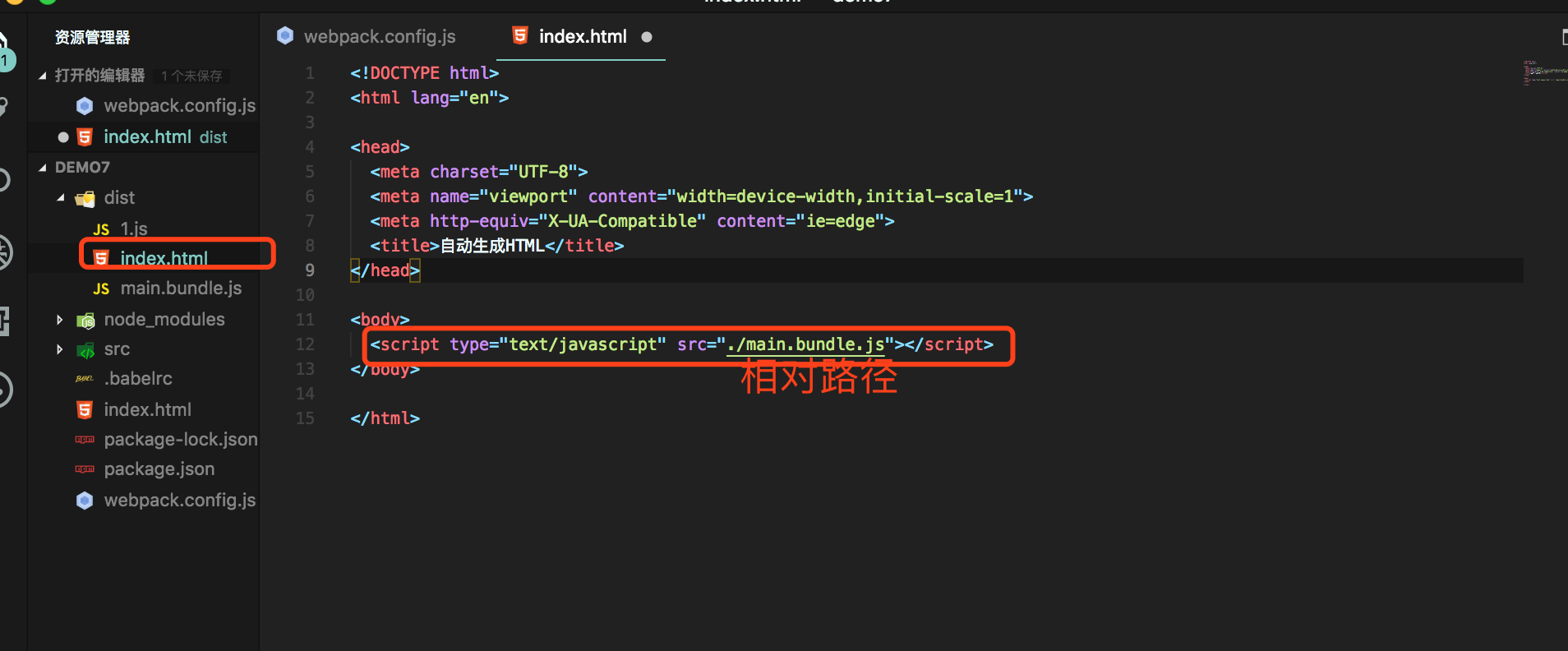

若有收获,就点个赞吧
0 人点赞


