下载
采用rpm包的方式安装:
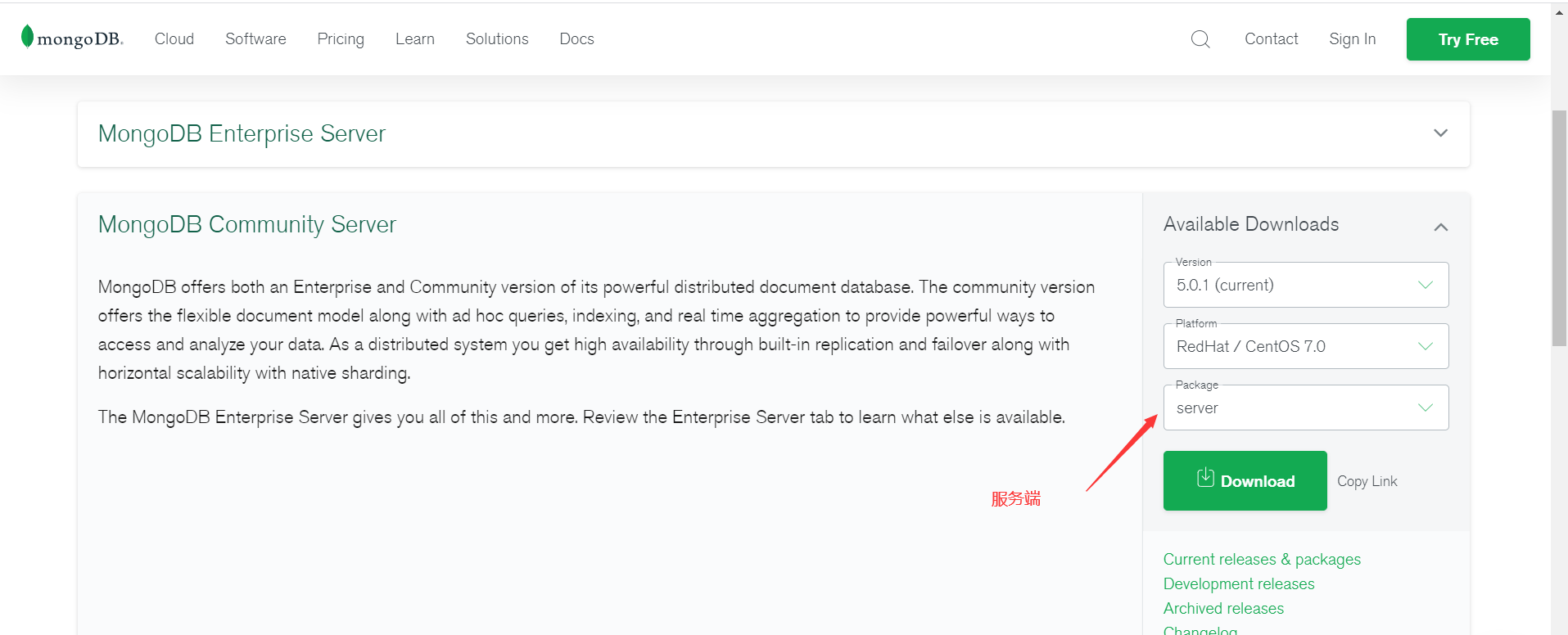
官网地址:https://www.mongodb.com/try/download/community
服务端:选择server
客户端:选择shell

安装服务端
# 安装服务端rpm -Uvh mongodb-org-server-5.0.1-1.el7.x86_64.rpm# 设置开机自启并启动systemctl enable --now mongod# 查看配置文件vim /etc/mongod.conf# mongod.conf# for documentation of all options, see:# http://docs.mongodb.org/manual/reference/configuration-options/# where to write logging data.systemLog:destination: filelogAppend: truepath: /var/log/mongodb/mongod.log# Where and how to store data.storage:dbPath: /var/lib/mongojournal:enabled: true# engine:# wiredTiger:# how the process runsprocessManagement:fork: true # fork and run in backgroundpidFilePath: /var/run/mongodb/mongod.pid # location of pidfiletimeZoneInfo: /usr/share/zoneinfo# network interfacesnet:port: 27017bindIp: 127.0.0.1 # Enter 0.0.0.0,:: to bind to all IPv4 and IPv6 addresses or, alternatively, use the net.bindIpAll setting.
修改bindIp为 0.0.0.0 即可远程访问
重启mongodb发现报错:
Google一下说是要给/tmp/mongodb-27017.sock 修改文件所属,发现还是不行。
最后:
#删除这个文件并重启,解决问题rm /tmp/mongodb-27017.sock -rfsystemctl restart mongod
安装客户端
#安装rpm -Uvh mongodb-org-shell-5.0.1-1.el7.x86_64.rpm#进入数据库./mongo
查看数据库: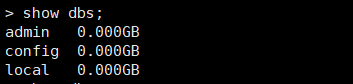
查看当前数据库:
切换数据库:

若有收获,就点个赞吧
0 人点赞


