Nexus搭建
采用docker方式
mkdir -p /app/nexus/data && \chmod -R 777 /app/nexus/data && \docker run -d -p 8081:8081 -p 8082:8082 -p 8083:8083 --name nexus -v /app/nexus/data:/nexus-data sonatype/nexus3:3.19.1
第一次要登录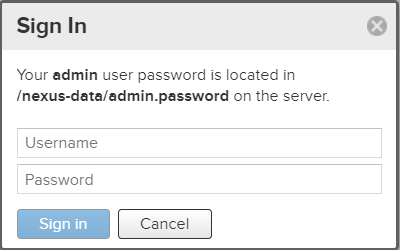
按照指令和提示找到对应的密码
目录在nexus的data文件夹中
登录
首次用户名是admin,password自己查看
首次登录后会强制重置当前密码
创建repository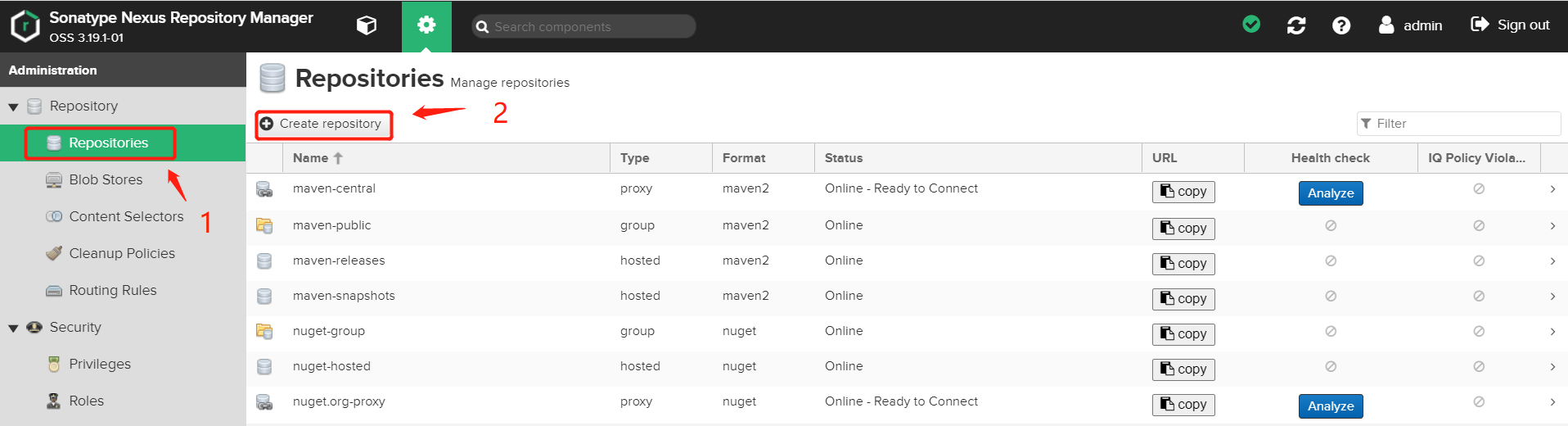
选择docker(hosted)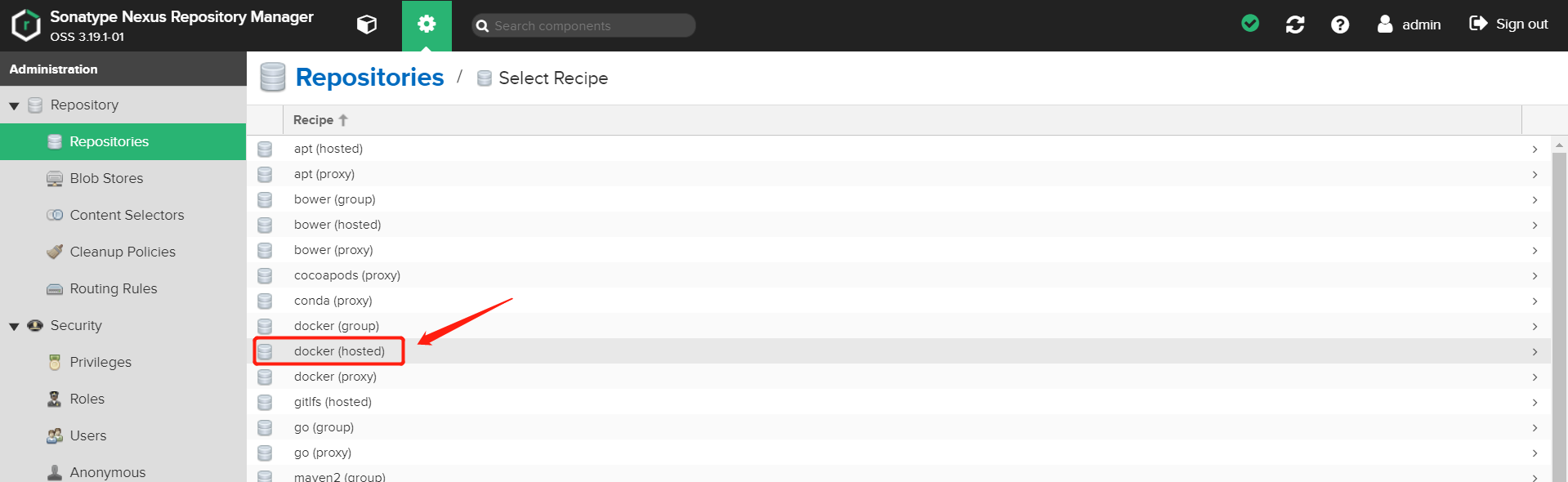
进行如下配置
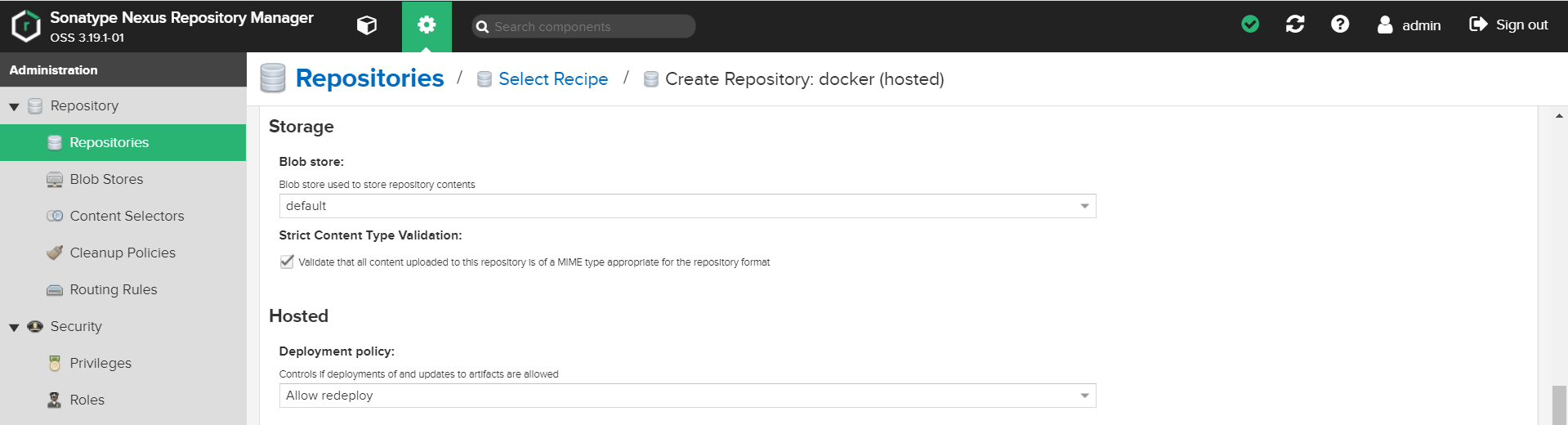
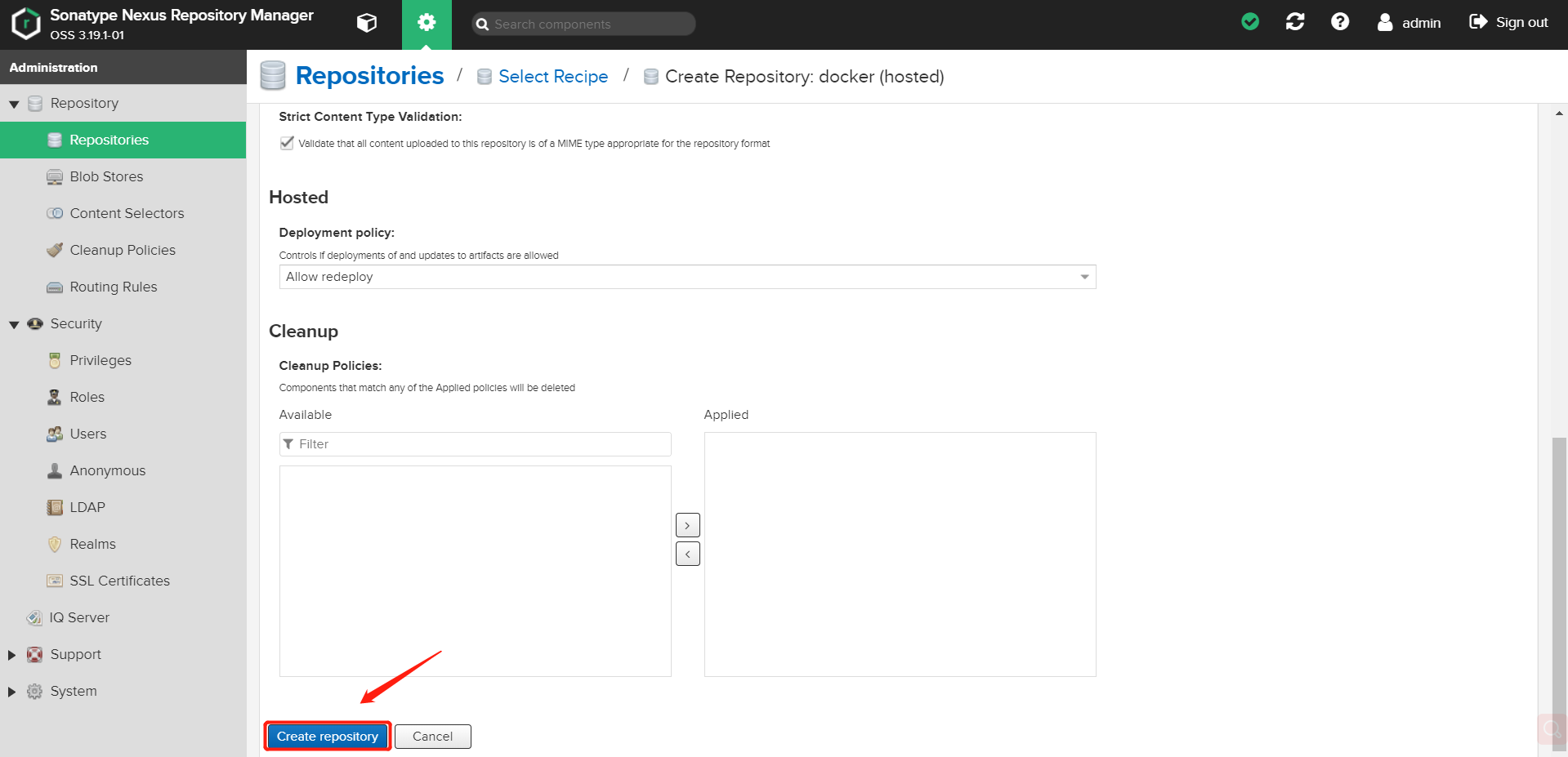


使用docker连接nexus验证nexus是否正确搭建
结果报错
WARNING! Using --password via the CLI is insecure. Use --password-stdin.Error response from daemon: Get https://124.70.187.52:8082/v2/: http: server g
需要在docker里面修改对应设置:
在/etc/docker/目录下,创建daemon.json文件(如果有的话直接覆盖)。在文件中写入
{ "insecure-registries":["192.168.0.127:8082"] }
加载配置文件,重启docker
systemctl daemon-reloadsystemctl restart docker
成功返回
WARNING! Your password will be stored unencrypted in /root/.docker/config.json.Configure a credential helper to remove this warning. Seehttps://docs.docker.com/engine/reference/commandline/login/#credentials-storeLogin Succeeded

若有收获,就点个赞吧
0 人点赞


