普通模版
在微信中使用模版temalate的话, 给模版自定义名称即可
<template name="moban2"><view><text>{{username}}</text><text>{{age}}</text></view></template>
调用使用 is=”模版的名称” 并绑定数据 … 代表解构的意思
<template is="moban2" data="{{...shuju}}"></template>
Js文件中的 data:{ }
shuju:{username:"xiaohong",age:18,type:"帅",},
高级模版 单文件
可专门建立文件夹专门放置模版 wxss样式 wxml视图 都可以拆分成单独的文件,然后进行导入导出 引用等
wxml 视图
在别的文件夹下书写了模版, 在调用的时候首先要引入进来
模版层:
<template name= 'meagss'><text>{{title }} </text><text>{{content }} </text></templast>
引用模版
<templast is=”meagss” data=”{{...shuju}}”></templast>
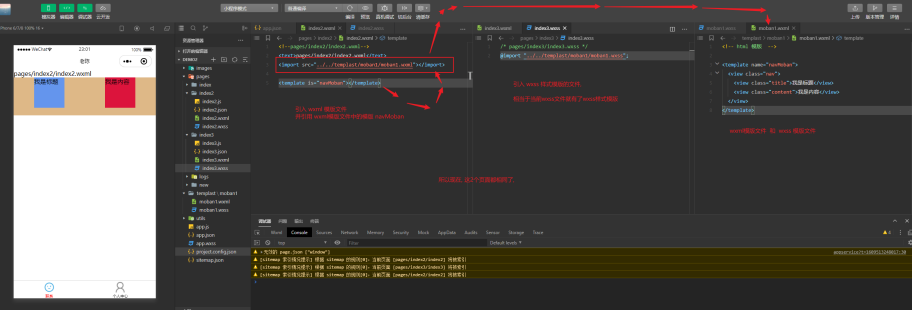
动态的传入数据
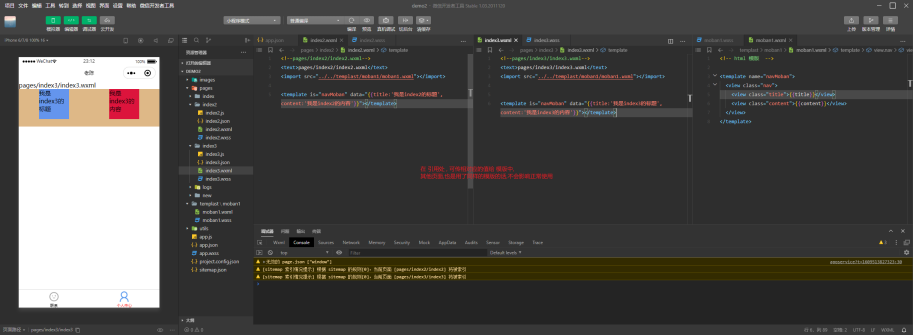
可以动态的传入数据到模版中. 在引入的这里传 使用data=”{{ 参:””,参2:”” }}”
注意引入外部文件的模版需要加后叠 wxml
<template is="navMoban" data="{{title:'我是index2的标题',content:'我是index2的内容'}}"></template><template is="navMoban" data="{{title:'我是index3的标题',content:'我是index3的内容'}}"></template>
服务器数据data进行渲染
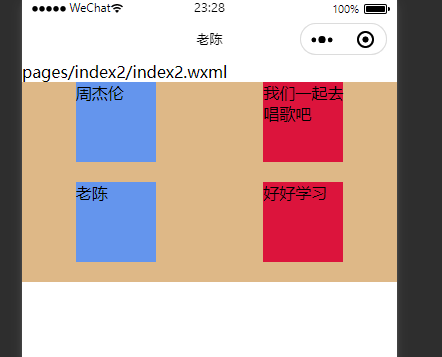
可用服务器返回来的数据data进行渲染 注意数据要数组的形式, 才能for渲染
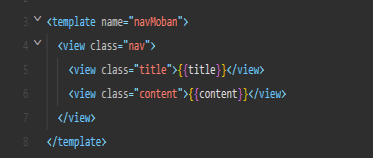
<template is="navMoban" wx:for="{{message}}" data="{{...item}}" wx:key="index"></template>
data: {message:[{title:"周杰伦",content:"我们一起去唱歌吧"},{title:"老陈",content:"好好学习 "}]},
include快捷引入
在引入非常多的时候,使用
注意: 这个引入要使用 include 标签 并引入的文件需要带后缀 wxml , 然后就可以正常使用了,自动渲染到本页面
模版
<view><text>我是 include文件的</text></view>
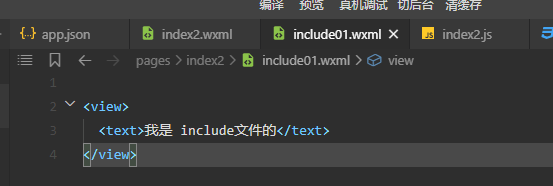
引入
使用include 标签 src=”路径” 引入,包含后叠名
<include src="include01.wxml" />
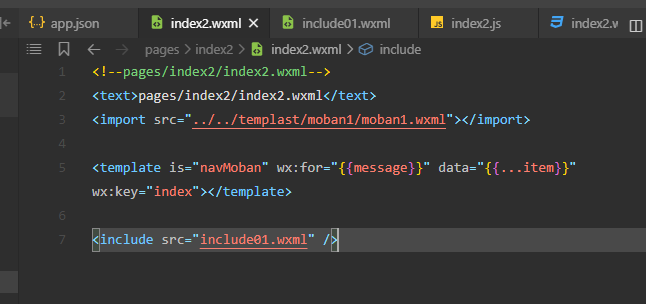
整体效果


若有收获,就点个赞吧
0 人点赞


