关于文件输出流
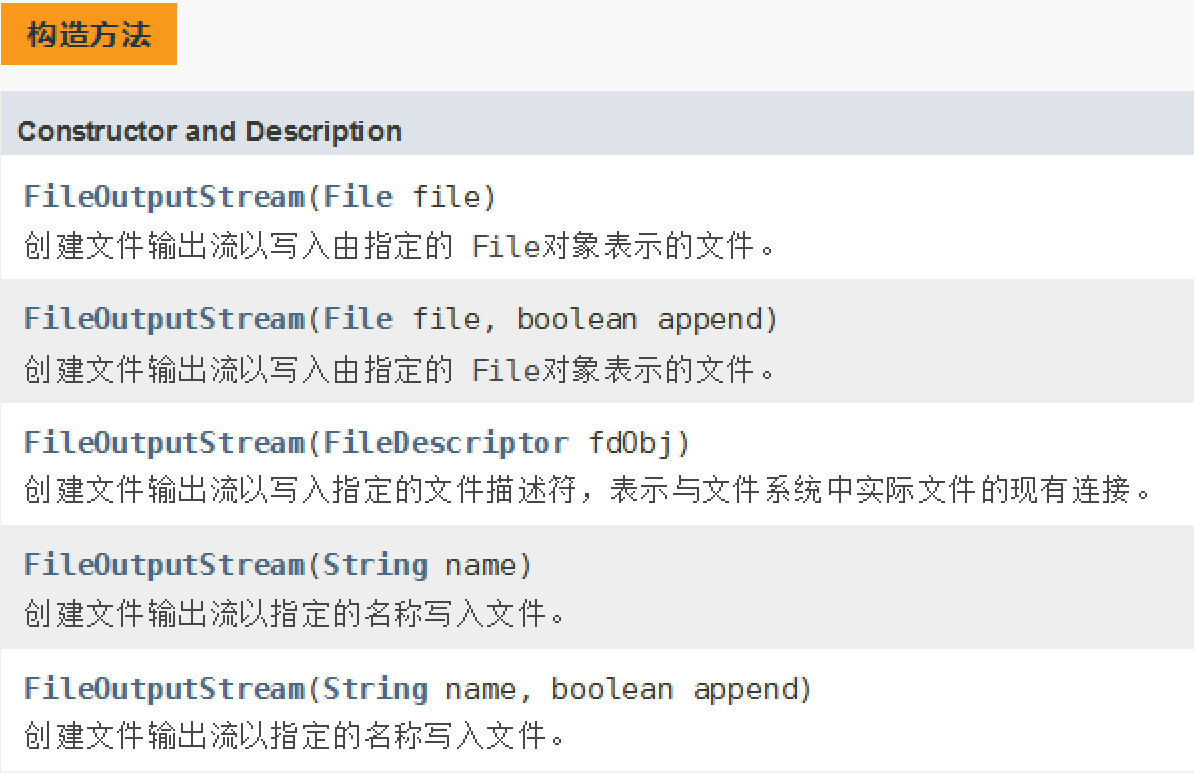
构造器
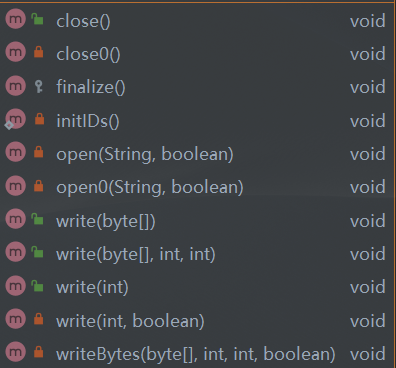
方法一览
示例代码
import java.io.FileOutputStream;import java.io.IOException;public class Main {public static void main(String[] args) {// 文件路径String path = "./write.txt";// true=追加、false=覆盖boolean append = true;FileOutputStream fos = null;try {// 创建流对象fos = new FileOutputStream(path,append);String str = "0123456789ABCDEFG\n";// 将 String 转换为 Byte 数组后,使用流对象写入文件fos.write(str.getBytes());fos.write(str.getBytes(), 0, str.length());fos.write(str.getBytes(), 0, 3);} catch (IOException e) {e.printStackTrace();} finally {// 关闭连接try {fos.close();} catch (IOException e) {e.printStackTrace();}}}}

若有收获,就点个赞吧
0 人点赞


