边界: loader 本质是一个函数,它的作用是将某个源码字符串转换成另一个源码字符串返回
webpack做的事情,仅仅是分析出各种模块之间的依赖关系,然后形成资源列表,最终打包指定的文件中
更多的功能需要借助webpack loader和webpack plugins完成

loader函数将在模块解析的过程中被调用,已得到最终的源码
全流程
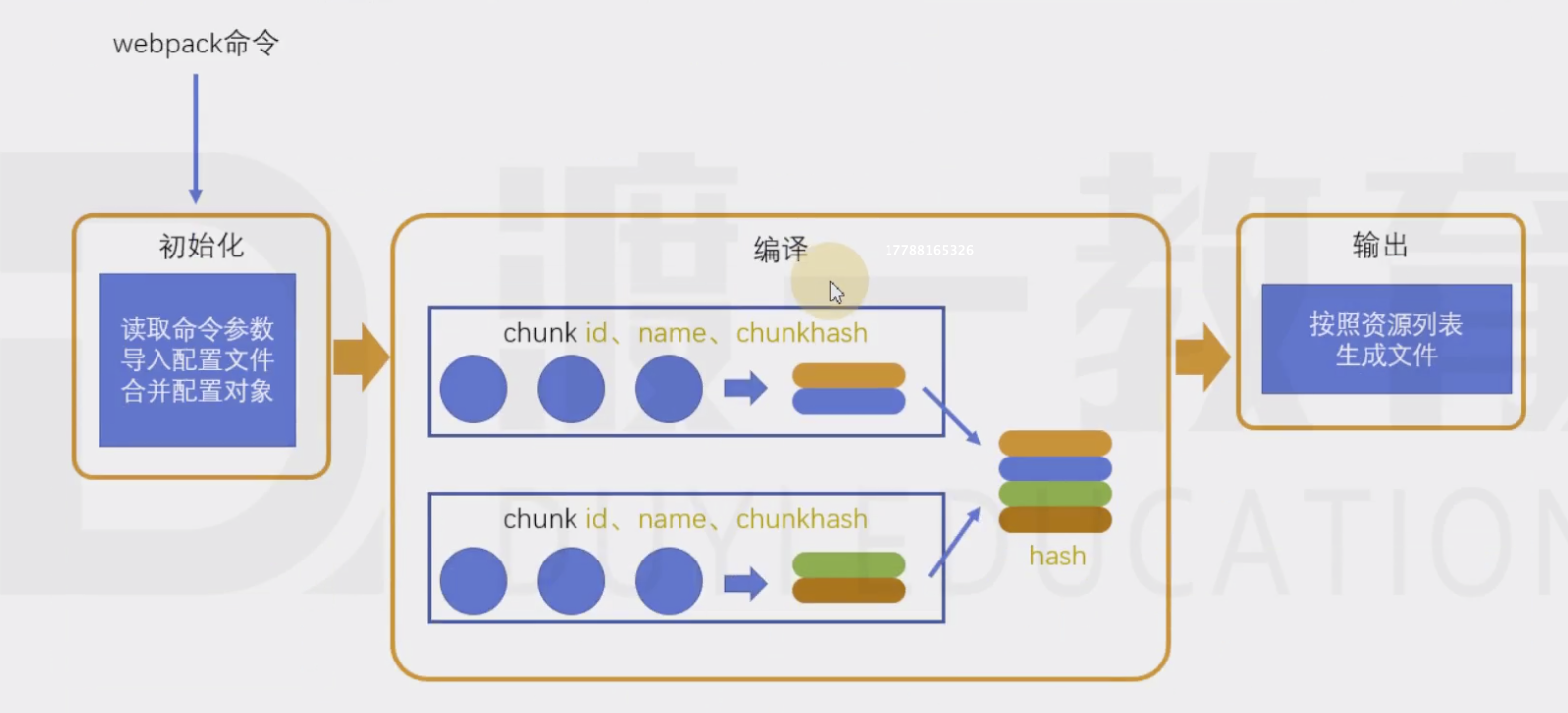
chunk中解析模块的流程
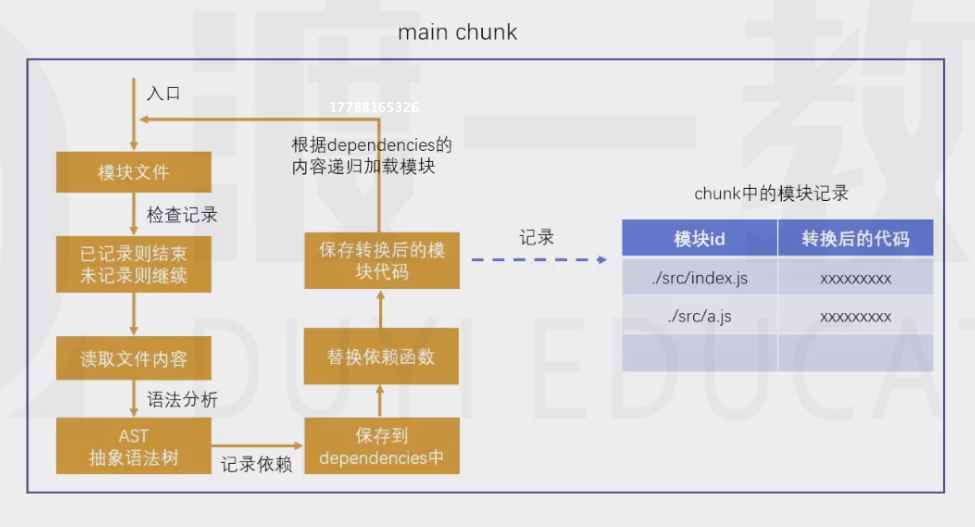
chunk中解析模块的更详细的流程
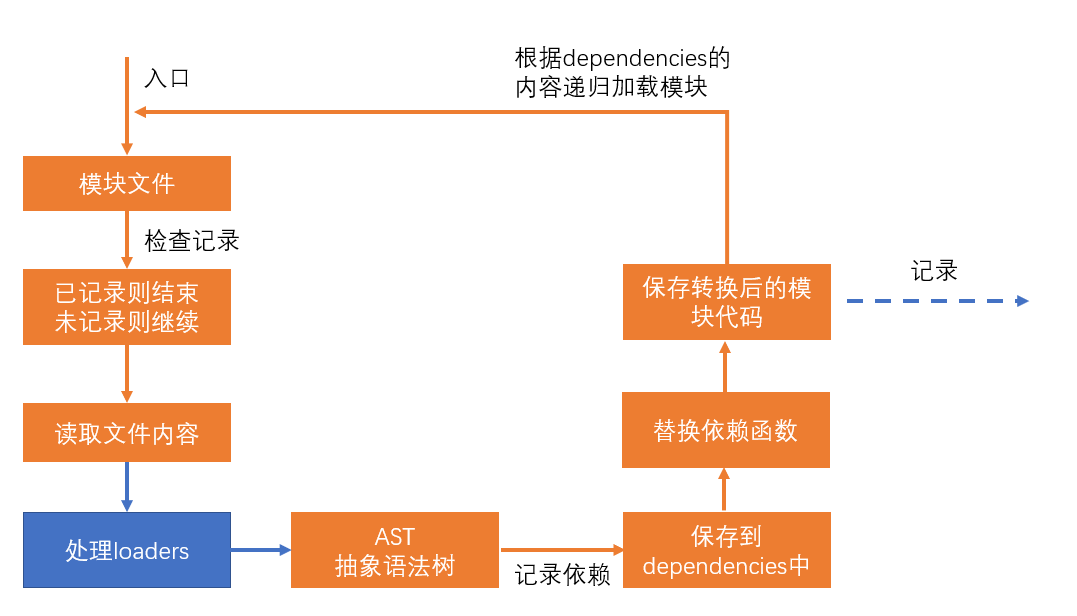
处理loaders流程
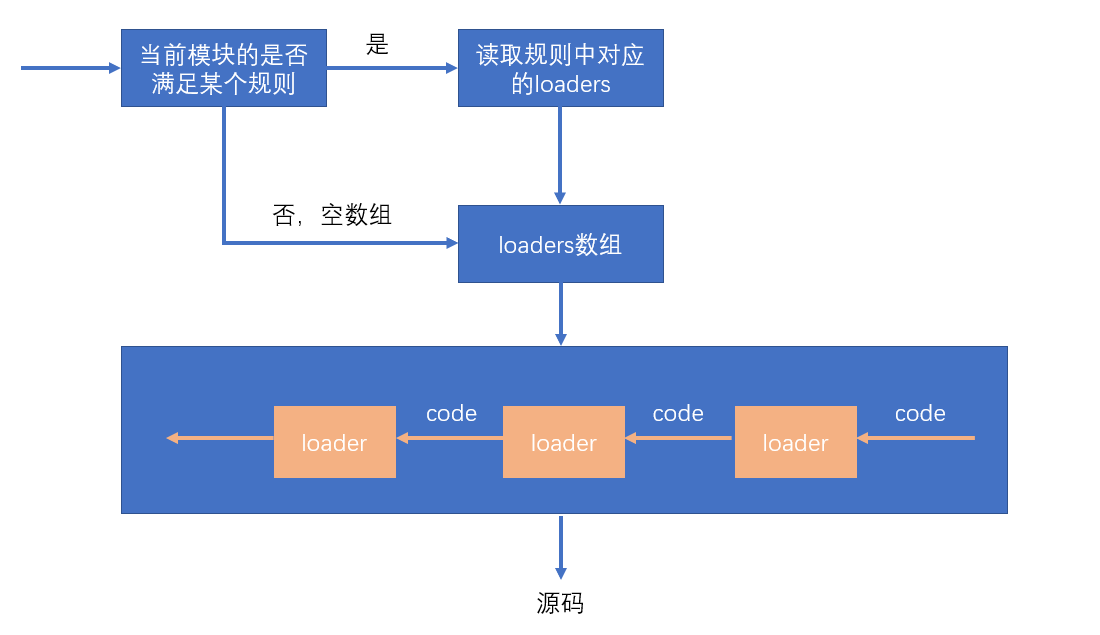
loader配置:
完整配置
module.exports = {module: { //针对模块的配置,目前版本只有两个配置,rules、noParserules: [ //模块匹配规则,可以存在多个规则{ //每个规则是一个对象test: /\.js$/, //匹配的模块正则use: [ //匹配到后应用的规则模块{ //其中一个规则loader: "模块路径", //loader模块的路径,该字符串会被放置到require中options: { //向对应loader传递的额外参数changeVar:'自定义字符串'}}]}]}}

test-loader.js
var loaderUtils = require("loader-utils");module.exports = function(sourceCode){//sourceCode : 变量 a = 1;console.log("test-loader运行了")var options = loaderUtils.getOptions(this);// 获取loader配置的option对象console.log(options)var reg = new RegExp(options.changeVar, "g");return sourceCode.replace(reg, "var");}
图片处理的loader
var loaderUtils = require('loader-utils');function loader(buffer){const content=getFilePath.call(this,buffer);return `module.exports=\'${content}\'`;}loader.raw=true;// 该loader处理原始数据,不然的是图片的乱码(buffer转换成string的结果)module.exports=loader;function getBase64(buffer){return "data:image/png;base64,"+buffer.toString("base64");}function getFilePath(buffer){const fileName loaderUtils.interpolateName(this,"[contenthash:6].[ext]",{content:buffer;})this.emitFile(fileName,buffer)}
简化配置
module.exports = {module: { //针对模块的配置,目前版本只有两个配置,rules、noParserules: [ //模块匹配规则,可以存在多个规则{ //每个规则是一个对象test: /\.js$/, //匹配的模块正则use: ["模块路径1", "模块路径2"]//loader模块的路径,该字符串会被放置到require中}]}}

若有收获,就点个赞吧
0 人点赞


