代码中需要更改的内容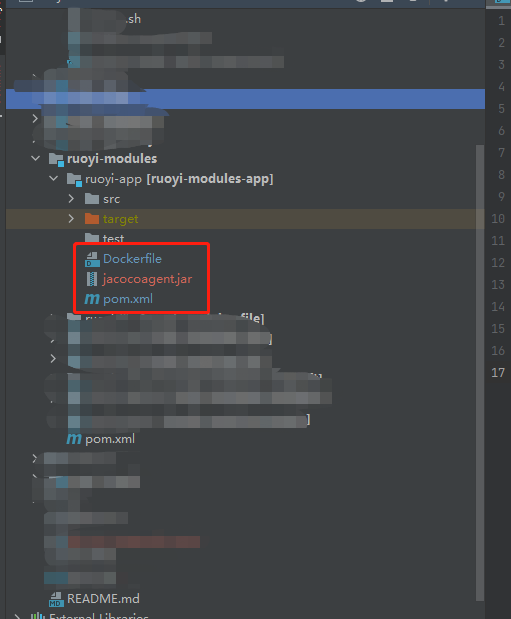
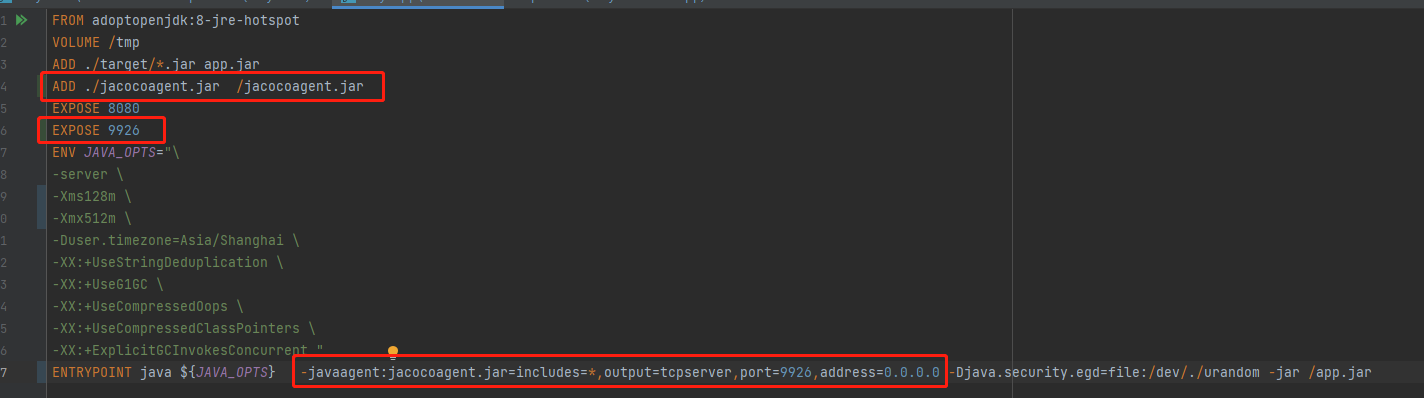
Dockerfile
1.在文件中引入jacocoagent.jar,引入后需检查是否引入成功
ADD ./jacocoagent.jar /jacocoagent.jar
2.打开jacocoagent监控端口,不能与其他jacocoagent端口重复,此端口也是docker容器启动的必填项
EXPOSE 9926
3.加入jacocoagent启动参数,端口号与第2条填入的参数相同,address由于是docker环境所以默认填0.0.0.0
-javaagent:jacocoagent.jar=includes=*,output=tcpserver,port=9926,address=0.0.0.0
pom.xml
引入jacoco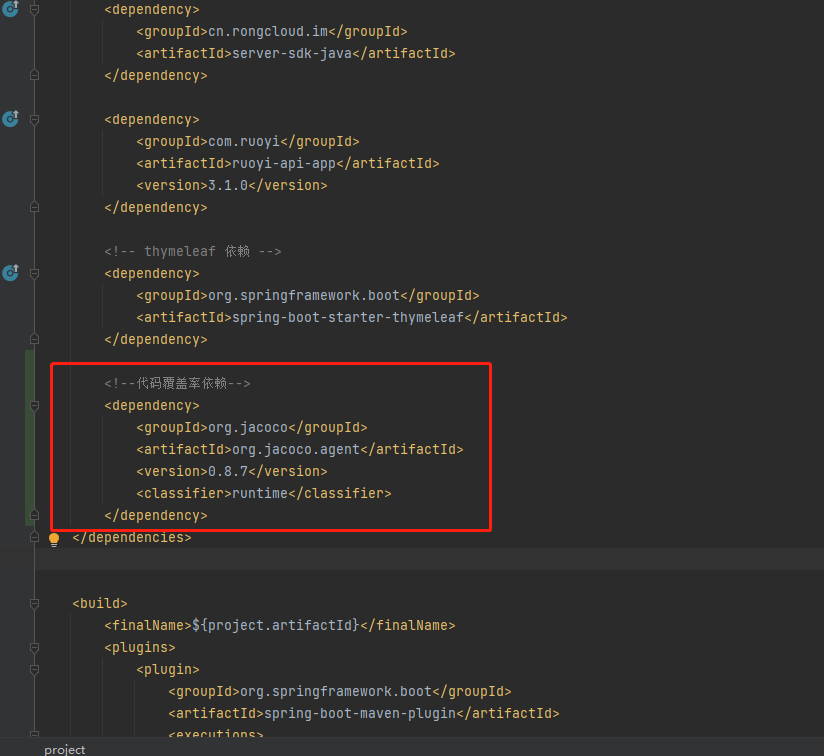
<!--代码覆盖率依赖--><dependency><groupId>org.jacoco</groupId><artifactId>org.jacoco.agent</artifactId><version>0.8.7</version><classifier>runtime</classifier></dependency>
设置jacoco插件细节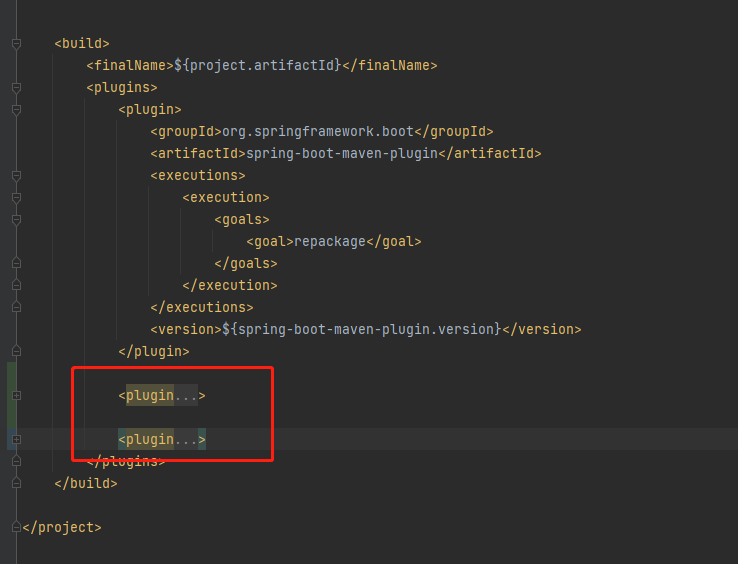
<plugin><groupId>org.jacoco</groupId><artifactId>jacoco-maven-plugin</artifactId><version>0.8.7</version><executions><execution><id>default-instrument</id><goals><goal>instrument</goal></goals></execution><execution><id>default-restore-instrumented-classes</id><goals><goal>restore-instrumented-classes</goal></goals></execution><execution><id>report</id><phase>prepare-package</phase><goals><goal>report</goal></goals></execution><execution><id>check</id><goals><goal>check</goal></goals></execution><execution><id>prepare-agent</id><goals><goal>prepare-agent</goal></goals></execution></executions><configuration><!-- rules里面指定覆盖规则 --><rules><rule implementation="org.jacoco.maven.RuleConfiguration"><element>BUNDLE</element><limits><!-- 指定方法覆盖到80% --><limit implementation="org.jacoco.report.check.Limit"><counter>METHOD</counter><value>COVEREDRATIO</value><minimum>0.80</minimum></limit><!-- 指定指令覆盖到80% --><limit implementation="org.jacoco.report.check.Limit"><counter>INSTRUCTION</counter><value>COVEREDRATIO</value><minimum>0.80</minimum></limit><!-- 指定行覆盖到80% --><limit implementation="org.jacoco.report.check.Limit"><counter>LINE</counter><value>COVEREDRATIO</value><minimum>0.80</minimum></limit><!-- 指定类覆盖到100%,不能遗失任何类 --><limit implementation="org.jacoco.report.check.Limit"><counter>CLASS</counter><value>MISSEDCOUNT</value><maximum>0</maximum></limit></limits></rule></rules></configuration></plugin><plugin><groupId>org.jacoco</groupId><artifactId>jacoco-maven-plugin</artifactId><version>0.8.7</version><configuration><destFile>jacoco.exec</destFile><dataFile>jacoco.exec</dataFile></configuration><executions><execution><id>jacoco-initialize</id><goals><goal>prepare-agent</goal></goals></execution><execution><id>jacoco-site</id><phase>test</phase><goals><goal>report</goal></goals></execution></executions></plugin>
到此代码部分的已经设置完成,接下来是docker的设置
在原有的容器端口外,加上上面设置的jacocoagent端口,设置完成后,点击ok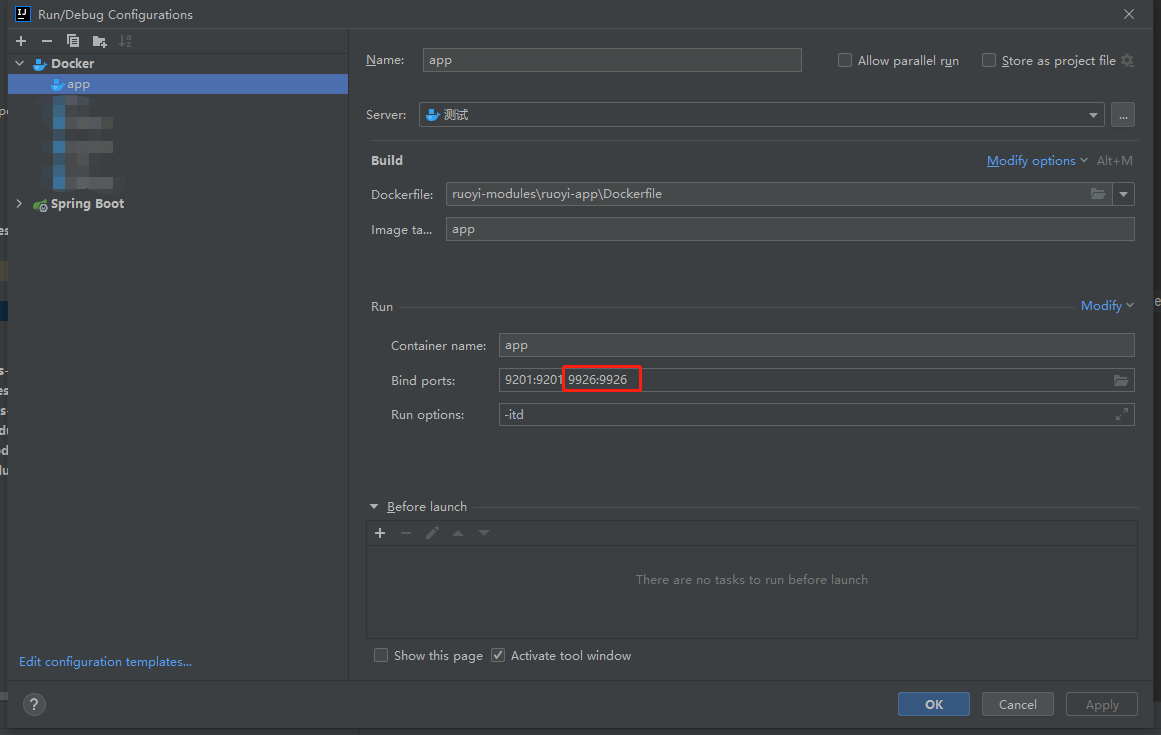
到此,覆盖率文件已经生成,接下来是获取覆盖率文件exec
首先在服务端机器上配置ant
然后创建build.xml,用于通过ant获取覆盖率文件
<?xml version="1.0" encoding="UTF-8"?><project name="Jacoco" xmlns:jacoco="antlib:org.jacoco.ant" default="jacoco"><property name="jacocoantPath" value="/usr/local/jacoco_test/jacoco-0.8.7/lib/jacocoant.jar"/><property name="integrationJacocoexecPath" value="./jacoco-integration.exec"/><taskdef uri="antlib:org.jacoco.ant" resource="org/jacoco/ant/antlib.xml"><classpath path="${jacocoantPath}" /></taskdef><?如果需要获取多个容器的覆盖率信息,则dump里添加多个的jacocoagent监控端口就可?><target name="dump"><jacoco:dump address="0.0.0.0" port="9926" reset="false" destfile="${integrationJacocoexecPath}" append="true"/><jacoco:dump address="0.0.0.0" port="9928" reset="false" destfile="${integrationJacocoexecPath}" append="true"/></target></project>
最后,使用idea分析覆盖率文件即可!

若有收获,就点个赞吧
0 人点赞


