关键语法
- GROUP BY
- HAVING
- 统计相关:COUNT,SUM,MAX,MIN,AVG
GROUP BY
- 满足“select 子句中的列名必须为分组列或列函数”
如果用 group by,那么 select 中选出的列是 group by 里用到的列,要么就是带有如 sum、min 等列函数的列,该条件只针对同一张表成立 - 列函数对于 group by 子句定义的每个组各返回一个结果
下面看一个案列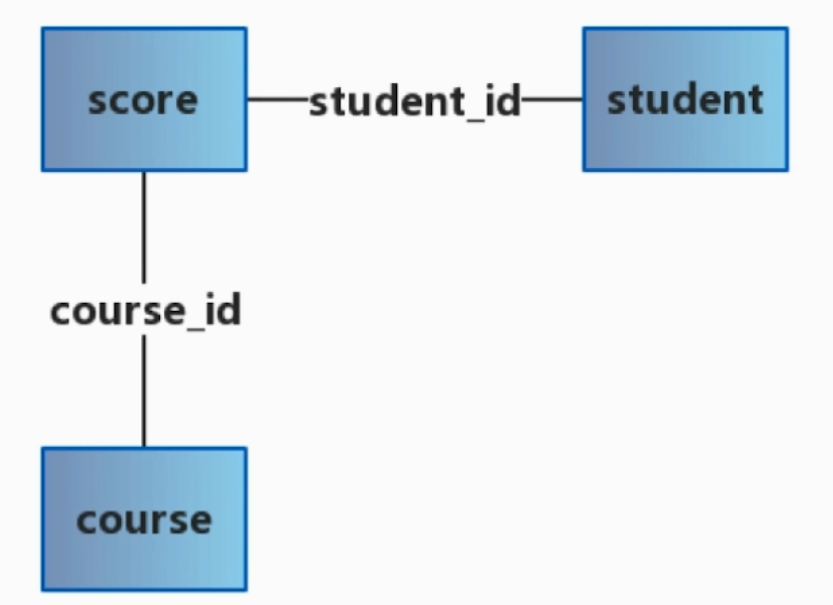
如图所示为案例中的表之间的关系
创建“student”、“course”、“score”表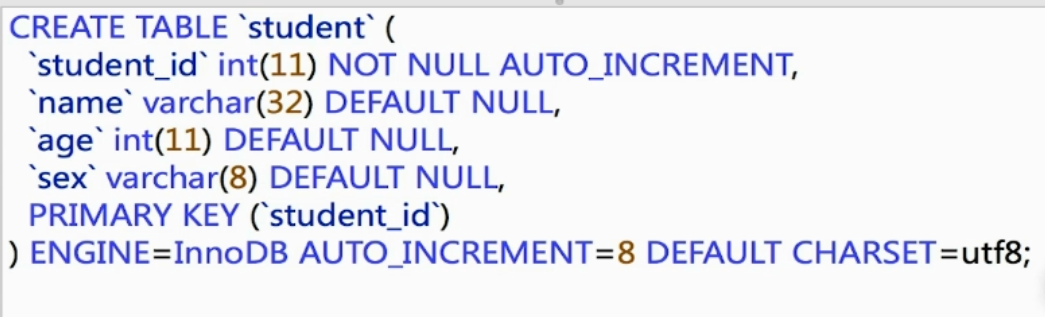
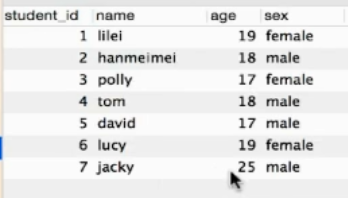
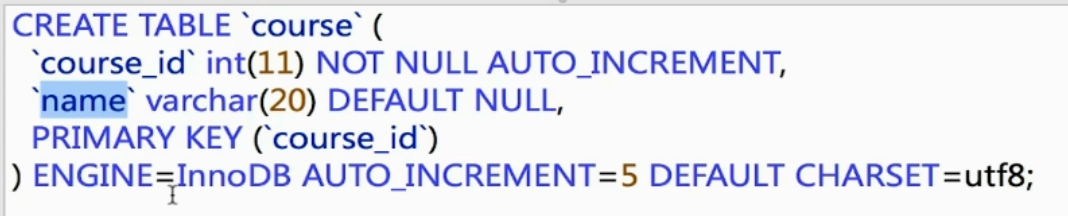
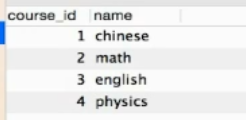
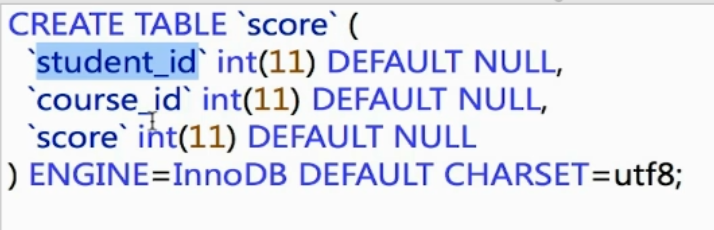
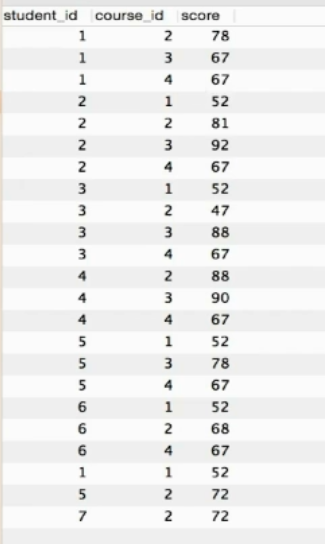
# 查询所有同学的学号、选课数、总成绩select student_id, count(course_id), sum(score) from score group by student_id;
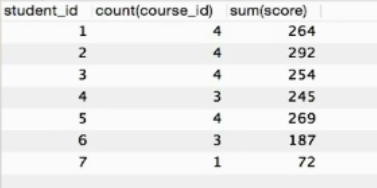
验证学号为 1 的人的分数是否正确
select * from score where student_id = 1;
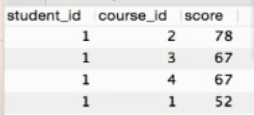
explain select student_id, count(course_id), sum(score) from score group by student_id;

group by 会把结果集缓存到一张临时表中,然后再通过统计函数对结果集进行统计,之后再展示出来。
# 查询所有同学的学号、姓名、选课数、总成绩
select s.student_id, stu.name, count(s.course_id), sum(s.score) from score s, student stu where s.student_id = stu.student_id group by s.student_id;
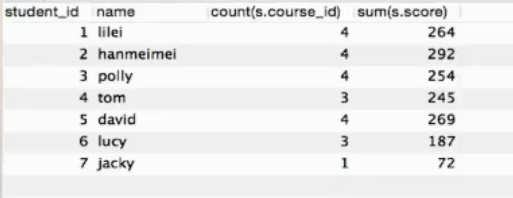
证明 group by 条件只针对同一张表成立
HAVING
- 通常与 GROUP BY 子句一起使用
当他在 group by 子句中使用时,可以在 group by 子句之后指定过滤条件 - WHERE 过滤行,HAVING 过滤组
- 出现在同一 SQL 的顺序:WHERE > GROUP BY > HAVING
下面看一个例子
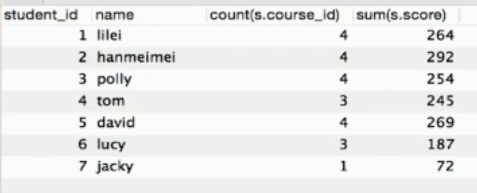
# 查询平均成绩大于 60 分的同学的学号和平均成绩
select student_id, avg(score) from score group by student_id having avg(score) > 60;
# 取出 student_id 为 1 的学生的成绩情况
select * from score where student_id = 1;
select * from score having student_id = 1;
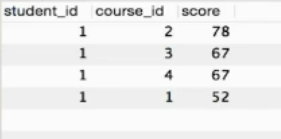
如果省略了 group by 子句,having 子句就像 where 子句一样
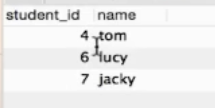
# 查询没有学全所有课的同学的学号、姓名
select stu.student_id, stu.name from student stu, score s where stu.student_id = s.student_id group by s.student_id having count(*) < (select count(*) from course);

若有收获,就点个赞吧
0 人点赞


