问题来源
最近在做某项目的技术调研,其中后端是用koa+mongodb实现的(其实就是nodejs搭建的一套后台服务),有个需求是希望生成微信小程序码(也称葵花码)。<br />微信官方相关资料:
生成小程序码各种问题
因涉及到的为公司内部项目,故会对appid/secret等关键信息用xxxxxx进行代替,实际copy的时候替换成真实的小程序信息即可。
node生成小程序码有俩个关键步骤:
- 获取小程序接口调用凭证access_token
- 获取小程序码
下面我们用代码实际跑一下看怎么生成?
- 新建server.js ``` const config = { appid: ‘xxxxxx’, secret: ‘xxxxxx’ } const https = require(‘https’);
// 1-获取到access_token
https.get(https://api.weixin.qq.com/cgi-bin/token?grant_type=client_credential&appid=${config.appid}&secret=${config.secret}, (response) => {
let todo = ‘’;
response.on(‘data’, (chunk) => {
todo += chunk;
});
response.on(‘end’, () => {
const {
access_token,
expires_in
} = JSON.parse(todo)
if (access_token && expires_in) {
// 2-获取太阳码接口
getQRCode(access_token)
}
}); }).on(“error”, (error) => { console.log(“Error: “ + error.message); });
function getQRCode(access_token) { const data = JSON.stringify({ access_token }) const options = { hostname: ‘api.weixin.qq.com’, path: ‘/wxa/getwxacodeunlimit’, method: ‘POST’, headers: { ‘Content-Type’: ‘application/json’, ‘Content-Length’: data.length } }
console.log(‘请求参数数据’, data) const req = https.request(options, res => { res.on(‘data’, d => { console.log(‘d:’, d.toString()) }) }) req.write(data) req.on(‘error’, error => { console.error(error) }) req.end() }
- 执行node server.js启动node服务后,我们查看运行效果: <br />Error: {"errcode":41001,"errmsg":"access_token missing rid: 62bbbb20-4d960a62-65f840a8"}<br />> 报错原因分析: 微信很多接口是以post方式请求的,参数一般也是以json格式传入的, But这个access_token需要以get的方式拼接在url上进行传递,否则微信接口收不到。我们看下微信官方截图:<br />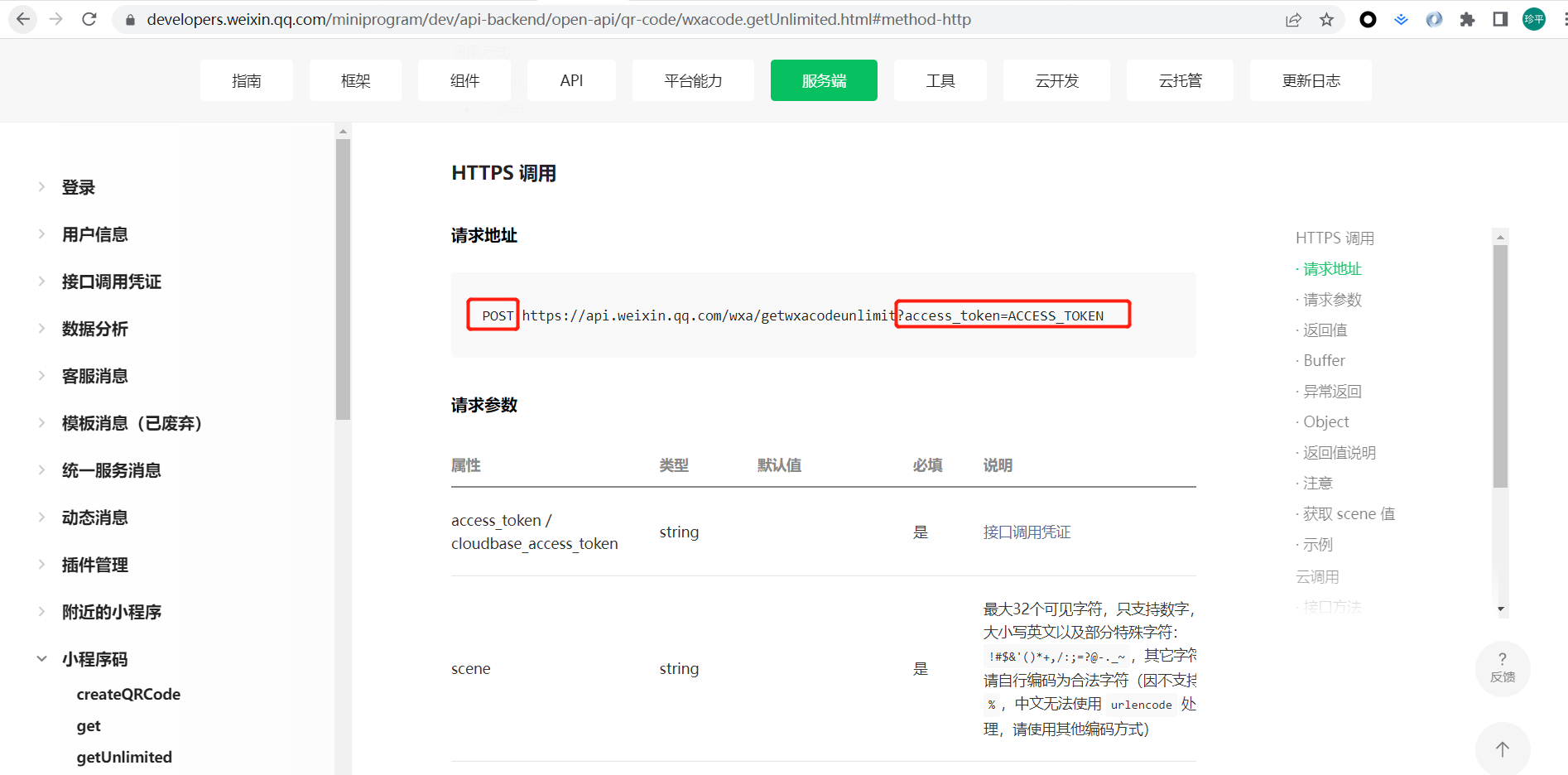- 我们修改代码如下:
// 将access_token附加在请求url上.
path: /wxa/getwxacodeunlimit?access_token=${access_token},
- 再次执行node server.js启动node服务后,我们查看运行效果: <br />Error: {"errcode":47001,"errmsg":"data format error rid: 62bbbe2a-4decf6d0-6cb9333a"}<br />> 报错原因分析: 格式化json数据有误,原来是有一些必传参数未传递。- 我们修改代码如下:
const data = JSON.stringify({ scene: ‘id=2’, // scene参数根据实际需要填写即可 page: ‘pages/index/index’ })
- 再次执行node server.js启动node服务后,我们查看运行效果: <br />Error: {"errcode":41030,"errmsg":"invalid page rid: 62bbbff3-5b8aeb3c-3fd4b88a"}<br />> 报错原因分析:page不合法,可能原因是页面不存在或者小程序未发布。在这里例子中是由于小程序未发布到线上,故该页面找不到,所以报错了。- 我们修改代码如下:
const data = JSON.stringify({ scene: ‘id=2’, // scene参数根据实际需要填写即可 page: ‘pages/index/index’, // 入参新增check_path字段 check_path: false })
至此,你以为大概率可以正常生成小程序码了,答案当然是错误的,请接着往下看。<a name="AMDYT"></a>## arraybuffer转图片> 上面的代码片段只解决了接口层调用的问题,但未解决如何接收post请求返回体。- 修改代码如下:
res.on(‘end’, () => { console.log(‘post请求接收到的参数:’, body) // 将二进制流图片转换生成真实的图片 fs.writeFile(‘test.png’, body, function (err) { if (!err) { console.log(‘图片生成成功=.=’) } }) })
- 我们重启看下node服务,我们会发现接收到的数据乱码了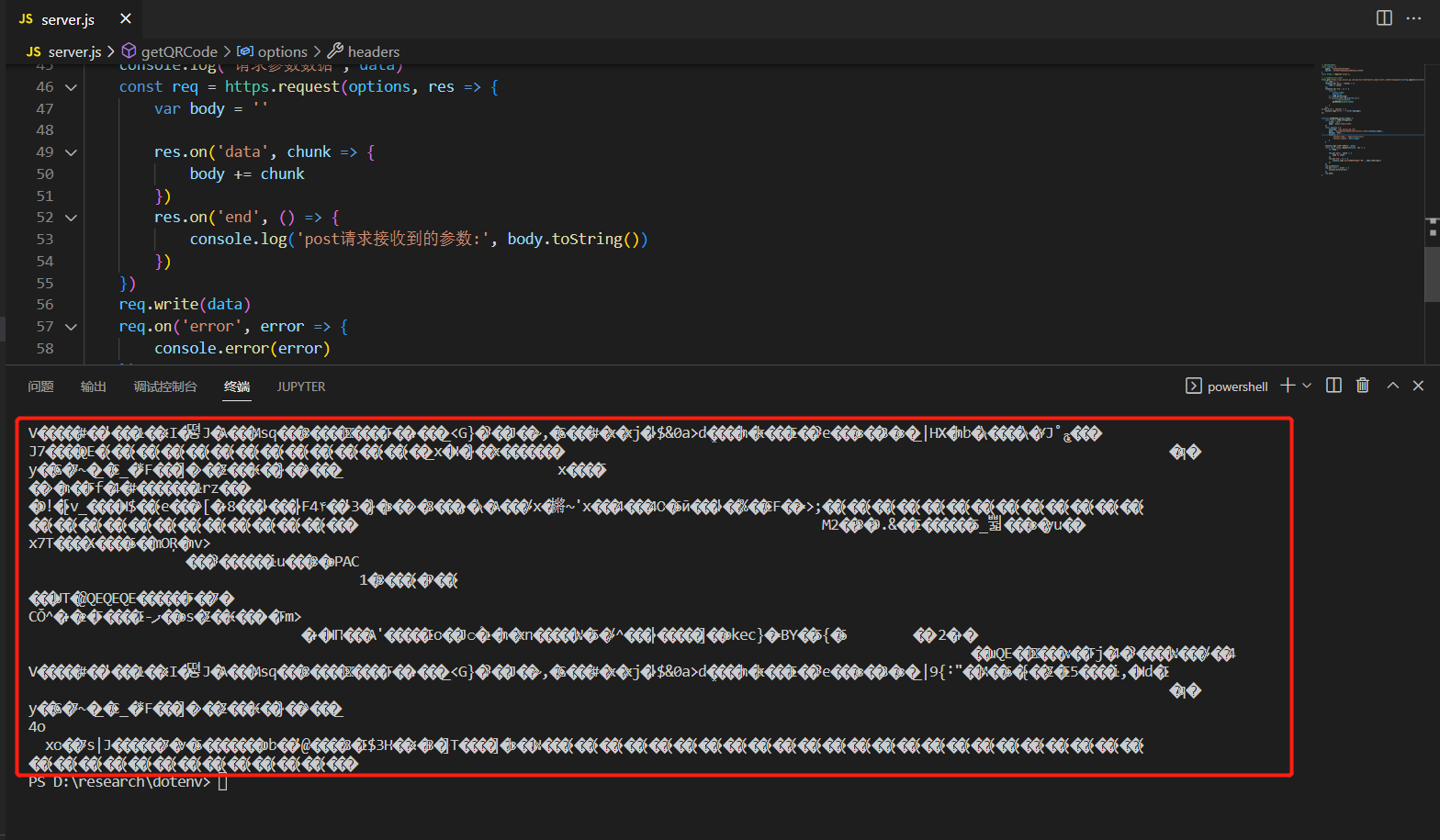<br />But图片生成成功了,我们看下能否打开,oh no,是不行的,说明格式不对。<br />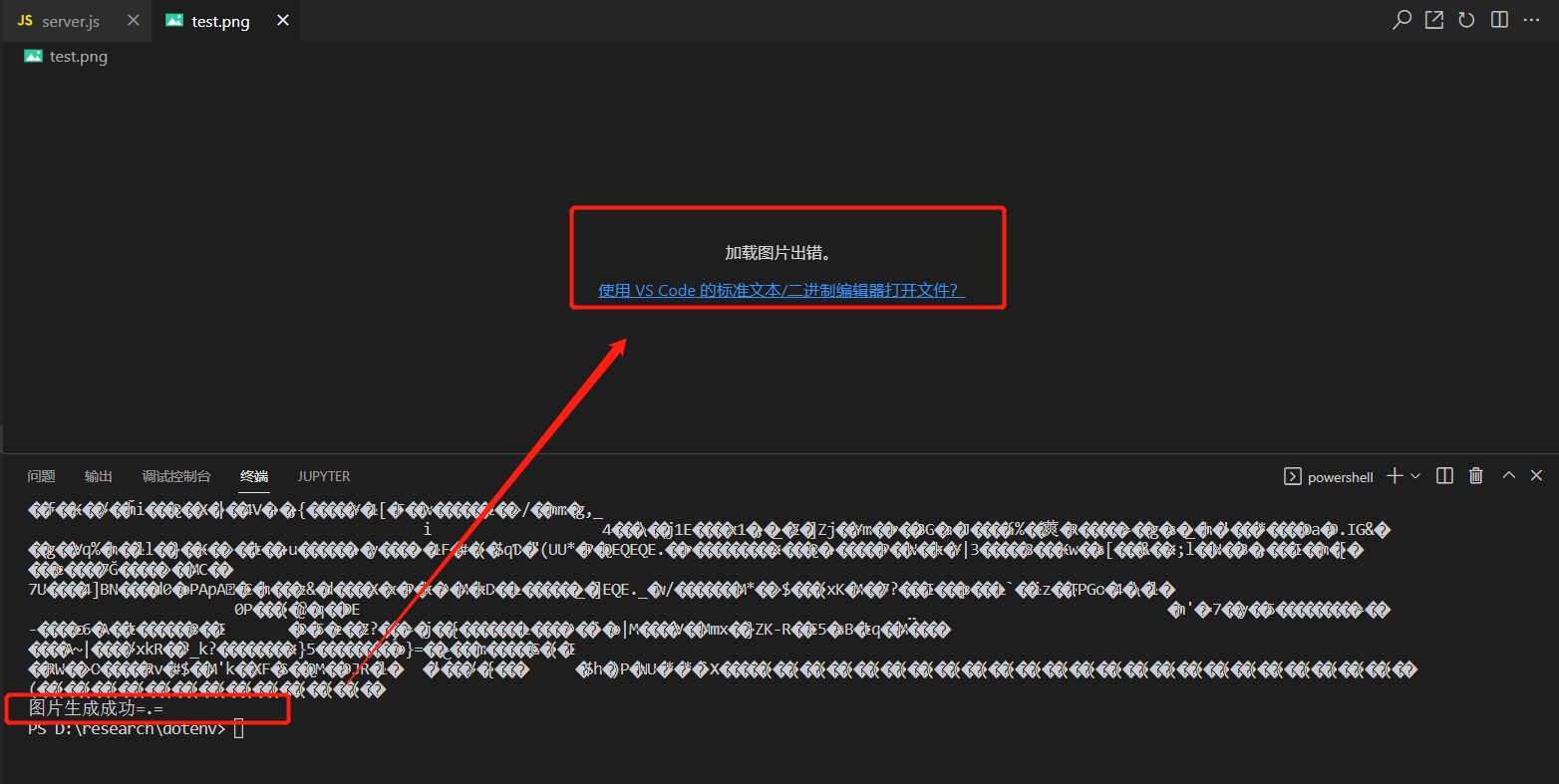<a name="Zsbcu"></a>## 生成小程序码code> 下面的代码,修改下appid&secret即可正常运行。
// 最终代码如下: const config = { appid: ‘xxxxxx’, secret: ‘xxxxxx’ } const https = require(‘https’);
// 1-获取到access_token
https.get(https://api.weixin.qq.com/cgi-bin/token?grant_type=client_credential&appid=${config.appid}&secret=${config.secret}, (response) => {
let todo = ‘’;
response.on(‘data’, (chunk) => {
todo += chunk;
});
response.on(‘end’, () => {
const {
access_token,
expires_in
} = JSON.parse(todo)
if (access_token && expires_in) {
// 2-获取太阳码接口
getQRCode(access_token)
}});
}).on(“error”, (error) => { console.log(“Error: “ + error.message); });
function getQRCode(access_token) { const axios = require(‘axios’) const fs = require(‘fs’)
const data = {scene: 'id=2',page: 'pages/index/index'}axios({url: `https://api.weixin.qq.com/wxa/getwxacodeunlimit?access_token=${access_token}`,method: 'POST',// 很关键responseType: 'arraybuffer',data: data,}).then(body => {let {data} = bodyconst buffer = dataconsole.log(buffer, 'buffer')// 将二进制流图片转换生成真实的图片fs.writeFile('test.png', buffer, function (err) {if (!err) {console.log('图片生成成功=.=')}})})
} ```

若有收获,就点个赞吧
0 人点赞


