新增
insert into student2 select * from student;student中的数据全部插入student2
要求列数、类型等全部匹配才可以这样做insert into sudent2 select name from student;
按列插入
查询
聚合查询
select可以指定列为表达是
select name,chinese+math+english from exam;
聚合函数
| 函数 | 说明 |
|---|---|
| COUNT([DISTINCT] expr) | 返回查询到的数据的数量 |
| SUM([DISTINCT] expr) | 返回查询到的数据的 总和 不是数字没有意义 |
| AVG() |
count查询
select count(*) from exam;
count中不一定要,也可以用列名count(列名)使用列名时,查询结果可能会与``有一定的区别,当前列的某几个数据为null时则不计入count
SUM求和
求和是求行与行之间的和,与列无关select sum(math) from exam;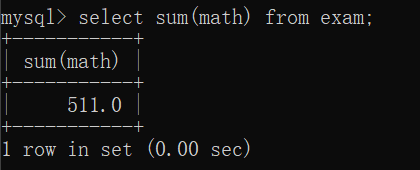
注意
如果SUM求和的列不是数字,则会报警告(warnings)
warning是一种问题的严重级别 warning存在隐患 error更加严重直接导致无法执行
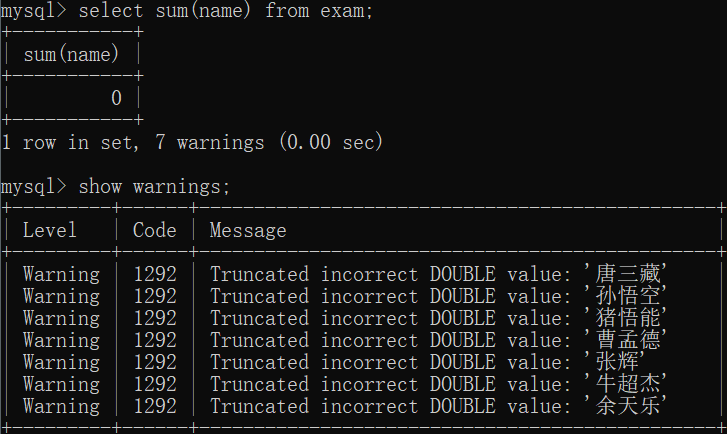
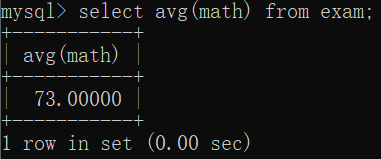
AVG求平均值
select avg(math) from exam;
总平均,别名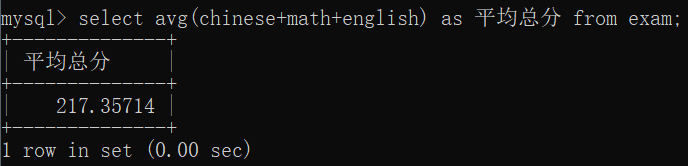
注意
有效数字不再是三位,主要是更加追求数据准确性
max最大值
select max(chinese) from exam;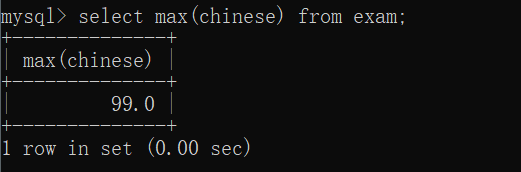
min最小值
select min(chinese) from exam;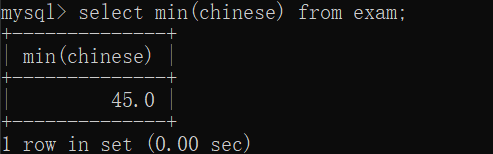
GROUP BY 分组查询
把查询结果分成若干组
规则:
按照某一列的值,把值相同的作为同一组select role,avg(salary)from emp group by role;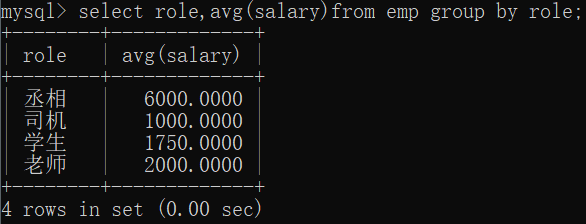
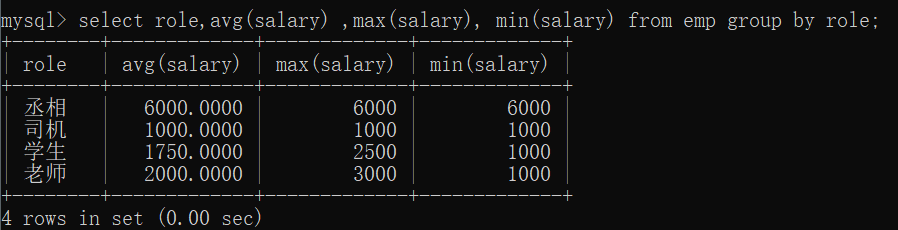
排除某行的分组select role,avg(salary) from emp where name != '张辉' group by role;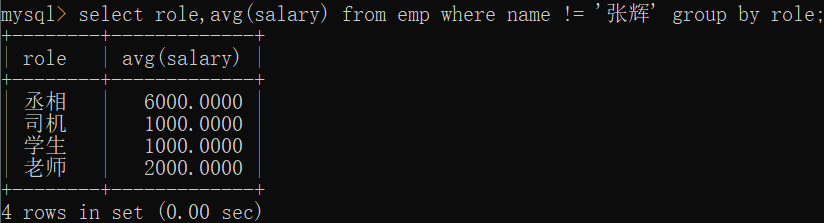
注意
条件筛选在前,分组在后
select往往的执行过程就是一行一行的遍历表,把满足where条件的记录作为结果,不满足where条件的记录直接筛选掉 后面的group by相当于针对前面where筛选后的结果在进行分组
如果需要先分组,再筛选?
例如,需要查找平均薪资高于2000的岗位(先分组求平均值,再查找筛选)
此时不能使用where表示条件,而是使用having关键字,后面跟上条件select role,avg(salary) from emp group by role having avg(salary) > 2000;
联合查询
进行笛卡尔积(多表查询)
select 字段 from 表1 别名 [inner] join 表2 别名2 on 连接条件 and 其他条件;select字段from 表1 别名1,表2 别名2 where连接条件and 其他条件;
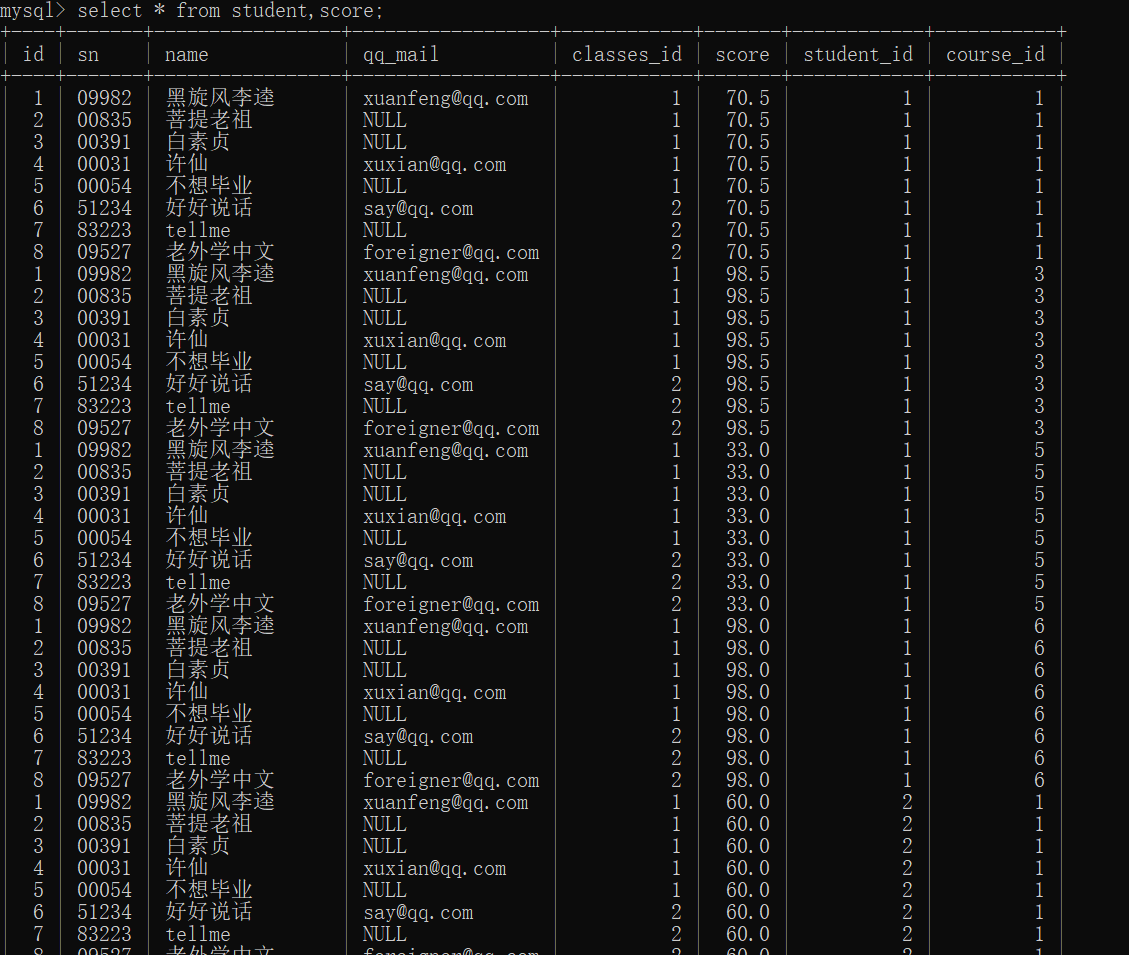
笛卡尔积结果
注意:
笛卡尔积操作,是把所有的可能性都进行了排列组合
而实际上,只有少数记录才是有意义的,才是我们需要的student表的id和score表的id相等的情况下,才是我们需要的
数据库名.表名如果不use数据库,像操作数据库就可以通过此方式
在此处使用,主要是防止两个表之间有相同的列名,sql则会不知道你使用的是哪个列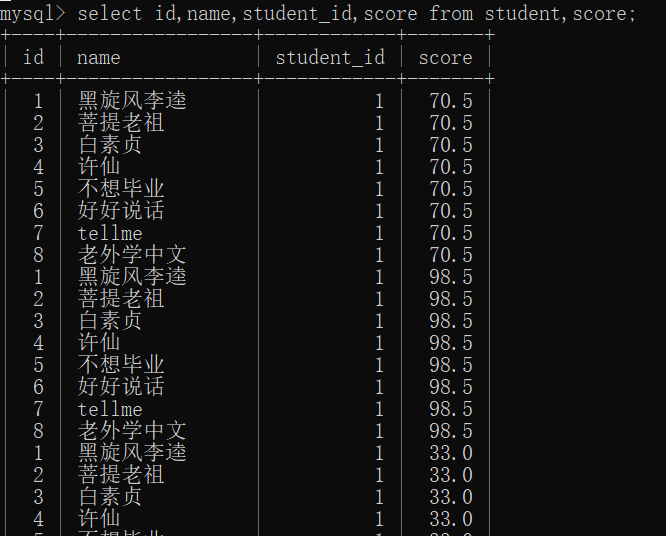
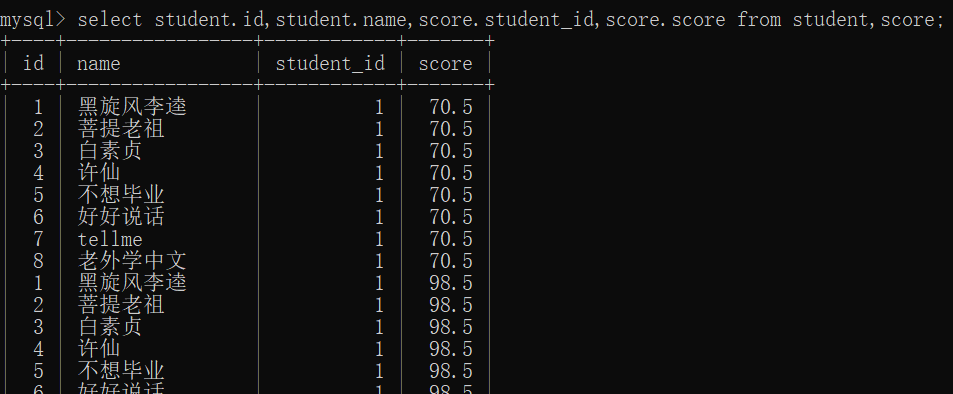
加个where条件,让结果有意义select id,name,student_id,score from student,score where student.id = score.student_id;where即连接条件

join on 的方式
多表查询的一般过程
- 先找出要查找的信息都在哪些表中
- 针对这些表 进行笛卡尔积
- 找到连接条件,干掉不必要的记录
- 加上其他的条件,最终结果符合条件
三表协同(where方法)
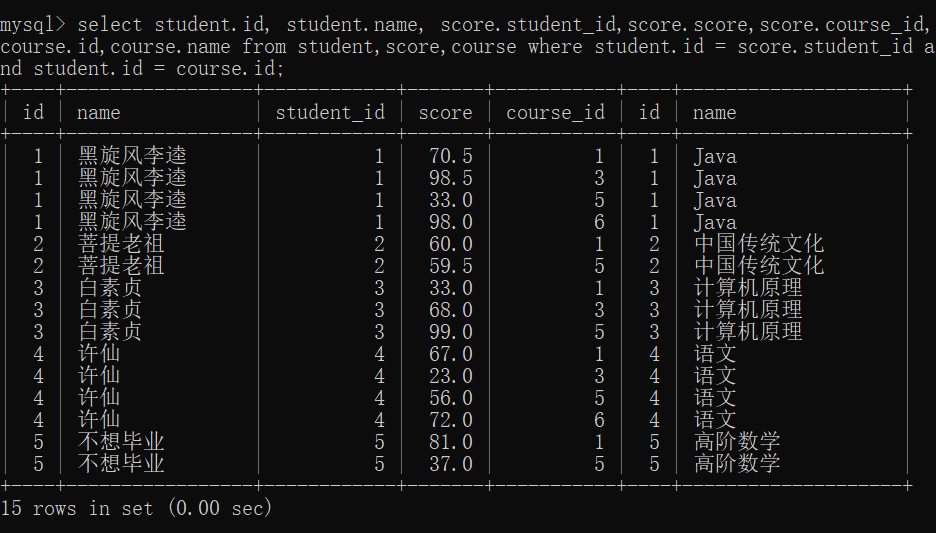
select student.id, student.name,score.student_id,score.score,score.course_id,course.id,course.name from student,score,coursewhere student.id = score.student_idand student.id = course.id;
三表协同(join on方法)
内连接
where就是在内连接
[inner] join on 也是在内连接
注意:
内连接的结果,内连接中的记录必须要同时在两张表同时存在
外连接
select 字段名 from 表名1 left join 表名2 on 连接条件;
左外连接:保证左边这张表的记录都能出现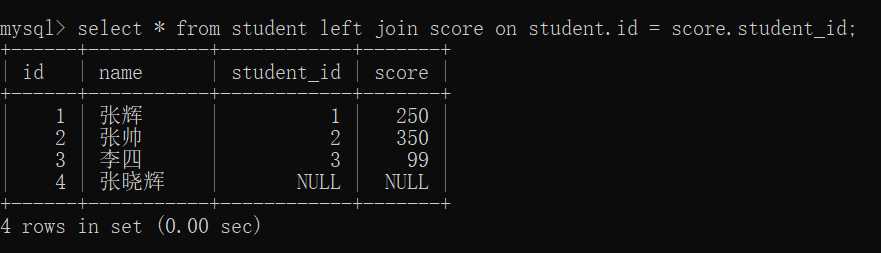
右外连接**:同理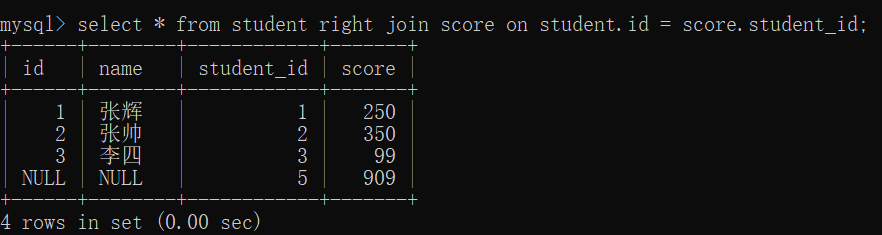
内连接与外连接比较
内连接:两表相交的部分
左外连接:左边表自己的+两表相交的部分
右外连接:右边表自己的+两表相交的部分
全外连接:MySQL不支持,两表自己的
子查询
把多个select语句嵌套在一起
select * from student where classes_id=(select classes_id from student where name='不想毕业'); 
select id from course where name = '语文' or name = '英文';
— 使用IN select from score where course_id in (select id from course where name=’语文’ or name=’英文’); — 使用 NOT IN select from score where course_id not in (select id from course where name!= 比
针对in来说,明确的先执行子查询,把子查询结果放到内存里,在执行外层父查询,父查询where条件,就是那父查询中每个记录,去和内存保证这个子查询的结果进行比较
exists的写法
select f rom score where exists(
select score.course_id from course where(name= ‘语文’or name = ‘英文’) and course.id = score,course_id);
exists是先执行父查询~针对夫查询的媒体一条结果,都砸执行一个子查询
假设父查询的结果有1000条记录,接下来就会在执行1000次子查询
*执行速度是很慢的,但是解决了内存放不下的问题
一把不建议写这种非常复杂的SQL
这种复杂SQL执行效率往往很低,对于大数据

若有收获,就点个赞吧
0 人点赞


