Update (9.30th):** For feedback on how to submit content, please read the information at the bottom of this article. [↓↓↓**](#W1TKD)
Guide: How to choose product from the product pool of the Connect platform
Don’t forget to choose the products from the “Premium Product” product pool on the Connect platform! And make sure you have applied the task of the product before you write lists or collages. You can apply as many items as you like in the product pool and write them in a list or collage. All the products appeared in the collage or list must be chosen from the product pool.
Tips
1:For AE Feed tasks,
1)bloggers who are L3 and above are eligible to participate
2)bloggers who has received Outstanding content rewards are eligible to participate
2、guide
step1: click this link:https://connect.aliexpress.com,and select ‘I am a creator’ and following the prompts.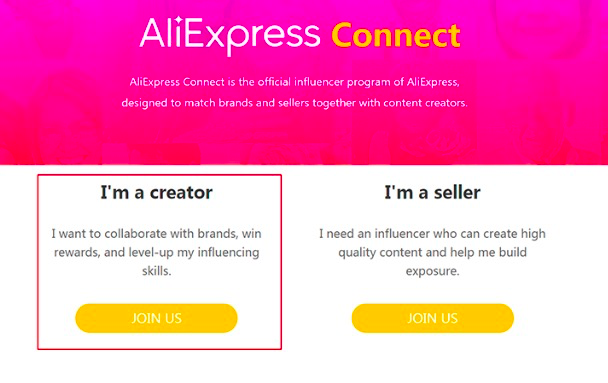
step2:choose the product from the specified product pool:
Tasks to all—— CPS Tasks——Product pool(such as:Premium Products)——Task Type:AliExpress CPS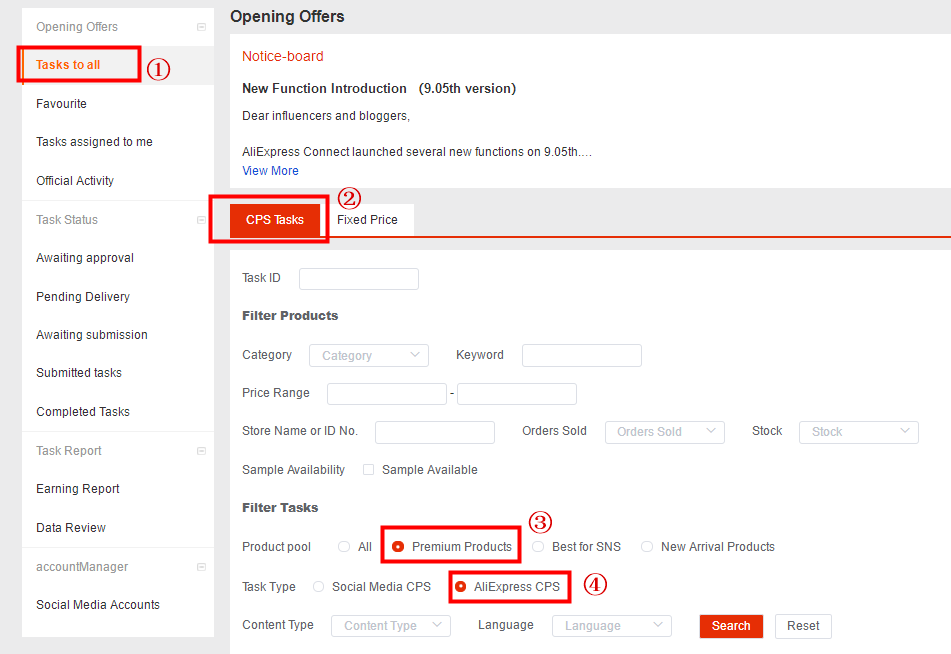
step3:choose the product ,and than apply for task .
tips:how to apply task :https://sale.aliexpress.com/__pc/Oi3Ac195hY.htm?spm=a2g0o.ams_88620.z5909b8.1.3b17AB5rAB5rxI
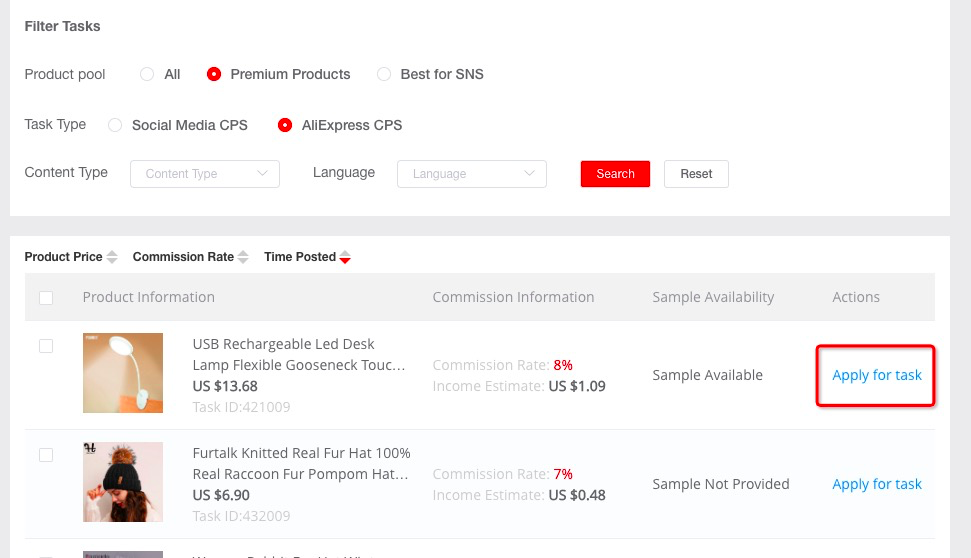
step4: post lists /collages ,and make sure your articles attend the specified Platform tasks
Update (9.30th): For feedback on how to submit content :
Q: How to submit content when blogger applies for multiple tasks but only post a list/collage?
A:
1) Select a task to submit content normally: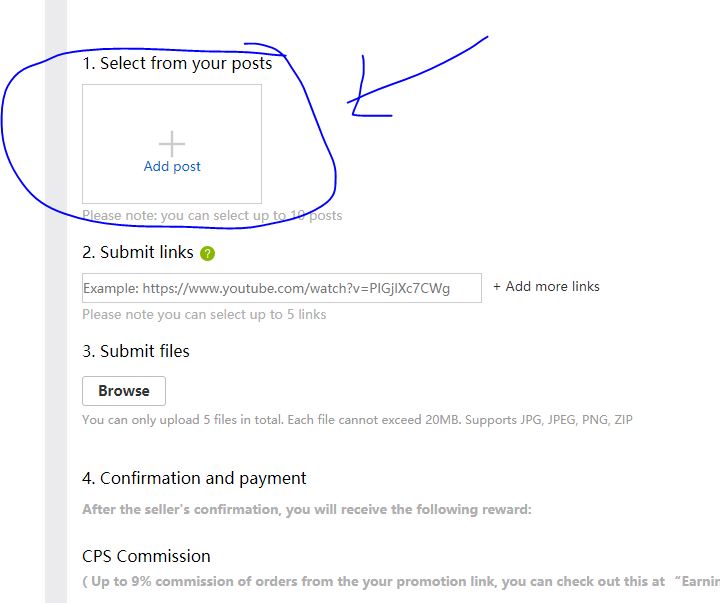
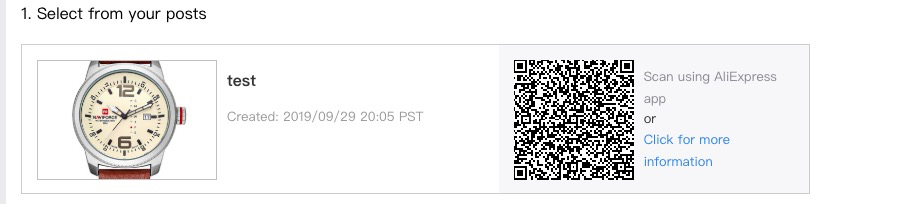
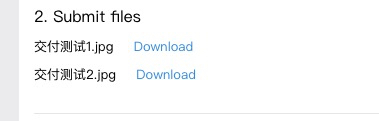
2) Other tasks, please submit by uploading pictures. Submit content screenshot and content QR code, as shown below:
A、The screenshot saves the content QR code when the content is submitted normally
B、Content body screenshot save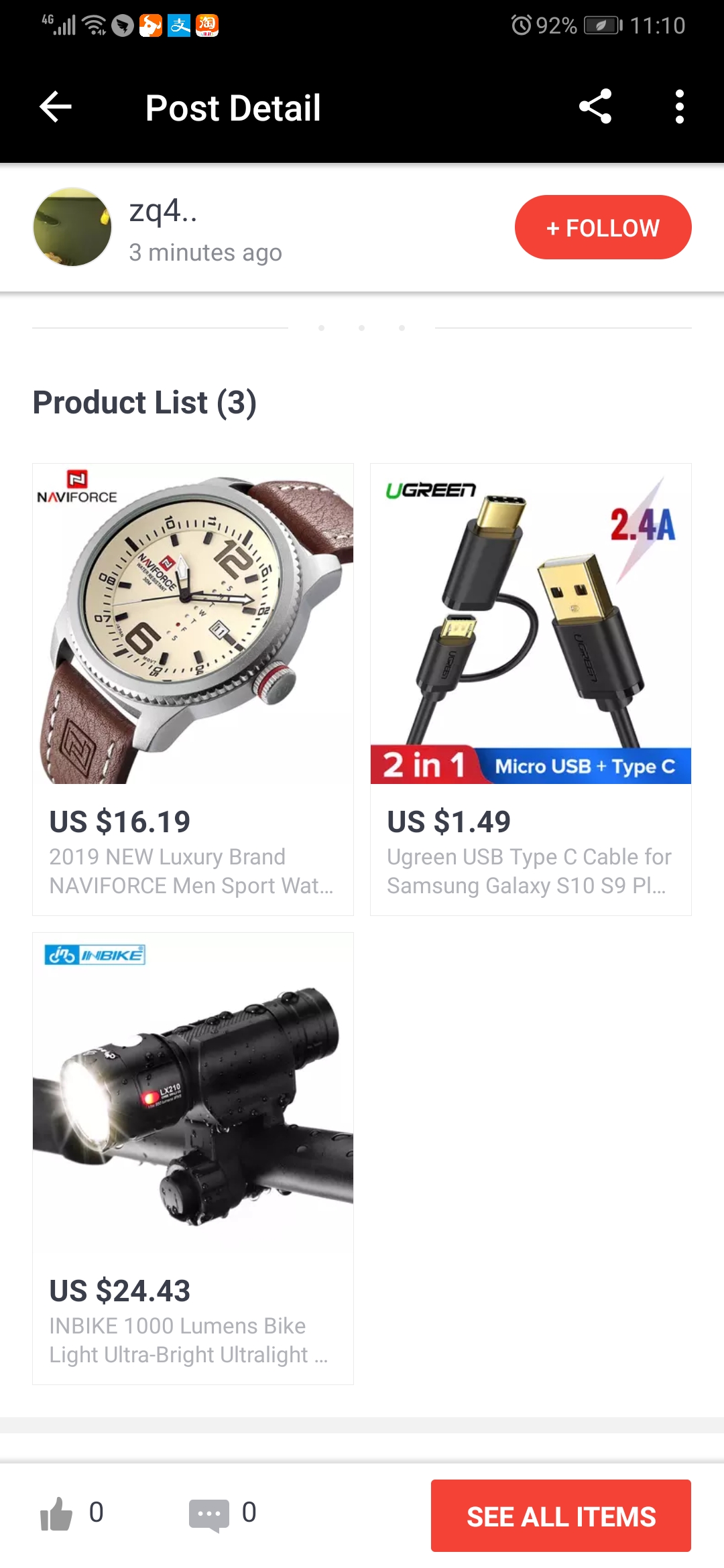
c.upload image;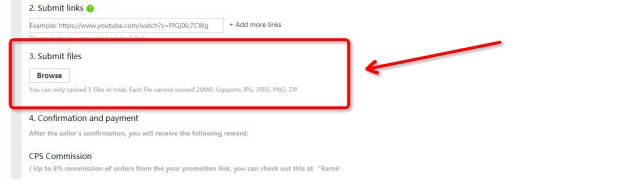

若有收获,就点个赞吧
0 人点赞


